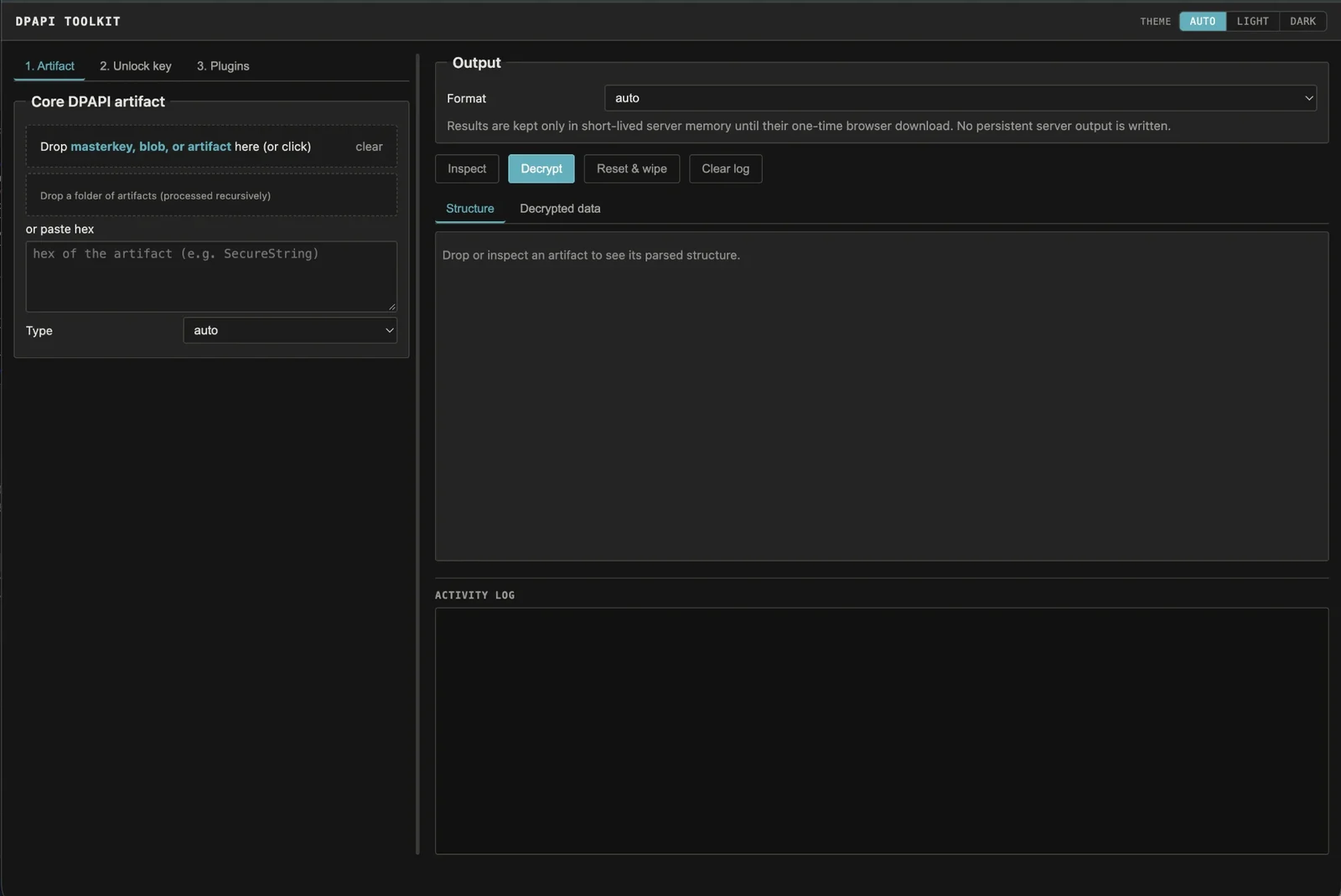

Drop any Windows DPAPI artifact and it identifies the format and the exact master key it needs, then decrypts once you supply the key. Offline, CLI + web UI.
An offline toolkit for Windows DPAPI evidence. You collect the files, point the tool at an artifact, and it recognizes the format and tells you exactly which master key it needs; you supply the key material and it decrypts.
Most DPAPI tooling is one script per format, or a feature buried inside a larger
offensive framework. This is one tool for the whole range — master keys, DPAPI
blobs, Credential Manager, Vault, CREDHIST, Wi-Fi, RDP/RDCMan, CAPI/CNG keys and
certificates, PowerShell SecureStrings, KeePass, SCCM, Chromium os_crypt keys,
and (with an optional plugin) DPAPI-NG — driven from collected files alone, with
a command-line interface and a local drag-and-drop web UI over the same core.
It is built for red team and penetration testing, DFIR, and security research. No live host, domain controller, network, BKRP, or LSASS access is used, and it does not brute-force passwords or PINs: you supply the collected artifacts and key material explicitly.
Only use this against systems and evidence you own or are explicitly authorized to examine.
You've collected a user's Protect folder and a Credential Manager file offline
and you know the account password. Inspect the credential first — no key needed:
python3 dpapi_toolkit.py CREDENTIAL_FILE
It prints the embedded DPAPI blob and the master-key GUID it requires. Point it
at the Protect directory and let it match and unlock that master key, then
decrypt:
python3 dpapi_toolkit.py CREDENTIAL_FILE --type credential \
  --masterkey-dir Protect-S-1-5-21-... \
  --sid S-1-5-21-... \
  --password 'password'
The result is JSON with the target, username, and recovered credential. The same inspect-then-decrypt flow applies to every supported format.
Python 3.10 or newer. The only hard dependency is
cryptography:
python3 -m pip install cryptography
Optional dependencies enable specific features:
python3 -m pip install python-registry  # read Outlook data from NTUSER.DAT
python3 -m pip install dpapi-ng          # offline DPAPI-NG plugin
python3 -m pip install impacket          # offline SYSTEM/SECURITY/SAM hive plugin
No live Windows host, domain controller, network connection, or LSASS access is required. Registry secrets and master keys must already have been collected.
ConvertFrom-SecureString /
Export-Clixml SecureStrings..vpol/.vcrd), and CREDHIST
password history..rdp files and RDCMan .rdg/.settings.ProtectedUserKey.bin, SCCM policy secrets, Outlook IMAP,
software-backed Windows Hello / NGC keys, and Chromium os_crypt keys.$DPAPImk$ master
keys (Hashcat 15300/15310/15900/15910), $MSONLINEACCOUNT$ CacheData
(mode 33700), and local SAM NT hashes. See docs/hashes.md.The unlock method depends on what you already have. This maps it to the CLI option; the same choices appear in the web UI under 2. Unlock key.
| What you have | Size / form | Option |
|---|---|---|
| Encrypted Windows master key | GUID-named file under Protect | --masterkey FILE plus an unlocking method |
| Decrypted master key | 64 bytes | --real-masterkey FILE_OR_HEX_OR_BASE64 |
| SHA1 mapping of a decrypted master key | 20 bytes | --real-masterkey FILE_OR_HEX_OR_BASE64 |
| DPAPI_SYSTEM secret | 40-byte MachineKey || UserKey, one 20-byte key, or 44 bytes with version | --dpapi-system FILE_OR_HEX_OR_TEXT |
| Final SID-bound user prekey | 20 bytes | --prekey FILE_OR_HEX |
| NT hash | 16 bytes | --nt-hash FILE_OR_HEX --sid SID |
| Local SHA1 password hash | 20-byte SHA1(password as UTF-16LE) | --sha1-hash FILE_OR_HEX --sid SID |
| Unbound credential key | 16–128 bytes | --credkey FILE_OR_HEX --sid SID |
| AD DPAPI backup material | PEM, DER, PVK, CAPI PRIVATEKEYBLOB, or 256-byte ServerWrap key | --domain-backup-key VALUE or --pvk VALUE |
The 40/44-byte DPAPI_SYSTEM value is not a decrypted master key. Use it to decrypt a GUID-named SYSTEM master key, then use the resulting 64-byte master key to decrypt the artifact.
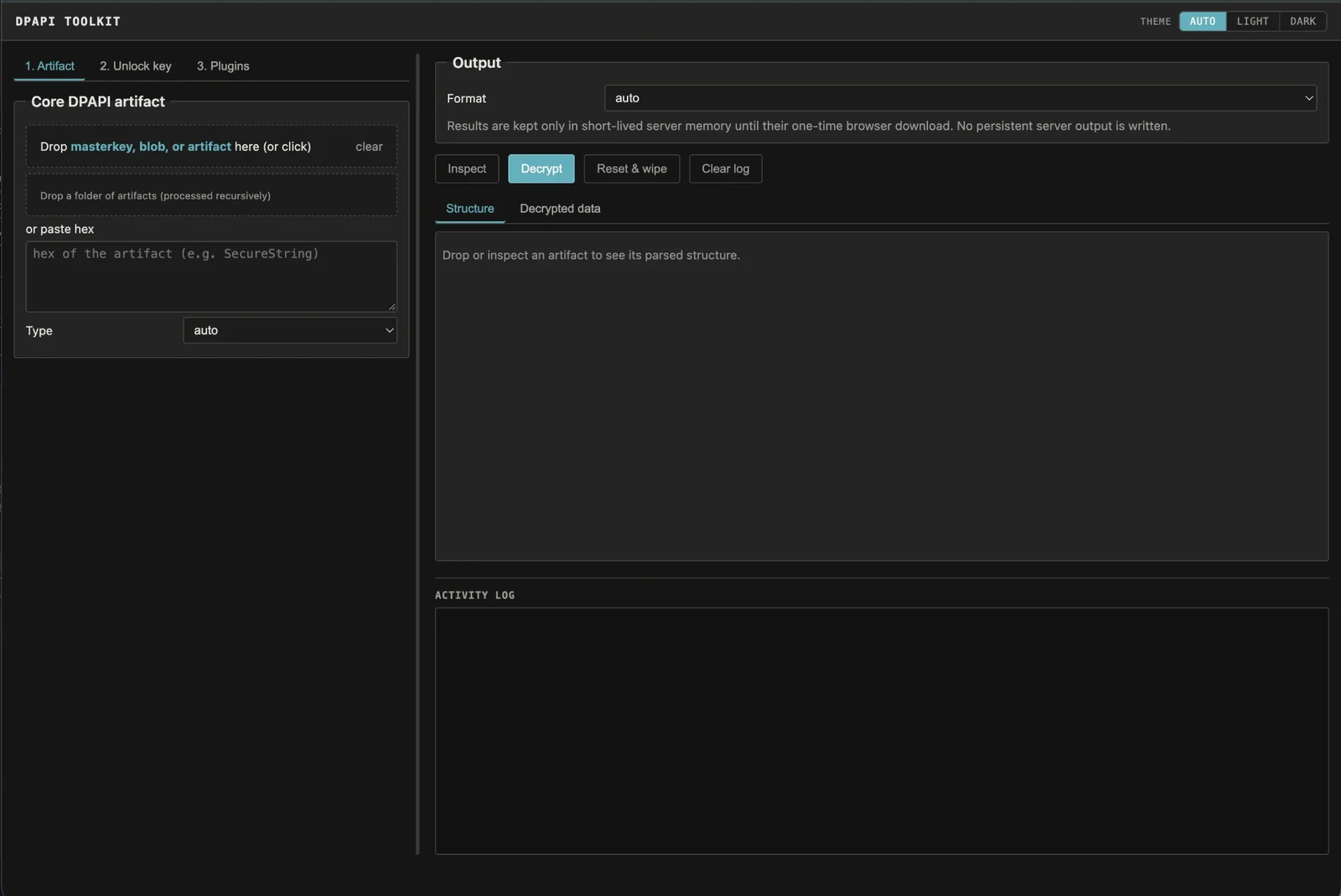
The web UI is a thin front end over the same offline core, so its results match the command line exactly:
python3 dpapi_web.py # http://127.0.0.1:8765/
It binds to 127.0.0.1 only, has no LAN/public bind option, holds decrypted
results in bounded memory for a single one-time download, and never writes
persistent decrypted output. See docs/web-ui.md for the full
workflow, the per-format flows, and the security posture.
| Guide | Contents |
|---|---|
| docs/cli-reference.md | Inspection, master-key unlocking, output options, entropy, Hashcat export, batch mode, default collection locations, troubleshooting. |
| docs/artifacts.md | Per-format command examples for every supported artifact. |
| docs/web-ui.md | The local web UI: complete workflow, core artifact flows, chained recovery, and its security model. |
| docs/plugins.md | Removable offline plugins (Certificate/PFX, CacheData, Windows hives, DPAPI-NG) and the DPAPI-NG walkthrough. |
| docs/hashes.md | Getting crackable hashes for offline password recovery — $DPAPImk$, $MSONLINEACCOUNT$, and SAM NT hashes, with the Hashcat commands. |
Quick help is also built in: python3 dpapi_toolkit.py -h for short help, -hh
for detailed key/artifact/location/limitation help, and appending --structure
to any artifact prints its parsed fields without decrypting.
| File | Purpose |
|---|---|
dpapi_toolkit.py | Core parsing/decryption plus the CLI. Also importable as a module. |
dpapi_web.py | Local, dependency-free web UI (standard-library HTTP server). |
dpapi_plugins.py | Manifest discovery and lazy loading for the offline plugins. |
plugins/certificate_pfx/ | Certificate/private-key matching and offline PKCS#12/PFX creation. |
plugins/cachedata/ | Entra ID/CloudAP CacheData known-password decoder and Hashcat mode-33700 exporter. |
plugins/dpapi_ng/ | DPAPI-NG SID-descriptor decryption from a locally supplied KDS root key. |
plugins/windows_hives/ | Offline DPAPI_SYSTEM extraction and optional local SAM hash export. |
The toolkit is intentionally offline: no outbound HTTP, RPC, domain-controller, BKRP, LSASS, or live-registry access, and no password/PIN brute-forcing. Beyond that:

