CVE-2025-55182 Next.js RCE Burp Extension Plugin
Features
- Passive Scanning: Automatically detect all Next.js sites passing through Burp
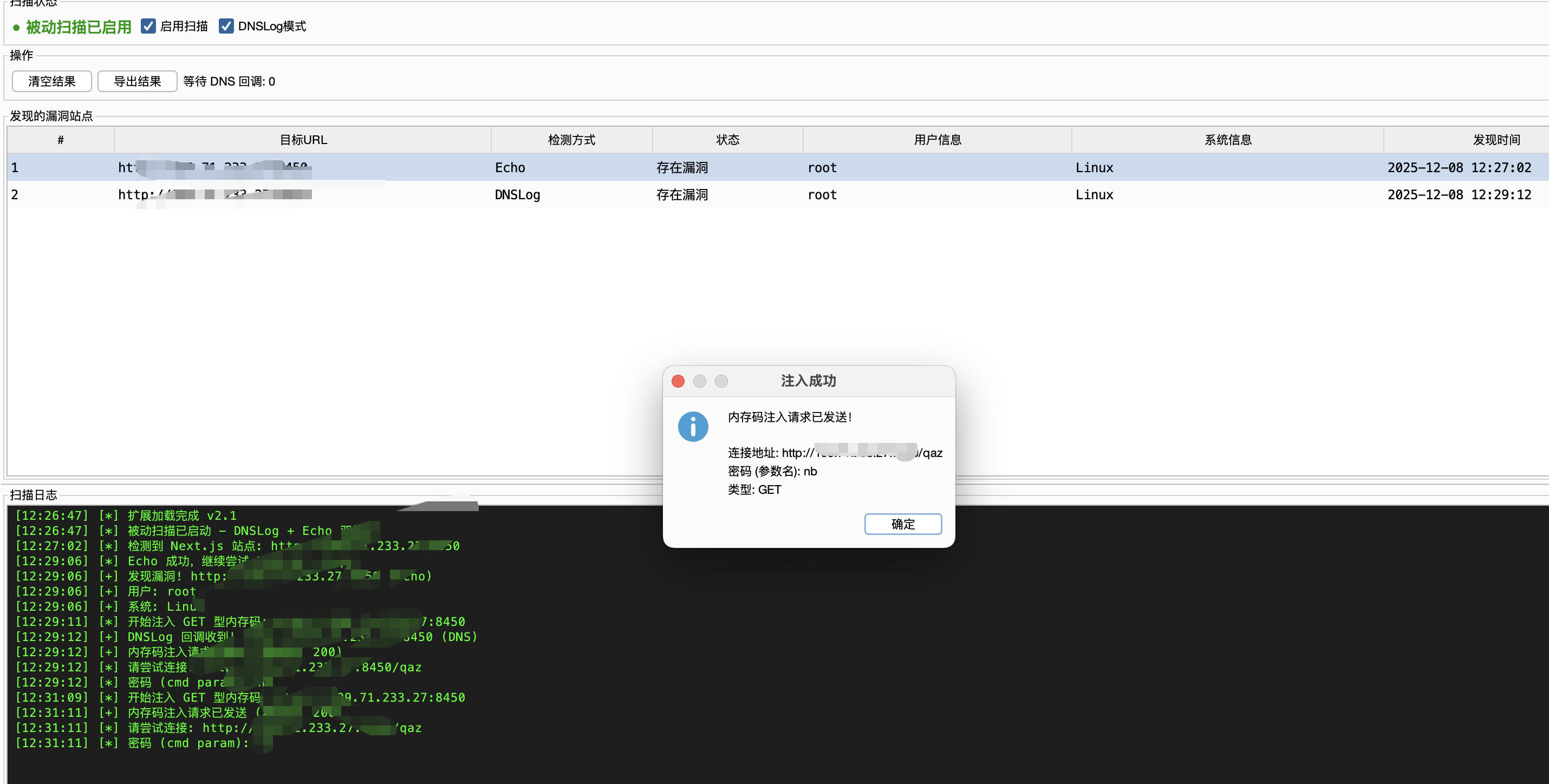
Memory Shell Injection (v2.2 New!)
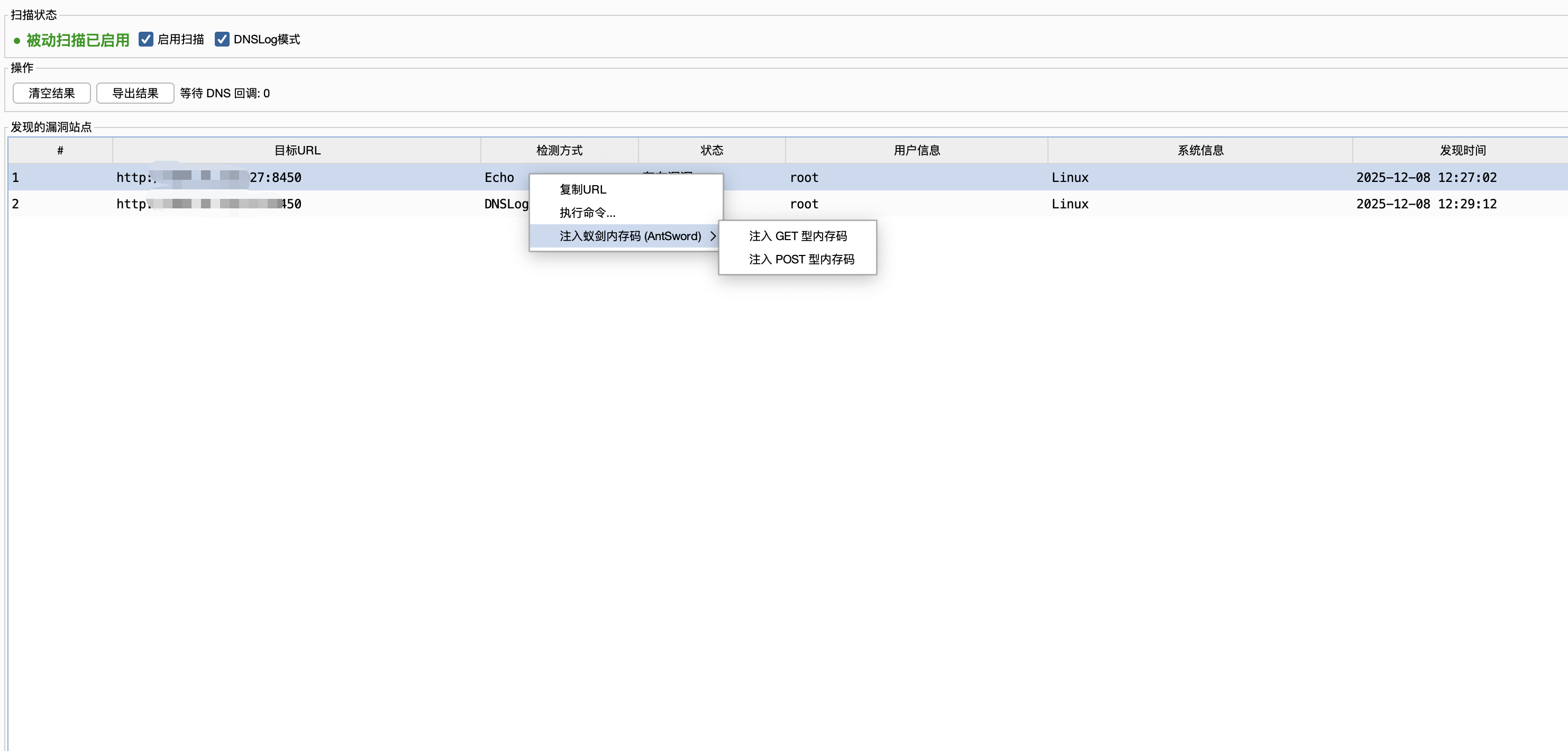
Right-click on the target request, select Inject AntSword Memory Shell (AntSword), supports both GET and POST types of memory shells.
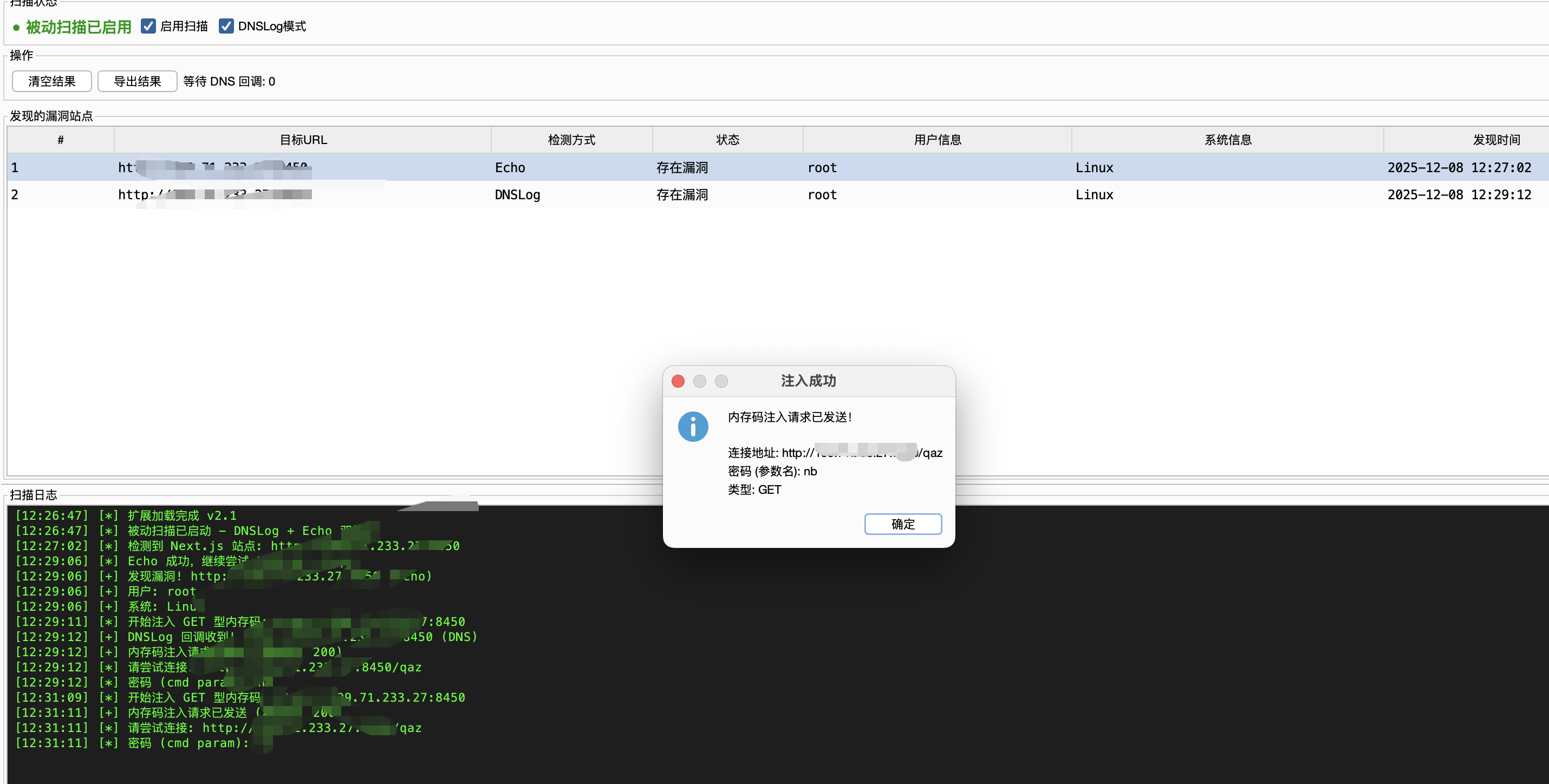
- Connection URL:
http://target/qaz
- Connection Password:
nb
- Encoder: default (no specific encoder required)
After successful injection, you can directly use AntSword to connect to this address for management.
Vulnerability Detection Logic
- Echo Method: Send
echo [random] and check the response, fast, no outbound connection.
- DNSLog Method: Use Burp Collaborator to send
nslookup/curl/wget Payload, supports blind detection.
- Dual Detection: Use both methods by default to ensure maximum detection rate.
- Dual Detection: [New] Simultaneously perform Echo and DNSLog (Burp Collaborator) detection to ensure no false negatives
- Automatic Exploitation: After discovering a vulnerability, automatically execute to obtain privilege and system information
- Result List: Display all vulnerable sites in a table format
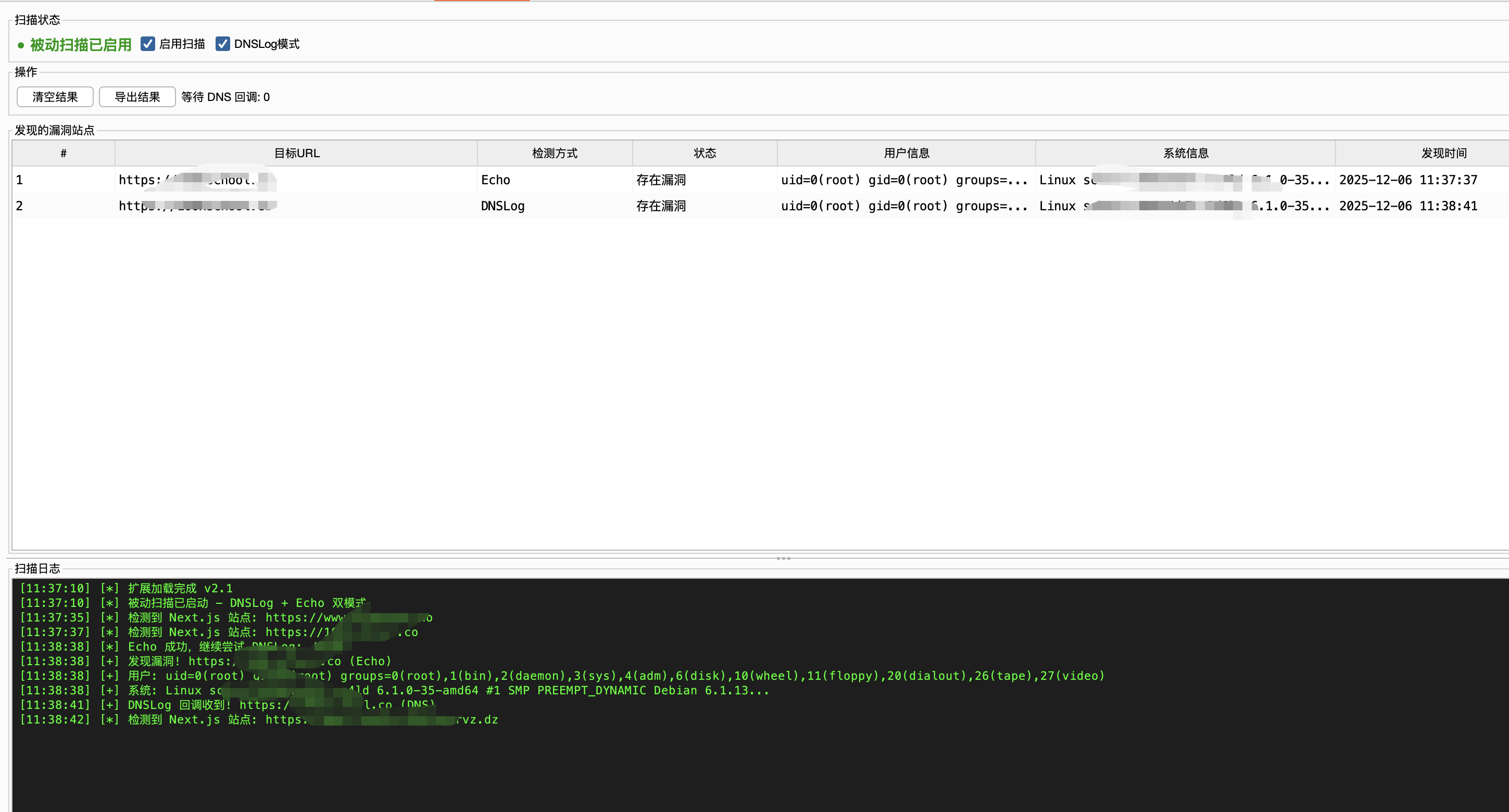
- Command Execution: Right-click on the table to execute custom commands on the target and inject memory shells
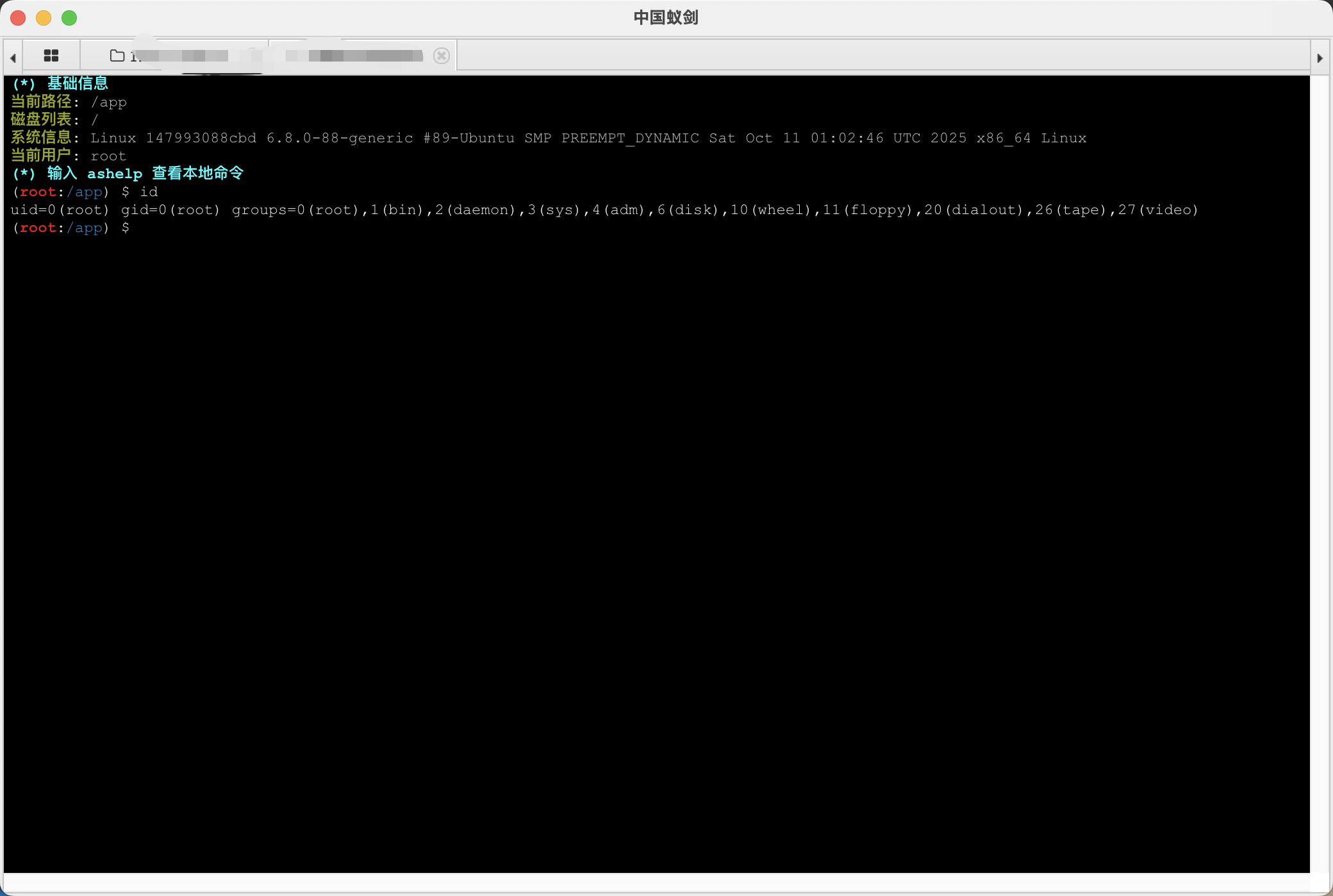
- Connect Memory Shell: AntSword connection
Installation
- Download
nextjs-rce-scanner-2.2.0.jar
- Burp Suite → Extender → Extensions → Add
- Extension type: Java
- Select the JAR file
Usage
- After loading the extension, the "Next.js RCE" tab will appear
- Simply browse websites as normal
- The extension automatically detects Next.js sites and tests for vulnerabilities
- Sites with discovered vulnerabilities will be displayed in the table
Manual Testing
Right-click any request in Burp → "Test Next.js RCE Vulnerability"
Execute Command
- Right-click on a vulnerable site in the table
- Select "Execute Command..."
- Enter the command
Next.js RCE Scanner v2.2.0 (CVE-2025-55182)-BurpExtension
cd CVE-2025-55182-BurpExtension
mvn clean package -DskipTests
JAR is generated at target/nextjs-rce-scanner-2.2.0.jar
Thanks to @Ruoji for providing suggestions on DNSLOG detection ideas and memory shell POC.
 cr4at0r/next.js-rce-scanner-burpsuite-extension-
