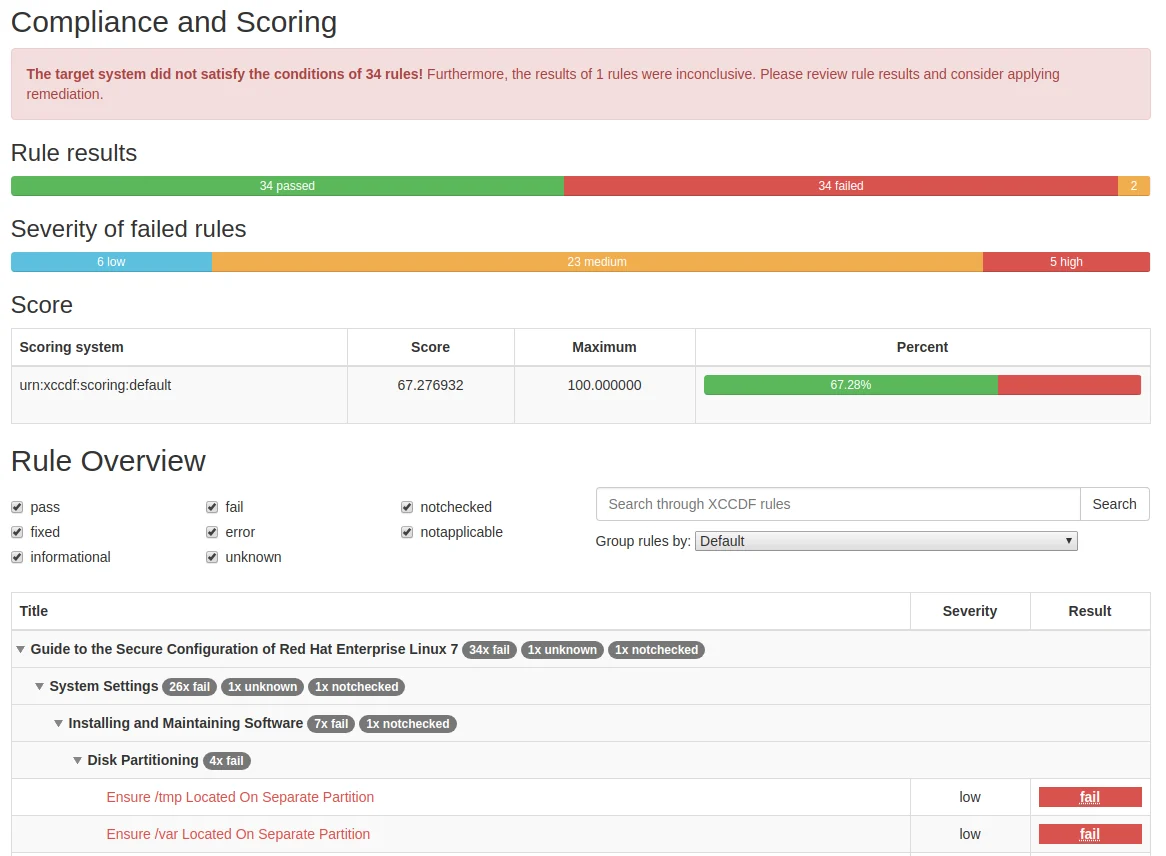

Generates SCAP, Ansible, Bash, and CEL security content for compliance evaluation and automated hardening across Linux hosts, containers, and Kubernetes.





The purpose of this project is to create security policy content for various platforms — Red Hat Enterprise Linux, Fedora, Ubuntu, Debian, SUSE Linux Enterprise Server (SLES),... — as well as products — Firefox,... We aim to make it as easy as possible to write new and maintain existing security content in all the commonly used formats.



"SCAP content" refers to documents in the XCCDF, OVAL and SCAP source data stream formats. These documents can be presented in different forms and by different organizations to meet their security automation and technical implementation needs. For general use, we recommend SCAP source data streams because they contain all the data you need to evaluate and put machines into compliance. The data streams are part of our release ZIP archives.
"Ansible content" refers to Ansible playbooks generated from security profiles. These can be used both in check-mode to evaluate compliance, as well as run-mode to put machines into compliance. We publish these on Ansible Galaxy as well as in release ZIP archives.
"Bash fix files" refers to Bash scripts generated from security profiles. These are meant to be run on machines to put them into compliance. We recommend using other formats but understand that for some deployment scenarios bash is the only option.
"CEL content" refers to compliance content using the Common Expression Language (CEL) for Kubernetes and OpenShift platforms. CEL content is generated as YAML files and is designed for native Kubernetes resource evaluation through the compliance-operator, without requiring shell access to nodes. This format is used for platform-level compliance checks on container orchestration systems.
We want multiple organizations to be able to efficiently develop security content. By taking advantage of the powerful build system of this project, we avoid as much redundancy as possible.
The build system combines the easy-to-edit YAML rule files with OVAL checks, Ansible task snippets, Bash fixes, and other files. Templating is provided at every step to avoid boilerplate. Security identifiers (CCE, NIST ID, STIG, ...) appear in all of our output formats but are all sourced from the YAML rule files.
We understand that depending on your organization's needs you may need to use a specific security content format. We let you choose.
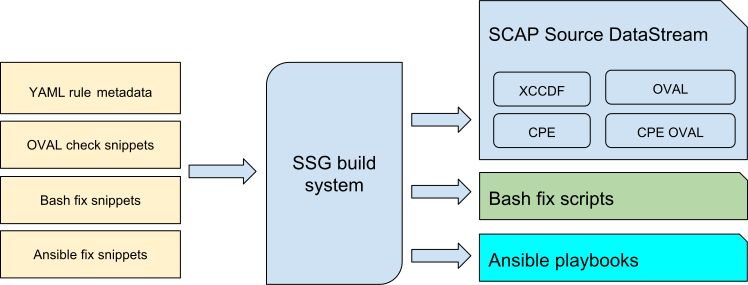
We use an OpenControl-inspired YAML rule format for input. Write once and generate security content in XCCDF, Ansible, and others.
title: 'Configure The Number of Allowed Simultaneous Requests'

description: |-
    The <tt>MaxKeepAliveRequests</tt> directive should be set and configured to
    <sub idref="var_max_keepalive_requests" /> or greater by setting the following
    in <tt>/etc/httpd/conf/httpd.conf</tt>:
    <pre>MaxKeepAliveRequests {{{ xccdf_value("var_max_keepalive_requests") }}}</pre>

rationale: |-
    Resource exhaustion can occur when an unlimited number of concurrent requests
    are allowed on a web site, facilitating a denial of service attack. Mitigating
    this kind of attack will include limiting the number of concurrent HTTP/HTTPS
    requests per IP address and may include, where feasible, limiting parameter
    values associated with keepalive, (i.e., a parameter used to limit the amount of
    time a connection may be inactive).

severity: medium

identifiers:
    cce: "80551-5"
Our security content can be used to scan bare-metal machines, virtual machines, virtual machine images (qcow2 and others), containers (including Docker), and container images.
We use platform checks to detect whether we should or should not evaluate some of the rules. For example: separate partition checks make perfect sense on bare-metal machines but go against recommended practices on containers.
The preferred method of installation is via the package manager of your distribution. On Red Hat Enterprise Linux and Fedora you can use:
yum install scap-security-guide
On Debian (sid), you can use:
apt install ssg-debian  # for Debian guides
apt install ssg-debderived  # for Debian-based distributions (e.g. Ubuntu) guides
apt install ssg-nondebian  # for other distributions guides (RHEL, Fedora, etc.)
apt install ssg-applications  # for application-oriented guides (Firefox, JBoss, etc.)
Download pre-built SSG zip archive from the release page. Each zip file is an archive with ready-made SCAP source data streams.
If ComplianceAsCode is not packaged in your distribution (it may be present there as scap-security-guide package), or if the
version that is packaged is too old, you need to build the content yourself
and install it via make install. Please see the Developer Guide
document for more info. We also recommend opening an issue on that distributions
bug tracker to voice interest.
We assume you have installed ComplianceAsCode system-wide into a standard location from current upstream sources as instructed in the previous section.
There are several ways to consume ComplianceAsCode content, we will only go through a few of them here.
oscap toolThe oscap tool is a low-level command line interface that comes from
the OpenSCAP project. It can be used to scan the local machine.
oscap xccdf eval --profile xccdf_org.ssgproject.content_profile_ospp --results-arf arf.xml --report report.html --oval-results /usr/share/xml/scap/ssg/content/ssg-rhel8-ds.xml

