 codeyourweb/fastfinder
Incident Response - Fast suspicious file finder


A lightweight incident response tool for threat hunting and forensic triage





FastFinder is a powerful, lightweight incident response tool designed for cybersecurity professionals conducting threat hunting, live forensics, and endpoint triage. Built for both Windows and Linux platforms, it excels at rapid suspicious file discovery using multiple detection criteria.
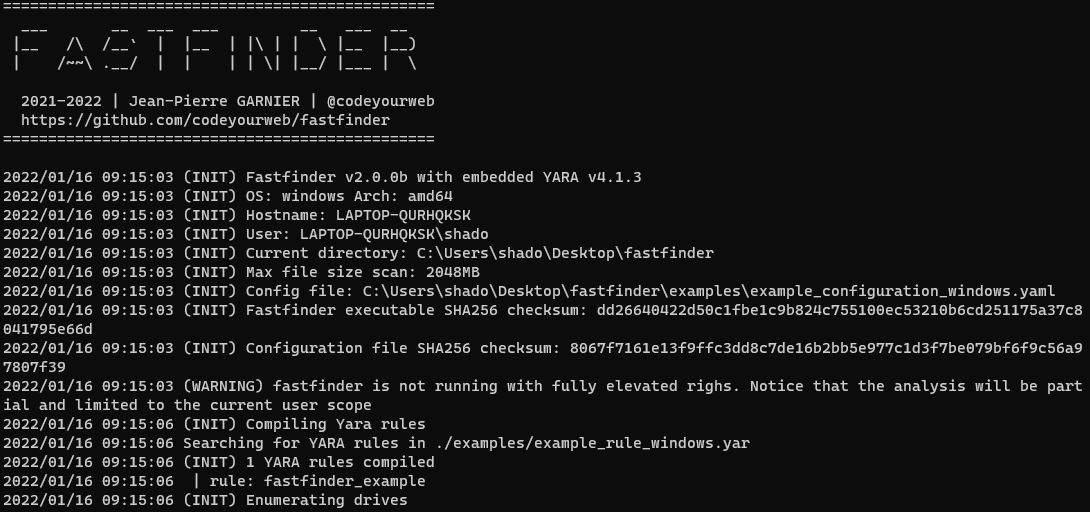 Basic User Interface
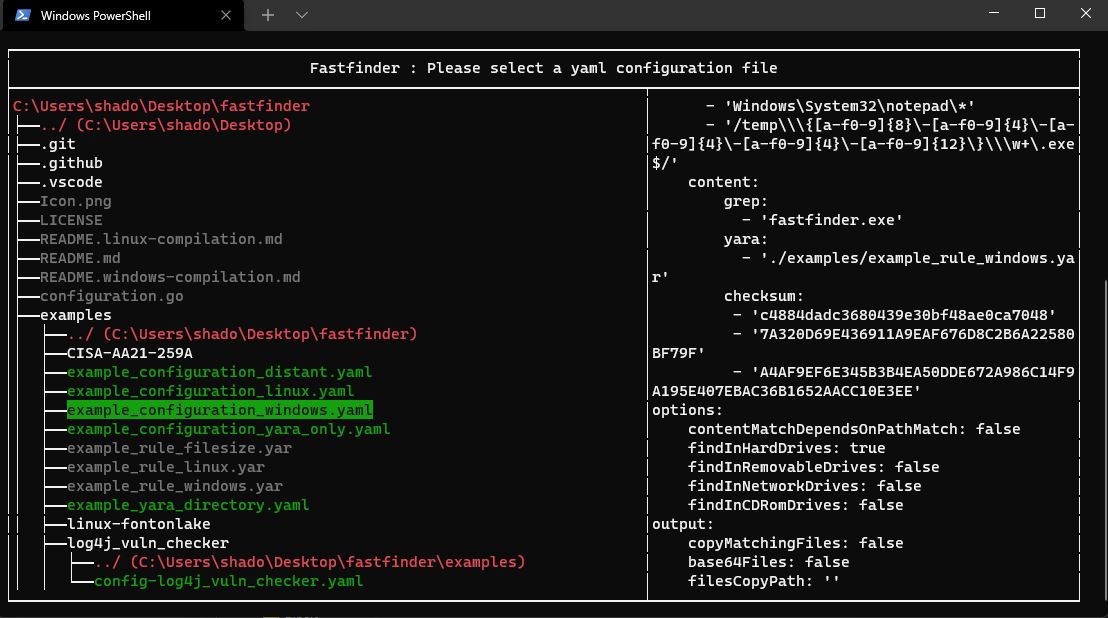 Configuration Selection
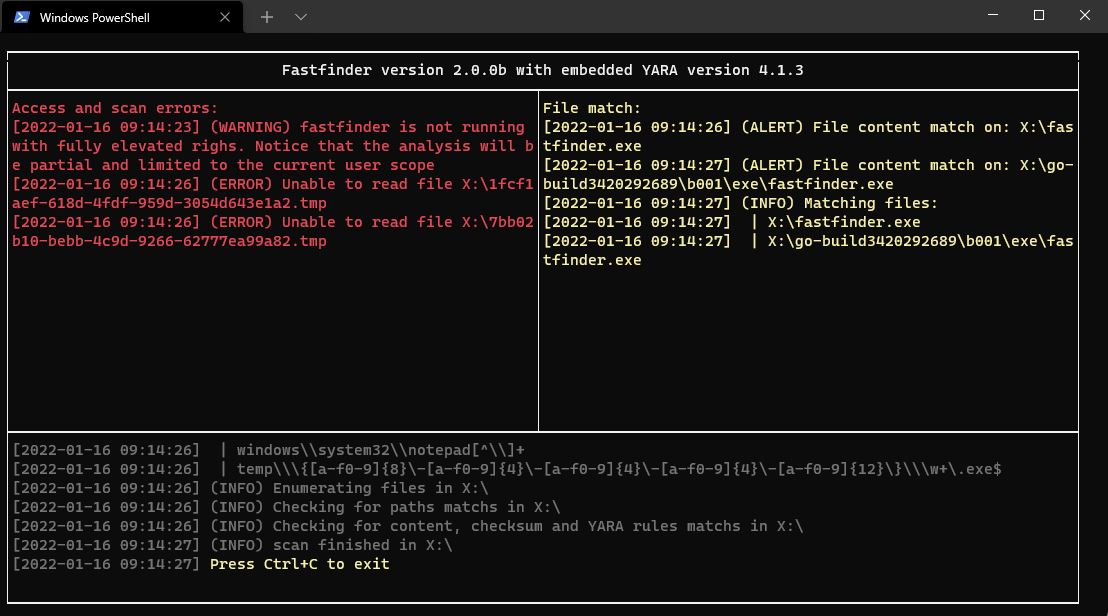 Scan Results and Matches
⚠️ Note: Compilation requires CGO and YARA dependencies. See platform-specific guides:
The easiest way to build FastFinder without installing any dependencies:
# Build binaries for Linux and Windows
cd docker
make build-binaries

# Binaries will be in ./bin/
# - fastfinder-linux-amd64
# - fastfinder-windows-amd64.exe
Run FastFinder inside a privileged Docker container to scan volumes or mounted filesystems:
# Build the runtime image (includes FastFinder + YARA + editors)
.\docker-helper.ps1 build-runtime

# Run scan with configuration directory
.\docker-helper.ps1 run-runtime -ConfigPath "C:\path\to\config_folder" -ScanPath "C:\data\to\scan"

# Interactive shell mode (no scan, just shell access)
.\docker-helper.ps1 run-runtime -Interactive
fastfinder [OPTIONS]
| Option | Description | Default |
|---|---|---|
-h, --help | Print help information | |
-c, --configuration <yaml config file> | Configuration file path | |
-b, --build <output executable> | Create standalone binary with embedded config (x64 architecture only) | |
-r, --root <Path> | Scan root path (override drive enumeration) | |
-s, --silent | Silent mode - run without any visible window or console | |
-v, --verbosity <verbosityLevel> | Log verbosity level (1-5) | 3 |
-t, --triage | Continuous monitoring mode | false |
# Basic scan with configuration file
./fastfinder -c config.yaml

# Continuous monitoring mode
./fastfinder -c config.yaml -t

# Create standalone executable (x64 architecture only)
./fastfinder -c config.yaml -b standalone_scanner.exe
💡 Tip: FastFinder can run with standard user privileges, but administrative rights provide access to all system files.
configuration examples are available there. Here is a full configuration blank example. You do not need to implement every attribute if you are not using everything.
input:
    path: [] # match file path AND / OR file name based on simple string
    content:
        grep: [] # match literal string value inside file content
        yara: [] # use yara rule and specify rules path(s) for more complex pattern search (wildcards / regex / conditions)
        checksum: [] # parse for md5/sha1/sha256 in file content
options:
    contentMatchDependsOnPathMatch: true # if true, paths are a pre-filter for grep (string) searches only. YARA and Checksums are always evaluated.
    findInHardDrives: true	# enumerate hard drive content
    findInRemovableDrives: true # enumerate removable drive content
    findInNetworkDrives: true # enumerate network drive content
    findInCDRomDrives: true # enumerate physical CD-ROM and mounted iso / vhd...
    findInMemory: true # check for results in processes memory
output:
    copyMatchingFiles: true # create a copy of every matching file
    base64Files: true # base64 matched content before copy
    filesCopyPath: '' # empty value will copy matched files in the fastfinder.exe folder
advancedparameters:
    yaraRC4Key: ''    # yara rules can be (un)/ciphered using the specified RC4 key
    maxScanFilesize: 2048 #  ignore files up to maxScanFileSize Mb (default: 2048)
    cleanMemoryIfFileGreaterThanSize: 512 # clean fastfinder internal memory after heavy file scan (default: 512Mb)
eventforwarding:
  enabled: true
  buffer_size: 5
  flush_time_seconds: 10
  file: # save app activity in jsonl files
    enabled: true
    directory_path: "./event_logs"
    rotate_minutes: 1    # Rotate every minute for testing
    max_file_size_mb: 1  # Rotate at 1MB for testing
    retain_files: 5      # Keep 5 old files
  http: # forward app activity with HTTP POST json data
    enabled: false
    url: "https://your-forwarder-url.com/api/events"
    ssl_verify: false
    timeout_seconds: 10
    headers:
      Authorization: "Bearer YOUR_API_KEY"
      MY-CUSTOM-HEADER: "My-Header-Value"
    retry_count: 3
  filters:
    event_types:
      - "error"
      - "warning"
      - "alert"
      - "info"

