Deliberately vulnerable Docker lab with a routable DNS estate and machine-readable answer keys per target, scoring scanner precision, recall and scope locally.
A security testing lab. A fleet of deliberately vulnerable targets, a routable network estate with authoritative DNS for asset discovery to enumerate, a machine-readable answer key per target, and a control panel to drive it all.
Everything here is deliberately vulnerable. Local testing only. Do not expose it to the internet or an untrusted network. Published ports bind to
127.0.0.1; lab targets bind to nothing at all.Our own scanner gets RCE inside these containers on purpose, so the container is treated as a security boundary: every image is pinned by digest, every service drops all capabilities and adds back a minimum, and
./lime auditenforces it. Read SECURITY.md before first run, including the part about what container isolation does not cover.
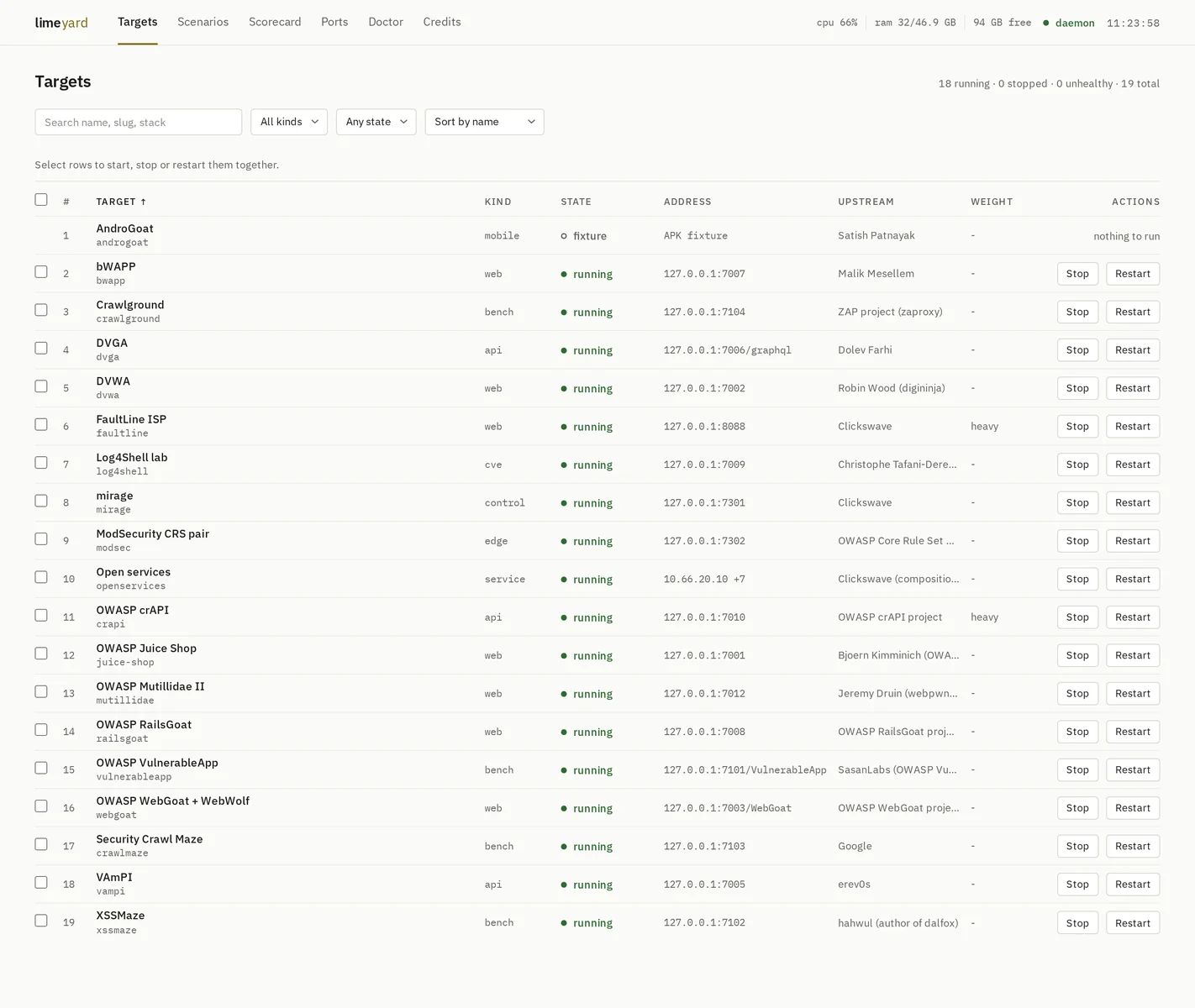
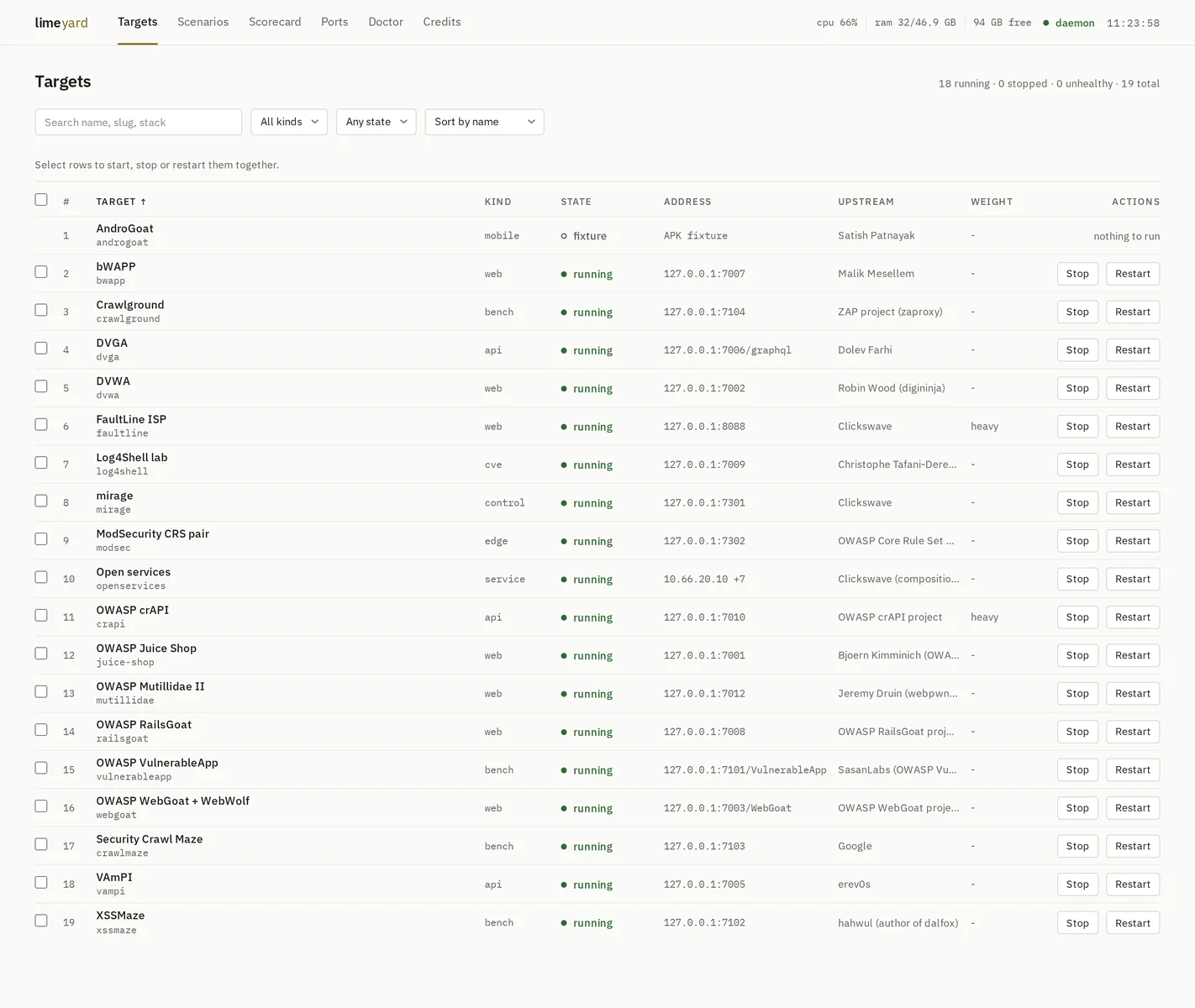
The control panel on http://127.0.0.1:7000, showing the lab as it runs.
limeyard was vuln_apps. It was renamed because it stopped being a folder of
applications: it now holds bare services, a DNS zone, a WAF pair, a precision
target and APK fixtures, none of which are apps.
The old fleet scored 9 of 9, zero misses, zero false positives. A benchmark that cannot fail cannot detect a regression. Three things were wrong structurally:
127.0.0.1:70xx,
so subdomain enumeration had nothing to enumerate, port scanning was handed
its answer, and service fingerprinting never saw a non-HTTP daemon.You need Docker (with the compose plugin) and git. Nothing else.
curl -fsSL https://raw.githubusercontent.com/clickswave/limeyard/main/install.sh | bash
That clones the lab into ./limeyard, writes its .env with a fresh API
token, builds and starts the control plane, then asks what to run. Before
anything starts it shows what the selection costs, measured idle on the
reference box, against what your machine has free:
This selection, idle, on the box it was measured on:
  17 targets, 1 scenarios, 45 containers
  RAM  about 2.9 GB resident  (host has 22.4 GB available)
  disk about 11.0 GB of images to pull  (host has 111 GB free)
  CPU  near idle once up (3% of one core); pulling and first boots are the busy part
Start it? [y/N]
Non-interactive: curl ... | bash -s -- --light --yes (or --all,
--none, --pick dvwa,juice-shop,estate). Put the checkout elsewhere with
LIMEYARD_DIR=/path.
The panel is then at http://127.0.0.1:7000, and the same things by hand:
./lime setup                  # the wizard again, any time
./lime start --all            # every light target
./lime start crapi --heavy    # a heavy one, explicitly
./lime scenario-up estate     # the network estate: DNS, vhosts, services
./lime status                 # what is up
./lime stop --all --heavy     # everything down; images and volumes stay
./lime credits                # who wrote each target, and under what licence
./lime doctor                 # environment, attribution and disk checks
./lime doctor --fix           # apply every check's automatic remedy, then re-check
./lime audit                  # container hardening + supply chain invariants
./lime pin                    # report image drift against the registry
By hand, without the installer:
git clone https://github.com/clickswave/limeyard && cd limeyard
cp .env.example .env
echo "LIMEYARD_DIR=$PWD"                 >> .env
echo "LIME_TOKEN=$(openssl rand -hex 24)" >> .env   # required, see SECURITY.md
docker compose up -d --build  # control plane + UI on http://127.0.0.1:7000
./lime setup
Every manifest carries a measured resources block (containers, idle RAM,
image disk, idle CPU). The wizard, the panel's selection strip and each
target's page sum from it, so the estimate is the same everywhere.
Two, and only two.
main is what the installer clones and what you get if you do nothing.
It moves by pull request, never by a direct push.dev is the default branch and where work lands. Open pull requests
against it.| target | one thing under test, of a declared kind. Owns a compose file, optional setup, and its own answer key. Runs as its own isolated compose project, so two targets using Postgres never share one |
| scenario | several targets wired into a network topology with authoritative DNS. What asset discovery is scored against |
| truth | the machine-readable answer key. See truth/schema.md |
| doctor | one list of checks with a verdict each: environment, attribution, supply chain, hardening. Checks with an unambiguous remedy carry a one-click fix in the panel (/doctor) and --fix on the CLI: create networks, reclaim disk, pin images, fetch sources, re-verify running targets, rewrite off-loopback binds. Attribution, port clashes and hardening need a person |
Kinds: web api bench cve service estate edge control mobile.
targets/<kind>/<slug>/     target.yml, compose.yml, setup.sh, truth.yml
scenarios/<slug>/          scenario.yml, compose.yml, zones/
control/limed/             the daemon: CLI + HTTP API + scorer
control/ui/                the SvelteKit control panel
truth/                     the contract, and dated scorecards
docker compose up -d starts two containers and nothing else: limeyard_control
(the limed daemon, holding the Docker socket) and limeyard_ui (the SvelteKit
panel). Both bind loopback only. The panel is at http://127.0.0.1:7000 and the
raw API at http://127.0.0.1:7099. Both need .env, and LIME_TOKEN in it is
mandatory: the panel holds the token server-side and the browser never sees it.
| page | what it is for |
|---|---|
| Targets | every target, filter by kind and state, sort, multi-select with Start, Stop, Restart. Click a row for the target |
| Target | facts (address, credentials, stack, upstream, verification, image digests), the live log, and the answer key with its negatives |
| Scenarios | the estate: resolver, zones, subnet, and a host table with per-container state. Bring up, bring down, restart |
| Scorecard | the latest run with deltas, per-class and per-target coverage, missed ids, a history you can view, and a two-run diff |
| Ports | what binds on localhost, and what only exists on the lab bridge |
| Doctor | one list of checks with a verdict each. Fix and Fix all show the exact commands and file edits first, computed from the lab as it is, and run them on confirmation. A fix that leaves its check failing says so |
| Credits | who wrote each target and under what licence |
The panel updates itself: limed streams state transitions over SSE, so a target started from the CLI shows up without a refresh. The header carries the host's CPU, RAM and free disk from the same stream, coloured only when they are worth noticing. Every table sorts by clicking a column header; a second click flips the direction.
After a change to the panel or the daemon, rebuild the pair:
docker compose up -d --build
To work on the panel against a running daemon without rebuilding the image:
cd control/ui && npm install
LIMED_URL=http://127.0.0.1:7099 LIME_TOKEN=<from .env> npm run dev   # :7000