 cleasbycode/jdvrif
Steganography Tool for JPG Images

# jdvrif
***jdvrif*** (*JPG Data Vehicle*) is a fast, easy-to-use steganography command-line tool for concealing and extracting any file type via a **JPG** image. ***Linux only***.
Your data file is compressed with ***libdeflate/zlib***, then encrypted with ***XChaCha20-Poly1305*** (***libsodium*** secretstream) under a key derived by ***Argon2id*** from a randomly generated ***recovery PIN***, and finally embedded in the cover image. The PIN is displayed once, at the end of ***conceal***, and is never stored anywhere: without it the concealed file cannot be recovered.
Using the ***default conceal mode***, you can conceal any file type, with the finished image capped at ***2GiB***. The other platform conceal modes and the compatible social media sites (*listed below*) have their own ***much smaller*** size limits and other requirements.
There is a [***Web edition***](https://cleasbycode.co.uk/jdvrif/app/) of ***jdvrif***, which you can use immediately, as a convenient alternative to downloading and compiling the CLI source code. Web file uploads are limited to **20MiB**.
An experimental ***Rust*** port [***jdvrif-rs***](https://github.com/CleasbyCode/jdvrif-rs) is also available for those interested in that language. It is format-compatible: either build can recover the other's images.
***jdvrif*** partly derives from the ***[technique implemented](https://www.vice.com/en/article/bj4wxm/tiny-picture-twitter-complete-works-of-shakespeare-steganography)*** by security researcher ***[David Buchanan](https://www.da.vidbuchanan.co.uk/).***
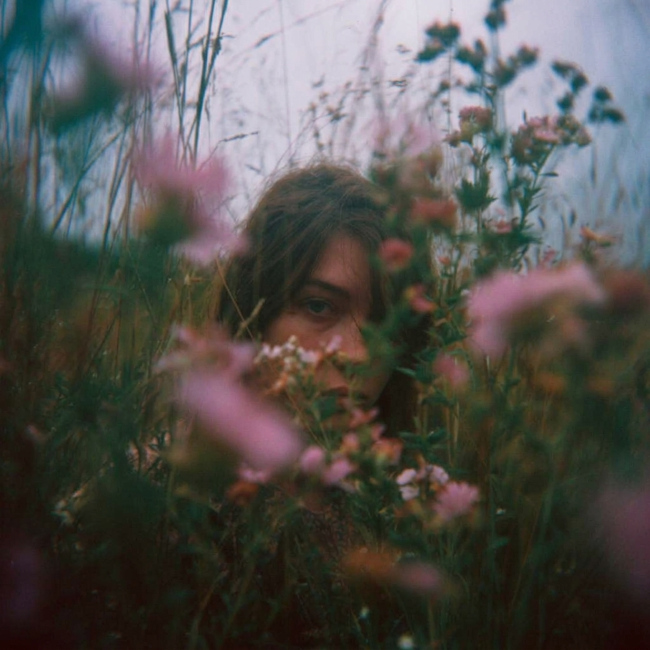
*Demo Image: **"A place of concealment"** / ***PIN: 7912872750612437051****
## How jdvrif conceals data
Unlike the common [***LSB***](https://ctf101.org/forensics/what-is-stegonagraphy/) (*Least Significant Bit*) steganography method of concealing data within the pixels of a cover image, ***jdvrif*** mostly hides data within ***application segments*** of a ***JPG*** image (ICC, EXIF, XMP, etc).
| Conceal mode | Where the data goes | Share the output image on |
| --- | --- | --- |
| *(no option)* | APP2/ICC profile segments | X-Twitter, Tumblr, Mastodon, Pixelfed, PostImage, ImgBB, ImgPile, Flickr |
| ***-b*** | framed EXIF / Photoshop / XMP segments | ***Bluesky*** only |
| ***-r*** | JPEG DCT coefficients (***QIM***) | ***Reddit*** only |
| ***-x*** | JPEG DCT coefficients (***J-UNIWARD/STC***) | ***X-Twitter*** only |
The two platform exceptions to the default segment storage method are ***Reddit*** and ***X-Twitter***. Both have their own conceal mode, and neither of those modes uses metadata segments at all: ***-r*** and ***-x*** carry the payload in the ***JPG*** image's DCT coefficients instead.
***Reddit*** re-encodes uploaded images and discards the metadata segments the default mode relies on, so ***-r*** is the only mode that works there. ***X-Twitter*** does preserve a single, small ICC segment, so the default mode still works on that platform, but only for a tiny payload.
For the ***Reddit*** conceal mode (***-r***), we use the [***QIM steganography method***](https://www.google.com/search?q=QIM+steganography+method&sourceid=chrome&ie=UTF-8&source=chrome.ctxt) (*JPEG DCT-domain Quantization Index Modulation*), as this is the only storage method that currently works for ***Reddit***. The cover is transcoded to baseline Q75 4:2:0 and the payload is carried in its luminance DCT blocks.
To maximise storage capacity for the ***Reddit*** platform, use a cover image with large dimension sizes, **2048x2048**, **4096x4096**, **8192x8192 (max)**, etc.
Quality of cover image is not important for this method and should be kept basic for the largest dimensions to help minimise cover image file size.
While the ***X-Twitter*** platform can use the default method provided by ***jdvrif***, where data is concealed within APP2/ICC segments, ***X-Twitter*** limits this to a single ICC segment with a maximum size of just **~10KiB**.
To carry more than that **~10KiB**, use the ***X-Twitter*** platform conceal mode (***-x***). It abandons metadata segments entirely — nothing is written to an ICC profile — and instead uses the [***adaptive J-UNIWARD steganography method with Syndrome-Trellis Coding (STC)***](https://www.google.com/search?q=adaptive+J-UNIWARD+steganography+method+with+Syndrome-Trellis+Coding+(STC)). The cover is transcoded to progressive 4:2:0 at its source-derived quality (capped at **Q97**).
To maximise storage capacity for the ***X-Twitter*** platform, use a high quality/detailed cover image with large dimension sizes, **1024x1024**, **2048x2048**, **4096x4096 (max)**, etc.
The ***-r*** and ***-x*** carriers encrypt your data and key its location to your recovery PIN using ***Argon2id***, but embedding still alters the image's DCT statistics, so dedicated steganalysis may reveal that an image carries hidden data.
***-r*** and ***-x*** images created with ***jdvrif v9.0*** remain recoverable, but ***v9.0*** cannot recover ***-r*** or ***-x*** images created with ***v9.1***.
Both DCT modes carry far less data than the default mode, so use ***capsize*** to measure a cover image before choosing a payload (see [Checking capacity](#checking-capacity-with-capsize)).
## Requirements & Compilation (Linux)
Building requires **CMake 3.20 or newer**, `flock` from **util-linux**, and either **Ninja** (preferred) or **Make**. The compiler must be **GCC 14 or newer**, or **Clang 18 or newer** paired with a C++23 standard library that implements features such as `std::format` and `std::print`. The native libraries required are **libsodium**, **libjpeg-turbo** (*both the `turbojpeg` and `libjpeg` APIs*), **zlib** and **libdeflate**. **OpenMP** is optional: when present it parallelises the ***-x*** J-UNIWARD cost pass.
```console
$ sudo apt update
$ sudo apt install g++ cmake ninja-build util-linux libsodium-dev libturbojpeg0-dev libjpeg-dev zlib1g-dev libdeflate-dev
$ g++ --version # confirm the reported version is 14 or newer
$ chmod +x compile_jdvrif.sh
$ ./compile_jdvrif.sh
$ sudo cp jdvrif /usr/bin
```
If your distribution ships GCC 14 as a versioned package, install `g++-14` and build with `CXX=g++-14 ./compile_jdvrif.sh`.
The wrapper keeps dependency-tracked object files under `src/build/`, so later invocations rebuild only what changed, and it replaces the published `jdvrif` binary only after a complete, successful build. Set `JDVRIF_JOBS=<count>` to change the parallelism limit (default: CPU count, capped at 8), `JDVRIF_BUILD_DIR=<path>` to use a separate build cache, or `BUILD_MODE=sanitize` for an ASan/UBSan build.
## Usage
```console
$ jdvrif
Usage: jdvrif conceal [-b|-r|-x] <cover_image> <secret_file>
jdvrif recover <cover_image>
jdvrif capsize [-r|-x] <cover_image>
jdvrif --info
```
Run `jdvrif --info` for the full built-in guide to modes, platform options and size limits.
```console
$ jdvrif conceal your_cover_image.jpg your_secret_file.doc
Platform compatibility for output image:-
✓ X-Twitter
✓ Tumblr
✓ Mastodon
✓ Pixelfed
✓ PostImage
✓ ImgBB
✓ ImgPile
✓ Flickr
Recovery PIN: [***2166776980318349924***]
Important: Keep your PIN safe, so that you can extract the hidden file.
Saved "file-embedded" JPG image: jrif_4e87c566c.jpg (143029 bytes).
Complete!
$ jdvrif recover jrif_4e87c566c.jpg
PIN: *******************
Extracted hidden file: your_secret_file.doc (6165 bytes).
Complete! Please check your file.
```
jdvrif ***mode*** arguments:
***conceal*** - Compresses, encrypts and embeds your secret data file within a ***JPG*** cover image.
***recover*** - Decrypts, uncompresses and extracts the concealed data file from a ***JPG*** cover image (*recovery PIN required*).
***capsize*** - Reports the carrier capacity of a cover image for ***-r*** or ***-x*** mode. No image is saved.
Requirements for the cover image:
● JPEG only, at least **400x400** pixels, and either grayscale or YCbCr colour — CMYK/YCCK images must be converted to RGB first.
● Default and ***-b*** upper dimensions are **4096x4096px**; ***-r*** uses **8192x8192px**, while ***-x*** is also capped at **4096x4096px**.
● The default mode (*no option*) also rejects cover images whose estimated JPEG quality is above **Q97**; re-save the image at a lower quality if it is refused.
Requirements for the secret data file:
● The embedded filename must be no longer than **20 bytes**, must not begin with `.` or `-` or end with a space or `.`, and must be valid UTF-8 without control or bidirectional-formatting characters or any of `/ \ : * ? " < > |`. The name is stored in the image and restored on ***recover***.
● Your data file is compressed before encryption, except for recognised already-compressed file types (`.zip`, `.7z`, `.mp4`, `.jpg`, `.png`, etc). In the default and ***-b*** modes those types skip compression only when larger than **10MiB**; in ***-r*** and ***-x*** modes they always skip it. For anything else destined for a small platform limit, consider compressing it yourself first (*zip, rar, 7z, etc.*) so that you know its exact stored size.
## Compatible Platforms
\******************
Note: ***Bluesky*** now saves images as ***WEBP*** by default.
To save an image as ***JPG***, so that you can still recover concealed data with ***jdvrif***:-
First click the image in the post to open it, then right-click on the image. From the menu, select ***Open image in new tab***.
Select the new tab and within the address bar, move to the end of the address and add ***@jpg*** then hit enter.
Right-click the image and from the menu select ***Save image...***
Your image should now be downloaded as a ***JPG***, which will now work with ***jdvrif***.
If you want a tool to conceal data using ***WEBP*** images to post on ***Bluesky*** you can use my ***WEBP*** steganography CLI tool ***[wbpdv](https://github.com/CleasbyCode/wbpdv)***
\******************
*Posting size limit measured by the ***combined*** size of the ***cover image*** + ***compressed data file:****
● ***Flickr*** (**200MiB**), ***ImgPile*** (**100MiB**), ***ImgBB*** (**32MiB**), ***PostImage*** (**32MiB**), ***Pixelfed*** (**15MiB**).
*Size limit measured ***only*** by the ***compressed data file size:****
● ***Mastodon*** (**~6MiB**), ***Tumblr*** (**~64KiB**), ***X-Twitter*** (**~10KiB / default method**).
For example, with ***Mastodon***, if your cover image is **1MiB** you can still embed a data file up to the **~6MiB** size limit.
**Other: platforms with their own conceal mode:**
● ***Bluesky*** (***-b option***). The finished "*file-embedded*" ***JPG*** must not exceed **2,000,000 bytes (~1.9MiB)**, so the cover image and the compressed data file share one budget. The compressed data file on its own must not exceed **~171KiB**. A cover image already at 2,000,000 bytes leaves no room at all, so keep the cover smaller than the limit by at least the size of your compressed data file. The "***create_bsky_post.py***" script is required to post these images on ***Bluesky***. *More info on this script further down the page.*
● ***Reddit*** (***-r option***). The cover image and the data file must each be no larger than **20MiB**, but the actual carrier capacity of the cover image is ***much smaller*** and depends on its dimension sizes. Use `jdvrif capsize -r` to measure it.
● ***X-Twitter*** (***-x option***). The cover image and the data file must each be no larger than **5MiB**, and the cover must not exceed **4096x4096** pixels. The actual carrier capacity is ***much smaller*** and depends on image quality and dimension sizes. Use `jdvrif capsize -x` to measure it.
In the default and ***-b*** modes, the cover image is also losslessly optimized before use and must not exceed **4MiB** after that step.
For platforms such as ***X-Twitter***, ***Reddit*** & ***Tumblr***, which have small data size limits, you may want to focus on data that compresses well, such as text files, etc.
https://github.com/user-attachments/assets/af330d09-f65d-4f75-8290-883078be34b3
https://github.com/user-attachments/assets/fc454d42-0240-4864-b44b-ce5ef7cfd94c
## Checking capacity with capsize
***capsize*** prepares the cover image exactly as ***conceal*** would, then reports how much encrypted payload it can carry. Nothing is written to disk. Use ***-r*** for the ***Reddit*** carrier and ***-x*** for the ***X-Twitter*** carrier (***-x*** is the default if no option is given).
```console
$ jdvrif capsize -r basic_img_large_dims.jpg
Reddit capacity check for conceal -r mode only.
Cover Image: 384KiB, 8192x8192, Baseline YCbCr 4:2:0, Standard Q75 quantization (C3).
Theoretical C3 capacity limit for this cover image: 436906 bytes (~426KiB).
Conservative maximum compressed capacity with a 20-character filename: 436792 bytes (~426KiB).
Recommended maximum compressed capacity with a 20-character filename: 435768 bytes (~425KiB).
```
The figure reported is the total encrypted ***envelope*** capacity, not a raw secret-file limit: the filename, encryption and recovery metadata consume 95 to 114 bytes for a single-frame payload, and larger payloads add framing overhead. Don't aim at the theoretical limit — where capacity allows, keep the compressed payload at least **1KiB** below the conservative maximum. The size check performed by ***conceal*** is the authoritative one.
## Conceal mode platform options
To create compatible "*data-concealed*" ***JPG*** images for posting on the ***Reddit*** platform, you must use the ***-r*** option with ***conceal*** mode.
```console
$ jdvrif conceal -r my_image.jpg hidden.doc
```
These images are only compatible for posting on ***Reddit***. Your embedded data file will be lost if posted on a different platform.
When saving/downloading an image from ***Reddit*** make sure to click on the image within the post to fully expand it before saving.
https://github.com/user-attachments/assets/ead3c34c-dd9a-4018-9ea3-0746fbdfdb8b
To create compatible "*data-concealed*" ***JPG*** images for posting on the ***X-Twitter*** platform using the J-UNIWARD steganography method, you must use the ***-x*** option with ***conceal*** mode.
```console
$ jdvrif conceal -x my_image.jpg hidden.doc
```
These images are only compatible for posting on ***X-Twitter***. Your embedded data file will be lost if posted on a different platform.
When saving/downloading an image from ***X-Twitter*** make sure to click on the image within the post to fully expand it before saving.
To create compatible "*file-embedded*" ***JPG*** images for posting on the ***Bluesky*** platform, you must use the ***-b*** option with ***conceal*** mode.
```console
$ jdvrif conceal -b my_image.jpg hidden.doc
```
These images are only compatible for posting on ***Bluesky***. Your embedded data file will be removed if posted on a different platform.
You are also required to use the Python script [create_bsky_post.py](https://github.com/CleasbyCode/jdvrif/blob/main/src/bsky/create_bsky_post.py) (found in the repo ***src/bsky*** folder) to post the image to ***Bluesky***.
It will not work if you post images to ***Bluesky*** via the browser site or mobile app.
To use the script, you will need to create an [***app password***](https://bsky.app/settings/app-passwords) from your ***Bluesky*** account. Pass your credentials through the environment rather than on the command line, where they would be visible to other local users via tools such as `ps`:
```console
$ pip install -r bsky/requirements.txt
$ export ATP_AUTH_HANDLE='you.bsky.social'
$ read -rsp 'Bluesky app password: ' ATP_AUTH_PASSWORD && export ATP_AUTH_PASSWORD
$ python3 bsky/create_bsky_post.py \
--image jrif_4e87c566c.jpg \
--alt-text "alt-text here [optional]" \
"standard post text here [required]"
$ unset ATP_AUTH_PASSWORD
```
See [src/bsky/README.md](https://github.com/CleasbyCode/jdvrif/blob/main/src/bsky/README.md) for the full set of options (*multiple images, replies, quote posts, link cards*) and for what the hardened fork of the script protects against.
https://github.com/user-attachments/assets/1daef508-d304-491f-bfe2-2cdbb5d62081
## Tests
The test scripts in `src/tests` each take the binary to exercise:
```console
$ bash tests/run_golden_tests.sh --bin ./jdvrif # recover pre-built images with known PINs
$ bash tests/run_roundtrip_tests.sh --bin ./jdvrif # fresh conceal/recover round-trips
$ bash tests/run_security_smoke.sh --bin ./jdvrif # negative-path and boundary checks
$ bash tests/run_reddit_tests.sh --bin ./jdvrif # -r QIM carrier
$ bash tests/run_twitter_tests.sh --bin ./jdvrif # -x J-UNIWARD/STC carrier
$ bash tests/run_io_security_tests.sh --bin ./jdvrif # input-size bounds, PIN signal/job-control handling
$ bash tests/run_jpeg_safety_tests.sh # JPEG parser/decoder safety (builds its own test binary)
$ bash tests/run_bsky_tests.sh # Bluesky posting helper
```
## Third-Party Software and Assets
### Core applications
- [libsodium](https://github.com/jedisct1/libsodium) — cryptographic random generation, Argon2id
key derivation and XChaCha20-Poly1305 secret streams. Dynamically linked as a system library.
License: [ISC License](https://github.com/jedisct1/libsodium/blob/master/LICENSE)
Copyright (c) 2013–2026 Frank Denis.
- [libjpeg-turbo](https://github.com/libjpeg-turbo/libjpeg-turbo) — JPEG processing and lossless transformation. Dynamically linked as a system library.
This software is based in part on the work of the Independent JPEG Group.
Licenses: [Independent JPEG Group License, Modified BSD 3-Clause License,
and zlib License](https://github.com/libjpeg-turbo/libjpeg-turbo/blob/2.1.5/LICENSE.md).
Copyright © 1991–2020 Thomas G. Lane and Guido Vollbeding.
Copyright © 2009–2023 D. R. Commander. All Rights Reserved.
Copyright © 2015 Viktor Szathmáry. All Rights Reserved.
- [zlib](https://github.com/madler/zlib) — Streaming zlib compression and decompression. Dynamically linked as a system library.
License: [zlib License](https://github.com/madler/zlib/blob/develop/LICENSE)
Copyright (C) 1995–2026 Jean-loup Gailly and Mark Adler.
- [libdeflate](https://github.com/ebiggers/libdeflate) — Fast whole-buffer zlib-format compression. Dynamically linked as a system library.
License: [MIT](https://github.com/ebiggers/libdeflate/blob/master/COPYING)
Copyright 2016 Eric Biggers.
Copyright 2024 Google LLC.
### Incorporated code and assets
- [Compact ICC Profiles](https://github.com/saucecontrol/Compact-ICC-Profiles) — embedded Adobe-
compatible ICC profile.
License: [CC0 1.0 Universal](https://github.com/saucecontrol/Compact-ICC-Profiles/blob/master/license)
### Optional Bluesky posting helper
- Bryan Newbold / ATProto Hacker Cookbook — create_bsky_post.py — Basis for the [forked](https://gist.github.com/CleasbyCode/1eb678ca1fa1975b1c1e20aeec33637e) Bluesky posting helper (src/bsky/create_bsky_post.py).
For reference see the [Cookbook copy](https://github.com/bluesky-social/cookbook/blob/main/python-bsky-post/create_bsky_post.py)
License: [CC0 1.0 Universal](https://github.com/bluesky-social/cookbook/blob/main/LICENSE-CC0).
- Requests — HTTP and Bluesky API requests.
License: [Apache 2.0](https://github.com/psf/requests/blob/main/LICENSE) / [NOTICE](https://github.com/psf/requests/blob/main/NOTICE)
Copyright 2019 Kenneth Reitz.
- Beautiful Soup 4 — HTML and Open Graph metadata parsing.
License: [MIT](https://pypi.org/project/beautifulsoup4/)
Copyright (c) Leonard Richardson.
- Pillow — Image validation, dimensions, and aspect-ratio handling.
License: [MIT-CMU](https://github.com/python-pillow/Pillow/blob/main/LICENSE)
PIL copyright © 1997–2011 Secret Labs AB and © 1995–2011 Fredrik Lundh and contributors.
Pillow copyright © 2010 Jeffrey “Alex” Clark and contributors.
##