
Skip to content
KitploitKITPLOIT
ToolsBlog
Submit
ToolsBlog
Submit

Hacking, PenTest, and Cybersecurity Tools for Your Security Arsenal!

Kitploit is a directory of hacking, cybersecurity, and pentesting tools. Discover the latest project updates to find vulnerabilities, analyze systems, automate testing, and strengthen your security.

··Feeds·Contact·Privacy·© 2026 Kitploit

Tool Directory

Categories

View all categories
Loading categories
Nethive-Project — Restructured and Collaborated SIEM and CVSS Infrastructure. Presented at Blackhat Asia Arsenal 2020. | Kitploit
Tools/GitHubGitHub/chrisandoryan/nethive-project
Vulnerability ScannersWeb SecurityMachine LearningIntrusion DetectionLog Analysis
GitHubchrisandoryan/nethive-project

Nethive-Project

Restructured and Collaborated SIEM and CVSS Infrastructure. Presented at Blackhat Asia Arsenal 2020.


View Repository
513 years agoNot yet reviewed

Most Popular

View all →

Discover the most used tools by our community.

Explore all tools

Browse our collection of tools

View all tools →
Share

Nethive-Project


nethive-logo

Zero to Low Latency Monitoring System

Features • Installation • Quick Start • Contributors • User Guide

The Nethive Project provides a Security Information and Event Management (SIEM) insfrastructure empowered by CVSS automatic measurements.

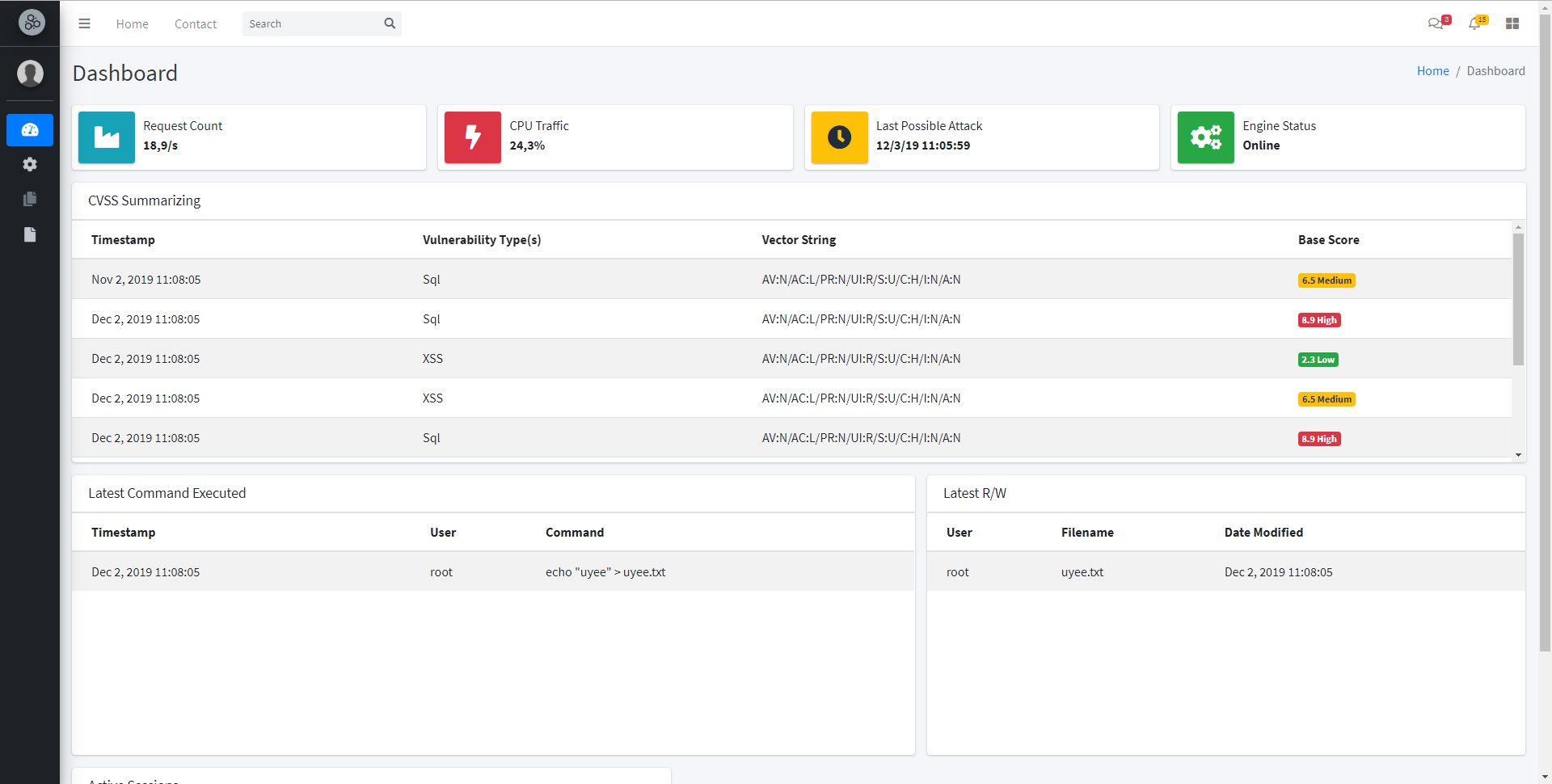
Dashboard Preview

Features

  • Machine Learning powered SQL Injection Detection
  • Server-side XSS Detection based on Chrome's XSS Auditor
  • Post-exploitation Detection powered by Auditbeat
  • Bash Command History Tracker
  • CVSS Measurement on Detected Attacks
  • Realtime Log Storing powered by Elasticsearch and Logstash
  • Basic System Monitoring
  • Resourceful Dashboard UI
  • Notify Suspicious Activity via Email

Installation

Before installing, please make sure to install the pre-requisites.

You can install Nethive from PyPi package manager using the following command:

[Coming Soon!]

or

You can install Nethive using the latest repository:

root@kitploit:~
$ git clone https://github.com/chrisandoryan/Nethive-Project.git
$ cd Nethive-Project/
$ sudo bash install.sh
$ sudo pip3 install -r requirements.txt

Please make sure all dependencies are installed if anyone of the above fails. For more detailed information, refer to the installation guide.

Quick Start

Start Nethive

  1. Fetch and start nethive-cvss docker container

    root@kitploit:~
    $ git clone https://github.com/Falanteris/docker-nethive-cvss/
    $ cd docker-nethive-cvss/
    $ docker build -t nethive-cvss .
    $ ./cvss
    
  2. Start Nethive and copy default configuration

    root@kitploit:~
    $ cd Nethive-Project/
    $ cp .env.example .env
    
  3. Activate all Nethive processing engines: $ sudo python3 main.py .
    On the menu prompt, choose [3] Just-Run-This-Thing, then wait for the engines to be initialized.

  4. Start Nethive UI Server

    root@kitploit:~
    $ cd Nethive-Project/dashboard/
    $ npm install && npm start
    
  5. Go to http://localhost:3000/

Contributors

  • Chrisando Ryan LinkedIn
  • Rayhan Rabiul Tsani LinkedIn
  • Vandevlin Alfonso Wibawa LinkedIn
Download Tool