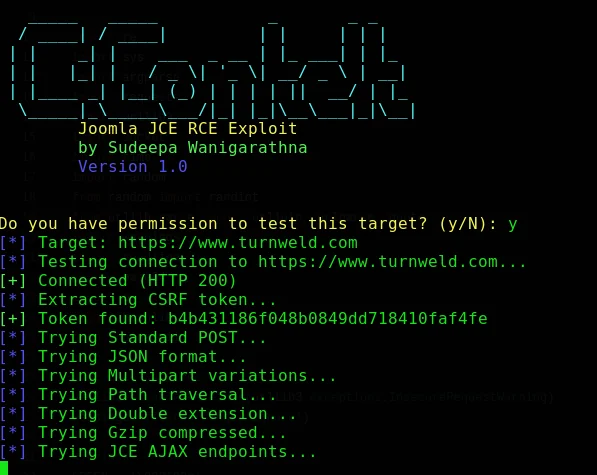

Automated RCE exploit for Joomla JCE (CVE-2026-48907) with interactive shell, batch command execution, file download, and proxy support for authorized penetration tests.
A professional command-line utility for authorized penetration testing, controlled vulnerability research, and defensive validation.
Authorized use only. Run this project exclusively against systems you own or are explicitly permitted to test. Use a controlled laboratory environment whenever possible.
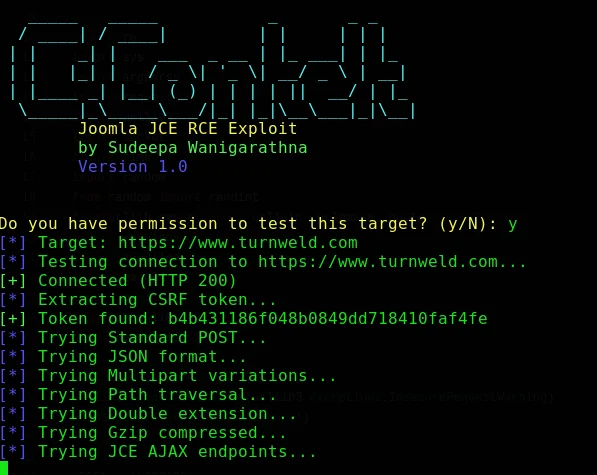
JCEzploit is a command-line security research utility for assessing the profile-import functionality of the Joomla Content Editor (JCE) component in environments where the tester has explicit authorization. It is designed for professional penetration testers, security researchers, and defenders who need to reproduce and validate a reported remote-code-execution condition in a controlled setting.
The project provides a structured command-line workflow, configurable proxy support, multiple execution modes, diagnostic output, and an interactive session interface. It should be used only against targets that are owned by the operator or covered by written testing authorization.
Publication note: Before publishing or distributing this README, verify the project’s CVE identifier, affected-version range, fixed version, disclosure status, and test matrix against an authoritative vendor or vulnerability database record. The metadata below reflects the supplied project information and should not be treated as an independent vulnerability confirmation.
This software can cause unauthorized access, data exposure, service disruption, or system compromise when used against an unapproved target. The maintainers do not authorize testing of third-party systems, public infrastructure, or systems without documented permission.
By using this project, you agree to:
Test only systems for which you have explicit written authorization.
Define and follow an approved scope, time window, rate limit, and rules of engagement.
Avoid accessing, modifying, exfiltrating, or retaining unnecessary data.
Stop testing immediately if the activity risks service disruption or impacts uninvolved users.
Comply with all applicable laws, regulations, contracts, and organizational policies.
Accept responsibility for the consequences of your use of the software.
The author and contributors provide this project on an “as is” basis and are not responsible for misuse, damage, data loss, legal claims, or other consequences arising from its use.
The following details were supplied with the project and require independent verification before they are used in a security advisory or production assessment.
| Field | Supplied project detail |
|---|---|
| Vulnerability identifier | CVE-2026-48907 |
| Reported issue | Unauthenticated remote code execution |
| Reported affected versions | JCE 1.0.0 through 2.9.99.4 |
| Reported fixed version | JCE 2.9.99.5 |
| Supplied test environment | Joomla 3.10.11, JCE 2.9.15, Apache 2.4, PHP 7.4 |
| Reported severity | Critical; potential complete system compromise |
For defensive work, confirm the deployed Joomla and JCE versions first, obtain authorization, create a rollback plan, and prefer a non-destructive validation method whenever possible.
JCEzploit includes the following capabilities as described by the project materials:
| Area | Capability |
|---|---|
| Workflow | Automated request preparation and vulnerability validation workflow |
| Session interface | Interactive command session with history, completion, and colored output |
| Execution modes | Interactive, single-command, batch, quiet, verbose, and debug-oriented modes |
| Detection | CSRF-token discovery with multiple fallback patterns |
| Network control | HTTP/HTTPS proxy support for controlled request inspection |
| Reliability | Connection pooling, timeouts, and error handling |
| File operations | File retrieval functionality for authorized assessment scenarios |
| Platform support | Linux, macOS, and Windows environments with Python 3.6+ |
The interactive interface supports commands such as the following. Use only non-destructive commands in approved test environments.
$> whoami # Display the execution identity
$> id # Display user and group information
$> pwd # Display the current working directory
$> exit # Close the session
| Requirement | Minimum or supported value |
|---|---|
| Python | 3.6 or newer |
| Package manager | pip |
| Operating systems | Linux, macOS, or Windows |
| Network access | Required only to install dependencies and reach an authorized test target |
The exact dependency set is defined in requirements.txt. Use a virtual environment to isolate project dependencies from the host system.
git clone https://github.com/CerberusMrXi/JCEzploit-CVE-2026-48907.git
cd JCEzploit-CVE-2026-48907
python3 -m venv .venv
source .venv/bin/activate
python -m pip install --upgrade pip
pip install -r requirements.txt
chmod +x jcezploit.py
git clone https://github.com/CerberusMrXi/JCEzploit-CVE-2026-48907.git
Set-Location JCEzploit-CVE-2026-48907
python -m venv .venv
.\.venv\Scripts\Activate.ps1
python -m pip install --upgrade pip
pip install -r requirements.txt
If PowerShell execution policies prevent activation, consult your organization’s endpoint-management policy rather than weakening security controls globally. The script can also be invoked through the virtual-environment interpreter directly.
pip install pipenv
pipenv install requests rich
pipenv shell
python jcezploit.py --help
If the repository contains a maintained Dockerfile, build and run it in an isolated, authorized laboratory environment:
docker build -t jcezploit .
docker run --rm -it jcezploit --help
Do not mount sensitive host directories, production credentials, or unrestricted host networking into the container.
Always begin by reviewing the target scope and displaying the built-in help:
python jcezploit.py --help
The supplied command-line interface is summarized below.
usage: jcezploit.py [-h] -u URL [--proxy PROXY] [-v] [-q]
[--cmd CMD] [--interactive] [--batch FILE]
[--no-confirm]
JCEzploit - Joomla JCE security testing utility
options:
-h, --help Show this help message and exit
-u, --url URL Authorized target base URL (required )
--proxy PROXY HTTP proxy, for example http://127.0.0.1:8080
-v, --verbose Enable diagnostic output
-q, --quiet Suppress non-essential output
--cmd CMD Execute one approved test command and exit
--interactive Start an interactive test session
--batch FILE Read approved test commands from a file
--no-confirm Skip the confirmation prompt; use only in automation
The following examples demonstrate invocation patterns. Replace the target with an explicitly authorized laboratory or assessment endpoint.
# Start an interactive assessment session.
python jcezploit.py --url http://authorized-lab.example --interactive
# Execute a low-impact identity check.
python jcezploit.py --url http://authorized-lab.example --cmd "id"
# Route requests through a local inspection proxy.
python jcezploit.py \
--url http://authorized-lab.example \
--proxy http://127.0.0.1:8080 \
--interactive \
--verbose
Create a command file containing only pre-approved, non-destructive validation steps:
# commands.txt
whoami
id
pwd
Run the batch file against the approved target:
python jcezploit.py --url http://authorized-lab.example --batch commands.txt
Use --verbose when troubleshooting request flow in a controlled environment or when collecting evidence for an assessment report. Use --quiet when integrating output into an approved automation pipeline. Avoid storing secrets, session tokens, response bodies, or personal data in shared logs.
The project accepts command-line configuration. The following environment-variable convention may be used by wrappers or local runbooks, provided the implementation explicitly supports it:
TARGET_URL=http://authorized-lab.example
PROXY=http://127.0.0.1:8080
VERBOSE=true
QUIET=false
Do not commit .env files, credentials, tokens, target inventories, captured responses, or assessment results to version control. Add local configuration files to .gitignore and use a secrets manager where appropriate.
JCEzploit/
├── jcezploit.py # Main command-line program
├── requirements.txt # Runtime dependencies
├── README.md # Project documentation
├── LICENSE # MIT License
├── .gitignore # Ignored local and generated files
├── setup.sh # Optional setup helper
├── sample_commands.txt # Example command file
├── Dockerfile # Container build definition
├── verify.py # Dependency verification helper
└── docs/
├── vulnerability_details.md
├── pentest_guide.md
└── changelog.md
The tree above reflects the supplied project layout. Update it whenever files are added, removed, or renamed.
Install development dependencies only if the repository provides a maintained requirements-dev.txt file:
pip install -r requirements-dev.txt
python -m pytest tests/
Before opening a pull request, confirm that the changes are documented, tests pass, error handling remains clear, and no target data or secrets are included in commits. Add regression tests for parsing, input validation, proxy handling, timeout behavior, and safe failure paths.
A professional assessment should use a dedicated test environment whenever possible. Take a backup or snapshot before validation, define an emergency stop procedure, monitor application and host health, and coordinate with the system owner throughout the test window.
The tool should not be used to establish persistence, deploy additional malware, evade monitoring, access unrelated accounts, dump sensitive files, or move laterally. Evidence collection should be limited to what is necessary to demonstrate the finding and should follow the client’s data-handling requirements.
If testing reveals a previously unknown issue, do not publish exploit details immediately. Notify the affected vendor or project privately, provide reproducible defensive evidence, allow reasonable time for remediation, and coordinate any public disclosure. Consult the Joomla Security Centre for the project’s published security-reporting guidance.
Contributions are welcome from security professionals and developers who support responsible, defensive research. Please open an issue before significant changes so that scope and safety expectations can be discussed.
A typical contribution workflow is:
git checkout -b feature/documentation-improvement
# Make and test your changes
git add .
git commit -m "Improve documentation"
git push origin feature/documentation-improvement
Pull requests should explain the problem being addressed, describe the change, identify test coverage, and document any compatibility or safety implications. Follow PEP 8 for Python code, prefer clear error messages, avoid embedding secrets, and preserve the project’s ethical-use safeguards.
Initial project release.
Added the reported JCE security-testing workflow.
Added interactive session support.
Added file-retrieval functionality for authorized testing.
Added batch command processing.
Added proxy support.
Added rich command-line output.
Added cross-platform support.
Expand defensive validation coverage.
Improve compatibility testing across supported Joomla and JCE versions.
Add structured assessment-report output.
Add stronger input validation and safer default behavior.
Add automated unit and integration tests.
Provide a documented laboratory setup for repeatable research.
This project is distributed under the MIT License. See LICENSE for the complete license text.
MIT License
Copyright (c) 2024 Sudeepa Wanigarathna
Permission is hereby granted, free of charge, to any person obtaining a copy
of this software and associated documentation files (the "Software"), to deal
in the Software without restriction, including without limitation the rights
to use, copy, modify, merge, publish, distribute, sublicense, and/or sell
copies of the Software, and to permit persons to whom the Software is
furnished to do so, subject to the following conditions:
The above copyright notice and this permission notice shall be included in all
copies or substantial portions of the Software.
THE SOFTWARE IS PROVIDED "AS IS", WITHOUT WARRANTY OF ANY KIND, EXPRESS OR
IMPLIED, INCLUDING BUT NOT LIMITED TO THE WARRANTIES OF MERCHANTABILITY,
FITNESS FOR A PARTICULAR PURPOSE AND NONINFRINGEMENT. IN NO EVENT SHALL THE
AUTHORS OR COPYRIGHT HOLDERS BE LIABLE FOR ANY CLAIM, DAMAGES OR OTHER
LIABILITY, WHETHER IN AN ACTION OF CONTRACT, TORT OR OTHERWISE, ARISING FROM,
OUT OF OR IN CONNECTION WITH THE SOFTWARE OR THE USE OR OTHER DEALINGS IN THE
SOFTWARE.
Sudeepa Wanigarathna
Security Researcher and Penetration Tester
The project should be updated with a direct vulnerability-record link after the CVE metadata has been independently verified in the 4. General defensive testing guidance is available in the 3.
Use this project responsibly, lawfully, and only with explicit authorization.

