 ccob/volumiser
CLI and interactive console for listing, browsing, and extracting files from VM disk images (VHDX, VMDK, EBS snapshots, raw disks) for red-team exfiltration.

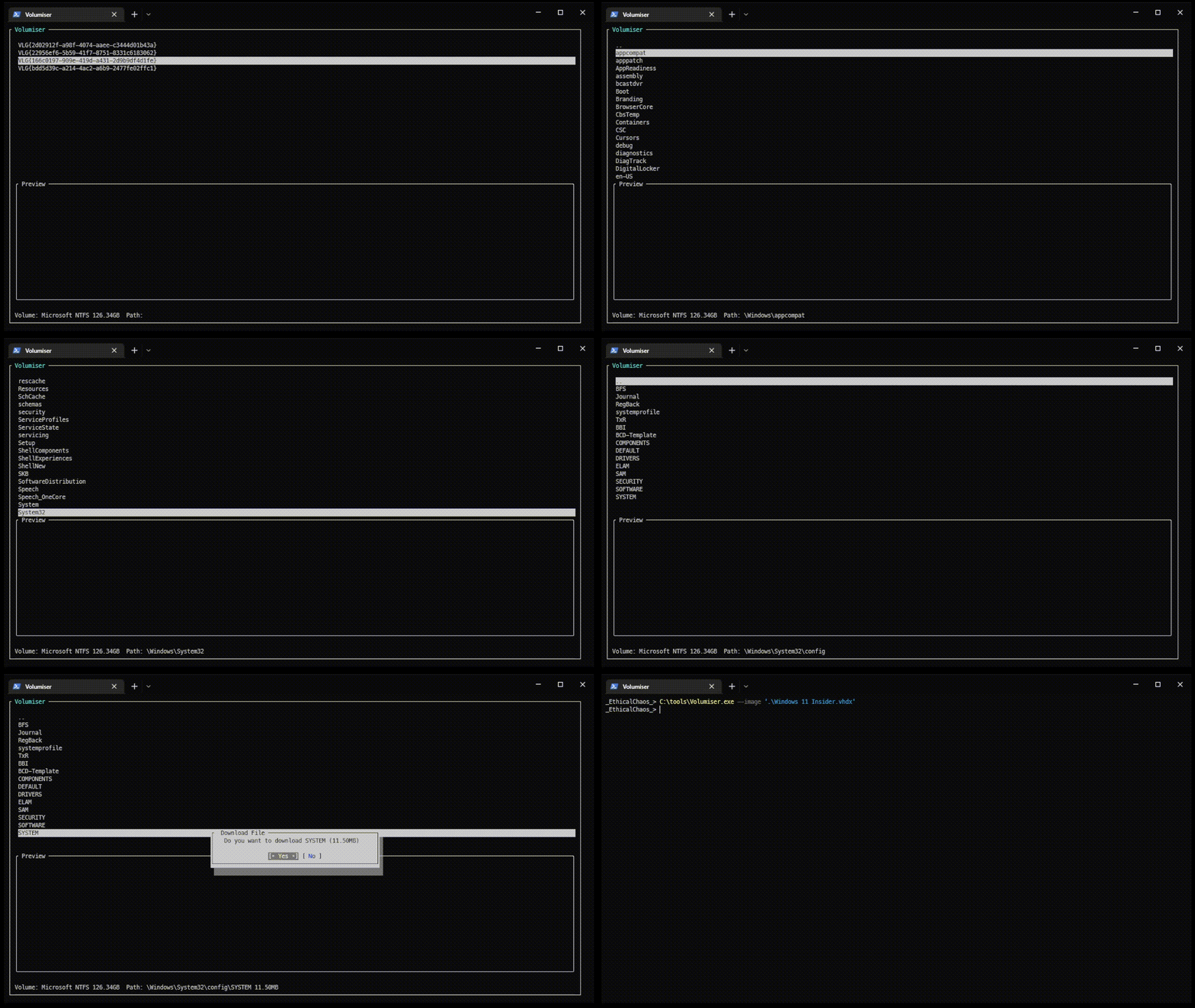
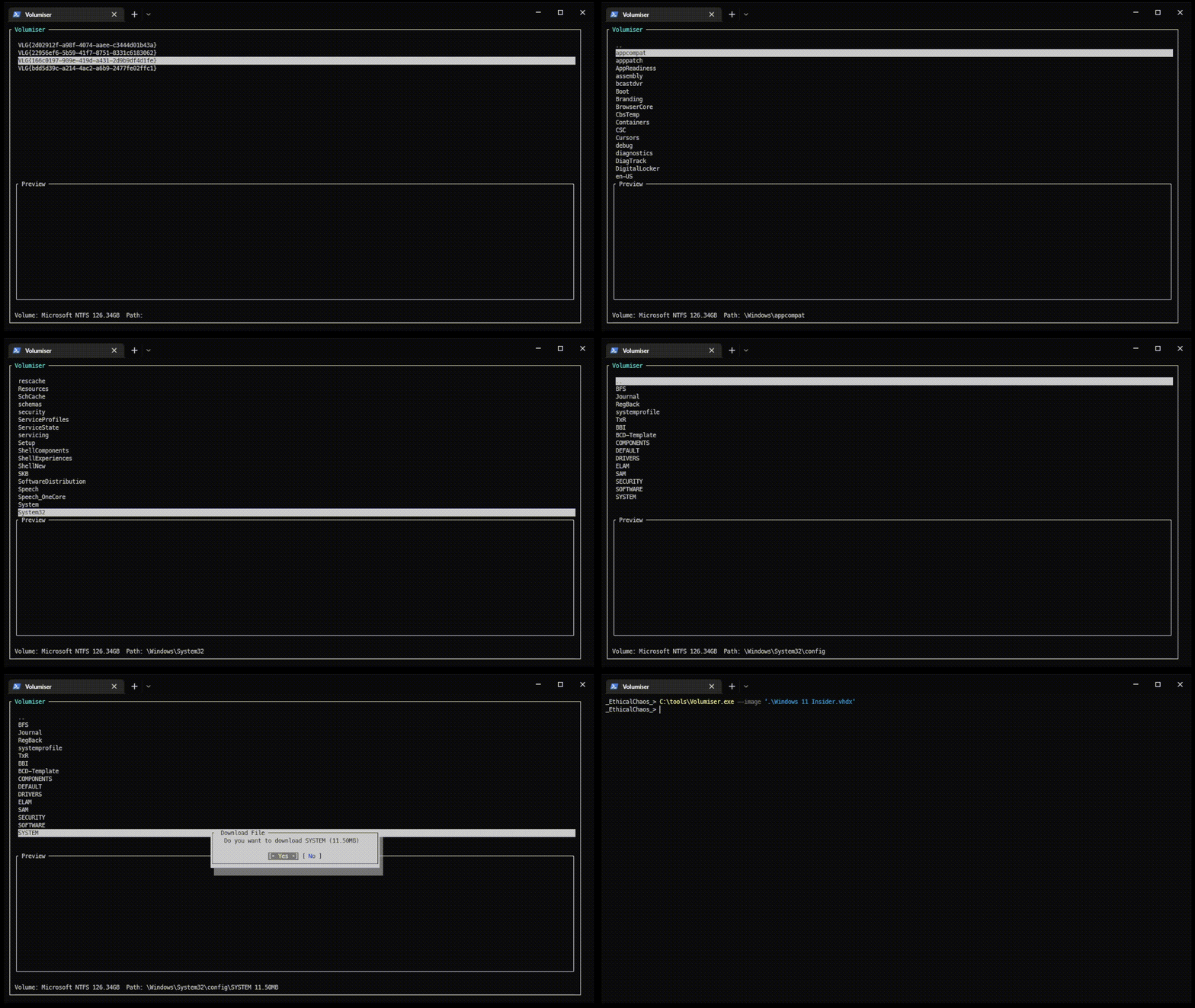
Volumiser is a command line tool and interactive console GUI for listing, browsing and extracting files from common virtual machine hard disk image formats.
The tool was written to combat a regular problem where massive 100G+ disk images are often hard to work with or exfiltrate when performing red team operations. Whilst the tool was created for offensive operations, the tool also has benefits outside of it's original intended purpose.
Volumiser would not be possible without the brilliant DiscUtils project that does most of the heavy lifting parsing volumes and file systems within the virtual disks. Whilst the EBS volume support is a feature added as part of volumiser, this also leverages this excellent library to add this particular disk image format.
Volumiser supports the following disk image formats:
along with the following file systems:
Interactive mode is started by supplying the --image argument followed by a local file or EBS snapshot id
EBS Snapshot Example
EBS snapshot can be loaded via the custom EBS protocol which levereges the EBS direct API for seeking and reading sectors from an EBS volume. By default the AWS CLI credentials file is used for authentication, various AWS options can also be specified using the --awsprofile, --awskey, --awssecret and --awsregion arguments
Volumiser.exe --image "ebs://snap-12345675c8173707d"
Direct Raw Disk Example
Providing you have administrator rights, local raw disk volumes can be accessed via the \\.\PhysicalDriveX image specifier or \\.\C:. When using the PhysicalDrive method, this will parse all volumes contained on the entire disk. In situations where a volume is encrypted with BitLocker, you can switch to the drive letter method, this will access the single volume exposed by the drive letter which will automatically be decrypted by Windows when the volume sectors are read.
Reading all the volumes present on the first physical drive attached to the host
Volumiser.exe --image "\\.\PhysicalDrive0"
Reading the single volume attached to the drive letter C: (use this method for BitLocker'd volumes)
Volumiser.exe --image "\\.\C:"
Local Image File Example
Disk images accessible via the file system can also be specified, including files from network shares
Volumiser.exe --image "c:\Virtual Machines\Domain Controller.vhdx"
In the event that the interactive console cannot be used, Volumiser supports listing volumes and file systems directly via the --command and --path arguments.
Listing Volumes
Volumes contained within a disk image can be listed using the volumes command
Volumiser.exe --image "c:\Virtual Machines\Domain Controller.vhdx" --command volumes
[+] Opened disk image, Size: 127GB
        Volume ID: VLG{2d02912f-a98f-4074-aaee-c3444d01b43a}, Size: 100 MB, Type: Microsoft FAT
        Volume ID: VLG{22956ef6-5b59-41f7-8751-8331c6183062}, Size: 16 MB, Type: Unknown
        Volume ID: VLG{166c0197-909e-419d-a431-2d9b9df4d1fe}, Size: 129376 MB, Type: Microsoft NTFS
        Volume ID: VLG{bdd5d39c-a214-4ac2-a6b9-2477fe02ffc1}, Size: 553 MB, Type: Microsoft NTFS
Listing File System
Once the volumes have been discovered, the file system for each volume can be listed
Volumiser.exe --image "c:\Virtual Machines\Domain Controller.vhdx" --command ls --path "VLG{166c0197-909e-419d-a431-2d9b9df4d1fe}:\Windows"
[+] Opened disk image, Size: 127GB
[+] Opened volume with ID VLG{166c0197-909e-419d-a431-2d9b9df4d1fe}
17/10/2022 18:51:29  DIR             appcompat
17/10/2022 19:52:06  DIR             apppatch
17/10/2022 18:59:17  DIR             AppReadiness
17/10/2022 19:53:57  DIR             assembly
14/05/2022 09:26:58  DIR             bcastdvr
14/05/2022 09:42:31  DIR             Boot
14/05/2022 09:26:54  DIR             Branding
14/05/2022 11:35:21  DIR             BrowserCor
...
"Downloading" Files
Files can be "downloaded" to your local machine using the download command
Volumiser.exe --image "c:\Virtual Machines\Domain Controller.vhdx" --command download --path "VLG{166c0197-909e-419d-a431-2d9b9df4d1fe}:\Windows\system32\config\SYSTEM"
[+] Opened disk image, Size: 127GB
[+] Opened volume with ID VLG{166c0197-909e-419d-a431-2d9b9df4d1fe}
[+] Opened file with path \Windows\System32\config\SYSTEM for with size: 12058624
