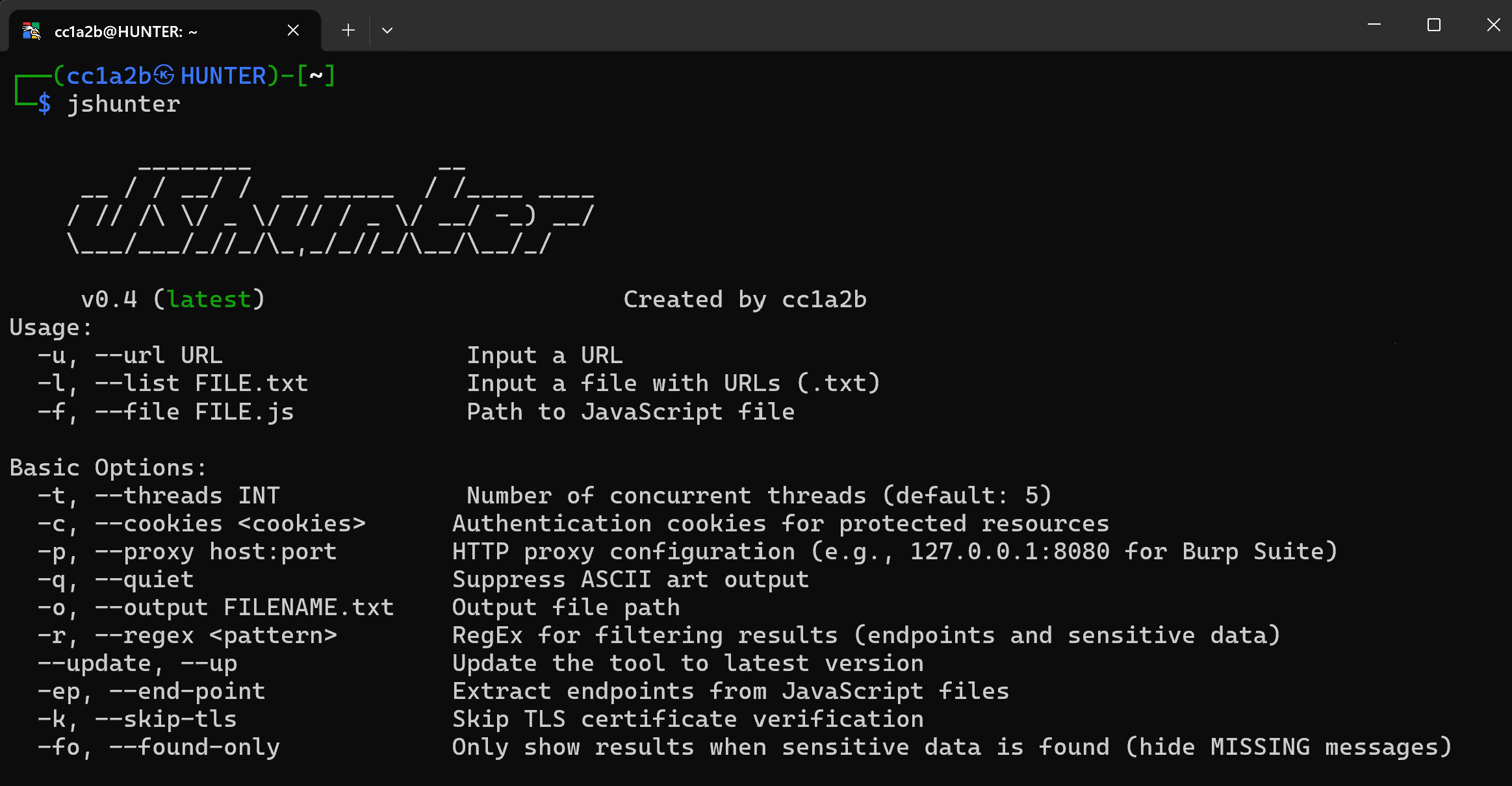

jshunter is a command-line tool designed for analyzing JavaScript files and extracting endpoints. This tool specializes in identifying sensitive data, such as API endpoints and potential security vulnerabilities, making it an essential resource for and bug bounty hunters and security researchers.


Professional JavaScript Security Analysis Tool
Complete endpoint discovery, sensitive data detection, and advanced code analysis for security professionals
JSHunter is a comprehensive command-line tool for JavaScript security analysis and endpoint discovery. Built for security professionals, penetration testers, and developers, it delivers enterprise-grade analysis capabilities with high accuracy detection algorithms and professional reporting features.
https://github.com/user-attachments/assets/5a5f60fa-f8dc-4aac-bd06-2e93779f9af4
JSHunter in action — a real terminal capture of the CLI (every secret shown is fake test data)
Enterprise-grade accuracy with advanced analysis algorithms
JSHunter parses the JavaScript it scans instead of only pattern-matching it. A single-pass ECMAScript scanner classifies every byte of the response as string literal, template literal, comment, regular-expression literal, or code, and the detection rules are evaluated against that classification.
This matters because a regex has no idea what it matched. The same forty base64 characters mean "credential" inside a string literal, "chunk hash" inside a minified identifier, and nothing at all when they straddle the seam between two adjacent tokens. Knowing which one it is replaces a pile of proximity heuristics with a structural answer:
key, the engine recovers the identifier or property key the value is
actually bound to — const stripeSecret = "..." reads very differently from
{contentHash: "..."}, and a shape-only rule now requires that binding.role claim, Twilio SIDs — are classified rather than reported as leaks.
--include-public reports them anyway.Every rejection is conditional on the body being confidently JavaScript or JSON.
On anything else — a .env file, prose, raw HTML — the engine contributes
evidence but never suppresses, so a misclassified input can never hide a secret.
--no-structural turns the whole layer off and restores v0.7 behaviour.
Findings carry the reasoning as an evidence object in --json, --ndjson and
the SARIF property bag:
"exposure": "secret",
"evidence": {
  "region": "string-literal",
  "role": "assignment",
  "bound_to": "awsAccessKeyId",
  "shape": "opaque-token",
  "charset": "alphanumeric",
  "signals": [
    {"name": "in-literal", "delta": 0.04, "detail": "value is a complete string-literal"},
    {"name": "credential-binding", "delta": 0.12, "detail": "bound to 'awsAccessKeyId'"}
  ]
}
--stats reports what each stage dropped, so the pipeline stays auditable.
A modern application ships one entry bundle and several hundred lazily loaded
chunks whose URLs are assembled at runtime from a manifest the bundler inlines.
Nothing links to them, so a crawler never sees them. -G recovers that manifest
and prints the full asset list and client route table:
$ jshunter -u https://target.example/_next/static/chunks/main-a1b2c3.js -G
[CHUNKS] https://target.example/...: next runtime, 214 chunks, 37 routes
[CHUNK]  https://target.example/...  https://target.example/_next/static/chunks/settings.11aa22bb33cc.js
[ROUTE]  https://target.example/...  /admin/users/:id
Supported runtimes: webpack 4 and 5 (__webpack_require__.u, miniCssF,
jsonpScriptSrc), Next.js build manifests, Vite and Rollup (__vite__mapDeps,
__vitePreload), plain dynamic import(), and route tables from React Router,
Vue Router and Angular. Output is tab-separated and deduplicated, so it pipes
straight back in as the input list of a follow-up scan:
jshunter -u https://target.example/main.js -G -q | awk -F'\t' '/^\[CHUNK\]/{print $3}' > chunks.txt
jshunter -l chunks.txt -s -j > findings.json
Authentication & Headers:
-H): Repeatable authentication headers and custom request headers-c): Session cookies for accessing protected resources-U): Custom UA strings or file-based rotation for stealthPerformance & Reliability:
-R): Configurable request delays (milliseconds) to avoid detection-T): Custom timeout settings for different network conditions-y): Automatic retry mechanism with exponential backoff for failed requestsProfessional Integration:
-p): Full Burp Suite and custom proxy integration (HTTP/HTTPS/SOCKS5)-k): Optional certificate verification bypass for testing environments-t): Configurable concurrent request handling for optimal performance

