 calebfenton/simplify
Android virtual machine and deobfuscator



Simplify virtually executes an app to understand its behavior and then tries to optimize the code so that it behaves identically but is easier for a human to understand. Each optimization type is simple and generic, so it doesn't matter what the specific type of obfuscation is used.
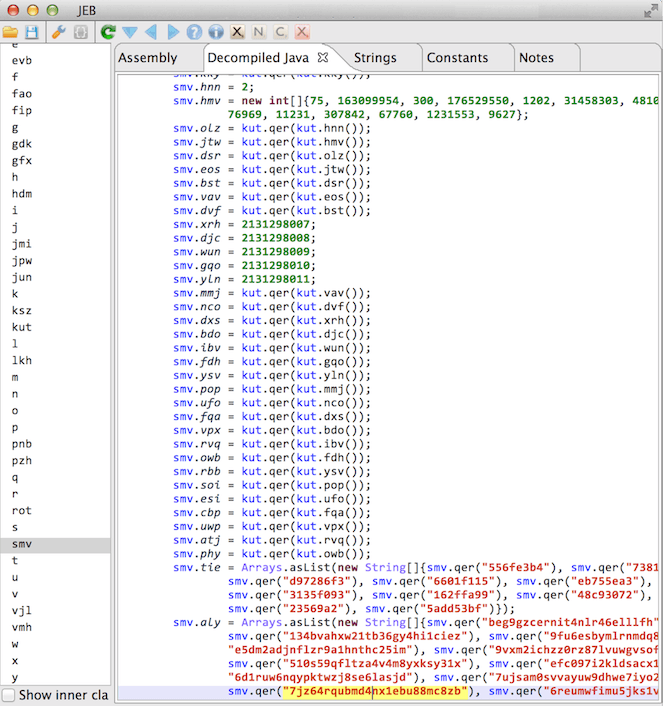
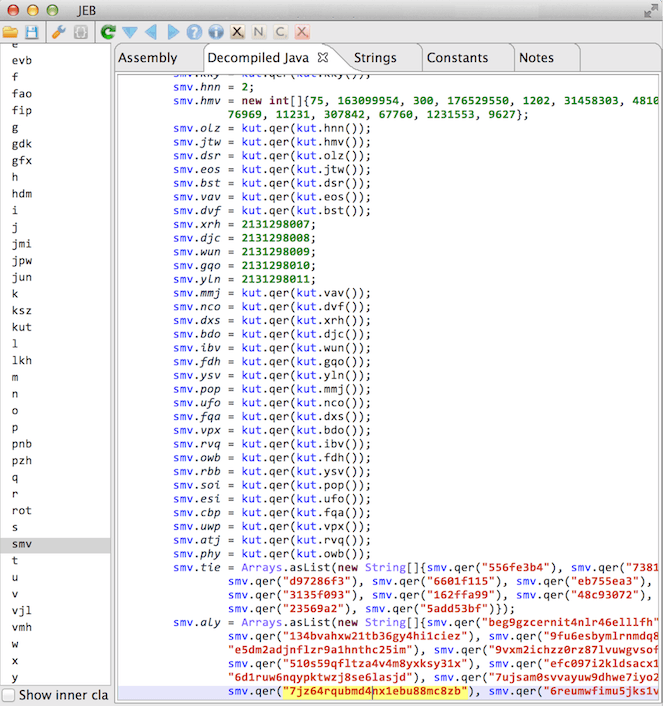
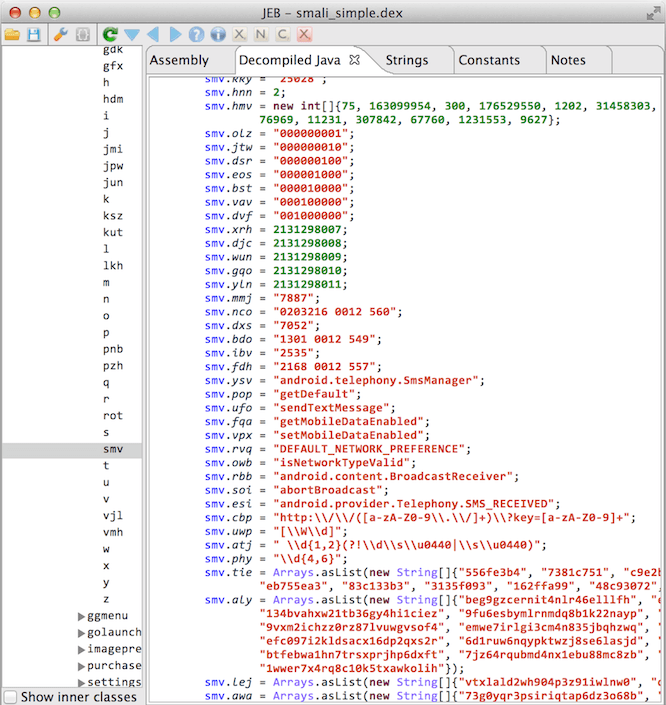
The code on the left is a decompilation of an obfuscated app, and the code on the right has been deobfuscated.
There are three parts to the project: smalivm, simplify, and the demo app.
if or switch conditional with an unknown value results in both branches being taken.usage: java -jar simplify.jar <input> [options]
deobfuscates a dalvik executable
-et,--exclude-types <pattern> Exclude classes and methods which include REGEX, eg: "com/android", applied after include-types
-h,--help Display this message
-ie,--ignore-errors Ignore errors while executing and optimizing methods. This may lead to unexpected behavior.
--include-support Attempt to execute and optimize classes in Android support library packages, default: false
-it,--include-types <pattern> Limit execution to classes and methods which include REGEX, eg: ";->targetMethod\("
--max-address-visits <N> Give up executing a method after visiting the same address N times, limits loops, default: 10000
--max-call-depth <N> Do not call methods after reaching a call depth of N, limits recursion and long method chains, default: 50
--max-execution-time <N> Give up executing a method after N seconds, default: 300
--max-method-visits <N> Give up executing a method after executing N instructions in that method, default: 1000000
--max-passes <N> Do not run optimizers on a method more than N times, default: 100
-o,--output <file> Output simplified input to FILE
--output-api-level <LEVEL> Set output DEX API compatibility to LEVEL, default: 15
-q,--quiet Be quiet
--remove-weak Remove code even if there are weak side effects, default: true
-v,--verbose <LEVEL> Set verbosity to LEVEL, default: 0
Building requires the Java Development Kit 8 (JDK) to be installed.
Because this project contains submodules for Android frameworks, either clone with --recursive:
git clone --recursive https://github.com/CalebFenton/simplify.git
Or update submodules at any time with:
git submodule update --init --recursive
Then, to build a single jar which contains all dependencies:
./gradlew fatjar
The Simplify jar will be in simplify/build/libs/. You can test it's working by simplifying the provided obfuscated example app. Here's how you'd run it (you may need to change simplify.jar):
java -jar simplify/build/libs/simplify.jar -it "org/cf/obfuscated" -et "MainActivity" simplify/obfuscated-app.apk
To understand what's getting deobfuscated, check out Obfuscated App's README.
If Simplify fails, try these recommendations, in order:
-it option.--max-address-visits, --max-call-depth, and --max-method-visits.-v or -v 2 and report the issue with the logs and a hash of the DEX or APK.If building on Windows, and building fails with an error similar to:
Could not find tools.jar. Please check that C:\Program Files\Java\jre1.8.0_151 contains a valid JDK installation.
This means Gradle is unable to find a proper JDK path. Make sure the JDK is installed, set the JAVA_HOME environment variable to your JDK path, and make sure to close and re-open the command prompt you use to build.
Don't be shy. I think virtual execution and deobfuscation are fascinating problems. Anyone who's interested is automatically cool and contributions are welcome, even if it's just to fix a typo. Feel free to ask questions in the issues and submit pull requests.
Please include a link to the APK or DEX and the full command you're using. This makes it much easier to reproduce (and thus fix) your issue.
If you can't share the sample, please include the file hash (SHA1, SHA256, etc).
If an op places a value of a type which can be turned into a constant such as a string, number, or boolean, this optimization will replace that op with the constant. For example:
const-string v0, "VGVsbCBtZSBvZiB5b3VyIGhvbWV3b3JsZCwgVXN1bC4="
invoke-static {v0}, Lmy/string/Decryptor;->decrypt(Ljava/lang/String;)Ljava/lang/String;
# Decrypts to: "Tell me of your homeworld, Usul."
move-result v0
In this example, an encrypted string is decrypted and placed into v0. Since strings are "constantizable", the move-result v0 can be replaced with a const-string:
const-string v0, "VGVsbCBtZSBvZiB5b3VyIGhvbWV3b3JsZCwgVXN1bC4="
invoke-static {v0}, Lmy/string/Decryptor;->decrypt(Ljava/lang/String;)Ljava/lang/String;
const-string v0, "Tell me of your homeworld, Usul."
Code is dead if removing it cannot possibly alter the behavior of the app. The most obvious case is if the code is unreachable, e.g. if (false) { // dead }). If code is reachable, it may be considered dead if it doesn't affect any state outside of the method, i.e. it has no side effect. For example, code may not affect the return value for the method, alter any class variables, or perform any IO. This is a difficult to determine in static analysis. Luckily, smalivm doesn't have to be clever. It just stupidly executes everything it can and assumes there are side effects if it can't be sure. Consider the example from Constant Propagation:
