
 brum3ns/firefly
High-performance black-box fuzzer for web applications with built-in payload engine, request verification, tampering, encoding, and advanced filtering to detect hidden behaviors and vulnerabilities.


</ Advantages | Features | Installation | Usage | Community >
Firefly is an advanced black-box fuzzer and not just a standard asset discovery tool. Firefly provides the advantage of testing a target with a large number of built-in checks to detect behaviors in the target.
go install -v github.com/Brum3ns/firefly/cmd/firefly@latest
or
go get -v github.com/Brum3ns/firefly/cmd/firefly
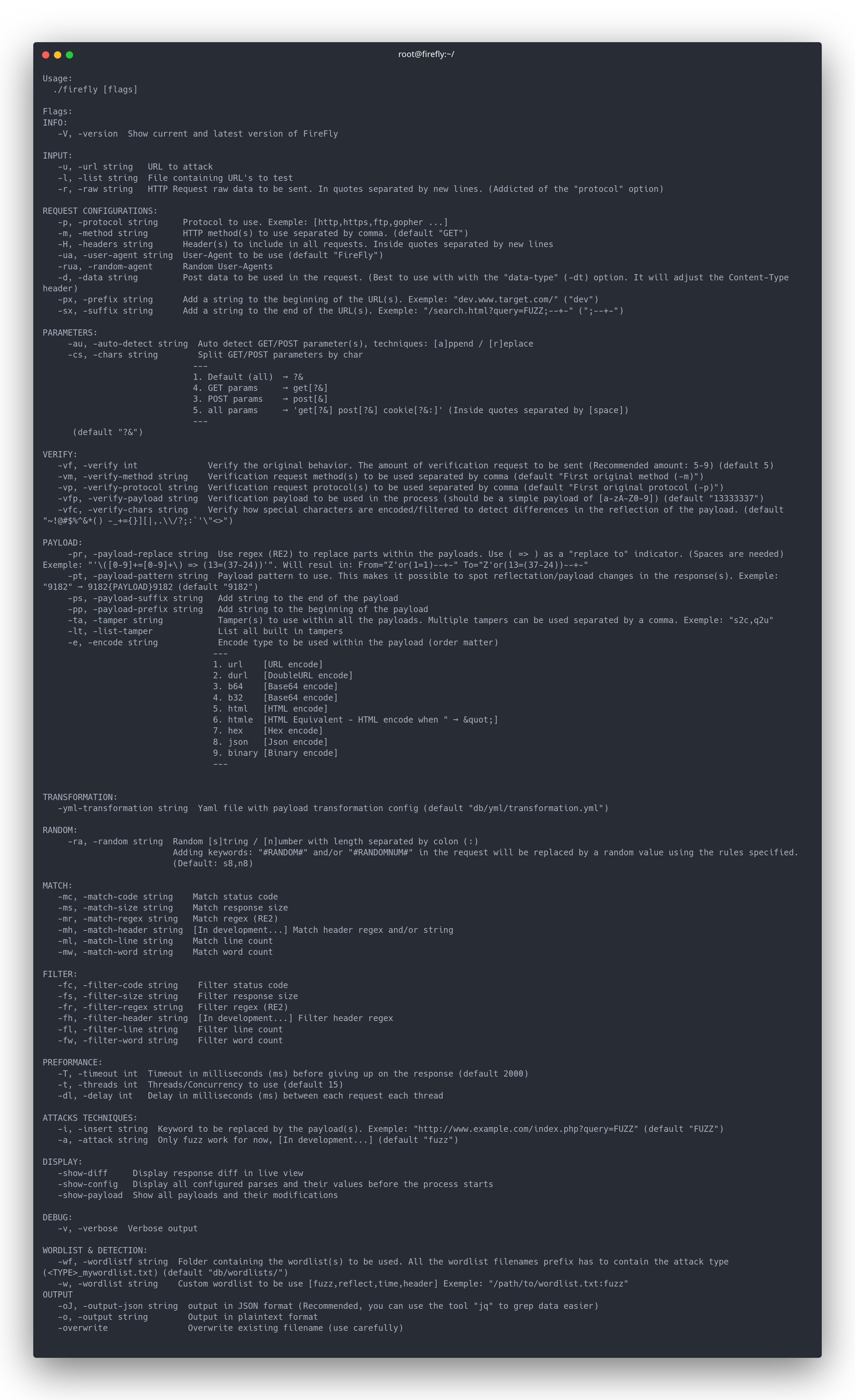
firefly -h
firefly -u 'http://example.com/?query=FUZZ'
Different types of request input that can be used
Basic
firefly -u 'http://example.com/?query=FUZZ' --timeout 7000
Request with different methods and protocols
firefly -u 'http://example.com/?query=FUZZ' -m GET,POST,PUT -p https,http,ws
echo 'http://example.com/?query=FUZZ' | firefly
firefly -r '
GET /?query=FUZZ HTTP/1.1
Host: example.com
User-Agent: FireFly'
This will send the HTTP Raw and auto detect all GET and/or POST parameters to fuzz.
firefly -r '
POST /?A=1 HTTP/1.1
Host: example.com
User-Agent: Firefly
X-Host: FUZZ

B=2&C=3' -au replace
Request verifier is the most important part. This feature let Firefly know the core behavior of the target your fuzz. It's important to do quality over quantity. More verfiy requests will lead to better quality at the cost of internal hardware preformance (depending on your hardware)
firefly -u 'http://example.com/?query=FUZZ' -e
Payload can be highly customized and with a good core wordlist it's possible to be able to fully adapt the payload wordlist within Firefly itself.
Display the format of all payloads and exit
firefly -show-payload
List of all Tampers avalible
firefly -list-tamper
Tamper all paylodas with given type (More than one can be used separated by comma)
firefly -u 'http://example.com/?query=FUZZ' -e s2c
firefly -u 'http://example.com/?query=FUZZ' -e hex
Hex then URL encode all payloads
firefly -u 'http://example.com/?query=FUZZ' -e hex,url
firefly -u 'http://example.com/?query=FUZZ' -pr '\([0-9]+=[0-9]+\) => (13=(37-24))'
The Payloads:
' or (1=1)-- -and" or(20=20)or "Will result in:' or (13=(37-24))-- -and" or(13=(37-24))or "Where the=>(with spaces) inducate the "replace to".
Filter options to filter/match requests that include a given rule.
Filter response to ignore (filter) status code 302 and line count 0
firefly -u 'http://example.com/?query=FUZZ' -fc 302 -fl 0
Filter responses to include (match) regex, and status code 200
firefly -u 'http://example.com/?query=FUZZ' -mr '[Ee]rror (at|on) line \d' -mc 200
firefly -u 'http://example.com/?query=FUZZ' -mr 'MySQL' -mc 200
Preformance and time delays to use for the request process
Threads / Concurrency
firefly -u 'http://example.com/?query=FUZZ' -t 35
Time Delay in millisecounds (ms) for each Concurrency
FireFly -u 'http://example.com/?query=FUZZ' -t 35 -dl 2000
Wordlist that contains the paylaods can be added separatly or extracted from a given folder
Single Wordlist with its attack type
firefly -u 'http://example.com/?query=FUZZ' -w wordlist.txt:fuzz
Extract all wordlists inside a folder. Attack type is depended on the suffix <type>_wordlist.txt
firefly -u 'http://example.com/?query=FUZZ' -w wl/
Example
Wordlists names inside folder
wl:
- fuzz_wordlist.txt
- time_wordlist.txt
JSON output is strongly recommended. This is because you can benefit from the
jqtool to navigate throw the result and compare it.
(If Firefly is pipeline chained with other tools, standard plaintext may be a better choice.)
Simple plaintext output format
firefly -u 'http://example.com/?query=FUZZ' -o file.txt
JSON output format (recommended)
firefly -u 'http://example.com/?query=FUZZ' -oJ file.json
Everyone in the community are allowed to suggest new features, improvements and/or add new payloads to Firefly just make a pull request or add a comment with your suggestions!
