boostsecurityio/smokedmeat
A CI/CD Red Team Framework for demonstrating Build Pipeline security risks.

CI/CD Red Team Framework
Like Metasploit, but for CI/CD pipelines.
From the makers of the poutine Build Pipeline SAST scanner at BoostSecurity Labs.
Warning: This tool is for authorized security testing only.
SmokedMeat exists because CI/CD pipeline threats are deeply underestimated. Traditional security training rarely covers supply chain attacks, leaving defenders unprepared for techniques that adversaries actively exploit in the wild.
We built this to give security teams the ability to learn, practice, and validate defenses against advanced CI/CD attack techniques through realistic red team exercises.
Only use against systems you own or have explicit written permission to test.
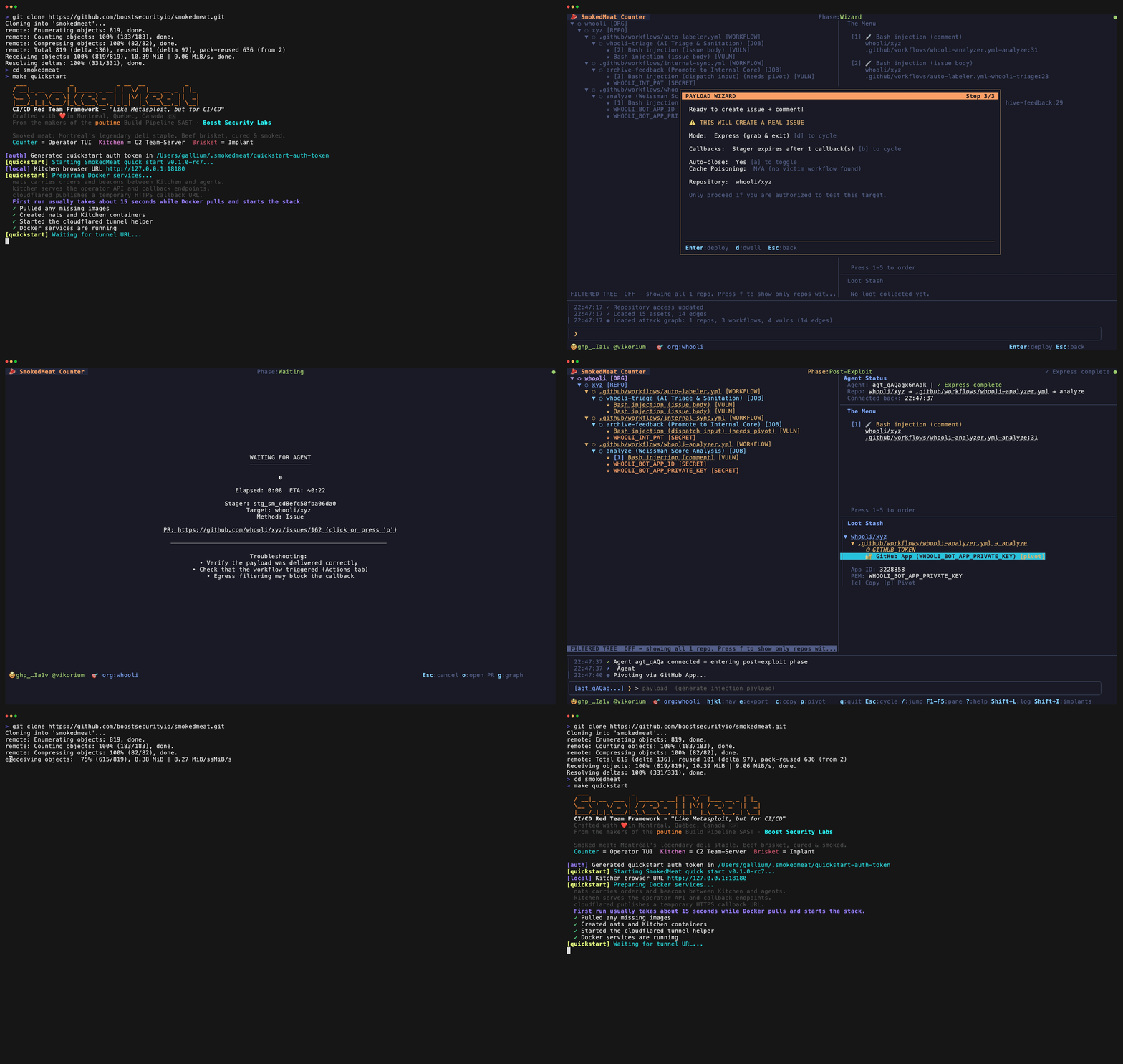
SmokedMeat is a post-exploitation framework for CI/CD pipelines. Point it at a GitHub organization, let it find vulnerable workflows, deploy an implant to a compromised runner, then pivot through cloud providers, extract secrets, and map the blast radius - all from a terminal UI.
What it does:
Philosophy: Bold and noisy. This isn't an EDR evasion tool. It's a demonstration framework that shows how deep a CI/CD compromise goes before anything triggers an alert.
Who is it for:
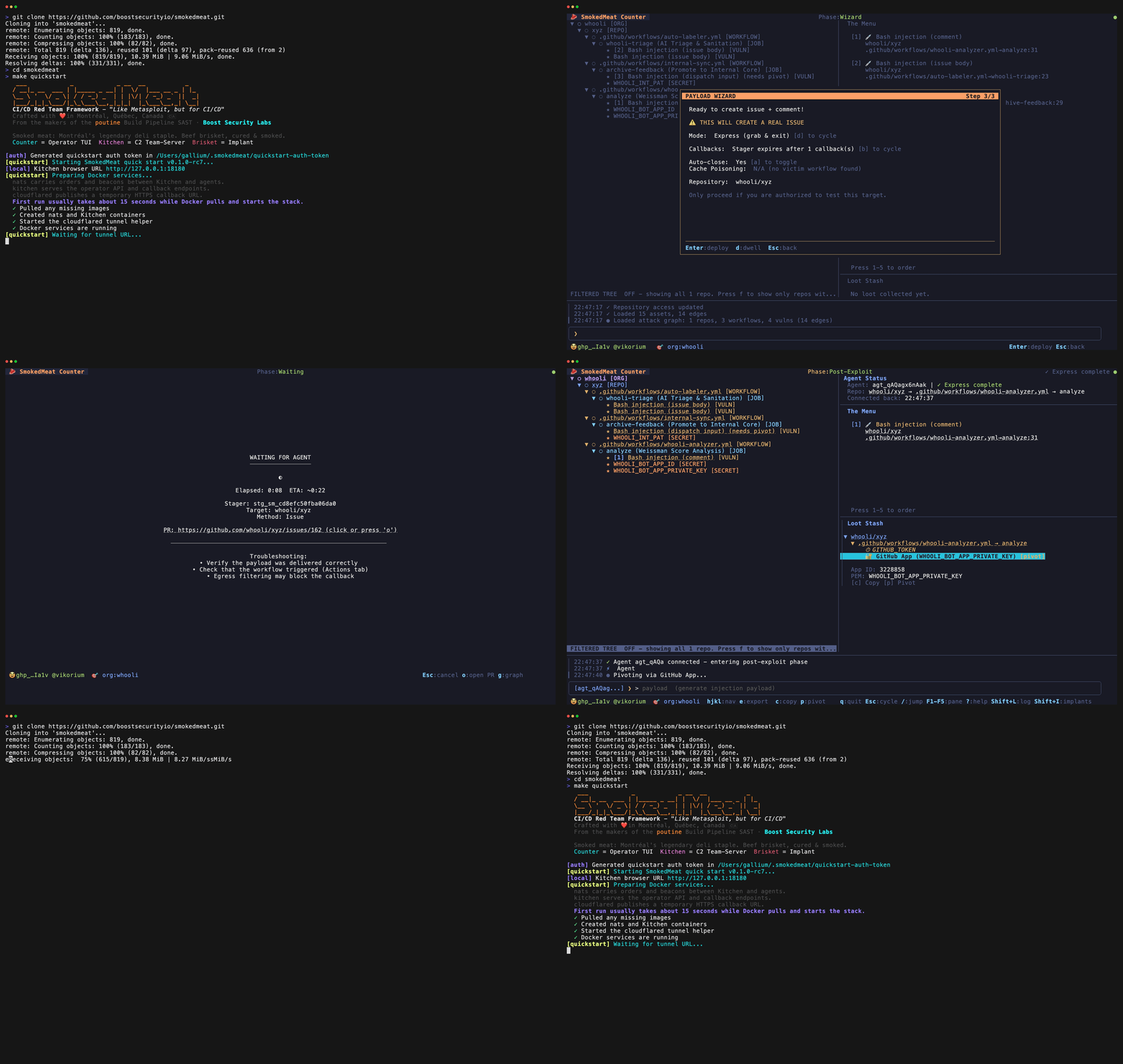
To try SmokedMeat for the first time, install Docker and make. Go is not required.
git clone https://github.com/boostsecurityio/smokedmeat.git
cd smokedmeat
make quickstart
make quickstart is the recommended first run. It starts the stable release quickstart stack locally and launches the operator TUI (Counter) against the local C2 teamserver (Kitchen).
Recommended first run:
whoolipublic_repo⚠ Prefer a classic PAT. Fine-grained PATs can be too restrictive and may block testing public targets in other orgs, including whooli.
whooli is SmokedMeat's deliberately vulnerable CI/CD attack playground. It is the recommended first target for the public path.
The setup wizard walks you through:
repo.whooli or your own org/repoFor the full challenge flow, see the whooli guide or go straight to the whooli GitHub org.
When you are done:
make quickstart-down       # Stop containers
make quickstart-purge      # Stop and delete all data
If you want to work from source instead, see Development.
If you are contributing or iterating on the source tree locally, install Go 1.26+ and use the dev quickstart:
make dev-quickstart
make dev-quickstart builds the local smokedmeat-cloud-shell image, starts cloudflared, nats, and the C2 teamserver (Kitchen), then launches the operator TUI from source.
If you want the infrastructure first and the operator TUI later:
make dev-quickstart-up
make dev-quickstart-counter
When you are done:
make dev-quickstart-down   # Stop containers
make dev-quickstart-purge  # Stop and delete all data
More deployment modes and local development details are in docs/deployment.md.
Counter checks for newer SmokedMeat releases at startup. It can be disabled by setting the SMOKEDMEAT_DISABLE_VERSION_CHECK environment variable.
| Standard term | SmokedMeat name | Description |
|---|---|---|
| Operator TUI | Counter | Terminal interface for analysis, payload delivery, and post-exploitation workflow. |
| C2 teamserver | Kitchen | API and WebSocket server for operator sessions, stagers, callbacks, and graph state. |
| Implant | Brisket | Agent delivered to compromised CI runners for beaconing, command execution, and pivoting. |
| Browser graph view | Browser View | Live attack graph served by the C2 teamserver at /graph. |
| Mode | Use it when | Entry point |
|---|---|---|
| Quickstart | Fastest first run on the pinned release | make quickstart |
| Dev Quickstart | Working on the source tree locally | make dev-quickstart |
| Hosted Teamserver | Running a real engagement with a stable domain | docs/deployment.md |
Hosted Teamserver runs the C2 teamserver on a dedicated host and the operator TUI natively on each operator workstation.
At a high level, the operator TUI (Counter) talks to the C2 teamserver (Kitchen), which manages implants (Brisket) running on compromised CI runners and serves the live attack graph.