
Wiki to collect Red Team infrastructure hardening resources

This wiki is intended to provide a resource for setting up a resilient Red Team infrastructure. It was made to complement Steve Borosh (@424f424f) and Jeff Dimmock's (@bluscreenofjeff) BSides NoVa 2017 talk "Doomsday Preppers: Fortifying Your Red Team Infrastructure" (slides)
If you have an addition you'd like to make, please submit a Pull Request or file an issue on the repo.
THANK YOU to all of the authors of the content referenced in this wiki and to all who contributed!
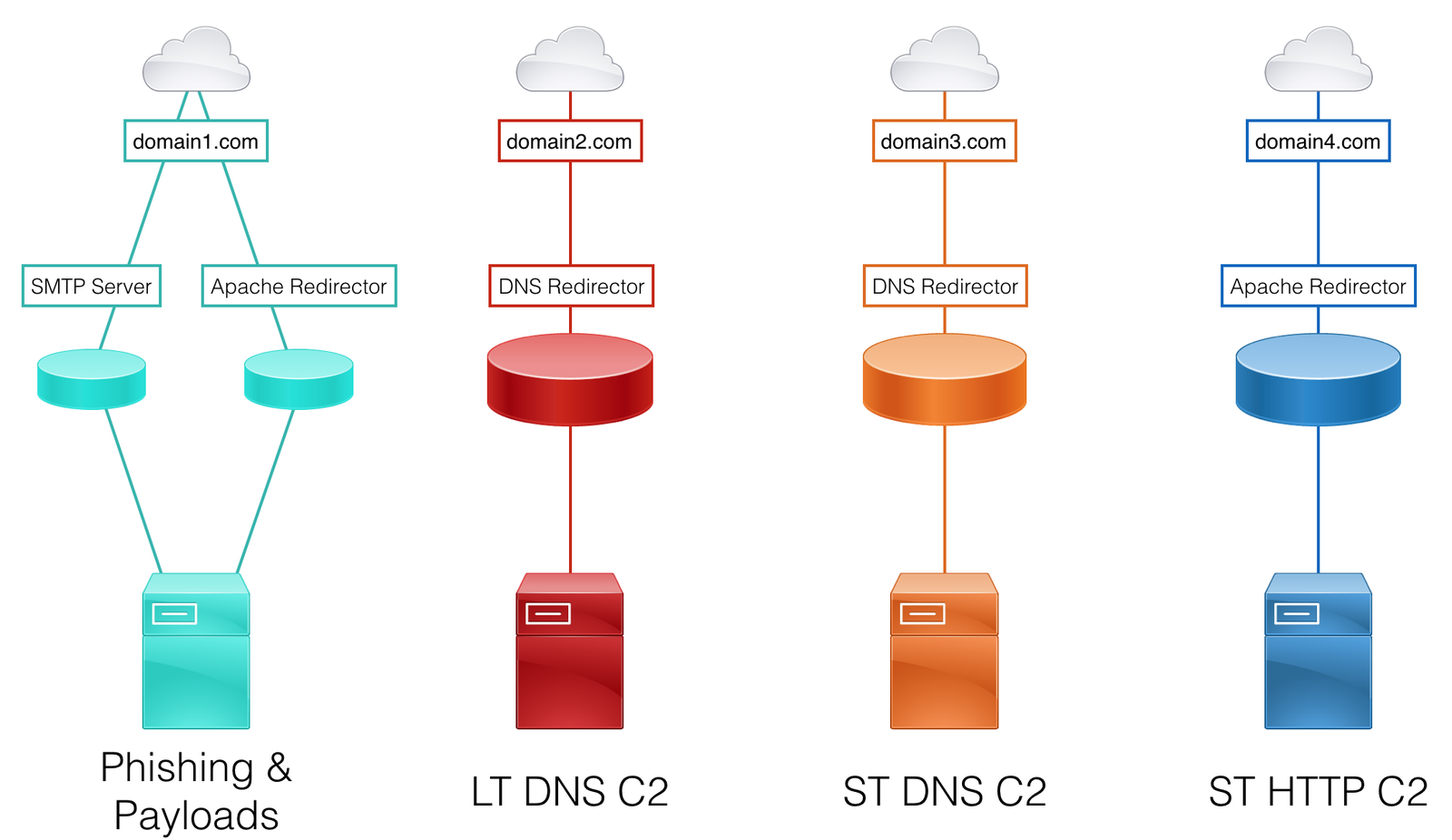
When designing a red team infrastructure that needs to stand up to an active response or last for a long-term engagement (weeks, months, years), it’s important to segregate each asset based on function. This provides resilience and agility against the Blue Team when campaign assets start getting detected. For example, if an assessment’s phishing email is identified, the Red Team would only need to create a new SMTP server and payload hosting server, rather than a whole team server setup.
Consider segregating these functions on different assets:
Each of these functions will likely be required for each social engineering campaign. Since active incident response is typical in a Red Team assessment, a new set of infrastructure should be implemented for each campaign.
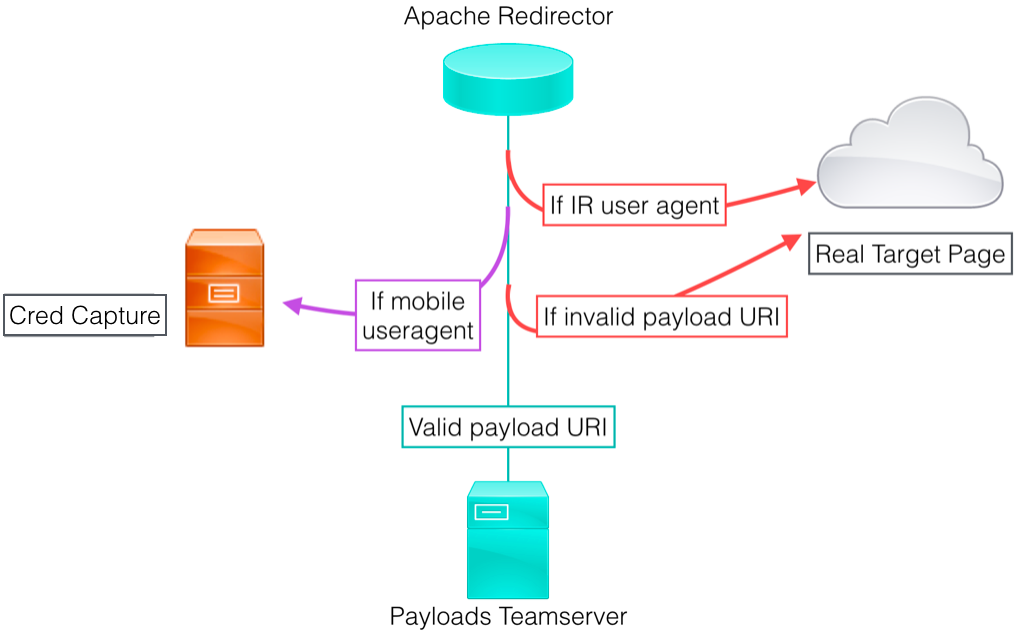
To further resilience and concealment, every back-end asset (i.e. team server) should have a redirector placed in front of it. The goal is to always have a host between our target and our backend servers. Setting up the infrastructure in this manner makes rolling fresh infrastructure much quicker and easier - no need to stand up a new team server, migrate sessions, and reconnect non-burned assets on the backend.
Common redirector types:
Each redirector type has multiple implementation options that best fit different scenarios. These options are discussed in further detail in the Redirectors section of the wiki. Redirectors can be VPS hosts, dedicated servers, or even apps running on a Platform-as-a-Service instance.
Here is a sample design, keeping functional segregation and redirector usage in mind:
A Vision for Distributed Red Team Operations - Raphael Mudge (@armitagehacker)
Infrastructure for Ongoing Red Team Operations - Raphael Mudge
Advanced Threat Tactics (2 of 9): Infrastructure - Raphael Mudge
Cloud-based Redirectors for Distributed Hacking - Raphael Mudge
How to Build a C2 Infrastructure with Digital Ocean – Part 1 - Lee Kagan (@invokethreatguy)
Automated Red Team Infrastructure Deployment with Terraform - Part 1 - Rasta Mouse (@_RastaMouse)
Perceived domain reputation will vary greatly depending on the products your target is using, as well as their configuration. As such, choosing a domain that will work on your target is not an exact science. Open source intelligence gathering (OSINT) will be critical in helping make a best guess at the state of controls and which resources to check domains against. Luckily, online advertisers face the same problems and have created some solutions we can leverage.
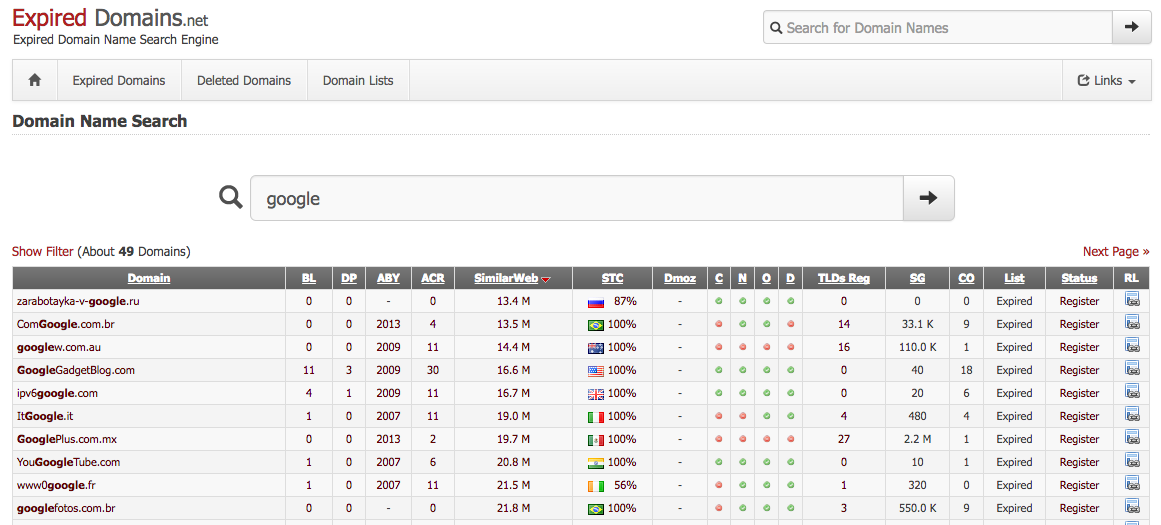
expireddomains.net is a search engine for recently expired or dropped domains. It provides search and advanced filtering, such as age of expiration, number of backlinks, number of Archive.org snapshots, SimilarWeb score. Using the site, we can register pre-used domains, which will come with domain age, that look similar to our target, look similar to our impersonation, or simply are likely to blend in on our target’s network.
When choosing a domain for C2 or data exfiltration, consider choosing a domain categorized as Finance or Healthcare. Many organizations will not perform SSL middling on those categories due to the possibility of legal or data sensitivity issues. It is also important to ensure your chosen domain is not associated with any previous malware or phishing campaigns.
The tool CatMyFish by Charles Hamilton(@MrUn1k0d3r) automates searches and web categorization checking with expireddomains.net and BlueCoat. It can be modified to apply more filters to searches or even perform long term monitoring of assets you register.
