 blackfan/bfscan
Tool for finding URLs, paths, secrets and generating raw HTTP requests and OpenApi specifications from config files and annotations used in JAR / WAR / APK applications.

Tool for initial processing of APK / XAPK / APKM / DEX / JAR / WAR applications.
java -jar bfscan.jar <jar_war_apk> <...> [-m <mode>] [-ma <minifiedAnnotationsSupport>] [-r <mappingFile>] [-s <searchString>] [-u <url>] [-v <verbose>]

 -m <mode>                          Mode ([a]ll, [s]ecrets, [h]ttp), default: all
 -ma <minifiedAnnotationsSupport>   Minified or unknown annotations support (yes, no), default: yes
 -r <mappingFile>                   Deobfuscation mapping file
 -s <searchString>                  Search string
 -u <url>                           API base url (http://localhost/api/)
 -v <verbose>                       Log level (off, error, warn, info, debug, trace)
java -jar bfscan.jar test/*.apk -u https://example.tld/api/
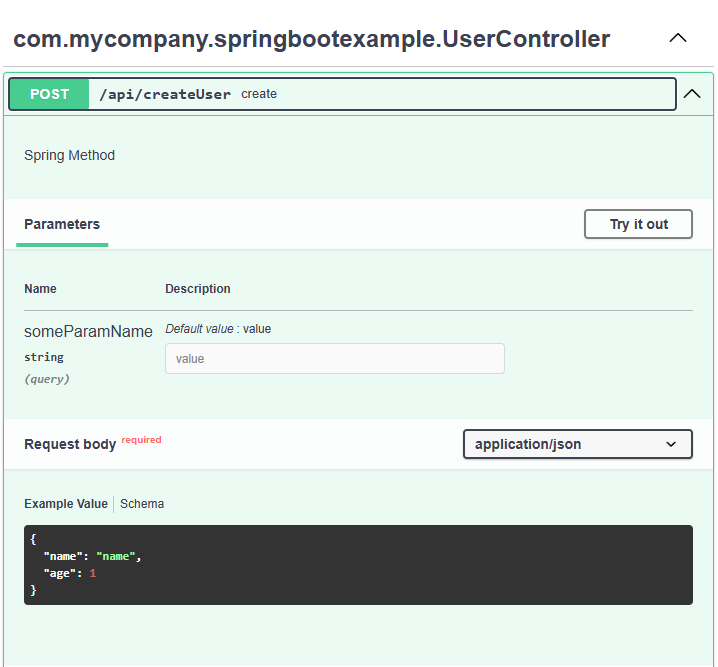
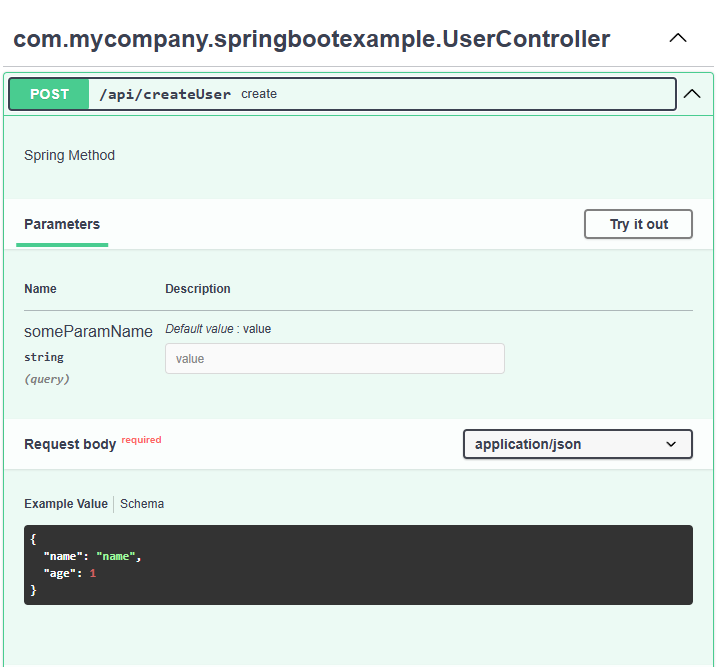
For this class using Spring annotations, the following results will be generated.
@RestController
@RequestMapping("/api")
public class UserController {

    @PostMapping("createUser")
    public String create(@RequestParam Optional<String> someParamName, @RequestBody User user) {
        return "response";
    }
Method: com.mycompany.springbootexample.UserController->create
POST /api/createUser?someParamName=value HTTP/1.1
Host: localhost
Connection: close
Content-Type: application/json

{
  "name": "name",
  "age": 1
}
If you are analyzing an application that uses a supported library, but its code is obfuscated, you can create a mapping file to replace the class names.
To do this, you can manually use the "Rename" function in the decompiled code in the jadx-gui, and then save the generated mapping file (File > Save mappings). Or use an example mapping file for Retrofit and modify it according to your application.
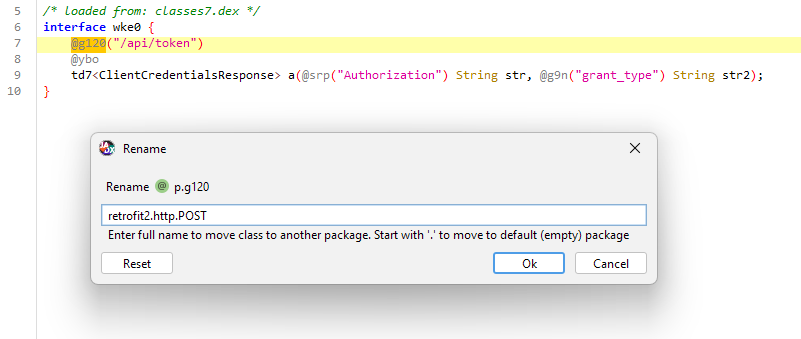
Example of analyzing an application with renaming classes using a mapping file.
java -jar BFScan.jar ./tests/example.apk -r ./tests/mapping.txt
This project uses:
