
Skip to content
KitploitKITPLOIT
ToolsBlog
Submit
ToolsBlog
Submit

Hacking, PenTest, and Cybersecurity Tools for Your Security Arsenal!

Kitploit is a directory of hacking, cybersecurity, and pentesting tools. Discover the latest project updates to find vulnerabilities, analyze systems, automate testing, and strengthen your security.

··Feeds·Contact·Privacy·© 2026 Kitploit

Tool Directory

Categories

View all categories
Loading categories
Tools/GitHubGitHub/bishopfox/shining-mask
Embedded Systems SecurityBluetooth SecurityIoT SecurityExploitationWireless SecurityHardware HackingLearning & EducationRed Teaming
GitHubbishopfox/shining-mask

shining-mask

BLE-based tool that automatically discovers and exploits Shining LED Masks by uploading a custom image without user interaction, proving security vulnerabilities in consumer IoT devices.

View Repository
12610 months agoNot yet reviewed

Most Popular

View all →

Discover the most used tools by our community.

Explore all tools

Browse our collection of tools

View all tools →
Share

Shining Mask Hacks

Shining LED Mask

This repository contains code and instructions for creating a custom Bluetooth Low Energy (BLE) controller for the Shining LED Mask that automatically changes the face image of any masks within BLE range. This repository is a companion to Invasion of the Facechangers: Halloween Hijinks with Bluetooth LED Masks.

Features

  • Automatically connects and uploads a fox face to any Shining LED Mask within BLE range
  • No user interaction required once the script is running

Bill of Materials

  • Adafruit Feather nRF52840 Express
    • Technically, any BLE-capable Feather board that supports CircuitPython should work, but this is the one we used.
  • Any connecting battery for the Feather board
    • Again, see the "Also Include" section in the Adafruit guide for any batteries compatible with the Feather board.

Setup

  1. Connect the Feather board to your computer via USB, and install the UF2 bootloader if necessary. Once install, reinsert the Feather board.
  2. Copy all code files to the Feather board's CIRCUITPY drive. Particularly, you want code.py, bfox.py, and the lib folder with the CircuitPython Bluetooth LE libraries.
  3. Safely eject the CIRCUITPY drive from your computer.
  4. Connect the battery to the Feather board. The script should start running automatically.

Usage

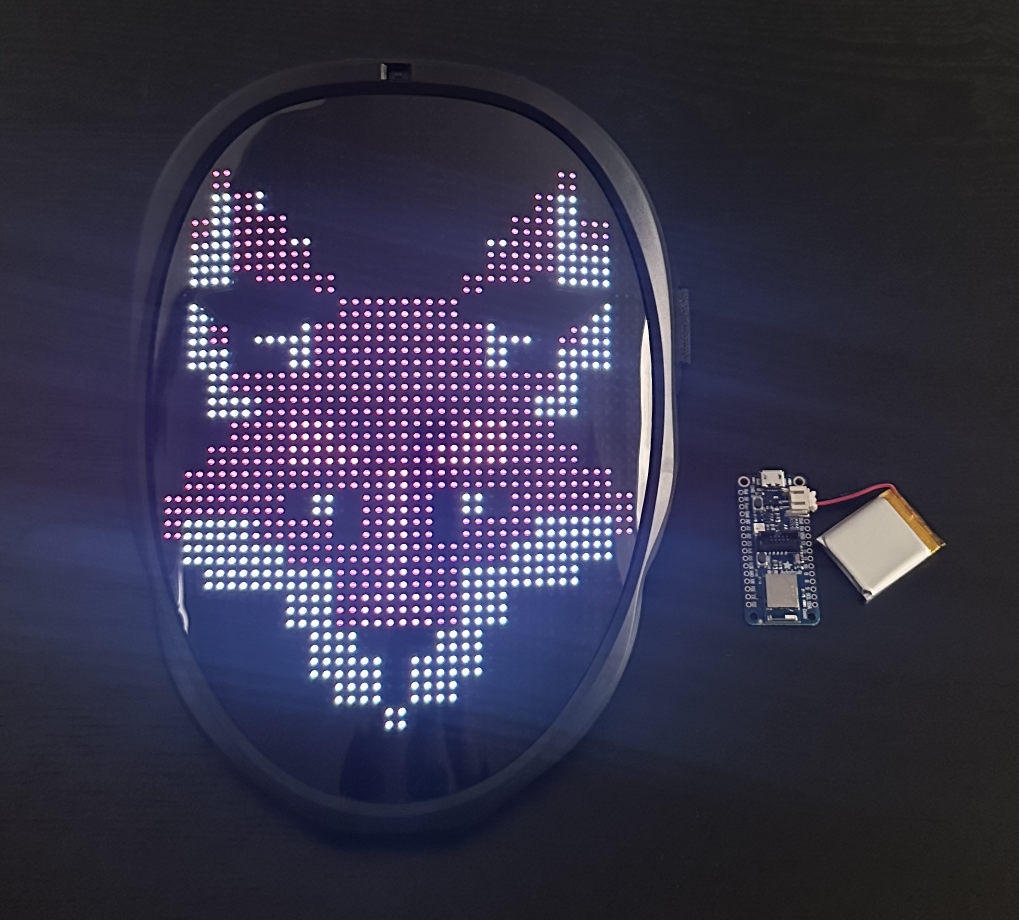
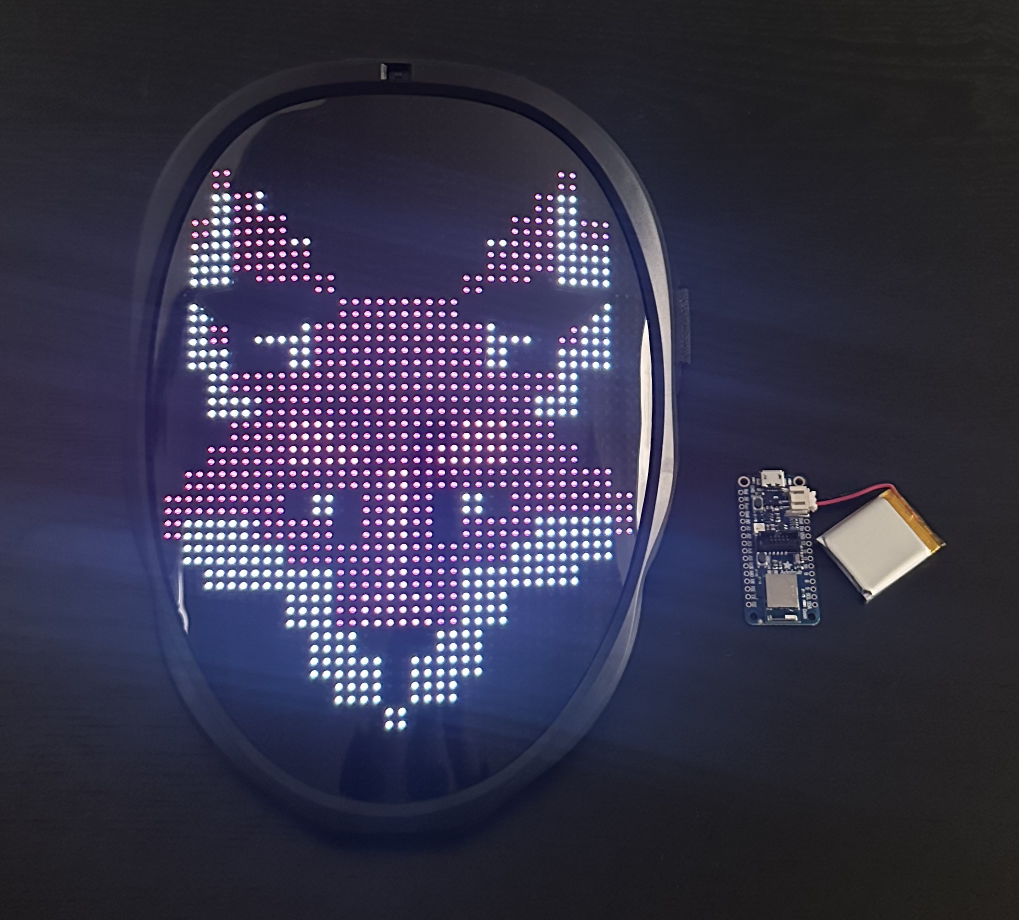
Just connect the battery, and it will automatically start scanning for Shining LED Masks and upload this fox face to any it finds:

Fox Face on Mask

You can modify the code.py file uploaded to the board if you want to add your own mask ID to the ignore list.

Download Tool