Skip to content
KitploitKITPLOIT
ToolsExploitsBlog
Log in
Submit
ToolsExploitsBlog
Submit

Hacking, PenTest, and Cybersecurity Tools for Your Security Arsenal!

Kitploit is a directory of hacking, cybersecurity, and pentesting tools. Discover the latest project updates to find vulnerabilities, analyze systems, automate testing, and strengthen your security.

··Feeds·Contact·Privacy·© 2026 Kitploit

Tool Directory

Categories

View all categories
Loading categories
badPods — A collection of manifests that will create pods with elevated privileges. | Kitploit
Tools/GitHubGitHub/bishopfox/badpods
Privilege EscalationContainer SecurityExploitationPenetration TestingCloud SecurityMisconfigurationContainer EscapeTop in Container Escape #6
GitHubbishopfox/badpods

badPods

706118209 months agoReviewed by Kitploit

Most Popular

View all →

Discover the most used tools by our community.

Explore all tools

Browse our collection of tools

View all tools →
Share

A collection of manifests that will create pods with elevated privileges.
View RepositoryWebsite

Bad Pods

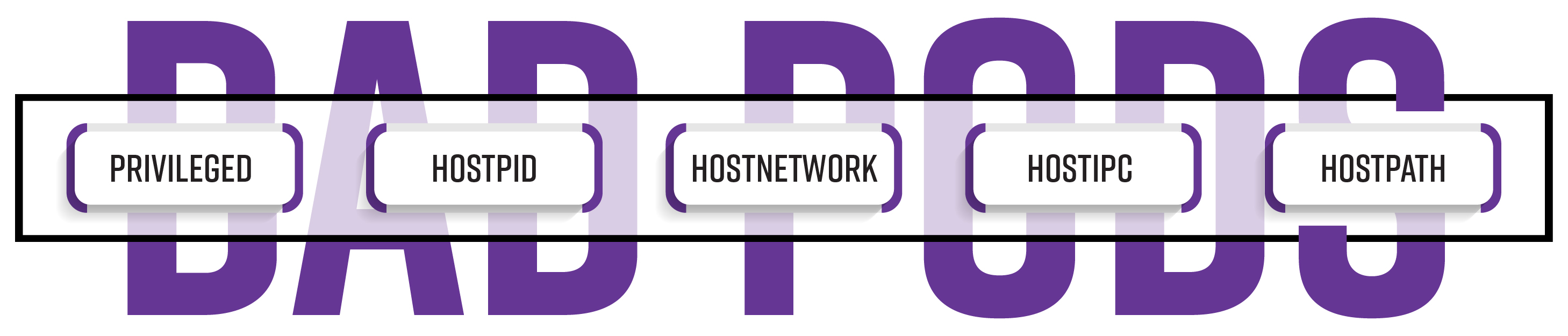
A collection of manifests that create pods with different elevated privileges. Quickly demonstrate the impact of allowing security sensitive pod attributes like hostNetwork, hostPID, hostPath, hostIPC, and privileged.

For additional background, see our blog post: Bad Pods: Kubernetes Pod Privilege Escalation.

Contents

  • The Bad pods line-up
  • Prerequisites
  • Organization
  • Usage
    • High level approach
    • Usage examples
      • Create all eight Bad Pods from cloned local repo
      • Create all eight Bad Pods from github
      • Create all eight reverse shell Bad Pods
      • Create all eight resource types using the everything-allowed pod
      • Create a cronjob with the hostNetwork pod
      • Create a deployment with the priv-and-hostpid pod
      • Create a reverse shell using the privileged pod
  • Acknowledgements
  • References and further reading

The Bad Pods line-up

Each link below provides detailed usage information and post exploitation recommendations.

  • Bad Pod #1: Everything allowed
  • Bad Pod #2: Privileged and hostPid
  • Bad Pod #3: Privileged only
  • Bad Pod #4: hostPath only
  • Bad Pod #5: hostPid only
  • Bad Pod #6: hostNetwork only
  • Bad Pod #7: hostIPC only
  • Bad Pod #8: Nothing allowed

For more general information about prerequisites, repository organization, and common usage patterns, see the sections below.

Prerequisites

  1. Access to a cluster
  2. RBAC permission to create one of the following resource types in at least one namespace:
    • CronJob, DeamonSet, Deployment, Job, Pod, ReplicaSet, ReplicationController, StatefulSet
  3. RBAC permission to exec into pods or a network policy that allows a reverse shell from a pod to reach you.
  4. No pod security policy enforcement, or a policy that allows pods to be created with one or more security sensitive attributes

Organization

  • 128 self-contained, ready to use manifests. Why so many?
    • 8 Bad Pods (hostpid, hostnetwork, everything-allowed, etc.)
    • 8 resource types that can create pods (pod, deployment, replicaset, statefulset, etc.)
    • 2 ways to access the created pods (exec & reverse shell)
├── manifests
│   ├── everything-allowed
│   │   ├── cronjob
│   │   │   ├── everything-allowed-exec-cronjob.yaml
│   │   │   └── everything-allowed-revshell-cronjob.yaml
│   │   ├── daemonset
│   │   │   ├── everything-allowed-exec-daemonset.yaml
│   │   │   └── everything-allowed-revshell-daemonset.yaml
│   │   ├── deployment
│   │   │   ├── everything-allowed-exec-deployment.yaml
│   │   │   └── everything-allowed-revshell-deployment.yaml
│   │   ├── job
│   │   │   ├── everything-allowed-exec-job.yaml
│   │   │   └── everything-allowed-revshell-job.yaml
│   │   ├── pod
│   │   │   ├── everything-allowed-exec-pod.yaml
│   │   │   └── everything-allowed-revshell-pod.yaml
│   │   ├── replicaset
│   │   │   ├── everything-allowed-exec-replicaset.yaml
│   │   │   └── everything-allowed-revshell-replicaset.yaml
│   │   ├── replicationcontroller
│   │   │   ├── everything-allowed-exec-replicationcontroller.yaml
│   │   │   └── everything-allowed-revshell-replicationcontroller.yaml
│   │   └── statefulset
│   │       ├── everything-allowed-exec-statefulset.yaml
│   │       └── everything-allowed-revshell-statefulset.yaml
│   ├── hostipc
│   │   ├── cronjob
│   │   │   ├── hostipc-exec-cronjob.yaml
│   │   │   └── hostipc-revshell-cronjob.yaml
│   │   ├── daemonset
│   │   │   ├── hostipc-exec-daemonset.yaml
│   │   │   └── hostipc-revshell-daemonset.yaml
...omitted for brevity...

There are eight ways to create a pod

As Eviatar Gerzi (@g3rzi) points out in the post Eight Ways to Create a Pod, there are 8 different controllers that can create a pod, or a set of pods. You might not be authorized to create pods, but maybe you can create another resource type that will create one or more pods. For each badPod type, there are manifests that correspond to all eight resource types.

But wait, it gets worse! In addition to the eight current Kubernetes controllers that can create pods, there are third party controllers that can also create pods if they are applied to the cluster. Keep an eye out for them by looking at kubectl api-resources.

Reverse shells

While common, it is not always the case that you can exec into pods that you can create. To help in those situations, a version of each manifest is included that uses Rory McCune's (@raesene) ncat dockerhub image. When created, the pod will make an encrypted call back to your listener.

Usage

Each resource in the manifests directory targets a specific attribute or a combination of attributes that expose the cluster to risk when allowed.


High level approach

Option 1: Methodical approach

  1. Evaluate RBAC - Determine which resource types you can create
  2. Evaluate Admission Policy - Determine which of the Bad Pods you will be able to create
  3. Create Resources - Based on what is allowed, use the specific badPod type and resource type and create your resources
  4. Post Exploitation - Evaluate post exploitation steps outlined in the README for that type
    • Everything allowed
    • Privileged and hostPid
    • Privileged only
    • hostPath only
    • hostPid only
    • hostNetwork only
    • hostIPC only
    • Nothing allowed
Download Tool