 bin4ry/unipwn
BLE exploit framework for Unitree robots: command injection via hardcoded AES keys enables remote takeover, payload injection, and wormable propagation.


Author: Bin4ry aka Andreas Makris [[email protected]]
Co-Author: h0stile aka Kevin Finisterre
Contributor: legion1581 aka Konstantin Severov from theroboverse helped to fix the payload for the injection and proved it with a fully working PoC 🙂 thanks dude, this was a critical contribution, very much appreciated!
Date: September 20, 2025
CVE-2025-35027
CVE-2025-60017
CVE-2025-60250
CVE-2025-60251
The research from this repo is incorporated into a paper that presents a systematic security assessment of the Unitree G1. The reaserch impact is however NOT limited to just the G1, rather the entire Unitree product line from starting with the Go2 series. The code on newer Unitree bots appears to be a fork of the Go2 codebase, specifically making the Go1 lineage, and other pre-Go2 Unitree bots not vulnerable. All modern variants are however impacted at this time. Unitree has yet to release an advisory clarifying the exact impact across the product line.
Link to Paper: https://arxiv.org/abs/2509.14139
Title: Cybersecurity AI: Humanoid Robots as Attack Vectors
Authors: Víctor Mayoral-Vilches, Andreas Makris, Kevin Finisterre
@misc{mayoralvilches2025cybersecurityaihumanoidrobots,
      title={Cybersecurity AI: Humanoid Robots as Attack Vectors},
      author={Víctor Mayoral-Vilches and Andreas Makris and Kevin Finisterre},
      year={2025},
      eprint={2509.14139},
      archivePrefix={arXiv},
      primaryClass={cs.CR},
      url={https://arxiv.org/abs/2509.14139},
}
During our security research on Unitree robotic platforms, we discovered a critical vulnerability in the Bluetooth Low Energy (BLE) Wi-Fi configuration interface. This vulnerability affects multiple Unitree robot models including Go2, G1, H1 and B2 series robots up to the latest firmware from today [20. September 2025].
🎯 This represents the first publicly disclosed exploit targeting humanoid robots!
The vulnerability combines multiple security issues: hardcoded cryptographic keys, trivial authentication bypass, and unsanitized command injection. What makes this particularly concerning is that it's completely wormable - infected robots can automatically compromise other robots in BLE range. This vulnerability allows the attacker to completely takeover the device.
We published the cryptographic keys in July Link to Tweet but Unitree did not care.
Let's dive into the technical details of how we discovered and exploited this vulnerability.
The first step was to identify the BLE services exposed by the robots. All affected Unitree models expose a custom BLE service for Wi-Fi configuration:
Service UUID: 0000ffe0-0000-1000-8000-00805f9b34fb
Write Characteristic: 0000ffe2-0000-1000-8000-00805f9b34fb
Notify Characteristic: 0000ffe1-0000-1000-8000-00805f9b34fb
Through reverse engineering, we discovered that the robot implements a receive manager that processes encrypted BLE packets. Here's what we found:

The receive manager first decrypts incoming packets using hardcoded AES parameters:
AES_KEY = "df98b715d5c6ed2b25817b6f2554124a"
AES_IV  = "2841ae97419c2973296a0d4bdfe19a4f"
Mode: AES-CFB128
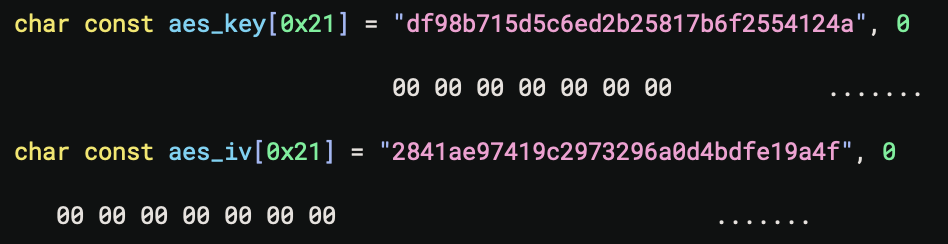
After decryption, the packets are processed based on instruction codes in a switch-case structure. Let's examine each instruction:

The handshake "authentication" is laughably simple:
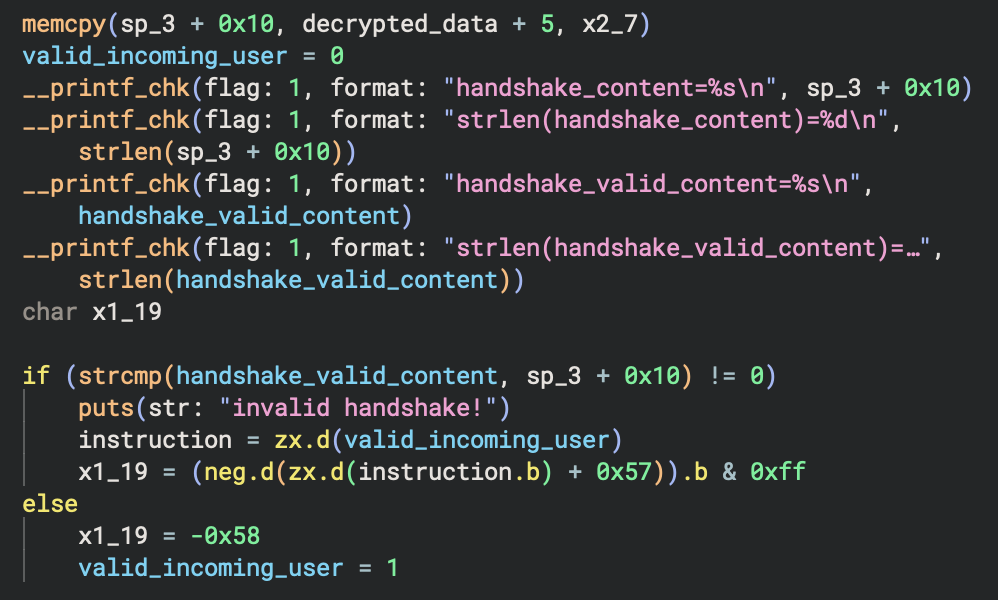

Basically, the robot checks if the decrypted packet includes the string "unitree" as the handshake secret, then sets the valid_incoming_user flag to 1. That's the entire "authentication" mechanism!
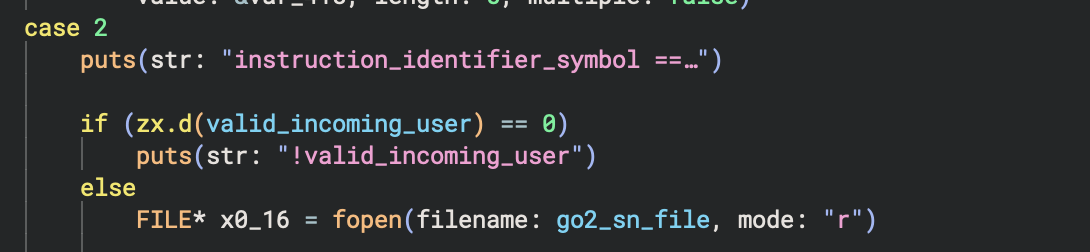
This instruction checks if the user is "authenticated" (i.e., the flag is set), then reads the serial number file and returns it. This confirms we have access to the system.
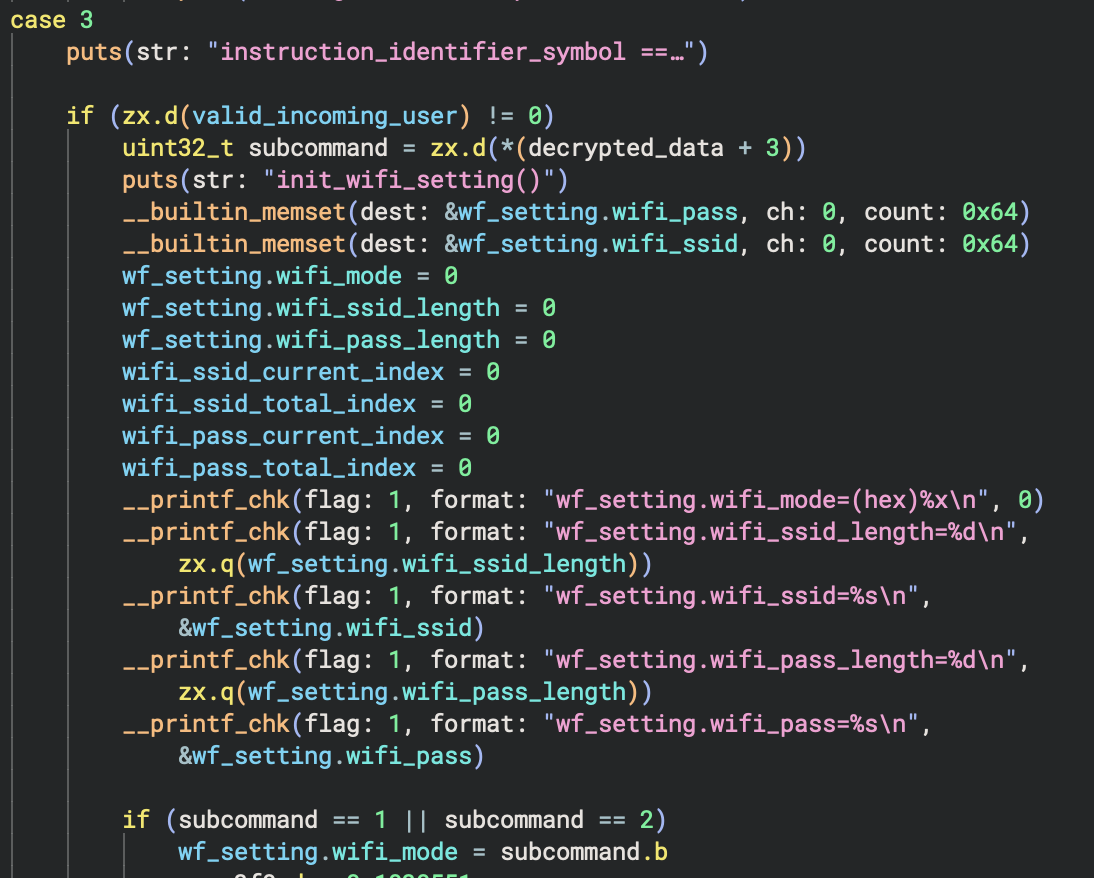
This instruction initializes WiFi settings. Users can choose between AP mode (subcommand = 1) or STA mode (subcommand = 2):