 backendsystems/nibble
easy to use network scanner, with a clickable tui interface








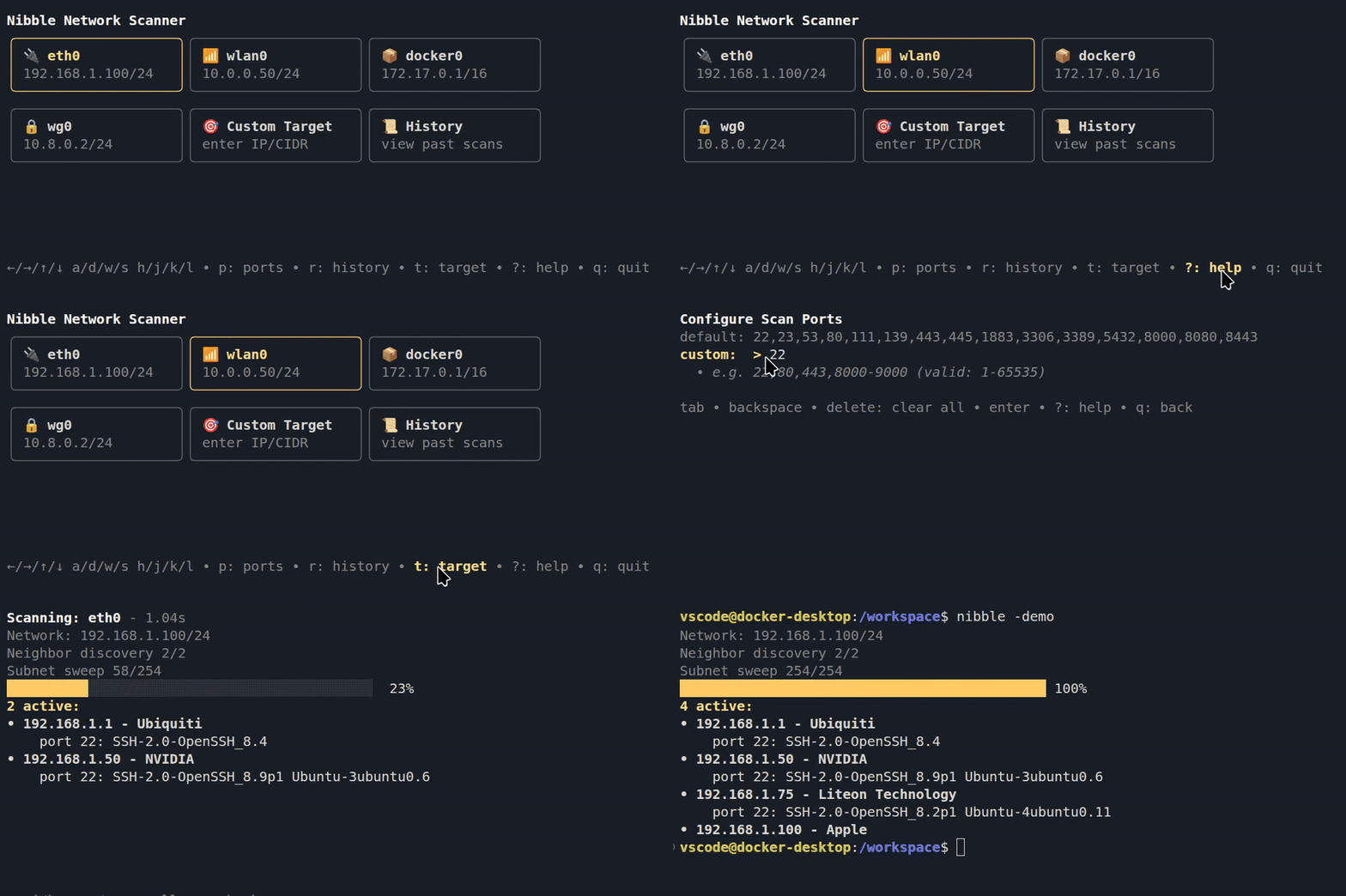
Nibble is a CLI tool for local network scanning that focuses on speed and ease of use.
Select a network interface, and it scans your local subnet.
Lists hosts, hardware manufacturer, open ports and their services.

↑/↓/←/→, w/s/a/d or h/j/k/l?See past scans, the found hosts and re-scan all hosts ports. hotkey: r
History remembers your position between sessions, so jump right back in to your last viewed scan.

Pre-built binaries for Linux, macOS and Windows (amd64/arm64) are available on the Releases page.
Run the CLI with the nibble command, select a network interface.
Interface icons: 🔌Ethernet, 📶Wi-Fi, 📦Container, 🔒VPN.
Run scans without the TUI. Outputs JSON. Activated by the -i input flag.
Headless scans are not saved in history.
-i scan target(s), comma-separated or a file (example_input)
-p custom ports (e.g. 22,80,8000-8100 or - for all)
-o write output to file instead of stdout (example_output)
nibble -i 192.168.0.0/24
nibble -i 192.168.1.223,10.0.0.12/32 -p - -o results.json
nibble -i targets.txt -p 22,80,443,8000-8100
Exit codes: 0 success, 1 error, 2 invalid usage.
This project is MIT licensed. See the LICENSE file for details.
Note: The "nibble" name and branding assets are excluded from this license, see the separate LICENSE for branding terms.
Built with Bubble Tea


 Ubuntu
  Fedora
  Arch Linux
 macOS
macOS Any
Any Any
Any Any
Any