
Skip to content
KitploitKITPLOIT
ToolsBlog
Submit
ToolsBlog
Submit

Hacking, PenTest, and Cybersecurity Tools for Your Security Arsenal!

Kitploit is a directory of hacking, cybersecurity, and pentesting tools. Discover the latest project updates to find vulnerabilities, analyze systems, automate testing, and strengthen your security.

··Feeds·Contact·Privacy·© 2026 Kitploit

Tool Directory

Categories

View all categories
Loading categories
CVE-2023-47119 — A POC for CVE-2023-47119 | Kitploit
Tools/GitHubGitHub/baadmaro/cve-2023-47119
Vulnerability AnalysisExploitationWeb Application ExploitationLearning & EducationLabs & Practice
GitHubbaadmaro/cve-2023-47119

CVE-2023-47119

A POC for CVE-2023-47119

View Repository
22 years agoNot yet reviewed

Most Popular

View all →

Discover the most used tools by our community.

Explore all tools

Browse our collection of tools

View all tools →
Share

Table of contents

  • CVE-2023-47119
  • Detailed analysis
  • POC
  • Escalation ?
  • LAB Setup

CVE-2023-47119

A POC for CVE-2023-47119 which is a vulnerability affecting Discourse versions prior to version 3.1.3 of the stable branch and version 3.2.0.beta3 of the beta and tests-passed branches. Some links can inject arbitrary HTML tags when rendered through the Onebox engine.

Detailed analysis

Article : https://baadmaro.github.io/posts/Discourse-CVE-2023-47119-Building-a-CVE-POC-from-commits-changes/

POC

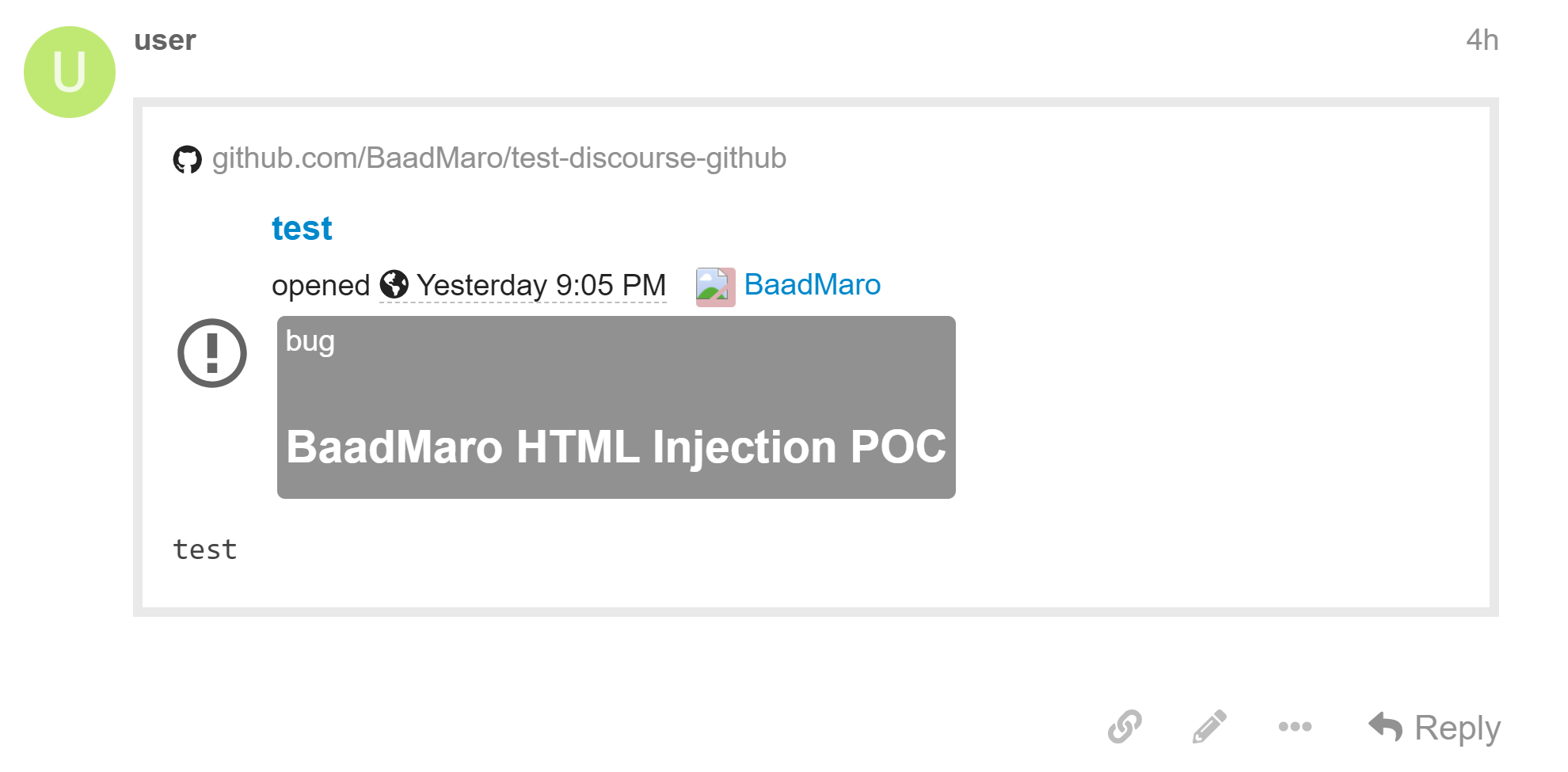
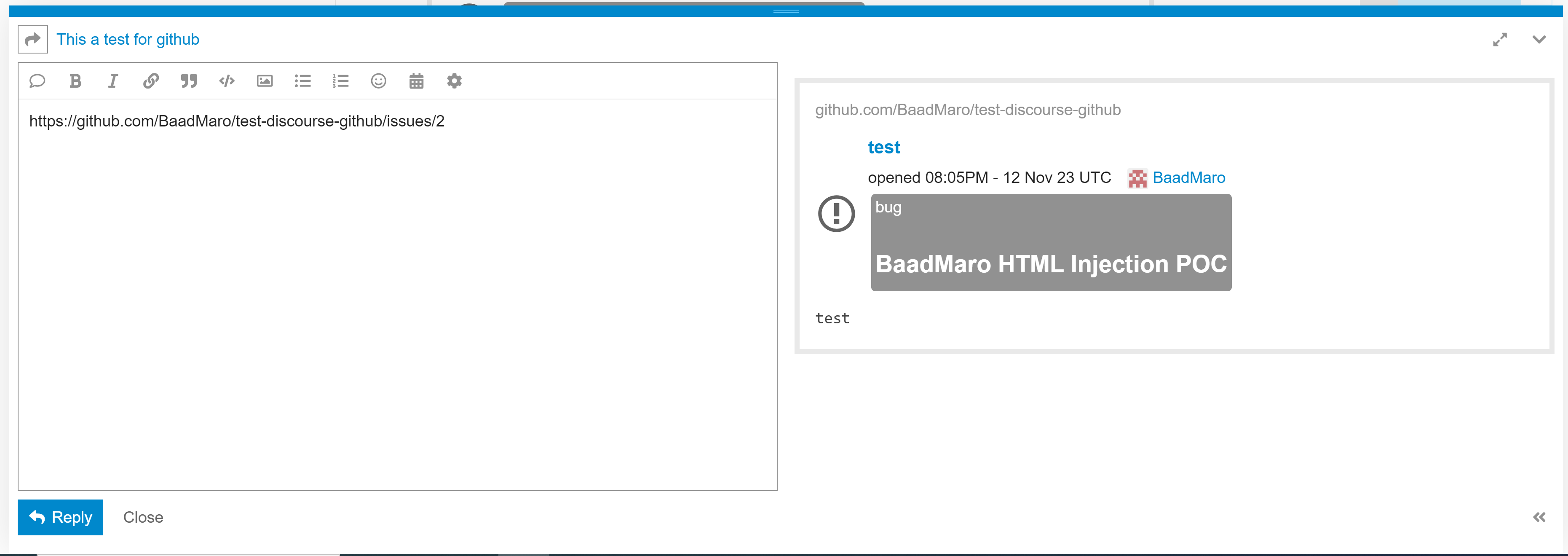
  • Payload : A link to a github issue with a label including an HTML injection in name. Example https://github.com/BaadMaro/test-discourse-github/issues/2

image

image

image

root@kitploit:~
<span style="display:inline-block;margin-top:2px;background-color: #B8B8B8;padding: 2px;border-radius: 4px;color: #fff;margin-left: 3px;">
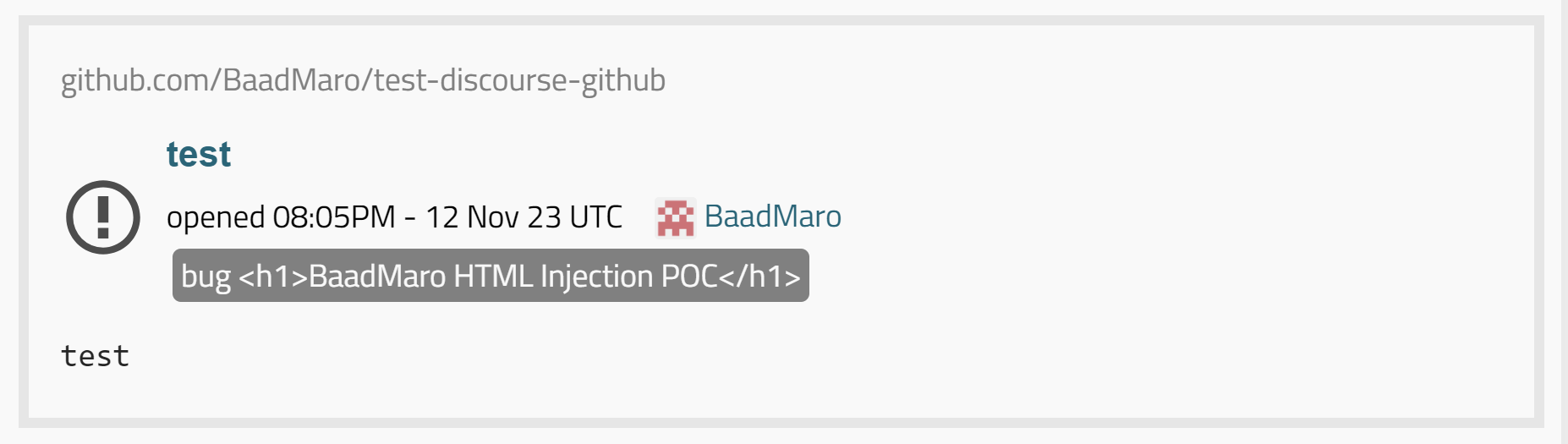
          bug <h1>BaadMaro HTML Injection POC</h1>
        </span>

In fixed versions
image

Escalation

A bypass for the used XSS filters is needed https://github.com/discourse/discourse/security#xss

LAB Setup

To build Discourse 3.1.3 which is a vulnerable version, I used the docker compose file by bitnami https://hub.docker.com/r/bitnami/discourse/

  • docker-compose.yml : https://raw.githubusercontent.com/bitnami/containers/main/bitnami/discourse/docker-compose.yml
  • Modify the 2 images tag to 3.1.3 or any other vulnerable version docker.io/bitnami/discourse:3.1.3
  • Change host to your preferable setup like 0.0.0.0 or your internal network IP address DISCOURSE_HOST=0.0.0.0
  • You can also modify the port 80
  • After modifying the file, run docker-compose up -d
  • Few minutes you'll be able to see the discourse web server at your host port 80
  • App default login user:bitnami123

You can also use the official docker https://github.com/discourse/discourse_docker

Download Tool