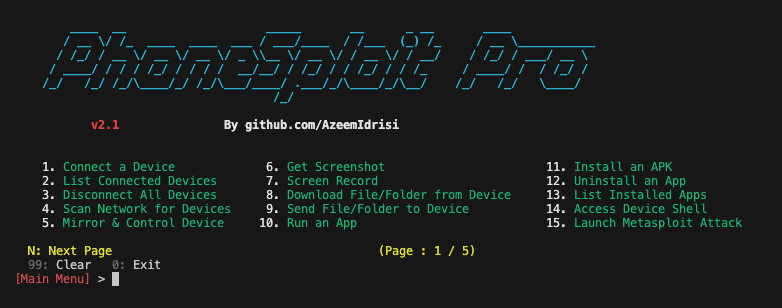

An all-in-one hacking tool to remotely take over Android devices.
The Swiss Army knife for Android.
An all-in-one hacking tool written in Python to remotely take over Android devices using ADB, scrcpy, Nmap, and Metasploit-Framework.



Connect over USB or Wi‑Fi, then control the device, extract data, stream camera and microphone, manage apps, and automate a full Metasploit compromise, all from one menu.
You no longer need to memorize commands and arguments, PhoneSploit Pro does it for you. Pick a number and run.
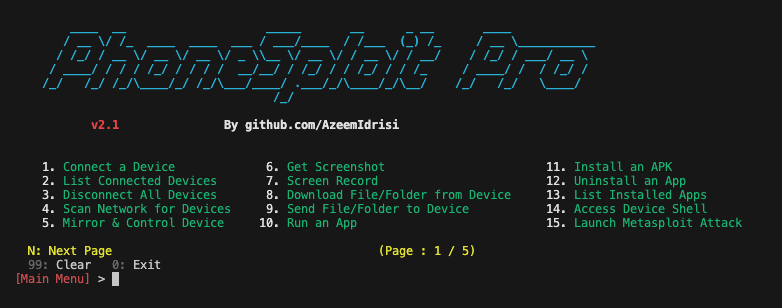
| Feature | Description |
|---|---|
| Connect a device | Connect to a device remotely using ADB. |
| List connected devices | Show all devices currently attached to ADB. |
| Disconnect all devices | Disconnect every ADB session. |
| Multi-device selection | If several ADB devices are connected (USB or network), choose which device to use for the session (ANDROID_SERIAL). |
| Stop ADB server | Stop the ADB server process. |
| Restart ADB server | Restart the ADB server process. |
| Access device shell | Open an interactive shell on the connected device. |
| Keycodes | Send keycodes to control the device remotely. |
| Unlock device | Turn the screen on, swipe up, and enter a password when needed. |
| Lock device | Lock the device. |
| Restart / reboot | Restart or reboot the device to System, Recovery, Bootloader, or Fastboot. |
| Power off | Power off the target device. |


