 awslabs/aws-security-assessment-solution
An AWS tool to help you create a point in time assessment of your AWS account using Prowler.

Cybersecurity remains a very important topic and point of concern for many CIOs, CISOs, and their customers. To meet these important concerns, AWS has developed a primary set of services customers should use to aid in protecting their accounts. Amazon GuardDuty, AWS Security Hub, AWS Config, and AWS Well-Architected reviews help customers maintain a strong security posture over their AWS accounts. As more organizations deploy to the cloud, especially if they are doing so quickly, and they have not yet implemented the recommended AWS Services, there may be a need to conduct a rapid security assessment of the cloud environment.
We have developed an inexpensive, easy to deploy, secure, and fast solution to provide our customers with a security assessment report. These reports are generated using the open source project Prowler. Prowler performs point in time security assessment based on AWS best practices and can help quickly identify any potential risk areas in a customer’s deployed environment. If you are interested in conducting these assessments on a continuous basis, AWS recommends enabling Security Hub’s Foundational Security Best Practices standard. If you are interested in integrating your Prowler assessment results with Security Hub, you can follow the instructions in the Prowler Documentation.
Note: Prowler is not an AWS owned solution. Customers should independently review Prowler before running this solution. Any dependencies associated with Prowler should be kept up to date. This solution installs a pinned version of Prowler (currently 5.41.0) from the pip package installer, so that a change to Prowler's output format cannot break a scan without warning. To move to a newer release, edit the
pip3 install prowler==line in2-sat2-codebuild-prowler.yaml.
📕 For more in depth step-by-step instructions, visit module 2 in the SHIP Workshop.
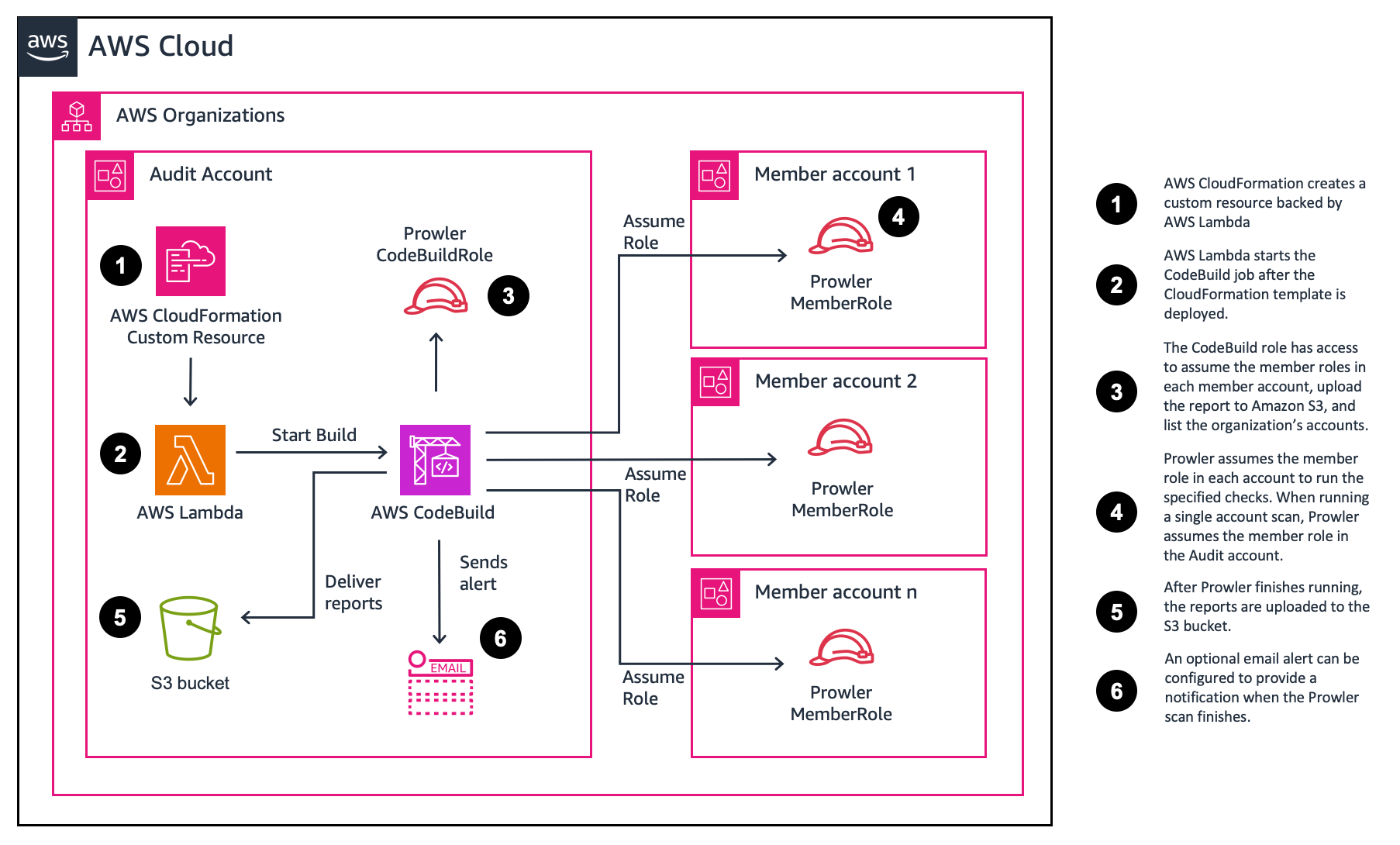
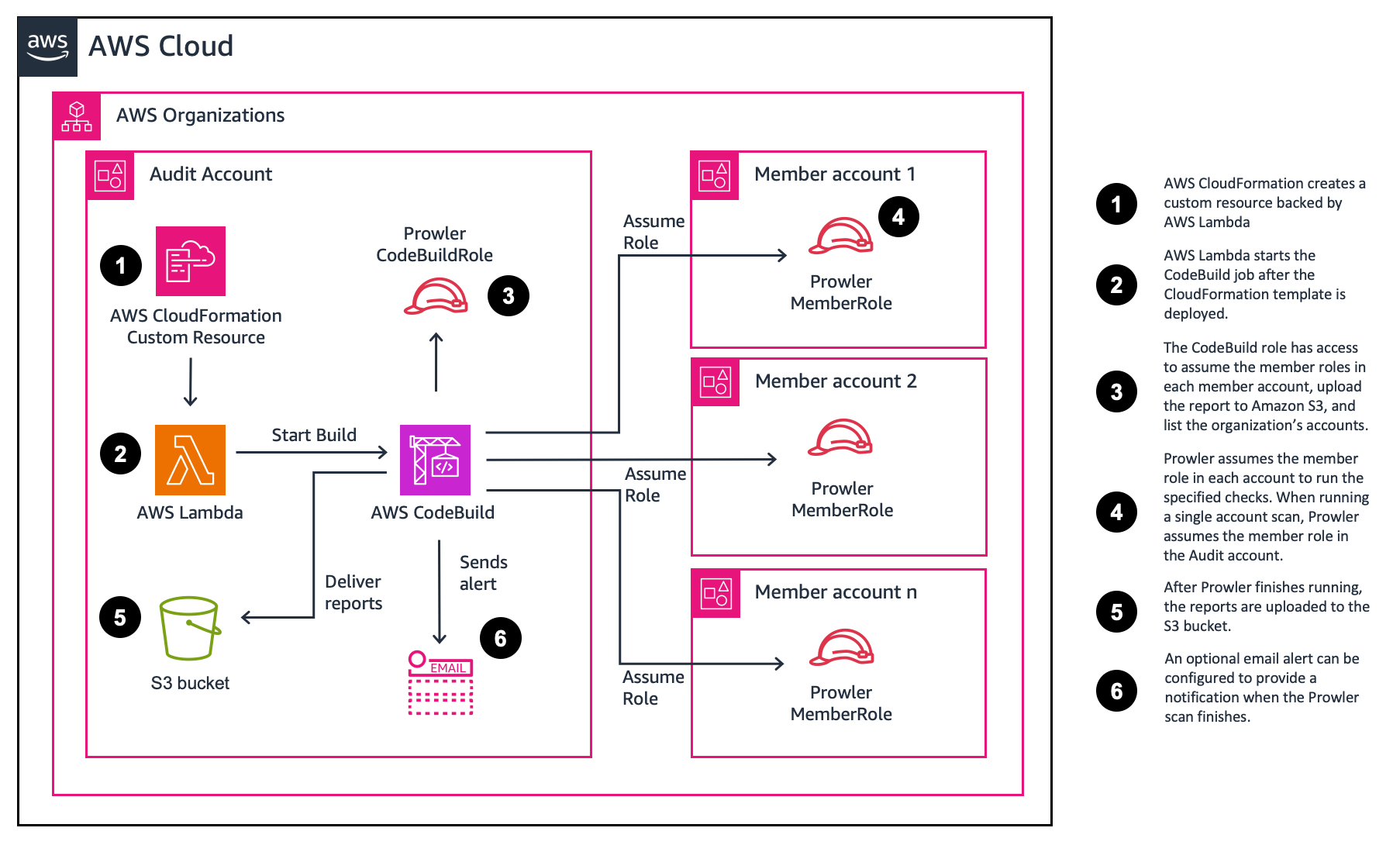
The solution is deployed with AWS CloudFormation. When deployed, an AWS CodeBuild project and an Amazon S3 bucket to store the Prowler generated reports are created. An AWS Lambda function is then used to start the AWS CodeBuild project.
The parameter (user input) defaults will run a basic scan in a single account. However, you can choose different parameters to run more extensive scans or to scan multiple accounts. The deployment process takes less than 5 minutes to complete. The solution’s AWS CloudFormation templates are provided for review in this Github repository.
Once the template is deployed, the CodeBuild project will run. The default assessment takes around 5 minutes to complete. The time to complete a security assessment will vary depending on the number of resources and the scan options selected. At the end of the assessments the reports are delivered to the created S3 Bucket.
SATv2 can be customized by updating the CloudFormation parameters. This section summarizes the available options and provides a link to the section with more information.
