
Skip to content
KitploitKITPLOIT
ToolsBlog
Submit
ToolsBlog
Submit

Hacking, PenTest, and Cybersecurity Tools for Your Security Arsenal!

Kitploit is a directory of hacking, cybersecurity, and pentesting tools. Discover the latest project updates to find vulnerabilities, analyze systems, automate testing, and strengthen your security.

··Feeds·Contact·Privacy·© 2026 Kitploit

Tool Directory

Categories

View all categories
Loading categories
Tools/GitHubGitHub/artssec/burp-exporter
Web Proxies & InterceptionScripting & AutomationUtilities & Frameworks
GitHubartssec/burp-exporter

burp-exporter

Exporter is a Burp Suite extension to copy a request to a file or the clipboard as multiple programming languages functions.

View RepositoryWebsite
1783734 years agoReviewed by Kitploit

Most Popular

View all →

Discover the most used tools by our community.

Explore all tools

Browse our collection of tools

View all tools →
Share

Exporter Extension for Burp Suite (Community and Pro)

GitHub watchers GitHub stars GitHub forks GitHub followers GitHub repo size GitHub

Follow us to know more about tips and others extensions Twitter Follow

Description

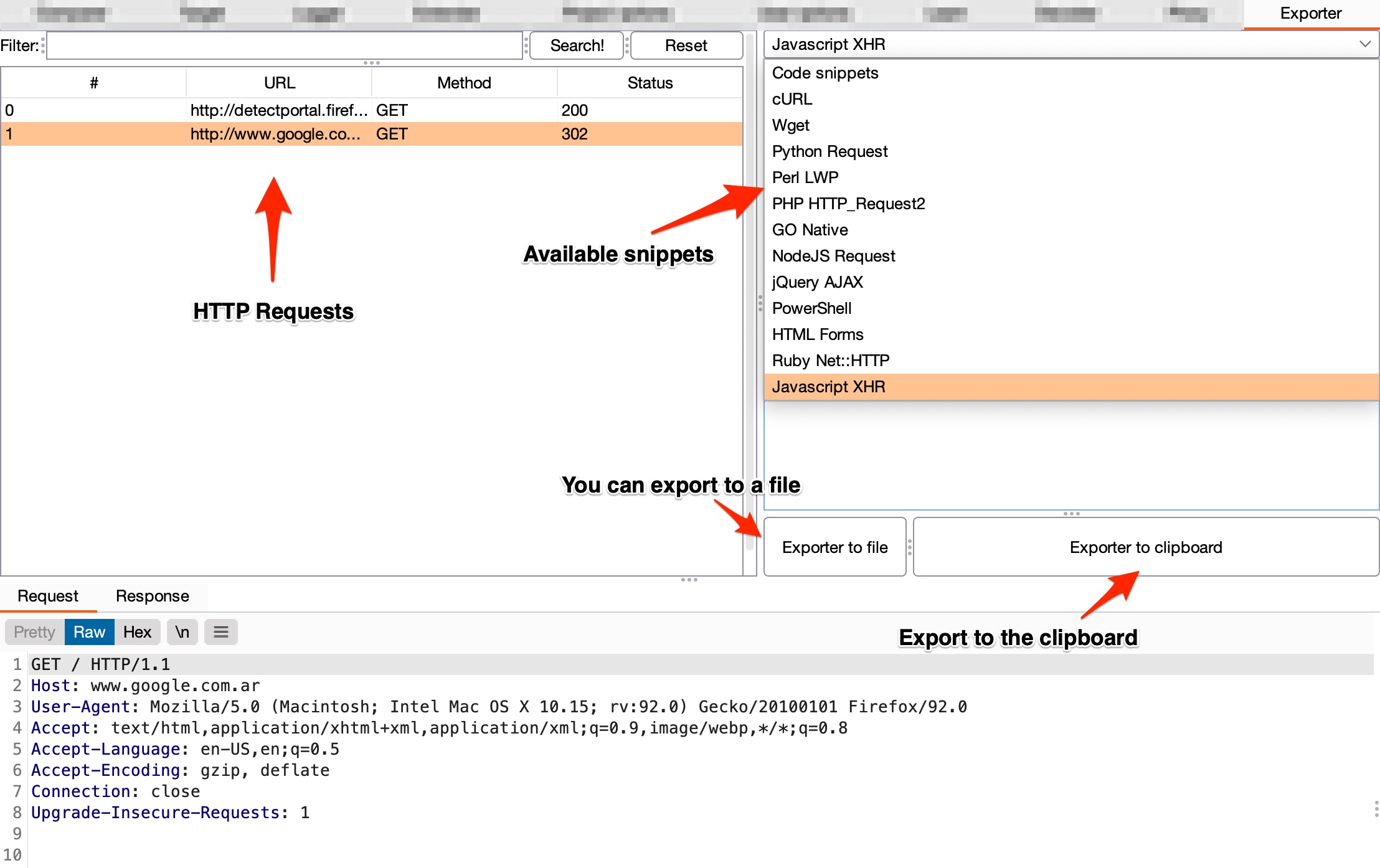
Exporter is a Burp Suite extension to copy a request to a file or the clipboard as multiple programming languages functions. It also adds a tab called Exporter where you can search for HTTP Requests.

You can export as:

  • cURL
  • Wget
  • Python Request
  • Perl LWP
  • PHP HTTP_Request2
  • Go Native
  • NodeJS Request
  • jQuery AJAX
  • PowerShell
  • HTML Forms
  • Ruby Net::HTTP
  • JavaScript XHR

Requirements

  • Jython >= 2.7.1

Installation (Import function)

  • Download Exporter.py
  • In Burp Suite, under the Extender > Extensions tab, click on the Add button, select Extension type Python and load the Exporter py file.

Usage

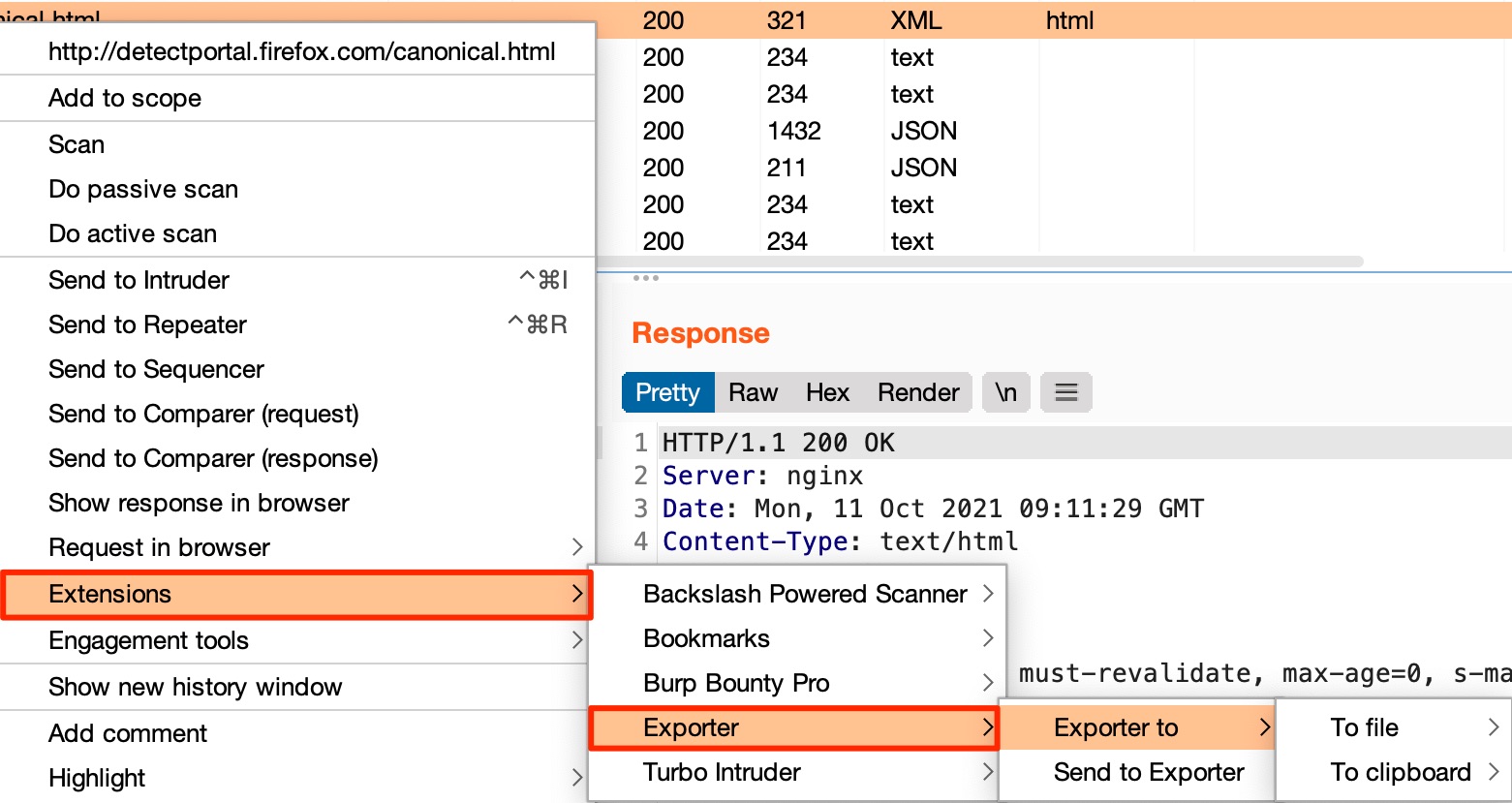
You can export the HTTP Request from:

  • Target > Tree and Site map
  • Proxy > Intercept
  • Proxy > HTTP history
  • Repeater
  • Intruder > Positions and Results
  • Search results
  • Scanner results

Screenshot

Right click > Extensions > Exporter > to File/ to Clipboard or Send to Exporter:
Screenshot_Exporter_01.jpg

Also you can send HTTP Requests to the Exporter tab and then select the code snippets preferred:
Screenshot_Exporter_02.jpg

Changelog v1.0 (Oct 11, 2021)

  • Bugs fixed: Syntax errors.
  • Improvements:
    • Added support for HTML Forms, Ruby Net::HTTP, JavaScript XHR.
    • Added a tab called Exporter, where you can search and filter URLs, also export from there to a file or copy to the clipboard.
    • HTTPS requests support.
    • New POST requests support such as multipart/form-data or XML requests.

Reporting bugs and collaboration

  • Please, use the GitHub Bug Report.
  • If you want to collaborate, use the GitHub Feature Request.
Download Tool

