 artofscripting/masscan-report
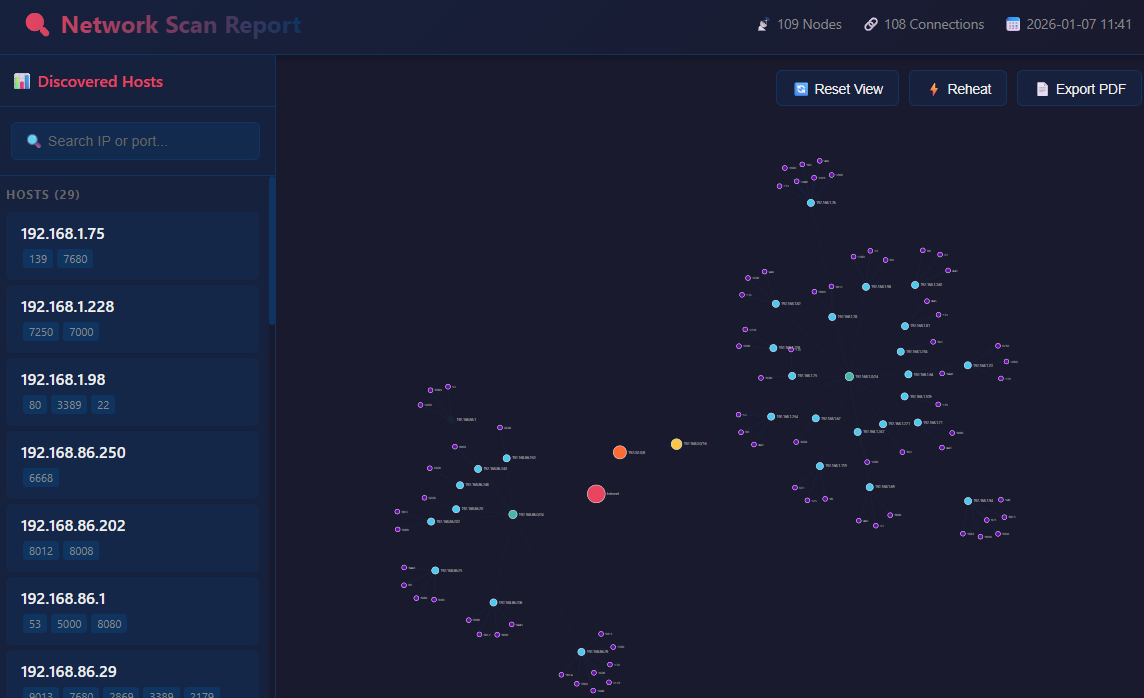
A Python tool that generates interactive React-based HTML visualizations from masscan JSON output, featuring a D3.js force-directed network graph.

A Python tool that generates interactive React-based HTML visualizations from masscan JSON output, featuring a D3.js force-directed network graph.


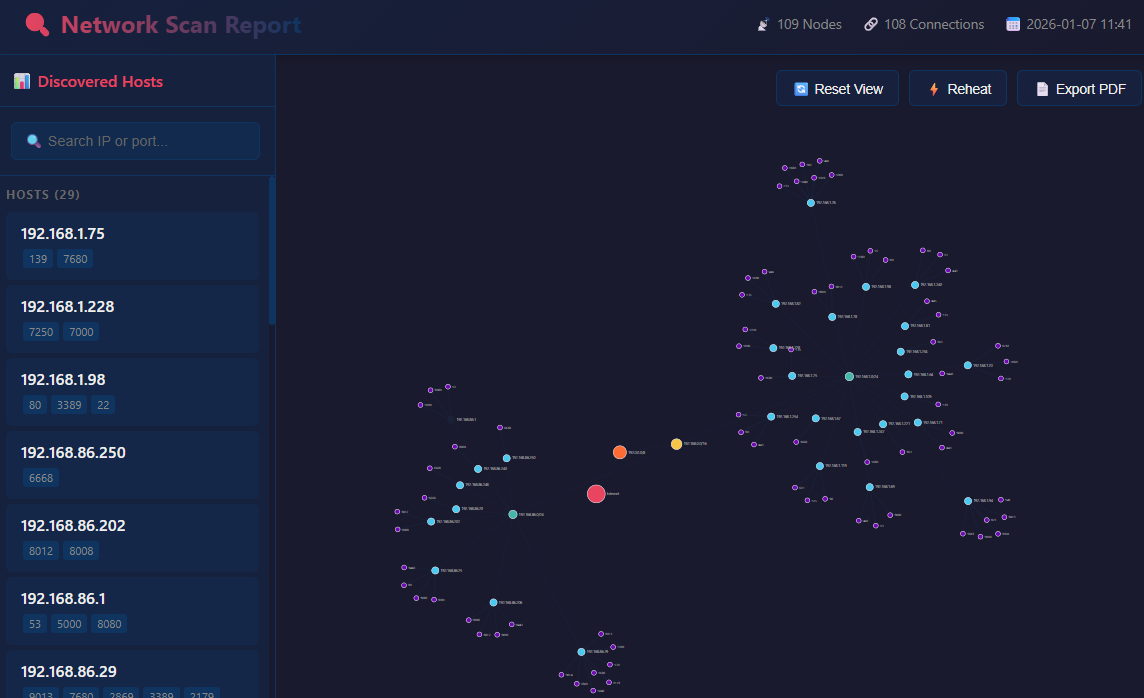
: to search ports only (e.g., :443)* for pattern matching (e.g., :*443, :80*, :*8*)# Clone or download the project
cd masscan_report
# Install dependencies (optional, only needed for PDF generation in development)
pip install pyinstaller # Only if building exe
Download masscan_report.exe from the dist/ folder - no Python installation required.
# Using Python
python masscan_report.py <input_json> [-o output.html]

# Using executable
masscan_report.exe <input_json> [-o output.html]
# Generate report with default output (report.html)
python masscan_report.py scans/home.json

# Specify custom output file
python masscan_report.py scans/network_scan.json -o network_report.html

# Using the executable
.\dist\masscan_report.exe .\scans\home.192.168.10000.json
The tool expects masscan JSON output format:
[
  {"ip": "192.168.1.1", "timestamp": "1234567890", "ports": [
    {"port": 80, "proto": "tcp", "status": "open", "reason": "syn-ack", "ttl": 64}
  ]},
  {"ip": "192.168.1.1", "timestamp": "1234567891", "ports": [
    {"port": 443, "proto": "tcp", "status": "open", "reason": "syn-ack", "ttl": 64}
  ]}
]
Generate this with masscan:
masscan 192.168.1.0/24 -p1-65535 --rate 1000 -oJ scan_results.json
| Action | Effect |
|---|---|
| Click node (graph) | Open info modal |
| Click host (sidebar) | Highlight host and ports |
| Drag node | Reposition node |
| Scroll wheel | Zoom in/out |
| Click + drag (background) | Pan view |
| 🔄 Reset View | Reset zoom and position |
| ⚡ Reheat | Re-energize the force simulation |
| 📄 Export PDF | Generate PDF report |
| Pattern | Matches |
|---|---|
192.168 | IPs containing "192.168" |
:443 | Exactly port 443 |
:*443 | Ports ending with 443 (e.g., 8443) |
:443* | Ports starting with 443 |
:*8* | Ports containing 8 (e.g., 80, 8080, 443) |
masscan_report/
├── masscan_report.py      # Main script
├── port_descriptions.py   # Port database (6700+ lines)
├── scans/                  # Sample scan files
│   ├── home.json
│   └── home.192.168.10000.json
├── dist/
│   └── masscan_report.exe # Standalone executable
├── report.html            # Generated output
└── README.md
The port_descriptions.py contains detailed information for 130+ common ports including:
pip install pyinstaller
pyinstaller --onefile --name masscan_report --add-data "port_descriptions.py;." masscan_report.py
The executable will be created in dist/masscan_report.exe.
MIT License
Contributions welcome! Feel free to submit issues and pull requests.

