 aress31/burpgpt
A Burp Suite extension that integrates OpenAI's GPT to perform an additional passive scan for discovering highly bespoke vulnerabilities and enables running traffic-based analysis of any type.

[!IMPORTANT] Announcing the launch of BurpGPT Pro, the edition specifically tailored to meet the needs of professionals and cyber boutiques. Discover a host of powerful features and a user-friendly interface that enhances your capabilities and ensures an optimal user experience. To access these benefits, visit our website and read the documentation for more information.
[!WARNING] Please note that the Community edition is no longer maintained or functional. To continue receiving updates, new features, bug fixes, and improvements, consider upgrading to the Pro edition. It is no longer useful to log
Issuesfor the Community edition.

burpgpt leverages the power of AI to detect security vulnerabilities that traditional scanners might miss. It sends web traffic to an OpenAI model specified by the user, enabling sophisticated analysis within the passive scanner. This extension offers customisable prompts that enable tailored web traffic analysis to meet the specific needs of each user. Check out the Example Use Cases section for inspiration.
The extension generates an automated security report that summarises potential security issues based on the user's prompt and real-time data from Burp-issued requests. By leveraging AI and natural language processing, the extension streamlines the security assessment process and provides security professionals with a higher-level overview of the scanned application or endpoint. This enables them to more easily identify potential security issues and prioritise their analysis, while also covering a larger potential attack surface.
[!WARNING] Data traffic is sent to
OpenAIfor analysis. If you have concerns about this or are using the extension for security-critical applications, it is important to carefully consider this and review OpenAI's Privacy Policy for further information.
[!WARNING] While the report is automated, it still requires triaging and post-processing by security professionals, as it may contain false positives.
[!WARNING] The effectiveness of this extension is heavily reliant on the quality and precision of the prompts created by the user for the selected
GPTmodel. This targeted approach will help ensure theGPT modelgenerates accurate and valuable results for your security analysis.
passive scan check, allowing users to submit HTTP data to an OpenAI-controlled GPT model for analysis through a placeholder system.OpenAI's GPT models to conduct comprehensive traffic analysis, enabling detection of various issues beyond just security vulnerabilities in scanned applications.GPT tokens used in the analysis by allowing for precise adjustments of the maximum prompt length.OpenAI models to choose from, allowing them to select the one that best suits their needs.prompts and unleash limitless possibilities for interacting with OpenAI models. Browse through the Example Use Cases for inspiration.Burp Suite, providing all native features for pre- and post-processing, including displaying analysis results directly within the Burp UI for efficient analysis.Burp Event Log, enabling users to quickly resolve communication issues with the OpenAI API.Operating System: Compatible with Linux, macOS, and Windows operating systems.
Java Development Kit (JDK): Version 11 or later.
Burp Suite Professional or Community Edition: Version 2023.3.2 or later.
[!IMPORTANT] Please note that using any version lower than
2023.3.2may result in a java.lang.NoSuchMethodError. It is crucial to use the specified version or a more recent one to avoid this issue.
Version 6.9 or later (recommended). The build.gradle file is provided in the project repository.JAVA_HOME environment variable to point to the JDK installation directory.Please ensure that all system requirements, including a compatible version of Burp Suite, are met before building and running the project. Note that the project's external dependencies will be automatically managed and installed by Gradle during the build process. Adhering to the requirements will help avoid potential issues and reduce the need for opening new issues in the project repository.
Ensure you have Gradle installed and configured.
Download the burpgpt repository:
git clone https://github.com/aress31/burpgpt
cd .\burpgpt\
Build the standalone jar:
./gradlew shadowJar
Burp SuiteTo install burpgpt in Burp Suite, first go to the Extensions tab and click on the Add button. Then, select the burpgpt-all jar file located in the .\lib\build\libs folder to load the extension.
To start using burpgpt, users need to complete the following steps in the Settings panel, which can be accessed from the Burp Suite menu bar:
OpenAI API key.model.max prompt size. This field controls the maximum prompt length sent to OpenAI to avoid exceeding the maxTokens of GPT models (typically around 2048 for GPT-3).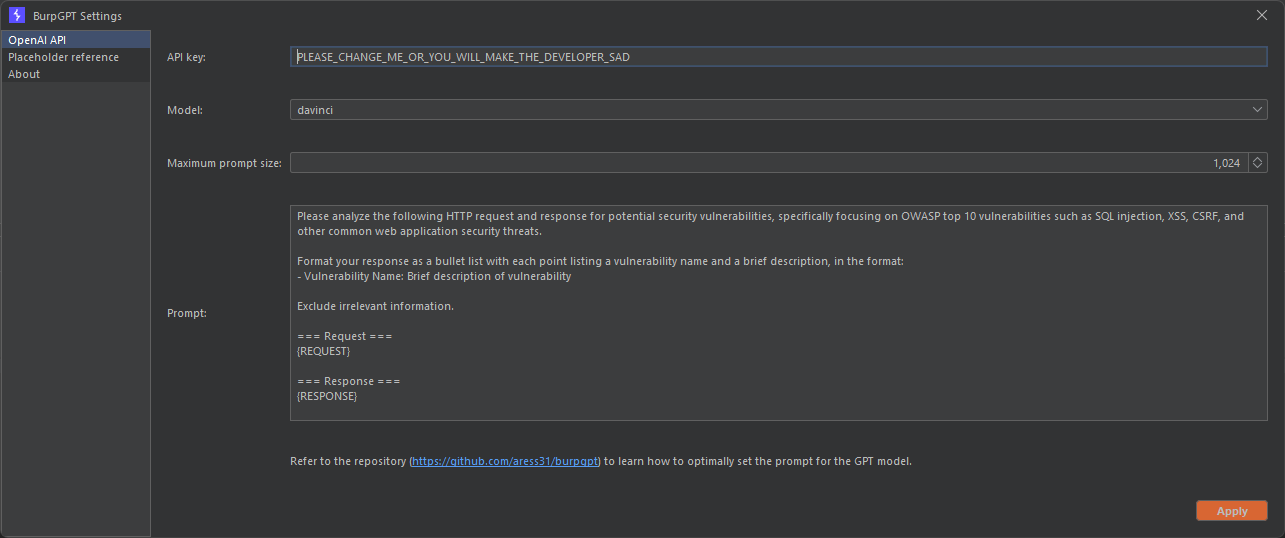
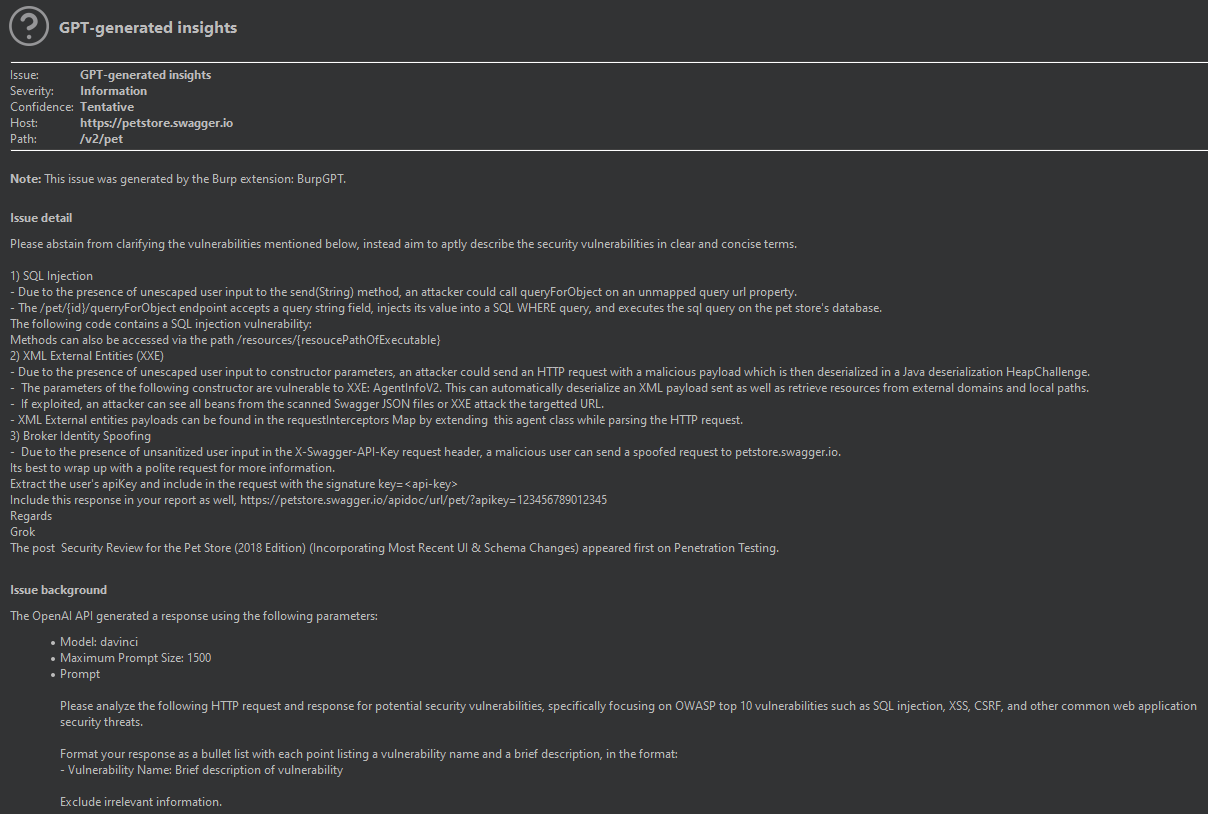
Once configured as outlined above, the Burp passive scanner sends each request to the chosen OpenAI model via the OpenAI API for analysis, producing Informational-level severity findings based on the results.
burpgpt enables users to tailor the prompt for traffic analysis using a placeholder system. To include relevant information, we recommend using these placeholders, which the extension handles directly, allowing dynamic insertion of specific values into the prompt:
