 aquasecurity/tfsec
Tfsec is now part of Trivy






As part of our goal to provide a comprehensive open source security solution for all, we have been consolidating all of our scanning-related efforts in one place, and that is Trivy.
Over the past year, tfsec has laid the foundations to Trivy's IaC & misconfigurations scanning capabilities, including Terraform scanning, which has been natively supported in Trivy for a long time now.
Going forward we want to encourage the tfsec community to transition over to Trivy. Moving to Trivy gives you the same excellent Terraform scanning engine, with some extra benefits:
For further information on how Trivy compares to tfsec and moving from tfsec to Trivy, do have a look at the migration guide.
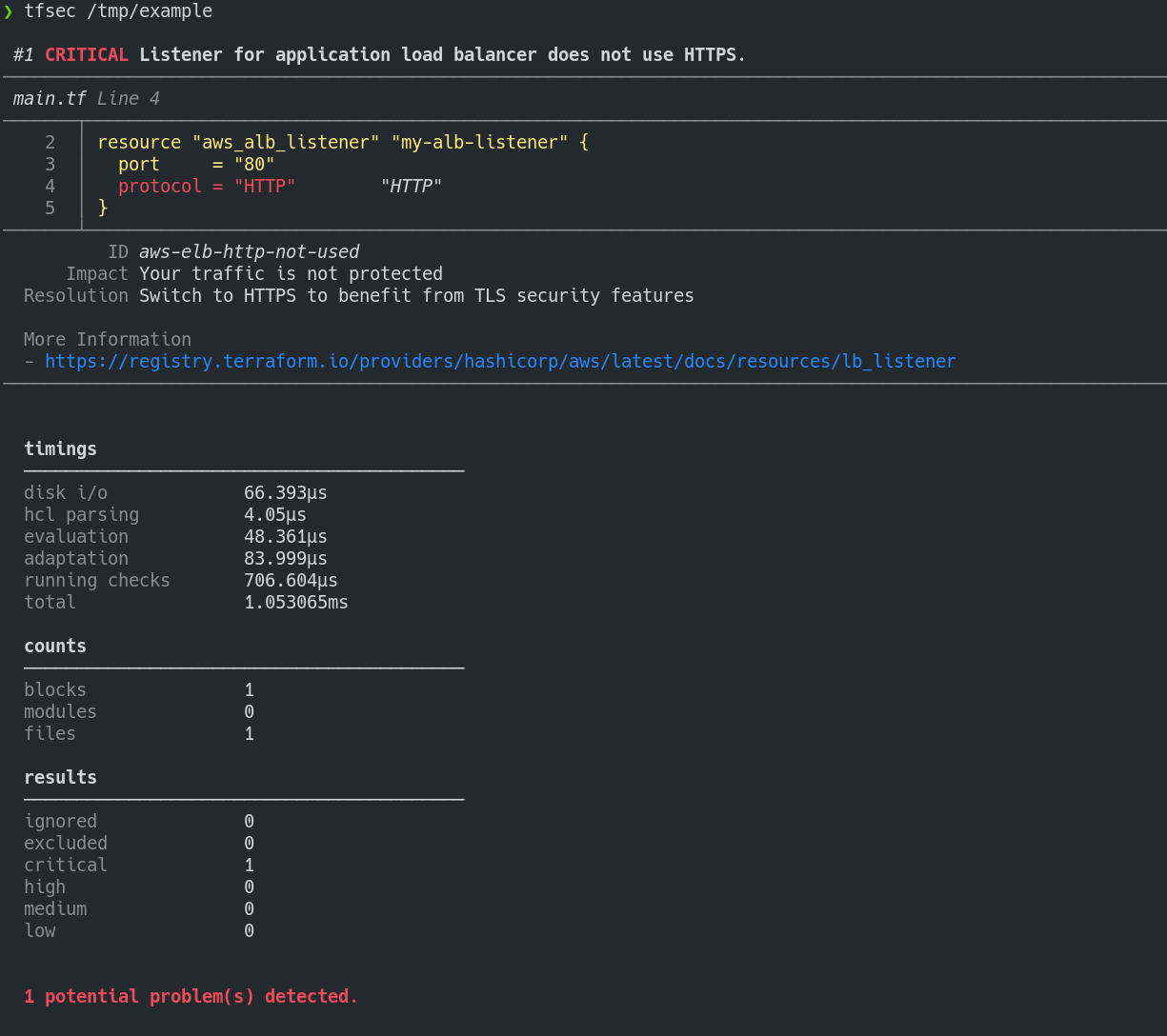
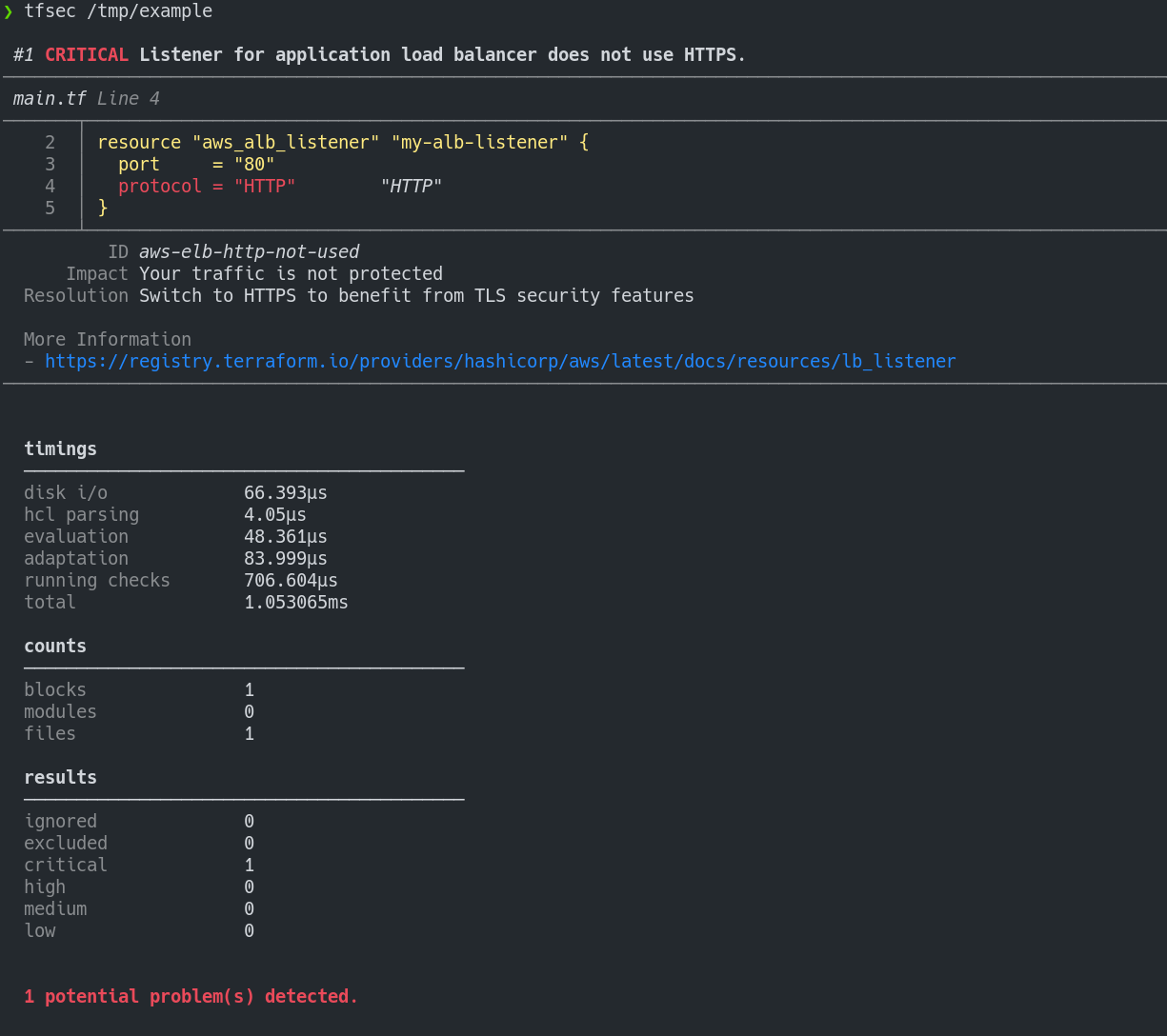
tfsec uses static analysis of your terraform code to spot potential misconfigurations.
concat()Rated Adopt by the Thoughtworks Tech Radar:
For our projects using Terraform, tfsec has quickly become a default static analysis tool to detect potential security risks. It's easy to integrate into a CI pipeline and has a growing library of checks against all of the major cloud providers and platforms like Kubernetes. Given its ease of use, we believe tfsec could be a good addition to any Terraform project.
Install with brew/linuxbrew
brew install tfsec
Install with Chocolatey
choco install tfsec
Install with Scoop
scoop install tfsec
Bash script (Linux):
curl -s https://raw.githubusercontent.com/aquasecurity/tfsec/master/scripts/install_linux.sh | bash
You can also grab the binary for your system from the releases page.
Alternatively, install with Go:
go install github.com/aquasecurity/tfsec/cmd/tfsec@latest
Please note that using go install will install directly from the master branch and version numbers will not be reported via tfsec --version.
The binaries on the releases page are signed with the tfsec signing key D66B222A3EA4C25D5D1A097FC34ACEFB46EC39CE
Form more information check the signing page for instructions on verification.
tfsec will scan the specified directory. If no directory is specified, the current working directory will be used.
The exit status will be non-zero if tfsec finds problems, otherwise the exit status will be zero.
tfsec .
As an alternative to installing and running tfsec on your system, you may run tfsec in a Docker container.
There are a number of Docker options available
| Image Name | Base | Comment |
|---|---|---|
| aquasec/tfsec | alpine | Normal tfsec image |
| aquasec/tfsec-alpine | alpine | Exactly the same as aquasec/tfsec, but for those whole like to be explicit |
| aquasec/tfsec-ci | alpine | tfsec with no entrypoint - useful for CI builds where you want to override the command |
| aquasec/tfsec-scratch | scratch | An image built on scratch - nothing frilly, just runs tfsec |
To run:
docker run --rm -it -v "$(pwd):/src" aquasec/tfsec /src
A Visual Studio Code extension is being developed to integrate with tfsec results. More information can be found on the tfsec Marketplace page
If you want to run tfsec on your repository as a GitHub Action, you can use https://github.com/aquasecurity/tfsec-pr-commenter-action.
You can now install the official tfsec task. Please raise any issues/feature requests on the task repository.
You may wish to ignore some warnings. If you'd like to do so, you can
simply add a comment containing tfsec:ignore:<rule> to the offending
line in your templates. Alternatively, you can add the comment to the line above the block containing the issue, or to the module block to ignore all occurrences of an issue inside the module.
For example, to ignore an open security group rule:
resource "aws_security_group_rule" "my-rule" {
    type = "ingress"
    cidr_blocks = ["0.0.0.0/0"] #tfsec:ignore:aws-vpc-no-public-ingress-sgr
}
...or...
resource "aws_security_group_rule" "my-rule" {
    type = "ingress"
    #tfsec:ignore:aws-vpc-no-public-ingress-sgr
    cidr_blocks = ["0.0.0.0/0"]
}

