

Skip to content
KitploitKITPLOIT
ToolsBlog
Submit
ToolsBlog
Submit

Hacking, PenTest, and Cybersecurity Tools for Your Security Arsenal!

Kitploit is a directory of hacking, cybersecurity, and pentesting tools. Discover the latest project updates to find vulnerabilities, analyze systems, automate testing, and strengthen your security.

··Feeds·Contact·Privacy·© 2026 Kitploit

Tool Directory

Categories

View all categories
Loading categories
CVE-2024-38856 — Perform With Massive Apache OFBiz Zero-Day Scanner & RCE | Kitploit
Tools/GitHubGitHub/ap0dexme0/cve-2024-38856
ReconnaissanceVulnerability ScannersExploitationWeb Application ExploitationInformation GatheringPenetration Testing
GitHubap0dexme0/cve-2024-38856

CVE-2024-38856

Perform With Massive Apache OFBiz Zero-Day Scanner & RCE

View Repository
2212 years agoNot yet reviewed

Most Popular

View all →

Discover the most used tools by our community.

Explore all tools

Browse our collection of tools

View all tools →
Share

CVE-2024-38856 Apache Ofbiz RCE Scanner

Description

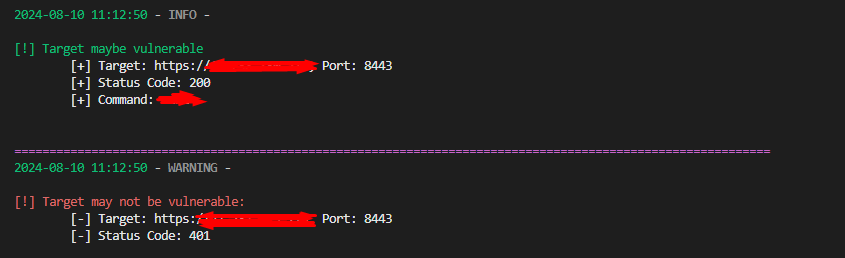
This script is designed to scan for the CVE-2024-38856 vulnerability in Apache Ofbiz applications, which may allow for remote code execution. It sends HTTP POST requests to specific paths within the Ofbiz application with malicious payloads to exploit the vulnerability.
Screenshot_1

Features

  • Scans targets for vulnerability using various paths
  • Supports multithreading for faster processing
  • Uses coloredlogs for color-coded, easy-to-read logs
  • Supports input from a file containing a list of targets

Prerequisites

  • Python 3.x
  • Python Modules:
    • requests
    • coloredlogs
    • colorama
    • argparse
    • urllib3

You can install the required dependencies using pip:

root@kitploit:~
pip install requests coloredlogs colorama argparse urllib3

Usage

Running the Script

To run the script, use the following command:

root@kitploit:~
python script_name.py [options]

Options

  • -t, --threads: Number of threads to use (default: 1)
  • -p, --port: Target port
  • -c, --command: Command to execute
  • -s, --scan: Perform a scan with ping, curl, and wget
  • -d, --domain: Domain (attacker domain) to scan with ping, curl, and wget
  • -f, --file: File containing a list of targets in the format http(s)://target,port

Examples

  • Scan targets with a command:

    root@kitploit:~
    python script_name.py -f targets.txt -c "whoami"
    

Perform a scan with a domain:

root@kitploit:~
python script_name.py -s -d example.com -p 80

Use a file containing a list of targets:

root@kitploit:~
python script_name.py -f targets.txt -c "uname -a"

Error Handling

  • If targets lack the http:// or https:// prefix, the script will prompt you to choose a prefix to add.
  • If there's an error while making an HTTP request, the script will log the error.
Download Tool