 andalik/log4j-filescan
Scanner recursivo de arquivos desenvolvido em Python 3 para localização e varredura de versões vulneráveis do Log4j2, contemplando análise interna de arquivos JAR (CVE-2021-44228, CVE-2021-45046, CVE-2021-45105 e CVE-2021-44832)

████████████████▀███████████████████████████████████████████████████████████████████ █▄─▄███─▄▄─█─▄▄▄▄█░█░████▄─▄█▀▀▀▀▀██▄─▄▄─█▄─▄█▄─▄███▄─▄▄─█─▄▄▄▄█─▄▄▄─██▀▄─██▄─▀█▄─▄█ ██─██▀█─██─█─██▄─█▄▄░██─▄█─██████████─▄████─███─██▀██─▄█▀█▄▄▄▄─█─███▀██─▀─███─█▄▀─██ ▀▄▄▄▄▄▀▄▄▄▄▀▄▄▄▄▄▀▀▄▄▄▀▄▄▄▀▀▀▀▀▀▀▀▀▀▄▄▄▀▀▀▄▄▄▀▄▄▄▄▄▀▄▄▄▄▄▀▄▄▄▄▄▀▄▄▄▄▄▀▄▄▀▄▄▀▄▄▄▀▀▄▄▀ by Renato Andalik (@andalik)
Simple and straight to the point... Requires no practice, nor skill!
Log4j-FileScan is a script developed in Python 3 to perform a full scan of a filesystem looking for vulnerable versions of the Log4j2 framework as described in CVE-2021-44228, CVE-2021-45046, CVE-2021-45105, and CVE-2021-44832.
The scan is performed recursively both on disk and inside Java Archive (JAR) files.
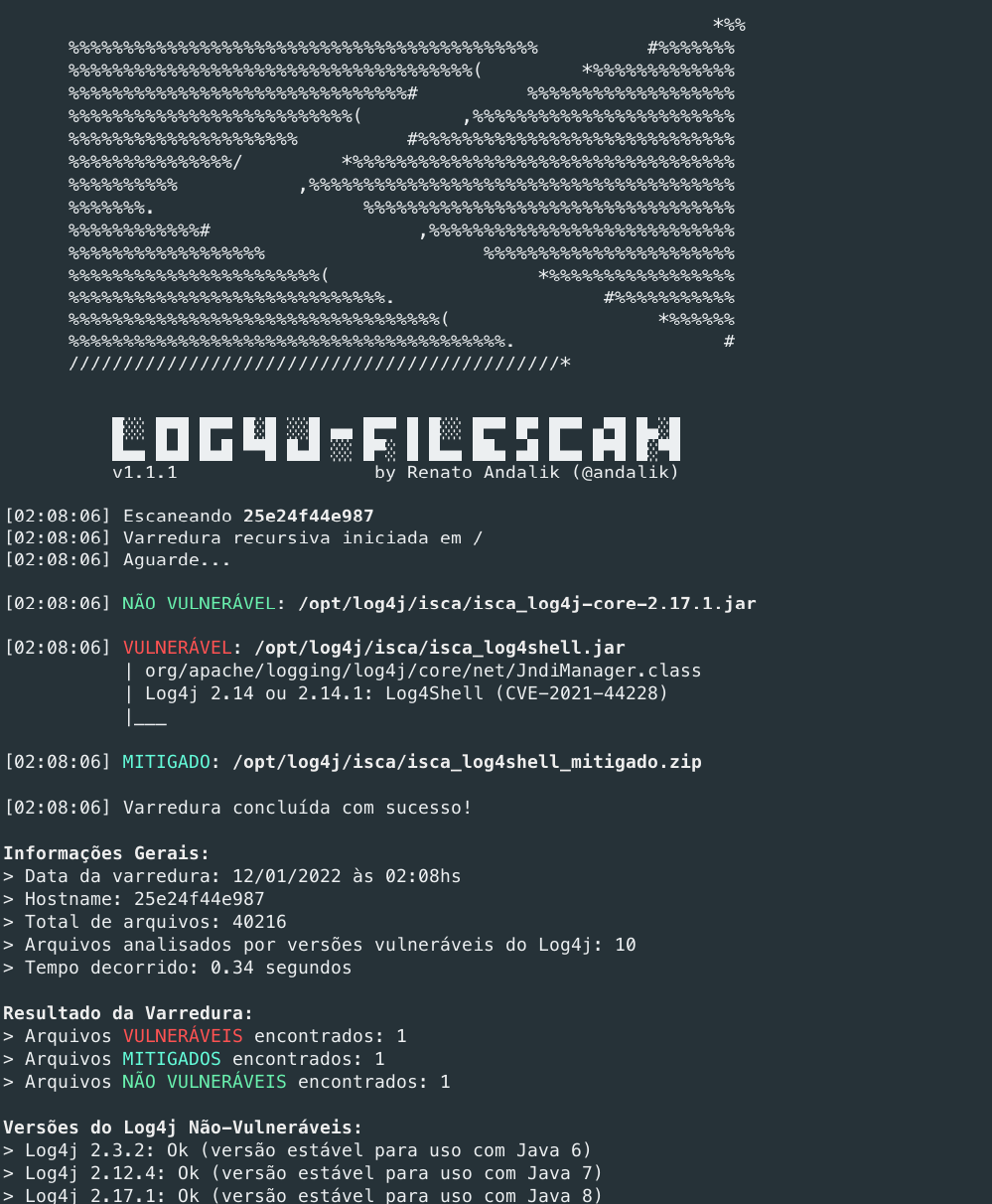
To optimize scan speed, the search occurs ONLY in files related to the issue:
Java Archive extension (including files compressed with zip):
*.jar, *.war, *.ear and *.zipIf a file with one of the extensions mentioned above is found, the internal files are scanned (all in memory).
The script can be downloaded and used in 2 different ways:
To make it even easier, we compiled everything and made an executable binary available.
Just download the version for your Operating System, open the command prompt and run:
Windows: log4j-filescan.exe
IMPORTANT: Due to the packaging model provided by PyInstaller (everything in a single executable), some antivirus software may generate a false-positive alert. Therefore, just add the executable to your antivirus's exception list.
Linux: log4j-filescan
On Linux, via console, you can also use wget to get the binary:
wget https://github.com/andalik/log4j-filescan/releases/download/v1.1.1/log4j-filescan -O log4j-filescan
chmod +x log4j-filescan
sudo ./log4j-filescan
For Linux distributions with Python 3.6+ installed, use one of the methods below:
wget https://github.com/andalik/log4j-filescan/raw/main/log4j-filescan.py
export LC_ALL=$(locale -a | grep UTF-8)
sudo python3 log4j-filescan.py
Download Python 3.6 or higher from https://www.python.org/downloads/
Add Python 3.x to PATH.Open the command prompt and run pip to install pyinstaller:
pip install pyinstaller
pip install colorama
Download the latest version of the log4j-filescan.py script and run PyInstaller:
pyinstaller --onefile --hidden-import colorama log4j-filescan.py
The Windows executable will be created in the dist directory: dist\log4j-filescan.exe
Example for Debian 11:
sudo apt update
sudo apt install python3-pip git
pip3 install --user pyinstaller

git clone https://github.com/andalik/log4j-filescan
cd log4j-filescan
~/.local/bin/pyinstaller --onefile log4j-filescan.spec

./dist/log4j-finder --help
$ python3 log4j-filescan.py
ou
$ python3 log4j-filescan.py /caminho/desejado (no Linux)
$ python3 log4j-filescan.py d:\ (no Windows)
$ python3 log4j-filescan.py /caminho/arquivo.jar
$ python3 log4j-filescan.py /caminho/dir1 /caminho/dir2 /caminho/arquivo.jar
$ python3 log4j-filescan.py / --exclude "/caminho/*.war"
$ python3 log4j-filescan.py -v /caminho/desejado
$ python3 log4j-filescan.py -vv /caminho/desejado
c:\.Open PowerShell (preferably with “Run as Administrator”) and type:
python3 log4j-filescan.py c:\ d:\ e:\
The tool will scan C:, then D: and finally E:. If any drive does not exist, the tool will simply ignore the specified drive without showing an error. Everything will be logged on the screen (which vulnerable files were found on which drive).
