
 alephnullsk/dnsgen
Generates domain name permutations for subdomain enumeration and recon, supporting custom wordlists, cloud patterns, and fast mode for security assessments.


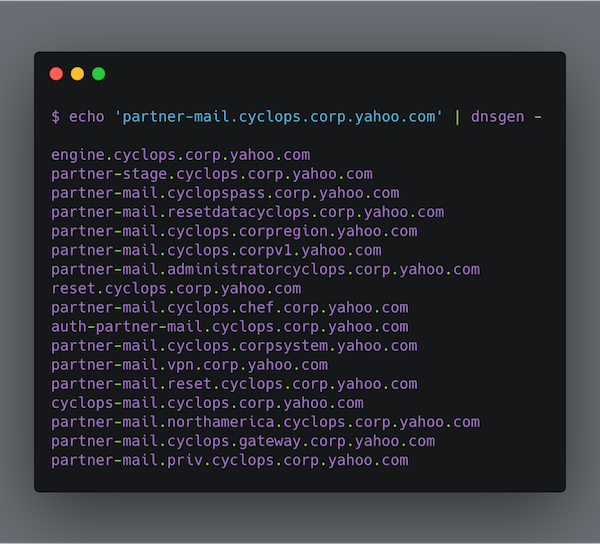
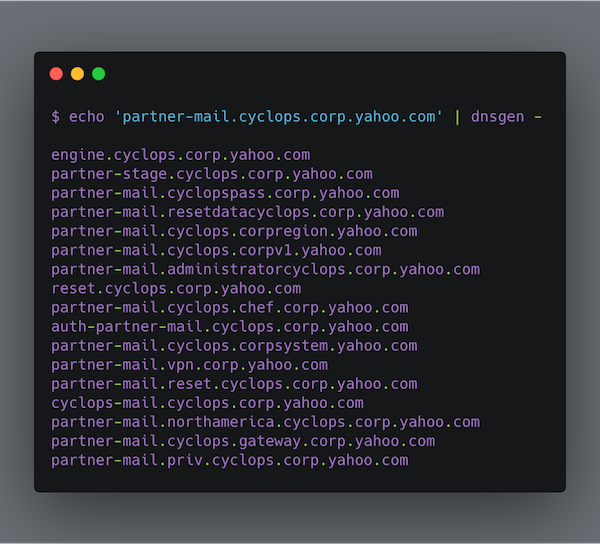
DNSGen is a powerful and flexible DNS name permutation tool designed for security researchers and penetration testers. It generates intelligent domain name variations to assist in subdomain discovery and security assessments.
# Using pip
python -m pip install dnsgen

# Using uv (recommended for development)
git clone https://github.com/AlephNullSK/dnsgen
cd dnsgen/
python -m pip install uv
uv sync
# Basic domain permutation
dnsgen domains.txt

# With custom wordlist and output file
dnsgen -w custom_wordlist.txt -o results.txt domains.txt

# Using fast mode for quick assessment
dnsgen -f domains.txt

# Pipe with massdns for resolution
cat domains.txt | dnsgen - | massdns -r resolvers.txt -t A -o J --flush 2>/dev/null
DNSGen 2.0 implements multiple sophisticated permutation techniques:
Word Insertion
api.example.com → staging.api.example.comNumber Manipulation
api2.example.com → api1.example.com, api3.example.comWord Affixing
api.example.com → devapi.example.com, api-dev.example.comCloud Provider Patterns
example.com → api-aws.example.com, storage-azure.example.comRegion Prefixes
api.example.com → us-east.api.example.comMicroservice Patterns
example.com → auth-service.example.com, user-api.example.comInternal Tooling
example.com → jenkins.internal.example.comPort Prefixing
api.example.com → 8080.api.example.comdnsgen [OPTIONS] FILENAME
Options:
-l, --wordlen INTEGER Min length of custom words (default: 6)
-w, --wordlist PATH Path to custom wordlist
-f, --fast Fast generation mode
-o, --output PATH Output file path
-v, --verbose Enable verbose logging
--help Show this message and exit
DNSGen 2.0 supports commented wordlists for better organization:
# Environment Names
dev
staging
prod

# Cloud Providers
aws
azure
gcp

# Tools and Services
jenkins
gitlab
grafana
Get clean resolved domains:
# Generate and resolve
dnsgen hosts.txt > wordlist.txt
massdns -r resolvers.txt -o S wordlist.txt | grep -e ' A ' | \
  cut -d 'A' -f 1 | rev | cut -d "." -f1 --complement | \
  rev | sort | uniq > resolved_domains.txt
Contributions are welcome! Here's how you can help:
git checkout -b feature/amazing-featuregit commit -m 'Add amazing feature'git push origin feature/amazing-featureSee CONTRIBUTING.md for more details.
This project is licensed under the MIT License - see the LICENSE file for details.
Made with ❤️ by the security community
