
 aleksamcode/wifi-password-stealer
Simple Windows and Linux keystroke injection tool that exfiltrates stored WiFi data (SSID and password).





Have you ever seen a movie where a hacker plugs a seemingly ordinary USB drive into a computer and instantly steals data? Today, you'll be building a device that does exactly that.
⚠️ Disclaimer:
All content in this project is intended for security research purposes only.
In the summer of 2022, I set out to build a device capable of extracting data from a target computer. But how exactly does one deploy malware and exfiltrate information? In the following sections, I’ll walk through the essential steps, underlying concepts, and technical nuances involved in creating a custom keystroke injection tool. While this project specifically targets WiFi credentials, the payload can easily be modified for more advanced or malicious purposes—the only real limits are your creativity and technical expertise.
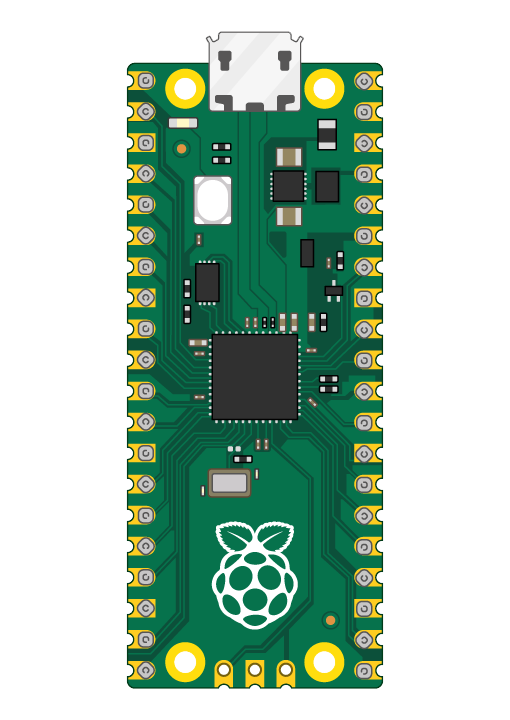
Over time, the project has grown to include a wide variety of scripts and tools. It was originally created to demonstrate the capabilities of a Rubber Ducky—specifically, a cost-effective version using the Raspberry Pi Pico (RPi Pico). Currently, the two main components of the project are:
Physical access to the unlocked victim's computer.
The computer has to have internet access in order to send the stolen data using SMTP for exfiltration over a network medium.
Knowledge of the victim's computer password for the Linux exploit.
After creating a pico-ducky, you only need to copy the modified payload (adjusted for your SMTP details for the Windows exploit and/or adjusted for the Linux password and a USB drive name) to the RPi Pico.
[!NOTE]
It is possible to build this tool using the Rubber Ducky, but keep in mind that RPi Pico costs about $4.00 and the Rubber Ducky costs $80.00.
However, while pico-ducky is a good and budget-friendly solution, Rubber Ducky does offer things like stealthiness and usage of the latest DuckyScript version.
In order to use Ducky Script to write the payload on your RPi Pico, you first need to convert it to a pico-ducky. Follow these simple steps in order to create pico-ducky.
A keystroke injection tool, once connected to a host machine, executes malicious commands by running code that mimics keystrokes entered by a user. While it looks like a USB drive, it acts like a keyboard that types in a preprogrammed payload. Tools like Rubber Ducky can type over 1,000 words per minute. Once created, anyone with physical access can deploy this payload with ease.
The payload uses STRING command to processes injection keystrokes. It accepts one or more alphanumeric/punctuation characters and will type the remainder of the line exactly as-is into the target machine. The ENTER/SPACE will simulate a press of keyboard keys.
We use DELAY command to temporarily pause execution of the payload. This is useful when a payload needs to wait for an element, such as a Command Line, to load. Delay is useful when used at the very beginning, when a new USB device is connected to a targeted computer. Initially, the computer must complete a set of actions before it can begin accepting input commands. In the case of HIDs setup time is very short. In most cases, it takes a fraction of a second because the drivers are built-in. However, in some instances, a slower PC may take longer to recognize the pico-ducky. The general advice is to adjust the delay time according to your target.
Data exfiltration is the unauthorized transfer of data from a computer/device. Once the data is collected, an adversary can package it to avoid detection while sending data over the network using encryption or compression. Two most common ways of exfiltration are:
This approach was used for the Windows exploit. The whole payload can be seen here.
This approach was used for the Linux exploit. The whole payload can be seen here.
In order to use the Windows payload (payload1.dd), you don't need to connect any jumper wire between pins.
