
Skip to content
KitploitKITPLOIT
ToolsBlog
Submit
ToolsBlog
Submit

Hacking, PenTest, and Cybersecurity Tools for Your Security Arsenal!

Kitploit is a directory of hacking, cybersecurity, and pentesting tools. Discover the latest project updates to find vulnerabilities, analyze systems, automate testing, and strengthen your security.

··Feeds·Contact·Privacy·© 2026 Kitploit

Tool Directory

Categories

View all categories
Loading categories
S3BucketList — Chrome and Firefox extension that lists Amazon S3 Buckets while browsing | Kitploit
Tools/GitHubGitHub/alecblance/s3bucketlist
Vulnerability AnalysisInformation GatheringCloud Security
GitHubalecblance/s3bucketlist

S3BucketList

Chrome and Firefox extension that lists Amazon S3 Buckets while browsing

View RepositoryWebsite
132134 months agoReviewed by Kitploit

Most Popular

View all →

Discover the most used tools by our community.

Explore all tools

Browse our collection of tools

View all tools →
Share

S3BucketList

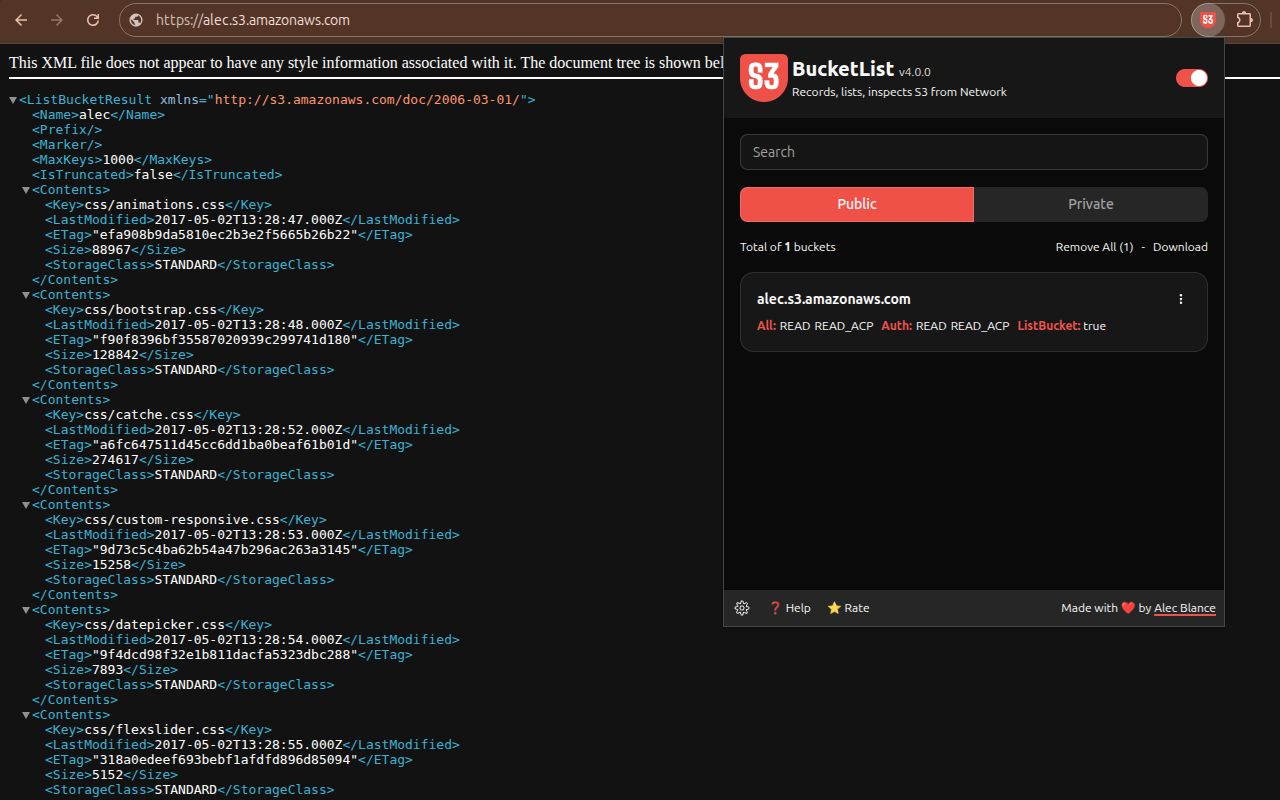
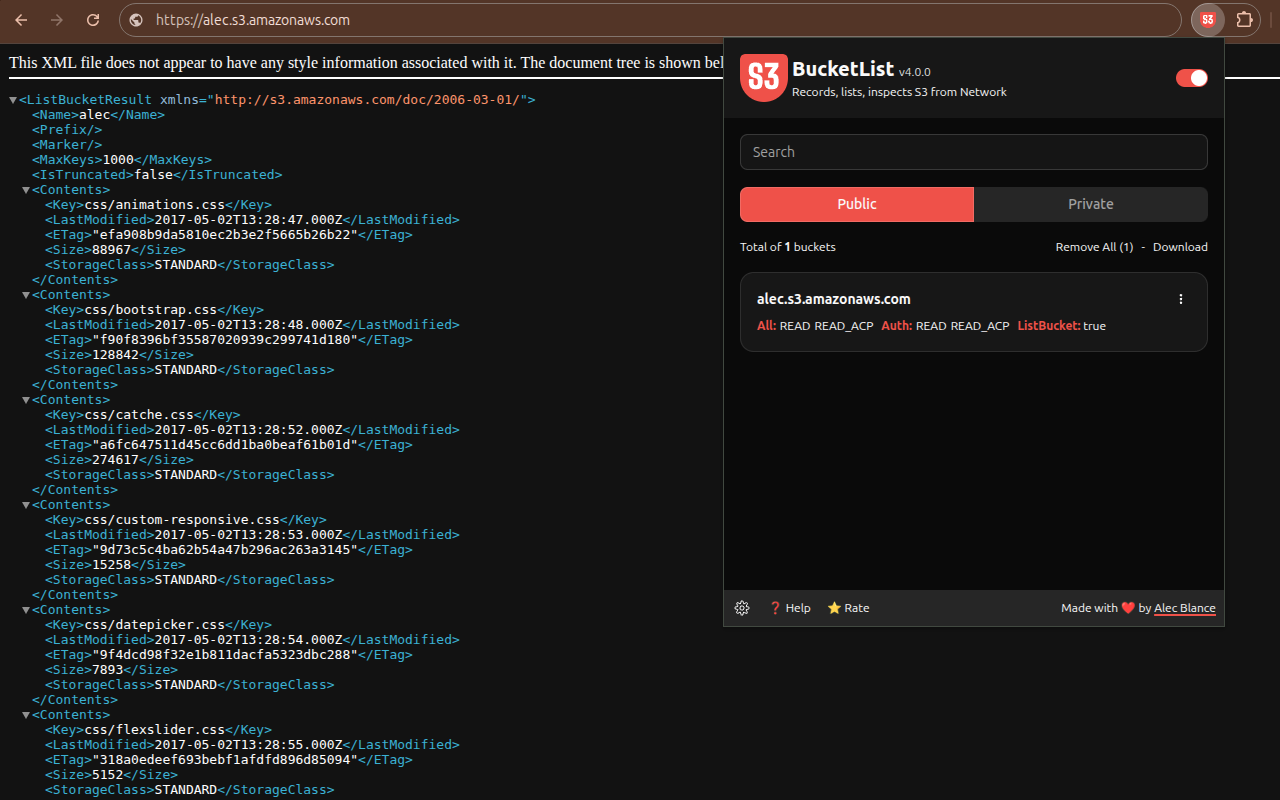
Search, lists, and checks S3 Buckets found in network requests while you are browsing.

S3BucketList - List and inspect S3Buckets while browsing | Product Hunt    Get it on Chrome Web Store    Get it on Firefox Add-ons

alt text

Features

  • Filters S3Buckets
  • Extract ACL permissions
  • Download recorded buckets
  • Manage recorded buckets
  • Tab-specific bucket recording
  • Detect unclaimed / hanging / vulnerable buckets

Installation

Chrome

You can install this extension from the Chrome Web Store or:

  1. Download from the latest release.
  2. Extract the downloaded zip file
  3. On the top right of the Chrome browser, click the three dots.
  4. Select Extension > Manage Extensions, and enable Developer Mode
  5. Click Load unpacked, and look for the extracted zip file.

Firefox

You can install this extension from the Firefox add-ons or:

  1. Download from the latest release.
  2. Extract the downloaded zip file
  3. In your firefox browser, navigate to about:debugging > This Firefox > "Load Temporary Addon"
  4. Select the manifest.json within the extracted zip file

Build from source

  1. Clone the repository, and navigate to the S3BucketList folder
  2. Install pnpm
  3. Do pnpm i to install the required modules
  4. Do pnpm zip for chrome-compatible version or pnpm zip:firefox for firefox-compatible version.
  5. A zip file will be created in the dist/ folder
  6. Follow the manual installation steps above on how to install the extension.
Download Tool