 al-sultani/url-tracker
Change monitoring app that checks the content of web pages in different periods.


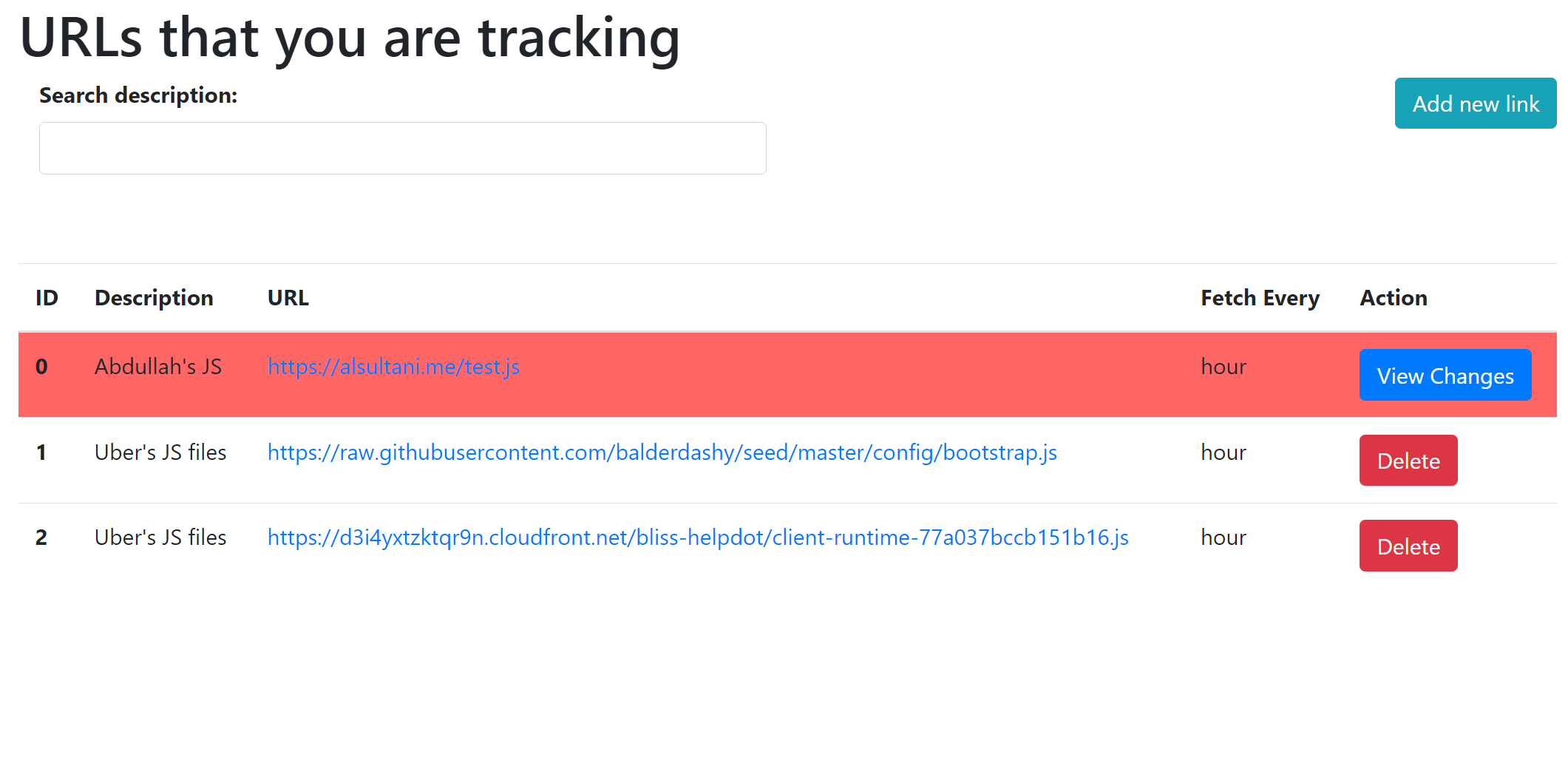
URL Tracker is a robust and scalable web application designed to monitor and track URLs, log changes, and provide detailed insights into the status and behavior of various web resources. Built on top of Sails.js, this application is perfect for tracking URLs for uptime, content changes, and performance monitoring.
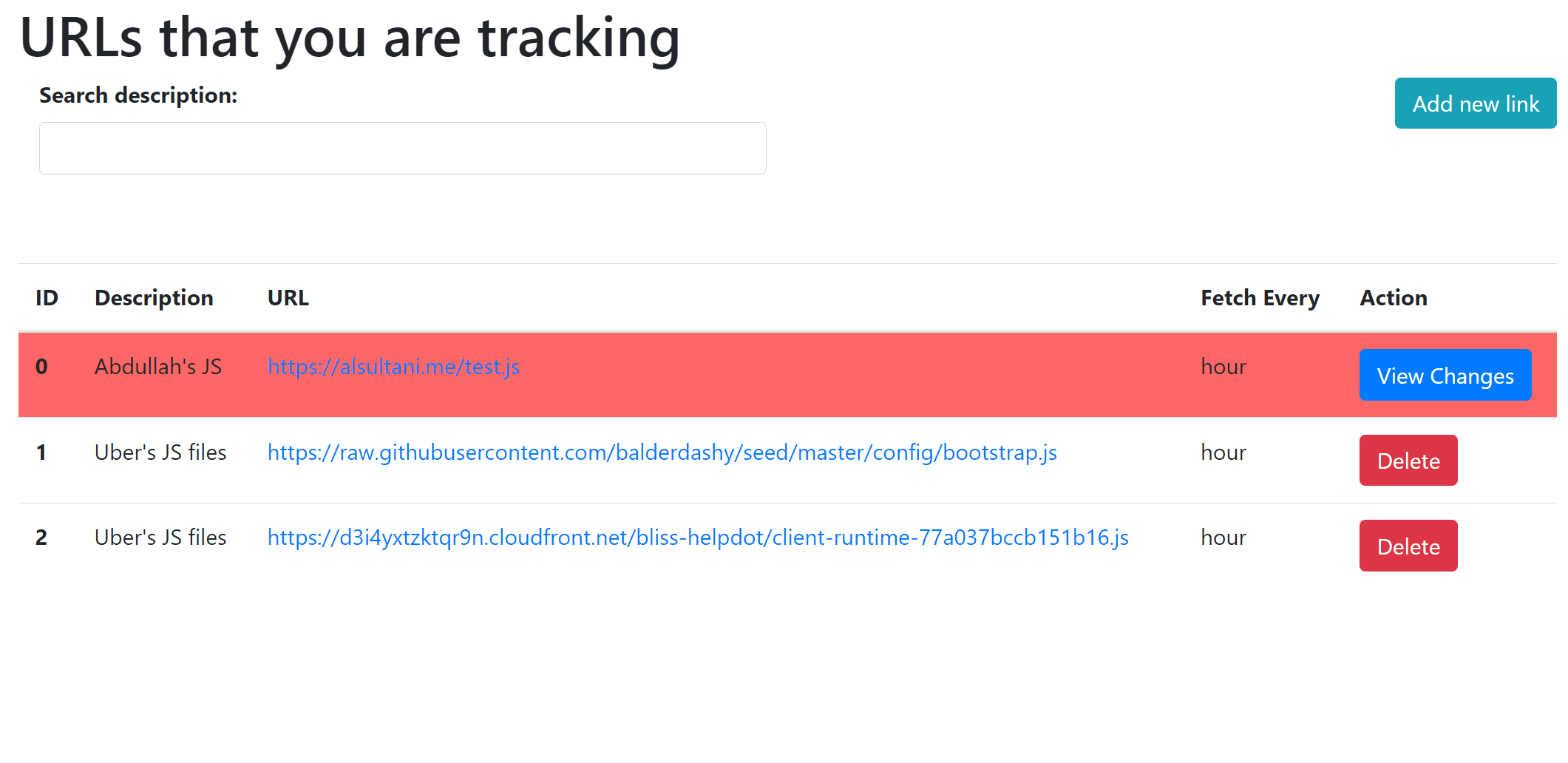
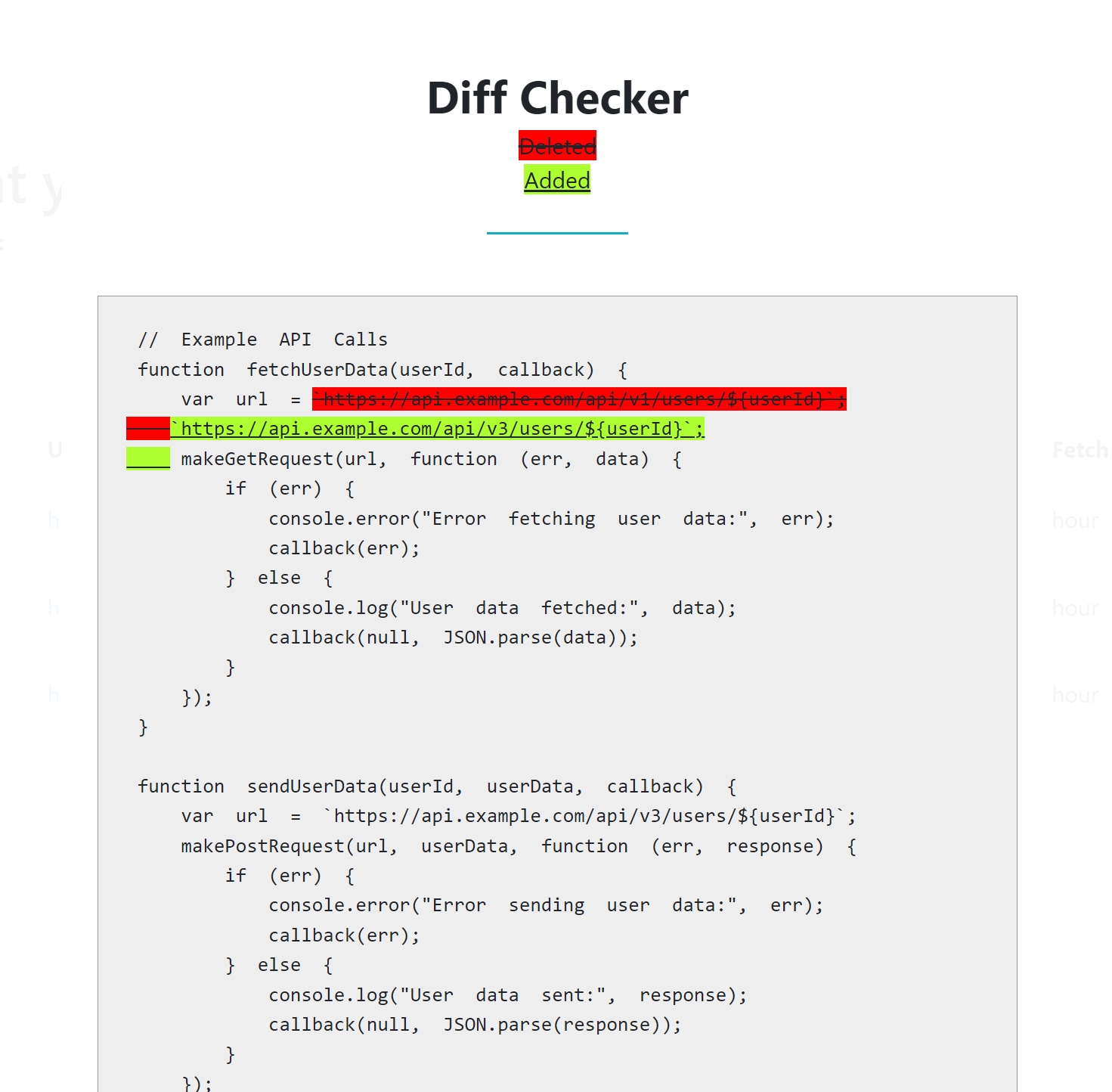
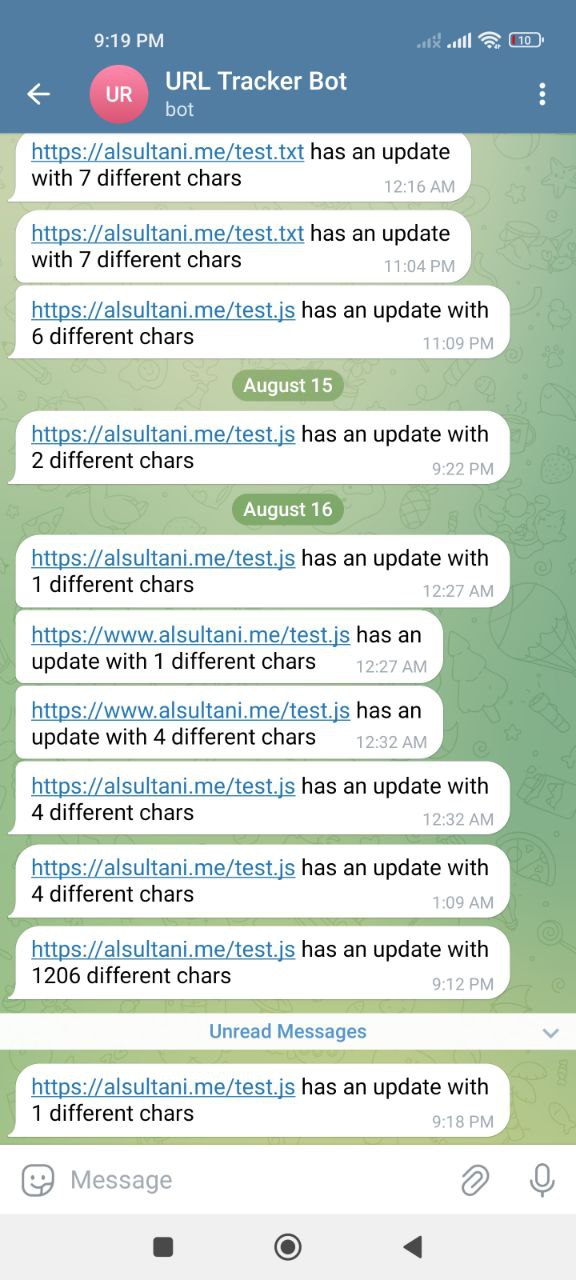
URL Tracker works by sending HTTP requests to specified URLs at regular intervals. It compares the response content to previous results and logs any differences. The application can be extended with custom notifications, data processing, and more, making it versatile for various use cases.
Upon initial setup, the application comes with default admin credentials:
[email protected]9TMhdaUSEzksEXFIMPORTANT: For security reasons, it is highly recommended that you change these default credentials immediately after logging in. You can do this via the user management interface within the application.
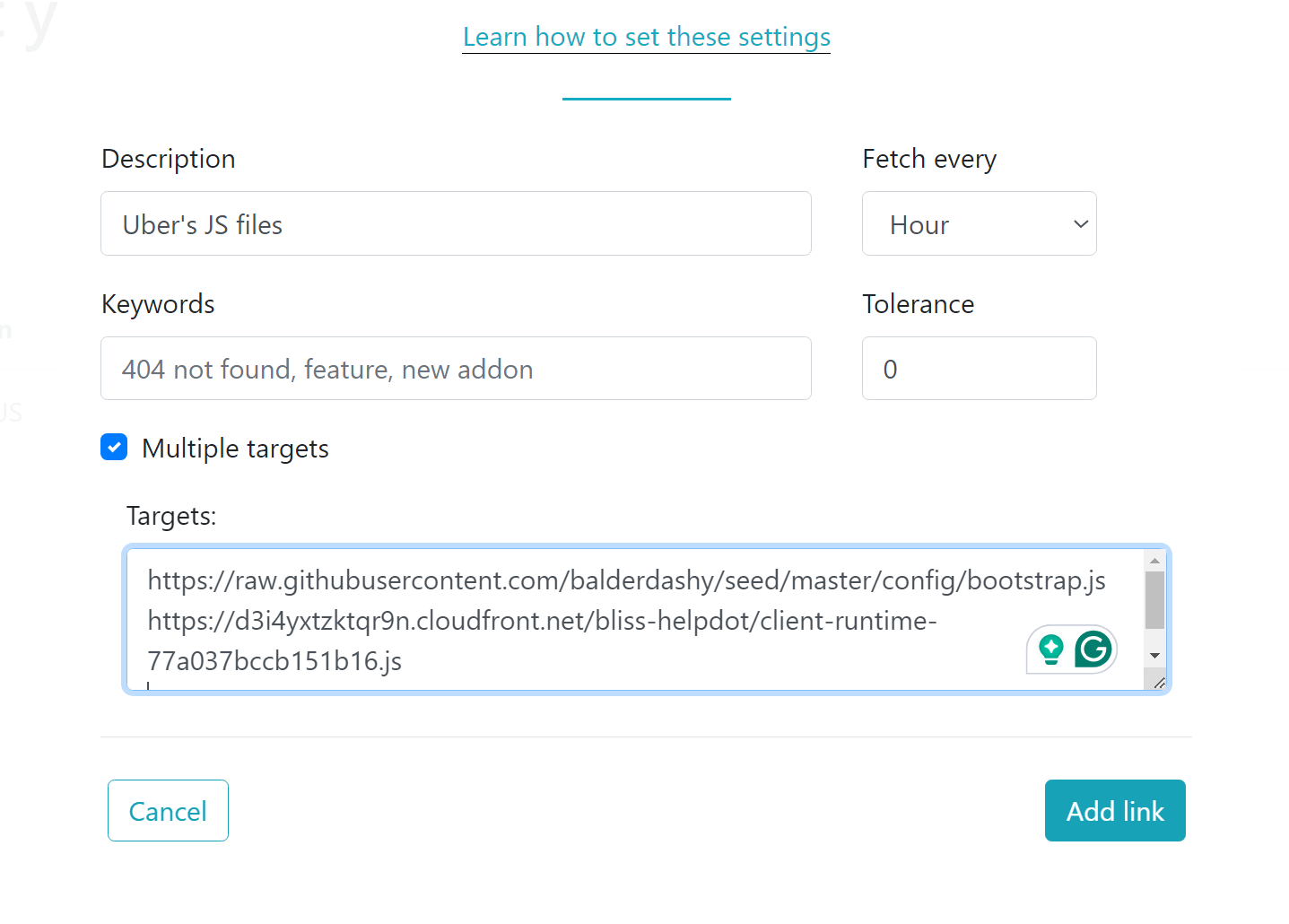
If you want to track changes on a web page, follow these steps (You must be logged in):
http://s3.amazonaws.com/careemcrm/. You can add multiple links as well.acceptedChange.To receive notifications via Telegram:
https://api.telegram.org/bot<YourBOTToken>/getUpdates to retrieve your chat ID.Before you begin, ensure you have the following installed on your local machine:
Start by cloning the repository to your local machine:
git clone https://github.com/ahussam/url-tracker.git
cd url-tracker
After cloning the repository, install the necessary dependencies:
npm install
You can start the application in development mode using:
sails lift
This will start the Sails.js server on the port defined in your .env file
For a consistent environment, you can run the URL Tracker project using Docker.
Change the MONGO_URL to mongodb://mongodb:27017/url-tracker.
To build the Docker image, run:
docker build -t url-tracker .
To start the application using Docker:
docker run -p 1337:1337 url-tracker
Or by using docker-compose
docker-compose build
docker-compose up
This command maps port 1337 of the container to port 1337 of your local machine. Access the application by navigating to http://localhost:1337 in your browser.
The MIT License (MIT)
Copyright (c) 2024 Abdullah Hussam
Permission is hereby granted, free of charge, to any person obtaining a copy of this software and associated documentation files (the "Software"), to deal in the Software without restriction, including without limitation the rights to use, copy, modify, merge, publish, distribute, sublicense, and/or sell copies of the Software, and to permit persons to whom the Software is furnished to do so, subject to the following conditions:
The above copyright notice and this permission notice shall be included in all copies or substantial portions of the Software.
THE SOFTWARE IS PROVIDED "AS IS", WITHOUT WARRANTY OF ANY KIND, EXPRESS OR IMPLIED, INCLUDING BUT NOT LIMITED TO THE WARRANTIES OF MERCHANTABILITY, FITNESS FOR A PARTICULAR PURPOSE AND NONINFRINGEMENT. IN NO EVENT SHALL THE AUTHORS OR COPYRIGHT HOLDERS BE LIABLE FOR ANY CLAIM, DAMAGES OR OTHER LIABILITY, WHETHER IN AN ACTION OF CONTRACT, TORT OR OTHERWISE, ARISING FROM, OUT OF OR IN CONNECTION WITH THE SOFTWARE OR THE USE OR OTHER DEALINGS IN THE SOFTWARE.
Contributions are welcome! Please feel free to submit a Pull Request.
For support, please open an issue on GitHub.
