 akto-api-security/akto
Open-source API security platform for continuous API discovery, vulnerability testing, and runtime threat detection. Integrates with CI/CD pipelines and covers OWASP Top 10 with 1000+ built-in tests.










How it works • Getting-Started • API Inventory • API testing • Add Test • Join Discord community •
Akto is an instant, open source API security platform that takes only 60 secs to get started. Akto is used by security teams to maintain a continuous inventory of APIs, test APIs for vulnerabilities and find runtime issues. Akto offers coverage for all OWASP top 10 and HackerOne Top 10 categories including BOLA, authentication, SSRF, XSS, security configurations, etc. Akto's powerful testing engine runs variety of business logic tests by reading traffic data to understand API traffic pattern leading to reduced false positives. Akto can integrate with multiple traffic sources - burpsuite, AWS, postman, GCP, gateways, etc. Here is our public roadmap for this quarter.
Akto enables security and engineering teams to secure their APIs by doing three things:
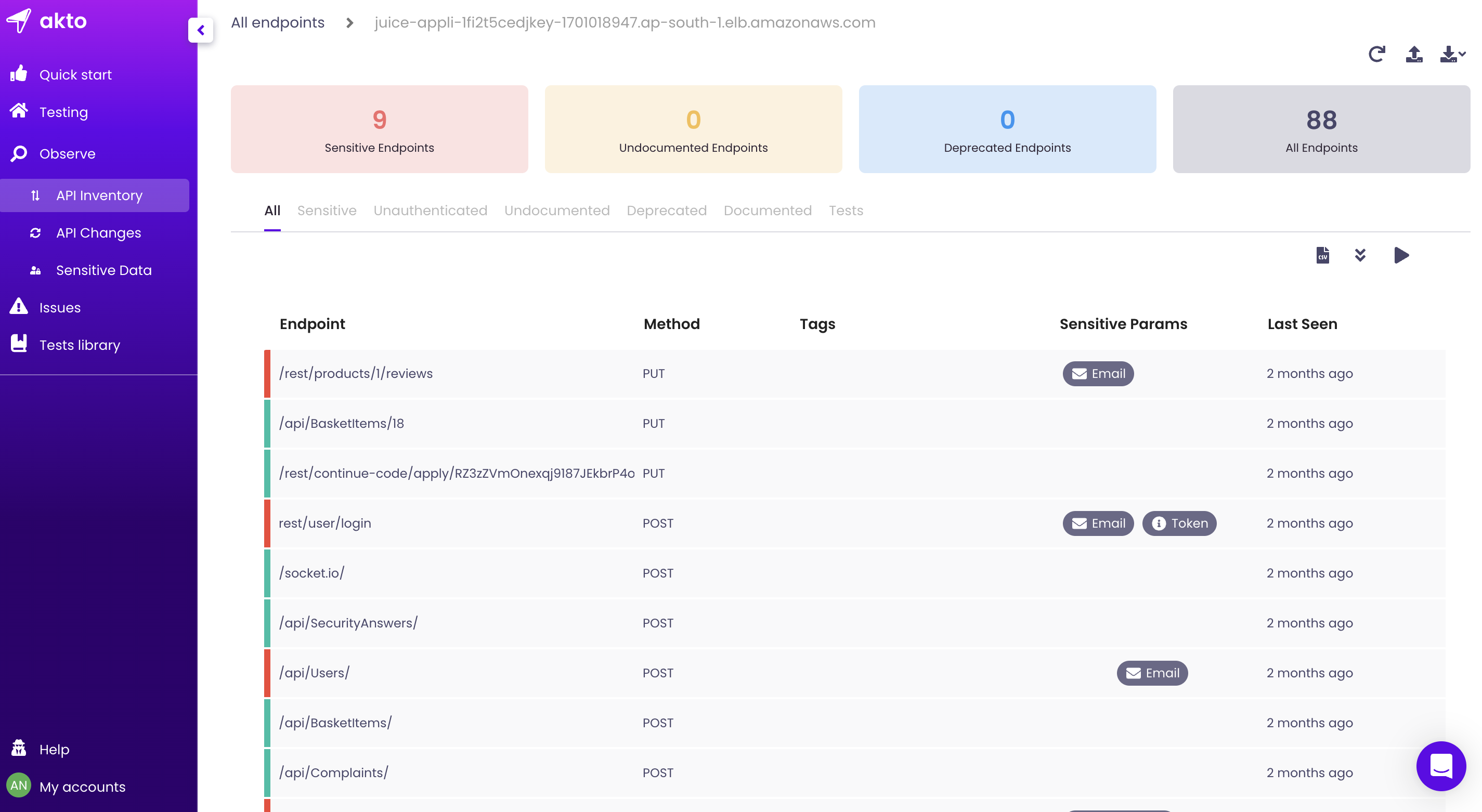
Step 1: Create inventory

Step 2: Run tests
Run the following commands to install Akto. You'll need to have curl and Docker installed in order to run the container..
git clone https://github.com/akto-api-security/akto.gitcd aktodocker-compose up -dPlease ensure the following for good security practices
Open inbound security rule for port 9090 only. And restrict the source CIDR to VPC CIDR or your IP only.
Use an EC2 from a private subnet -
a. This way, no one will be able to make an inbound request to your machine.
b. Ensure this private subnet has access to Internet so that outbound calls can succeed!
c. You might have to set up tunneling to access instance via VPN using ssh -i pemfile ec2-user@vpn-public-instance -L 9090:private-instance:9090
d. In your browser, visit http://private-instance:9090
Use an EC2 from a public subnet - please don't! If you still want to do this, you can skip 2.b and 2.c. Simply access your instance via http://ip:9090
Akto is really powerful in Cloud deployment if you can provide your application's mirrored traffic (0 performance impact). You would also be able to schedule tests in CI/CD and invite more team members on the dashboard. For that, you should install Akto Enterprise edition available here. Read more about it here
| Title | Link |
|---|---|
| Introduction | https://www.youtube.com/watch?v=oFt4OVmfE2s |
| Tutorial 1: SSRF Port Scanning (OWASP API7:2023) | https://www.youtube.com/watch?v=WjNNh6asAD0 |
Note: If using Docker Desktop, consider changing the memory allocation to 8 GB for better performance
mkdir ~/akto_codecd ~/akto_codegit clone https://github.com/akto-api-security/aktocode akto