
 ajuremesh/pdfpasswordunlocker
This project offers a straightforward solution for retrieving forgotten PDF passwords using Google Colab. With just five simple steps, it efficiently handles passwords of any complexity. Say goodbye to PDF access hurdles and hello to seamless password recovery.



Have you ever forgotten the password to a crucial PDF document? Fear not! With the PDF Password Retriever, retrieving forgotten PDF passwords is now a breeze. This project leverages the power of Google Colab to provide a seamless and efficient solution in just four simple steps.
Key Features:
Effortless Recovery: Forget the hassle of trying to remember complex passwords. Our solution simplifies the process, making password retrieval a quick and painless experience.
Google Colab Integration: Harness the computing power of Google Colab's cloud-based infrastructure to handle password recovery with ease.
Universal Compatibility: No matter the complexity of your PDF password, our solution is equipped to handle it. From simple phrases to intricate combinations, we've got you covered.
User-Friendly Interface: With just five straightforward steps, users can swiftly regain access to their PDF files without any technical expertise required.
Open-Source: Built on the principles of transparency and collaboration, this project is open-source, inviting contributions from the community to further enhance its functionality.
Steps to retrieve PDF Password:
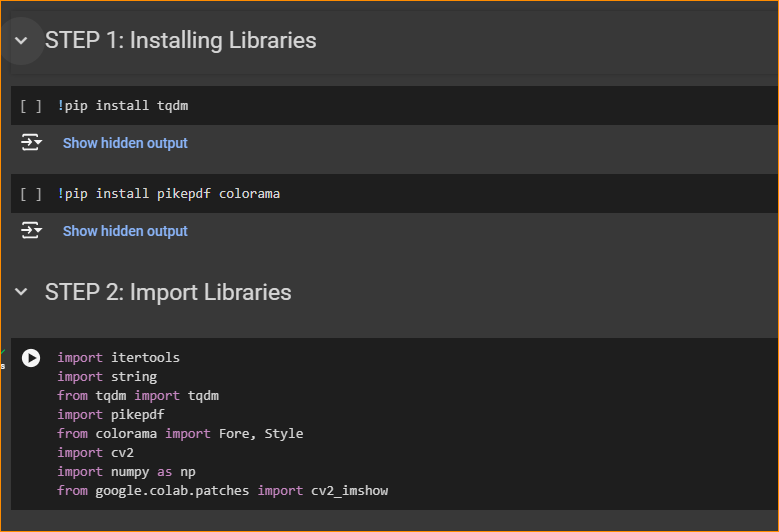
Install and Import Required Libraries:
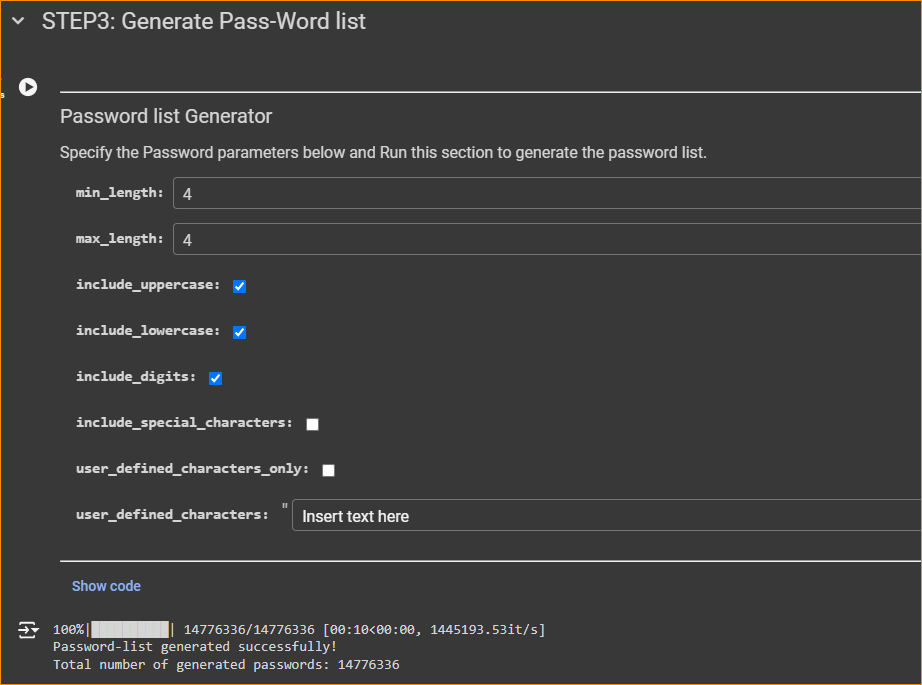
Generate a Password Word List:
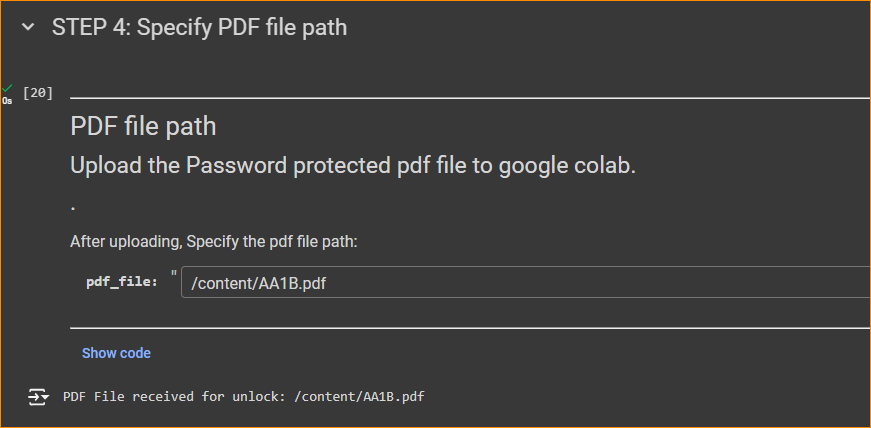
Upload PDF File to Colab:
Run the PDF Password Finding Section:
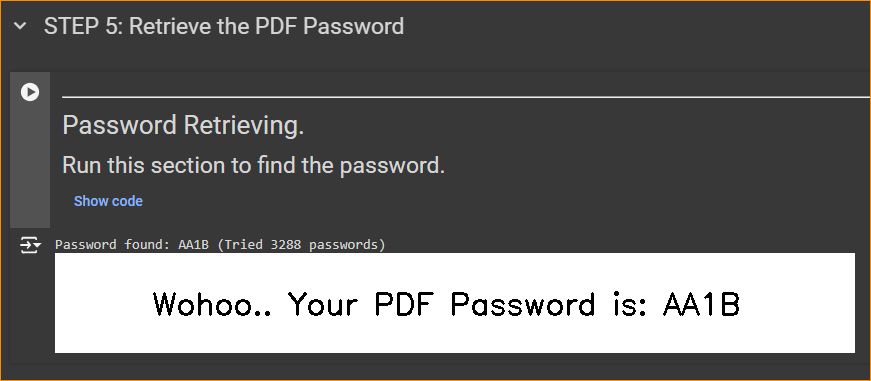
Note: This process involves attempting to open the PDF with various combinations of passwords from the generated wordlist. Please be aware that complex passwords may require more time to retrieve.
.
