 aixisstudio/snitch
Real-time network monitor + outbound firewall — see & block every connection. Privacy-first, local-first, Rust fleet agent, SIEM exports, 8 languages. / Moniteur réseau temps réel + pare-feu sortant, agent de flotte Rust, exports SIEM. 100 % local.

Track every hidden flow. / Traquez chaque flux masqué.
English | Français | Español | Deutsch | Русский | 日本語 | Português | 中文
⭐ If Snitch helps you, a star means a lot! / Si Snitch vous aide, une étoile compte beaucoup ! ⭐



-blue.svg)





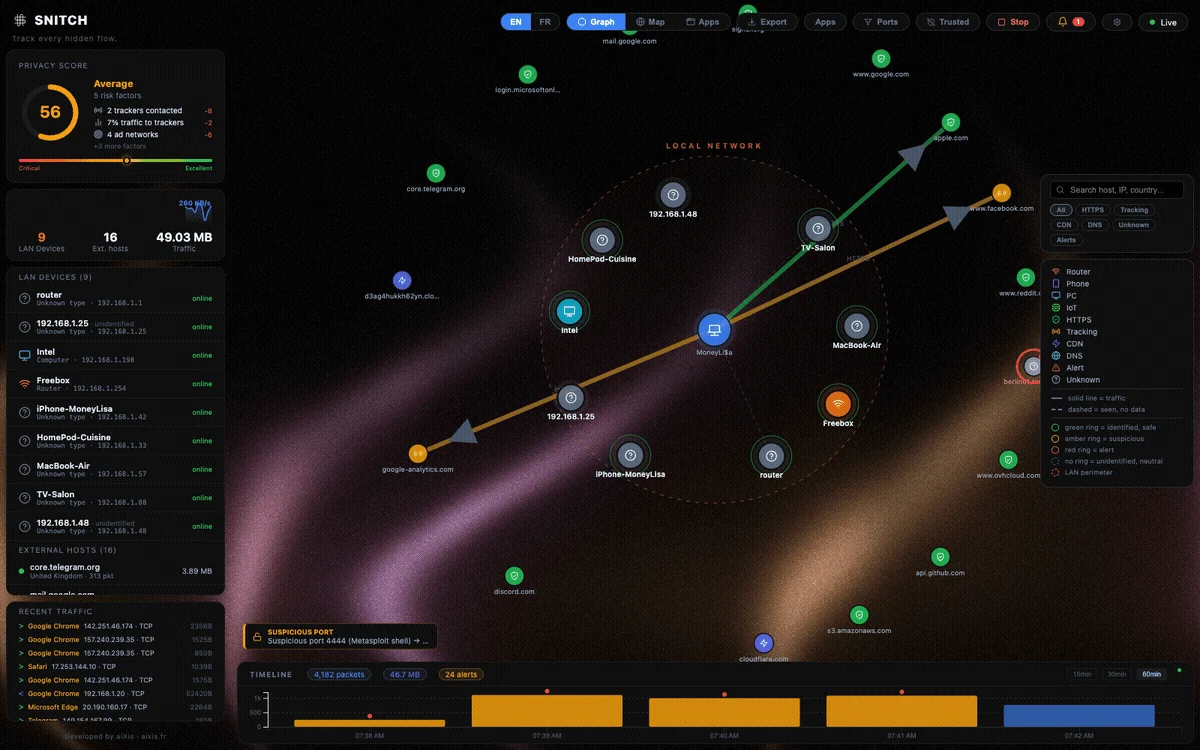
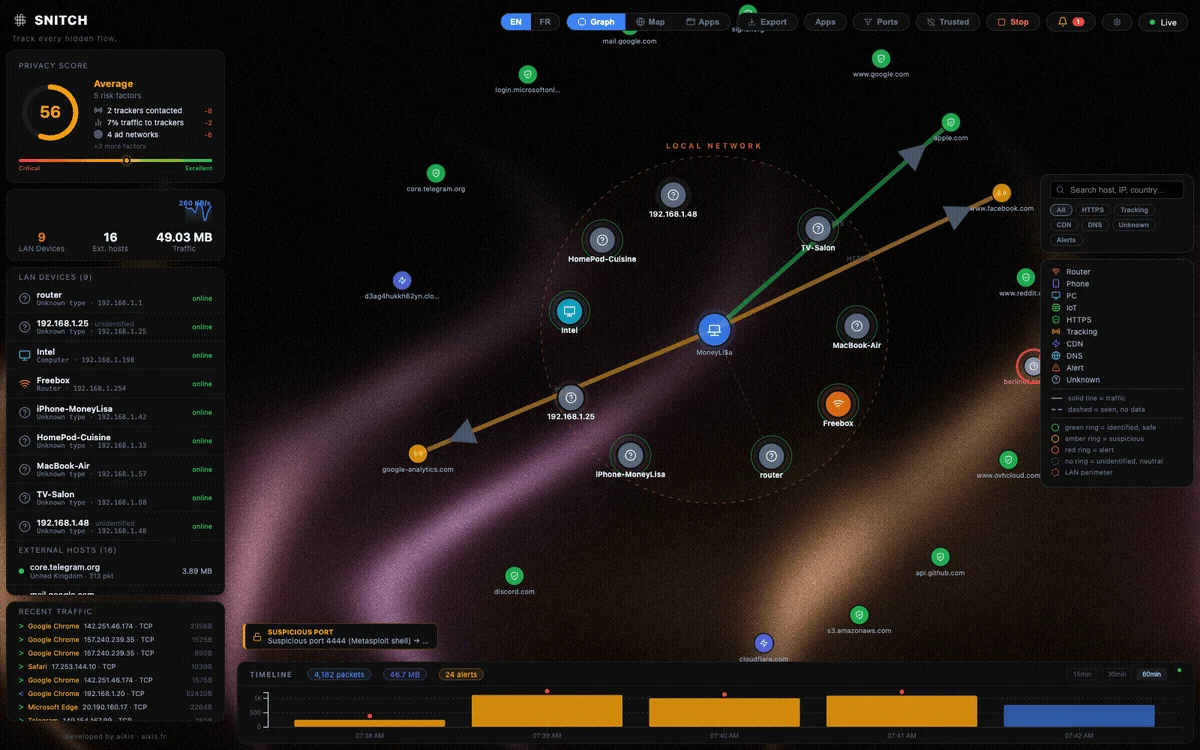
Snitch is an open-source application firewall and real-time network monitor. See every connection your computer makes — who it talks to, where they are, and which app is responsible.
The entire interface is available in English, Français, Español, Deutsch, Русский, 日本語, Português (BR) and 简体中文: use the language picker in the top-right toolbar.
netsh / iptables / pf) — Snitch never filters in user-space.127.0.0.1 behind a token; your traffic data never leaves the machine.| Feature | Description |
|---|---|
| Force Graph | Live node graph — your machine at the center, every connection as a node |
| World Map | Geolocated IPs with animated arcs on an interactive globe |
| 15/30/60-min Timeline | Sliding history stored locally in SQLite (24 h retention) |
| Anomaly Detection | Flags port scans, beaconing (regular-interval C2), potential exfiltration |
| Advanced Detection | DNS-tunnelling heuristic, cleartext-port spotting, per-app country baseline deviation |
| Passive TLS Inspection | Leaf-certificate metadata read off the wire (issuer, self-signed, SAN/SNI mismatch) — TLS 1.3 honestly unobservable |
| ICMP Tunnel Heuristic | Repeated fat echo payloads flagged — the ptunnel/icmpsh exfiltration signature |
| ML Anomaly Scoring | Pure-Python isolation forest over your own flows (zero deps) — outlier flows flagged after ~400 samples |
| Entropy Watch | Encrypted-looking payloads on cleartext channels (covert crypto/stego hint) |
| Ask-on-Connect | Opt-in NFQUEUE verdict mode (Linux) — new flows held until you allow/deny, like Little Snitch prompts |
| Actionable Alerts | One-click Block IP / Kill / Suspend on every alert; custom rules can auto-firewall matched hosts (asn/country fields included) |
| Syslog / SIEM | Opt-in RFC 3164 output to your syslog/Wazuh collector, UDP or TCP |
| IOC Peer Sync | Opt-in salted-Merkle pack exchange with explicitly-paired Snitch peers — hash commitments only, no central server |
| Memory Forensics | On-demand process-hollowing check — executable pages in RAM diffed against disk (Linux) |
| Firewall Orchestration | Block rules (IP/CIDR/domain/process/port) applied to the OS firewall — netsh/iptables/pf, persisted, per-rule blocked counters |
| Lockdown Mode | Panic switch — flags & blocks all public outbound traffic, LAN stays up |
| Incident Response | Kill / suspend a process, block an IP — one click from the connection detail |
| Threat Intelligence | Opt-in reputation checks (AbuseIPDB / AlienVault OTX / VirusTotal) with your own API key — off by default, results cached |
| Security Audit | Built-in hardening report — score, findings, plain-language recommendations |
| Forensics Export | One-click investigation bundle — process tree + SHA-256 of the binary, history & matching alerts |
| Webhook Alerting | Opt-in forwarding of warning/critical alerts to Discord, Slack, Telegram or any endpoint |
| Process Attribution | Know which app generates which traffic (top 5 per connection) |
| LAN Scanner | Passive discovery via the system ARP table (no broadcast scans) |
| Privacy Score | Real-time score of your outgoing traffic exposure |
| Per-app View | Per-process destinations, volumes and 60-min history |
| Alert Suppression | Persisted "ignore host/type" rules, manageable in the UI |
| Settings Panel | Language, retention, filters, consent-gated GeoIP download, diagnostics |
| Tracker Detection | Suffix-matched domain lists shipped as editable data files (backend/classifier/lists/) |
| Bandwidth Monitor | Live MB/s sparkline |
| 8-language UI | EN · FR · ES · DE · RU · JA · PT-BR · ZH-CN — one click to switch, locales live in frontend/src/locales/ |
| Light / Dark Theme | Follows your OS preference by default, manual toggle persists |
| Auto-Update | Desktop app checks GitHub Releases (opt-out in Settings; SNITCH_NO_UPDATE=1) |
| QUIC / HTTP/3 | UDP/443 flows labeled honestly — QUIC SNI is encrypted and never read |
| Watchlist | Pin IPs/domains — dedicated alert the moment traffic touches them |
| Upload Spike Alert | Per-process MB/min ceiling with adjustable threshold |
| Interface Selector | Pick which adapter is sniffed — no env var needed |
| Wi-Fi Context | Current SSID shown in the toolbar |
| Export | Graph + alerts to JSON/CSV, one click |

