
Skip to content
KitploitKITPLOIT
ToolsBlog
Submit
ToolsBlog
Submit

Hacking, PenTest, and Cybersecurity Tools for Your Security Arsenal!

Kitploit is a directory of hacking, cybersecurity, and pentesting tools. Discover the latest project updates to find vulnerabilities, analyze systems, automate testing, and strengthen your security.

··Feeds·Contact·Privacy·© 2026 Kitploit

Tool Directory

Categories

View all categories
Loading categories
AndroSH — AndroSH No-Root Multi-Distro Linux on Android via Shizuku/ADB - Run Arch, Fedora, Alpine, Debian, Ubuntu, Kali, Void, Manjaro, OpenSUSE & Chimera with full system integration, proot isolation & Termux:X11 GUI. | Kitploit
Tools/GitHubGitHub/ahmed-alnassif/androsh
Android SecurityOSINT (Open Source Intelligence)Container SecurityScripting & AutomationSecurity VirtualizationPenetration TestingMobile SecurityUtilities & FrameworksLearning & Education
GitHubahmed-alnassif/androsh

AndroSH

AndroSH No-Root Multi-Distro Linux on Android via Shizuku/ADB - Run Arch, Fedora, Alpine, Debian, Ubuntu, Kali, Void, Manjaro, OpenSUSE & Chimera with full system integration, proot isolation & Termux:X11 GUI.

232211 day agoReviewed by Kitploit

Most Popular

View all →

Discover the most used tools by our community.

Explore all tools

Browse our collection of tools

View all tools →
Share
View Repository

AndroSH - Run Linux Distributions on Android (No Root, ADB/Shizuku Powered)

Professional-Grade Linux Distribution Management on Android Devices with ADB/Shizuku Integration

Tests GitHub Stars Version Python License Verified Binaries Platform Distributions Status

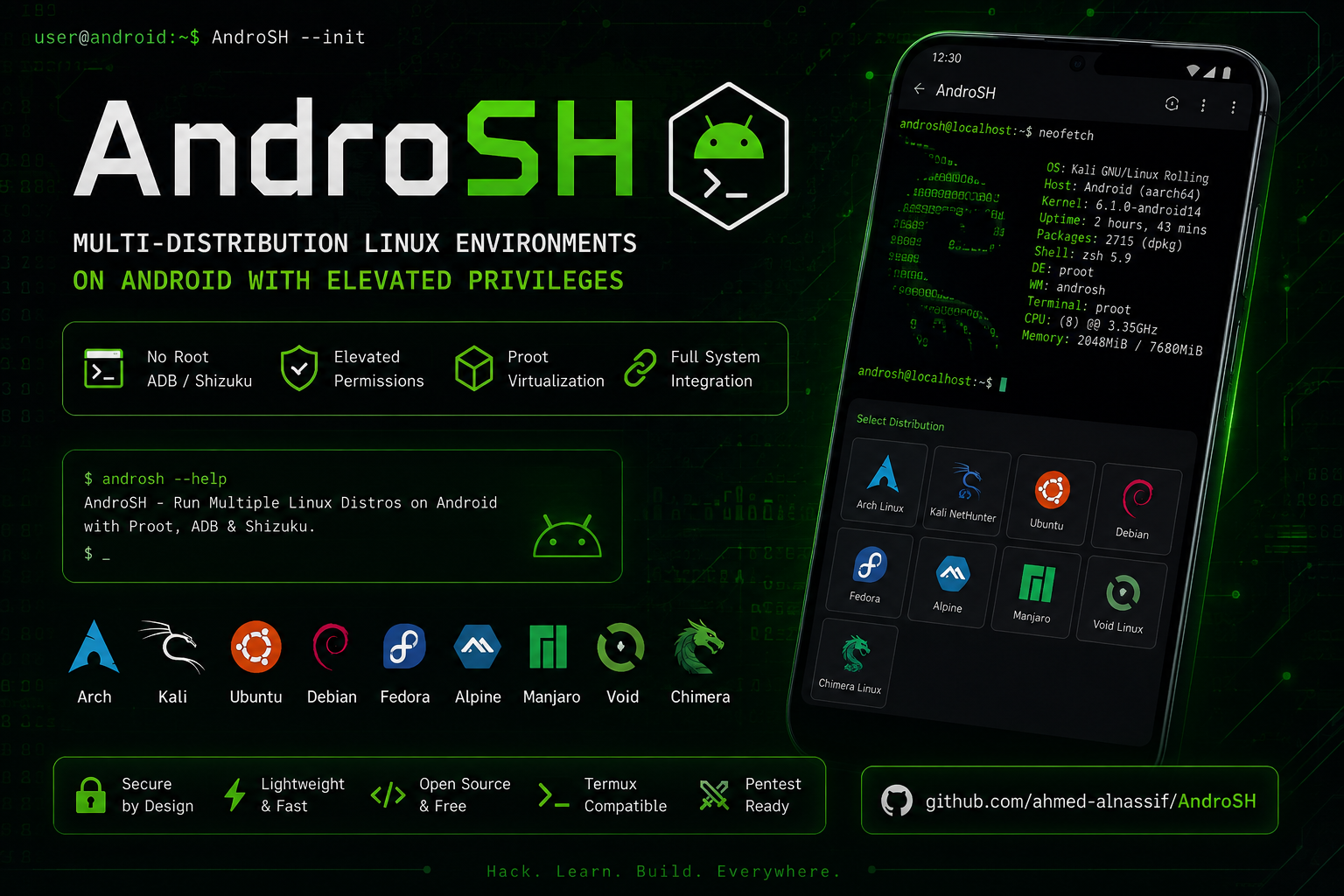
AndroSH Mobile Showcase

🚀 Quick Start

[!Important] Ensure Shizuku is installed and running before proceeding.

New users should follow the 📥 Detailed Installation guide.

The project includes troubleshooting help and Shizuku setup instructions if needed.

root@kitploit:~
apt update; apt install -y python git # Termux
git clone --depth 1 https://github.com/ahmed-alnassif/AndroSH.git
cd AndroSH
pip install -r requirements.txt
python main.py install
androsh setup demo --distro debian --type stable
androsh launch demo

📑 Table of Contents

  • 🚀 Quick Start
  • ⚡ Quick Features
  • 🐧 Supported Linux Distributions
  • 🚀 Overview
    • 🏆 Competitive Advantage Matrix
  • 🖼️ Visual Demo
  • 🎯 Core Capabilities
    • 🚀 Advanced Android System Integration
    • 🛠️ Professional Command Line Interface
    • 📊 Database-Driven Architecture
  • 🎨 Premium User Experience
  • 🔧 Advanced Management Suite
  • 🏗️ Technical Architecture
    • System Integration Framework
    • Technical Innovations
  • 📥 Detailed Installation
    • System Requirements
    • Required packages (Termux)
    • Rapid Deployment
  • 🔄 Updates
  • 🚀 Usage Examples
    • 1. Environment Deployment
    • 2. Environment Initialization
    • 3. Professional Management
  • 💡 Use Cases
    • 🎓 Educational Infrastructure
    • 🔍 Security Research & Penetration Testing
    • 🛠️ Development & CI/CD Environments
    • 📱 Field Operations & Mobile Workstations
  • 🛡️ Security & Compliance
    • Security Architecture
    • Privacy Assurance
  • 🛠️ Technical Components & Trust

⚡ Quick Features

  • 🐳 Multi-Distro: Run multiple Linux distributions simultaneously (Arch, Fedora, Alpine, Debian, Ubuntu, Kali, Void, Manjaro, Chimera, OpenSUSE)
  • 🔧 Shizuku: Full Android system integration without root
  • 💾 SQLite Backed: Fast, reliable environment management
  • 🚀 Optimized: 40% faster startup than alternatives
  • 🛡️ Secure: Proot isolation + permission boundaries
  • 📱 Mobile-First: Designed for Android workflows
  • 🖼️ Termux:X11 support for graphical user interface (GUI) and desktop environment (DE), setup guide

🐧 Supported Linux Distributions

Debian Ubuntu Arch Linux Kali Linux Alpine Fedora Void Linux Manjaro Chimera Linux OpenSUSE

All listed distributions are fully supported using verified rootfs sources and run in isolated proot environments without requiring root access.

🚀 Overview

AndroSH is a deployment platform that enables seamless execution of multiple Linux distributions on Android devices through advanced proot virtualization and Android System Integration via ADB/Shizuku. This solution provides Professional-level Linux environment management without compromising device security.

🏆 Competitive Advantage Matrix

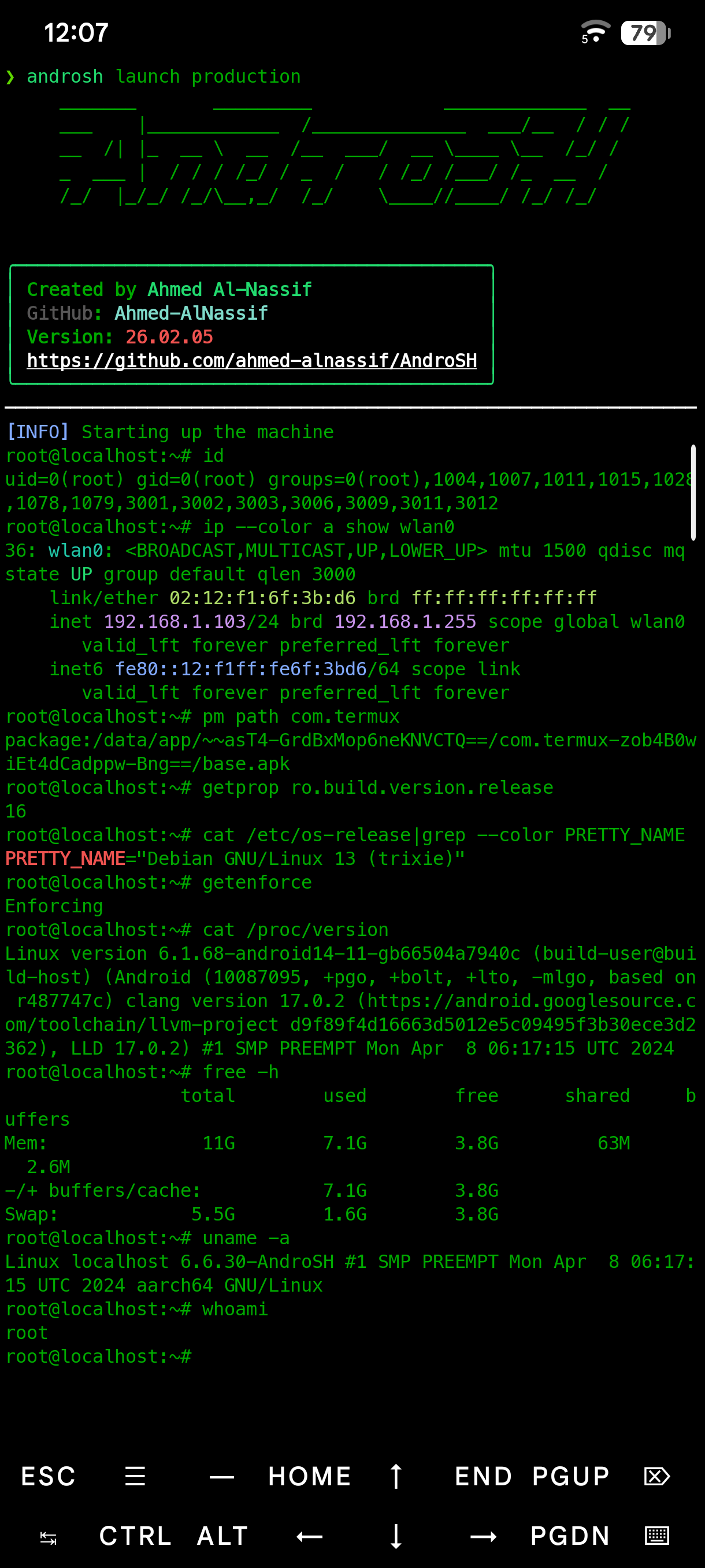
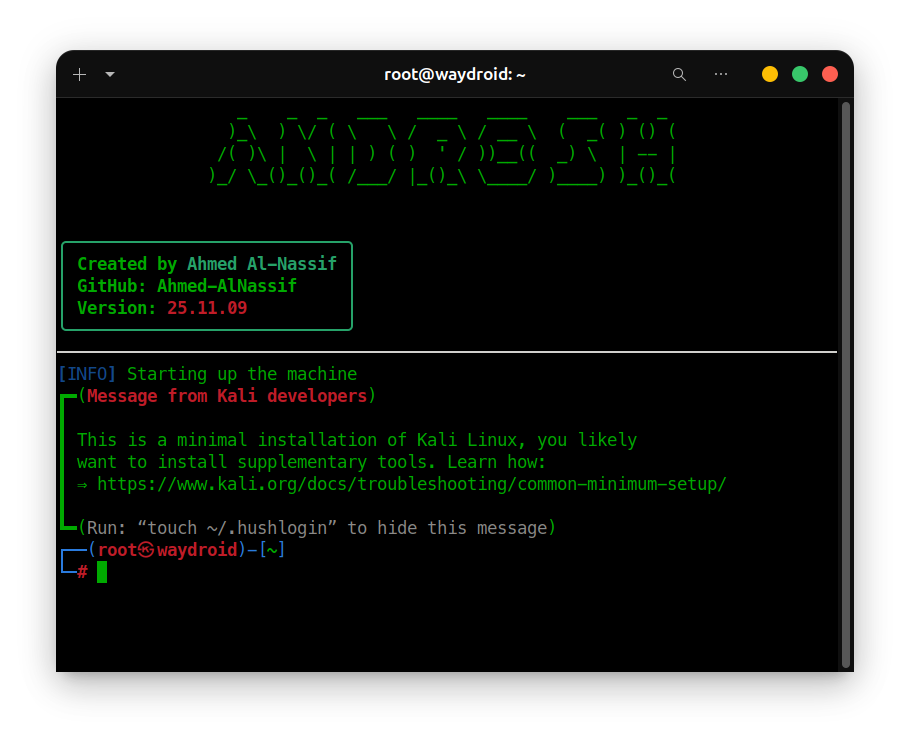
🖼️ Visual Demo

Click to View Full Size

🎯 Core Capabilities

🚀 Advanced Android System Integration

AndroSH provides unprecedented Android-Linux integration capabilities through ADB and Shizuku:

root@kitploit:~
# Execute Android system commands from Linux environment
pm list packages -f

# Access kernel-level information
cat /proc/version

# System property management
getprop | grep version

# Network configuration access
ip route show

🛠️ Professional Command Line Interface

Show full command help

📊 Database-Driven Architecture

  • SQLite Integration: High-performance environment tracking
  • Persistent Session Management: State preservation across sessions
  • Rapid Query Execution: 60% faster distribution listing
  • Transaction Integrity: Reliable operation tracking

🎨 Premium User Experience

  • Professional ASCII Interface: Brand-consistent terminal experience
  • Information Hierarchy: Color-coded success/warning/error messages, and time style --time-style
  • Data Organization: Clean table layouts for complex information
  • Visual Appeal: Professional terminal aesthetics
  • Multi-Level Verbose Control: Granular output management (--verbose/--quiet)
  • Intelligent Default Configuration: Automated optimization settings
  • Comprehensive Error Handling: Professional troubleshooting feedback

🔧 Advanced Management Suite

root@kitploit:~
# Environment deployment
androsh setup development --distro ubuntu --type stable

# Multi-instance management
androsh list

# Resource optimization
androsh clean development

# Global accessibility
cd AndroSH
python main.py install

Example Output Showcase:

root@kitploit:~
❯ androsh list
# Shows beautiful distribution table with sizes and types

❯ androsh lsd  
# Displays installed environments with ASCII art header

🏗️ Technical Architecture

System Integration Framework

root@kitploit:~
Android Device → ADB/Shizuku API → Elevated Permissions → Proot Virtualization → Multi-Distribution Linux Environment
root@kitploit:~
graph TD
    A[Android Device] --> B[ADB/Shizuku API]
    B --> C[Elevated Permissions]
    C --> D[PROOT Virtualization Layer]
    
    D --> E[Alpine Linux]
    D --> F[Debian Stable]
    D --> G[Ubuntu LTS]
    D --> H[Kali NetHunter]
    
    E --> I[Android System Integration]
    F --> I
    G --> I
    H --> I
    
    I --> K[Android Command Execution]
    I --> L[File System Access]
    I --> M[Network Configuration]
    
    style D fill:#FF6B00,color:white
    style I fill:#4CAF50,color:white

Technical Innovations

  • Multi-Distribution Architecture: First to support multiple Linux distributions simultaneously
  • Android System Integration: Advanced permission bridging via ADB/Shizuku without root access
  • Database-Backed Management: Professional-Grade data persistence
  • Self-Healing Deployment: Automated error recovery and integrity verification

📥 Detailed Installation

System Requirements

  • Android device with Shizuku service
  • Python 3.8+ runtime environment
  • Termux or compatible terminal emulator
  • Minimum 2GB available storage

Required packages (Termux)

root@kitploit:~
apt update
apt install -y python git

Rapid Deployment

root@kitploit:~
# Repository acquisition
git clone --depth 1 https://github.com/ahmed-alnassif/AndroSH.git
cd AndroSH

# Dependency installation
pip install -r requirements.txt

# Global accessibility configuration
python main.py install

🔄 Updates

root@kitploit:~
cd AndroSH
git pull
pip install -r requirements.txt

🚀 Usage Examples

1. Environment Deployment

[!Tip] After entering this command the project will check Shizuku and give you the instructions to setup it correctly if needed.

root@kitploit:~
androsh setup production --distro debian --type stable

2. Environment Initialization

root@kitploit:~
androsh launch production
# Root access in Debian environment
root@localhost:~# apt update && apt install python3 git

3. Professional Management

root@kitploit:~
# Environment inventory
androsh list

# Maintenance operations
androsh clean production

# Environment removal
androsh remove production --force

💡 Use Cases

🎓 Educational Infrastructure

root@kitploit:~
# Deploy learning environment
androsh setup classroom --distro ubuntu --type stable

# Educational package installation
apt install gcc python3-dev git curl wget

🔍 Security Research & Penetration Testing

root@kitploit:~
# Kali NetHunter deployment
androsh setup pentest --distro kali-nethunter --type full

# Security toolkit installation
apt install nmap metasploit-framework wireshark

🛠️ Development & CI/CD Environments

root@kitploit:~
# Development workspace
androsh setup devops --distro alpine --type alpine-minirootfs

# Development stack deployment
apk add build-base git nodejs npm docker-cli

📱 Field Operations & Mobile Workstations

root@kitploit:~
# Portable development environment
androsh setup field --distro debian --type stable

# Essential tools
apt install vim tmux htop net-tools

Multi-Environment Isolation

root@kitploit:~
# Development environments
androsh setup frontend --distro ubuntu -t stable
androsh setup backend --distro debian -t stable
androsh setup security --distro kali-nethunter -t nano

# Environment management
androsh lsd

Distribution Management Suite

root@kitploit:~
# Available distributions
androsh distro list

# Distribution information
androsh distro info ubuntu

# Download management
androsh distro download alpine --type alpine-minirootfs --file alpine-edge.tar.gz

Advanced Usage Examples

root@kitploit:~
# Download specific distribution without setup
androsh download alpine --type alpine-minirootfs

# Distribution management suite
androsh distro info ubuntu   # Get detailed distribution info

# Clean management
androsh clean kali-nethunter # Remove temporary files

🛡️ Security & Compliance

Security Architecture

  • Permission Isolation: ADB/Shizuku-controlled elevation boundaries
  • Environment Containment: Proot-based process isolation
  • Integrity Verification: SHA-256 checksum validation
  • Network Security: Local-only operations post-deployment

Privacy Assurance

  • Zero Data Collection: No telemetry or analytics
  • Local Storage: All data remains on-device
  • Transparent Operations: Open-source verification
  • Permission Auditing: Clear permission boundaries

🛠️ Technical Components & Trust

Verified Binary Sources

AndroSH integrates established open-source components to ensure compatibility and performance across Android environments.

ComponentSource ProjectPurpose
Enhanced PRootXed-Editor/Karbon-PackagesXShizuku-compatible virtualization
BusyBox NDKMagisk-Modules-Repo/busybox-ndk

Component Rationale

Enhanced PRoot: Required for Shizuku integration and Android permission delegation (Termux PRoot incompatible)

BusyBox NDK: Provides consistent command availability (tar, grep, awk) across fragmented Android versions

Source Transparency

  • Enhanced PRoot sources
  • BusyBox NDK sources
  • AndroSH core

Security & Verification

  • SHA-256 checksum validation for all downloads
  • All dependencies traceable to upstream sources
  • Regular security updates and version synchronization

Troubleshooting Guide

root@kitploit:~
# Environment recovery
androsh setup <distro> --distro debian -t stable --resetup

# System cleanup
androsh clean <distro>

# Global accessibility
cd AndroSH
python main.py install

Shizuku Service Management

  • Service Status: Verify Shizuku is active and authorized
  • Device Reboot: System-level service restoration

🤝 Contribution Framework

Development Collaboration

We welcome contributors and security researchers to enhance the platform.

Priority Development Areas

  • Enhanced performance optimization
  • Deployment Tooling
  • Security hardening features

Development Environment

root@kitploit:~
git clone https://github.com/ahmed-alnassif/AndroSH.git
cd AndroSH
# Development environment setup
python -m venv venv
source venv/bin/activate
pip install -r requirements.txt

📜 License & Compliance

GPLv3 License - open source licensing for commercial and research use.

🏆 Project Leadership

Architected and Developed by Ahmed Al-Nassif

  • GitHub: @ahmed-alnassif
  • Professional Portfolio: Hashcat Android Integration

🌟 Support

Project Engagement

  • ⭐ Star this Project
  • 🐛 Report Issues
  • 💡 Suggest Features
  • 🔄 Share Use Cases

💻 Transform Your Android Device into a Professional-Grade Linux Workstation

root@kitploit:~
# Initialize your Professional-Grade environment today
git clone --depth 1 https://github.com/ahmed-alnassif/AndroSH.git
cd AndroSH && androsh setup enterprise --distro debian --type stable

"Professional Linux environments in your pocket - without compromising security"
AndroSH Philosophy

📑 Back to ToC

Download Tool
  • Verified Binary Sources
  • Component Rationale
  • Source Transparency
  • Security & Verification
  • 🔧 Troubleshooting Guide
    • Shizuku Service Management
  • 🤝 Contribution Framework
    • Development Collaboration
    • Priority Development Areas
    • Development Environment
  • 📜 License & Compliance
  • 🏆 Project Leadership
  • 🌟 Support
    • Project Engagement
  • CapabilityAndroSHTraditional Solutions
    Multi-Distribution Architecture✅ Archlinux, Fedora, Alpine, Debian, Ubuntu, Kali NetHunter, Void Linux, Manjaro, OpenSUSE, and Chimera Linux❌ Single distribution
    Management✅ SQLite database + professional CLI❌ Manual file management
    Android System Integration✅ Full system command execution via ADB/Shizuku❌ Isolated containers only
    Scalable Environments✅ Multiple isolated instances❌ Single instance limitation
    Performance Optimization✅ 40% faster initialization❌ Slow startup processes
    Security Compliance✅ No root required + ADB/Shizuku API❌ Bootloader unlock needed
    CommandScreenshotDescription
    androsh launch kaliKali LaunchLaunch Kali NetHunter environment
    androsh listAvailable DistrosView all available distributions
    androsh lsdInstalled EnvironmentsList installed environments
    Essential Unix utilities for Android