
Execute commands interactively on remote Windows machines using the WinRM protocol (just faster)



evil-winrm-py is a python-based tool for executing commands on remote Windows machines using the WinRM (Windows Remote Management) protocol. It provides an interactive shell with enhanced features like file upload/download with progress and checksum verification, tab-completion of local/remote paths and PowerShell cmdlets, loading and running PowerShell scripts, in-memory execution of DLLs and EXEs, command history, and colorized output. It can also run as an MCP server, exposing WinRM sessions as tools for MCP-compatible clients. It supports various authentication methods including NTLM, Pass-the-Hash, Certificate, and Kerberos. skip to installation
[!NOTE] This tool is designed strictly for educational, ethical use, and authorized penetration testing. Always ensure you have explicit authorization before accessing any system. Unauthorized access or misuse of this tool is both illegal and unethical.
The original evil-winrm is written in Ruby, which can be a hurdle for some users. Rewriting it in Python makes it more accessible and easier to use, while also allowing us to leverage Python’s rich ecosystem for added features and flexibility.
I also wanted to learn more about winrm and its internals, so this project will also serve as a learning experience for me.
Tab completion.Tab completion.up/down arrow keys.Includes support for:
Detailed documentation can be found in the docs directory.
sudo apt install gcc python3-dev libkrb5-dev krb5-pkinit
# Optional: krb5-user
evil-winrm-pyYou may use uv/pipx instead of pip to install evil-winrm-py.
uv/pipxis a tool to install and run Python applications in isolated environments, which helps prevent dependency conflicts by keeping the tool's dependencies separate from your system's Python packages.
Check Installation Guide for more details.
pip install evil-winrm-py
# for optional dependencies use any one of the following commands:
pip install evil-winrm-py[kerberos] # for kerberos support on Linux
pip install evil-winrm-py[mcp] # for mcp support
pip install evil-winrm-py[kerberos,mcp] # to install both optional dependencies

# Note: building gssapi and krb5 packages may take some time, so be patient.
or if you want to install with latest commit from the main branch you can do so by cloning the repository and installing it with pip/uv/pipx:
git clone https://github.com/adityatelange/evil-winrm-py
cd evil-winrm-py
pip install .
# or use: pip install .[kerberos,mcp] to install both optional dependencies
pip install --upgrade evil-winrm-py
pip uninstall evil-winrm-py

For above mentioned distributions, you can install evil-winrm-py directly from their package managers. Thanks to the package maintainers for packaging and maintaining evil-winrm-py in their respective distributions.
Details on how to use evil-winrm-py can be found in the Usage Guide.
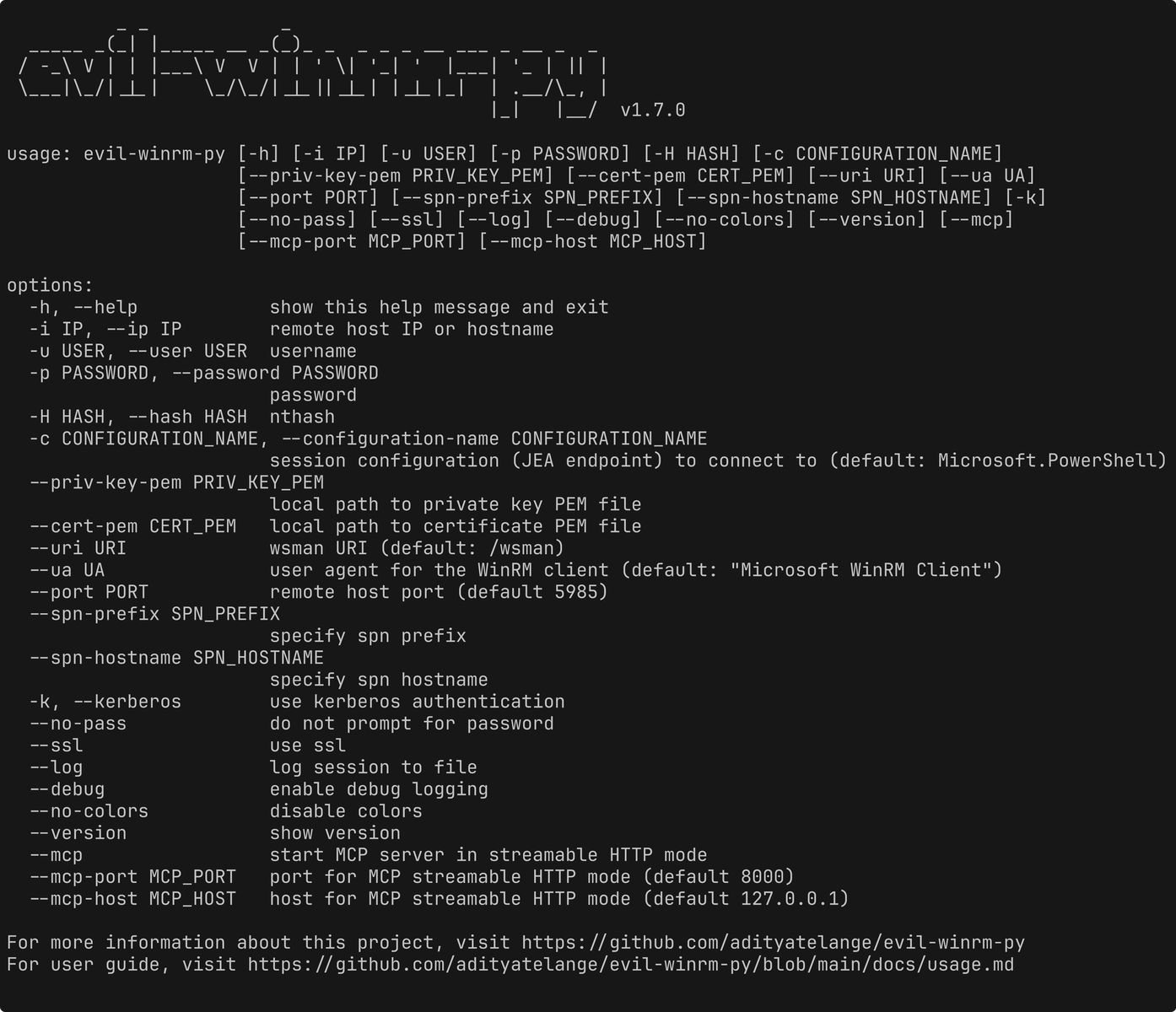
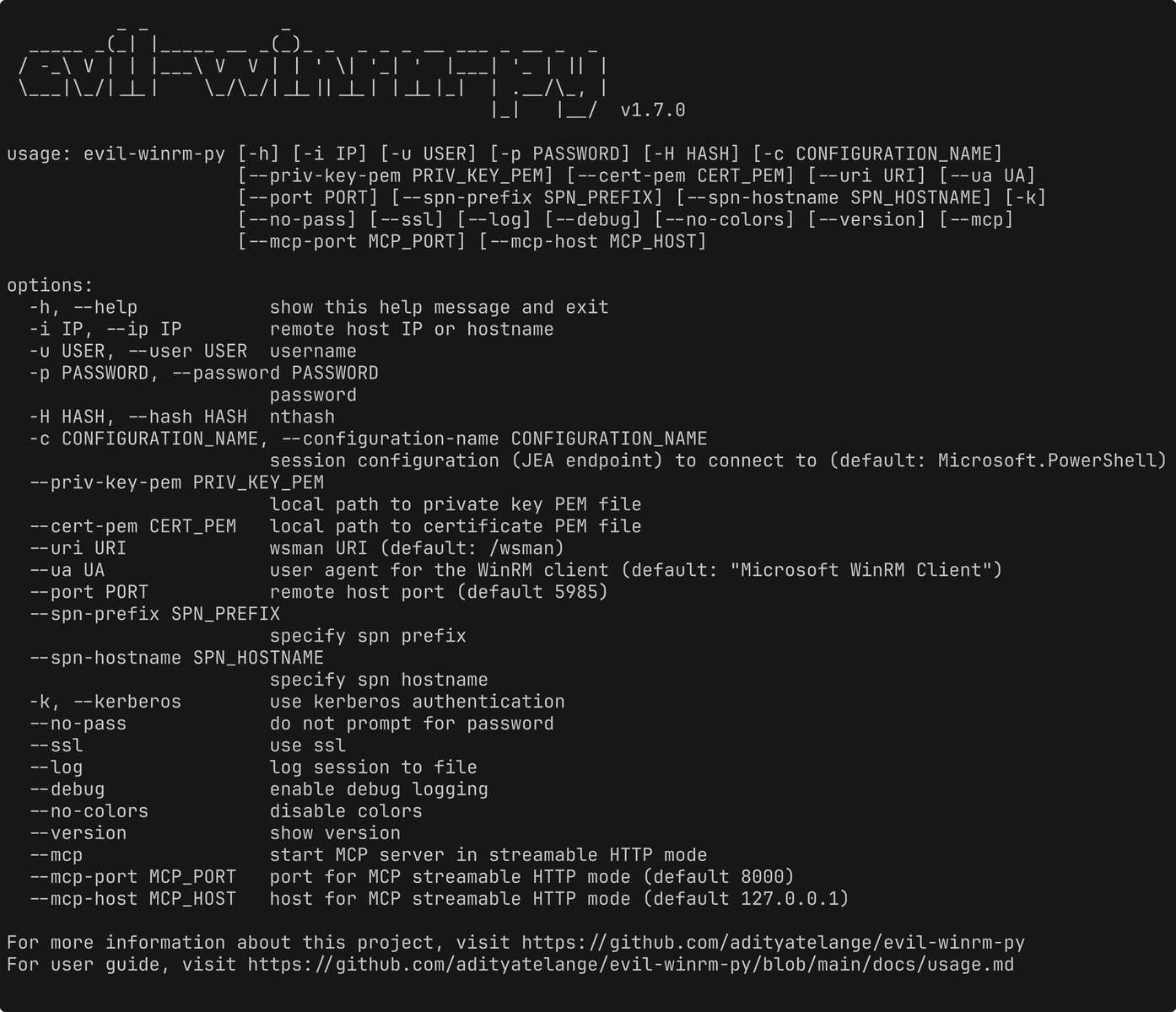
usage: evil-winrm-py [-h] [-i IP] [-u USER] [-p PASSWORD] [-H HASH] [-c CONFIGURATION_NAME]
                     [--priv-key-pem PRIV_KEY_PEM] [--cert-pem CERT_PEM] [--uri URI] [--ua UA]
                     [--port PORT] [--spn-prefix SPN_PREFIX] [--spn-hostname SPN_HOSTNAME] [-k]
                     [--no-pass] [--ssl] [--log] [--debug] [--no-colors] [--version] [--mcp]
                     [--mcp-port MCP_PORT] [--mcp-host MCP_HOST]


