 adguardteam/adguardhome
Network-wide ads & trackers blocking DNS server


Free and open source, powerful network-wide ads & trackers blocking DNS server.
AdGuard.com |
Wiki |
Reddit |
Twitter |
Telegram




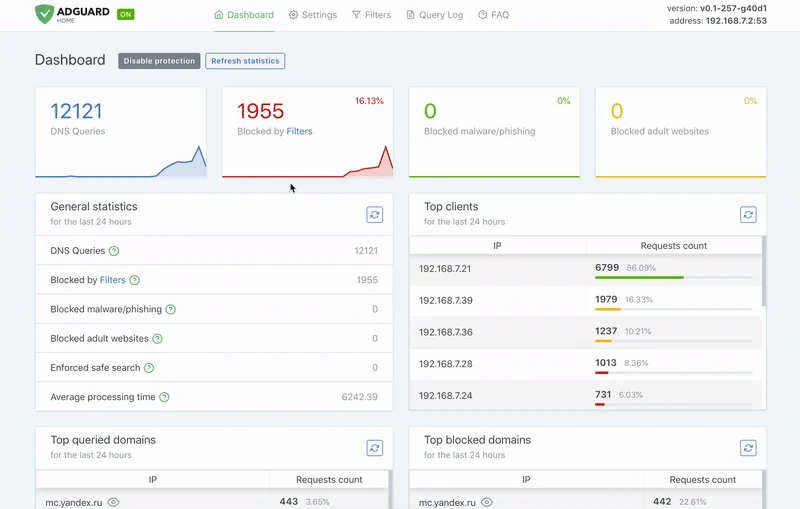
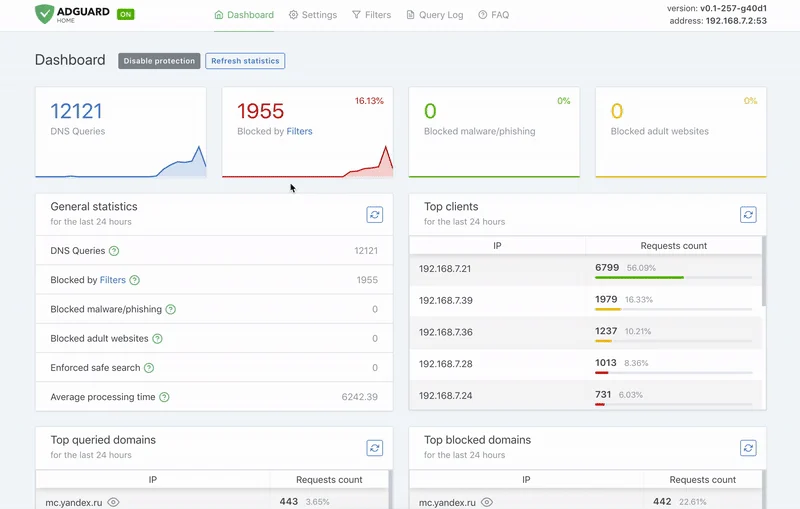
AdGuard Home is a network-wide software for blocking ads and tracking. After you set it up, it'll cover ALL your home devices, and you don't need any client-side software for that.
It operates as a DNS server that re-routes tracking domains to a “black hole”, thus preventing your devices from connecting to those servers. It's based on software we use for our public AdGuard DNS servers, and both share a lot of code.
To install with curl run the following command:
curl -s -S -L https://raw.githubusercontent.com/AdguardTeam/AdGuardHome/master/scripts/install.sh | sh -s -- -v
To install with wget run the following command:
wget --no-verbose -O - https://raw.githubusercontent.com/AdguardTeam/AdGuardHome/master/scripts/install.sh | sh -s -- -v
To install with fetch run the following command:
fetch -o - https://raw.githubusercontent.com/AdguardTeam/AdGuardHome/master/scripts/install.sh | sh -s -- -v
The script also accepts some options:
-c <channel> to use specified channel;-r to reinstall AdGuard Home;-u to uninstall AdGuard Home;-v for verbose output.Note that options -r and -u are mutually exclusive.
Please read the Getting Started article on our Wiki to learn how to install AdGuard Home manually, and how to configure your devices to use it.
You can use our official Docker image on Docker Hub.
If you're running Linux, there's a secure and easy way to install AdGuard Home: get it from the Snap Store.
See our Wiki.
If you want to integrate with AdGuard Home, you can use our REST API. Alternatively, you can use this python client, which can be used to build the AdGuard Home Assistant integration.
Running your own AdGuard Home server allows you to do much more than using a public DNS server. It's a completely different level. See for yourself:
Choose what exactly the server blocks and permits.
Monitor your network activity.
Add your own custom filtering rules.
Most importantly, it's your own server, and you are the only one who's in control.
At this point, AdGuard Home has a lot in common with Pi-Hole. Both block ads and trackers using the so-called “DNS sinkholing” method and both allow customizing what's blocked.
[!NOTE] We're not going to stop here. DNS sinkholing is not a bad starting point, but this is just the beginning.
AdGuard Home provides a lot of features out-of-the-box with no need to install and configure additional software. We want it to be simple to the point when even casual users can set it up with minimal effort.
[!NOTE] Some of the listed features can be added to Pi-Hole by installing additional software or by manually using SSH terminal and reconfiguring one of the utilities Pi-Hole consists of. However, in our opinion, this cannot be legitimately counted as a Pi-Hole's feature.
