 abraxas/gofilex
Wordlist Bruteforcer for GoFile (gofile.io) Download Passwords

Late-90s IRC-client TUI for walking wordlists against a password-protected GoFile share.
It talks only to the documented REST API and treats
rate limits as a hard rule: sequential requests, a conservative default
interval, exponential cooldown on 429 / error-rateLimit, and an automatic
pause after repeated 429s so the client cannot walk into an IP ban.
Author: @abraxas_null · github.com/abraxas · abraxaslabs.tech · [email protected]
Repo: github.com/abraxas/GoFileX
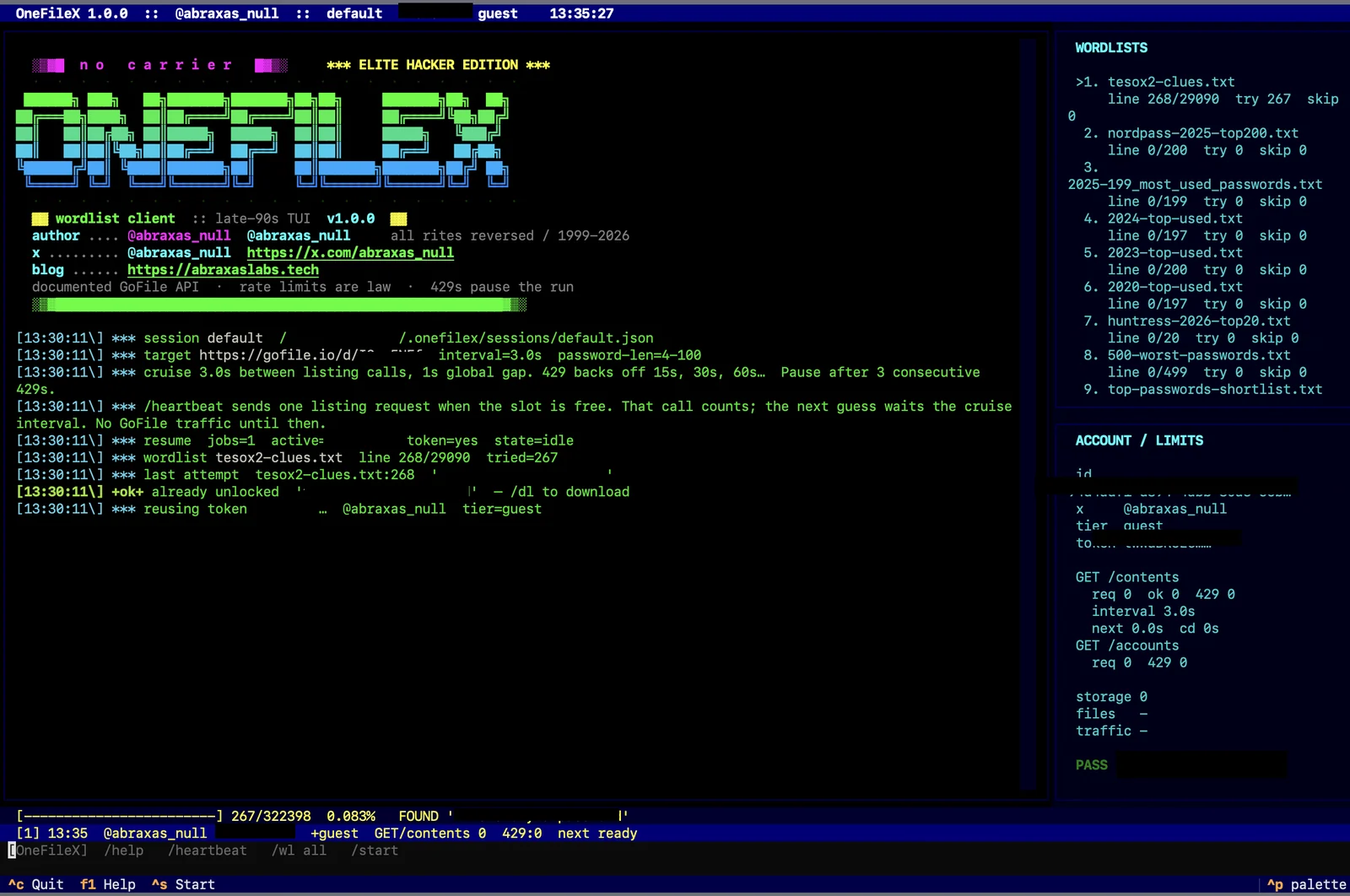
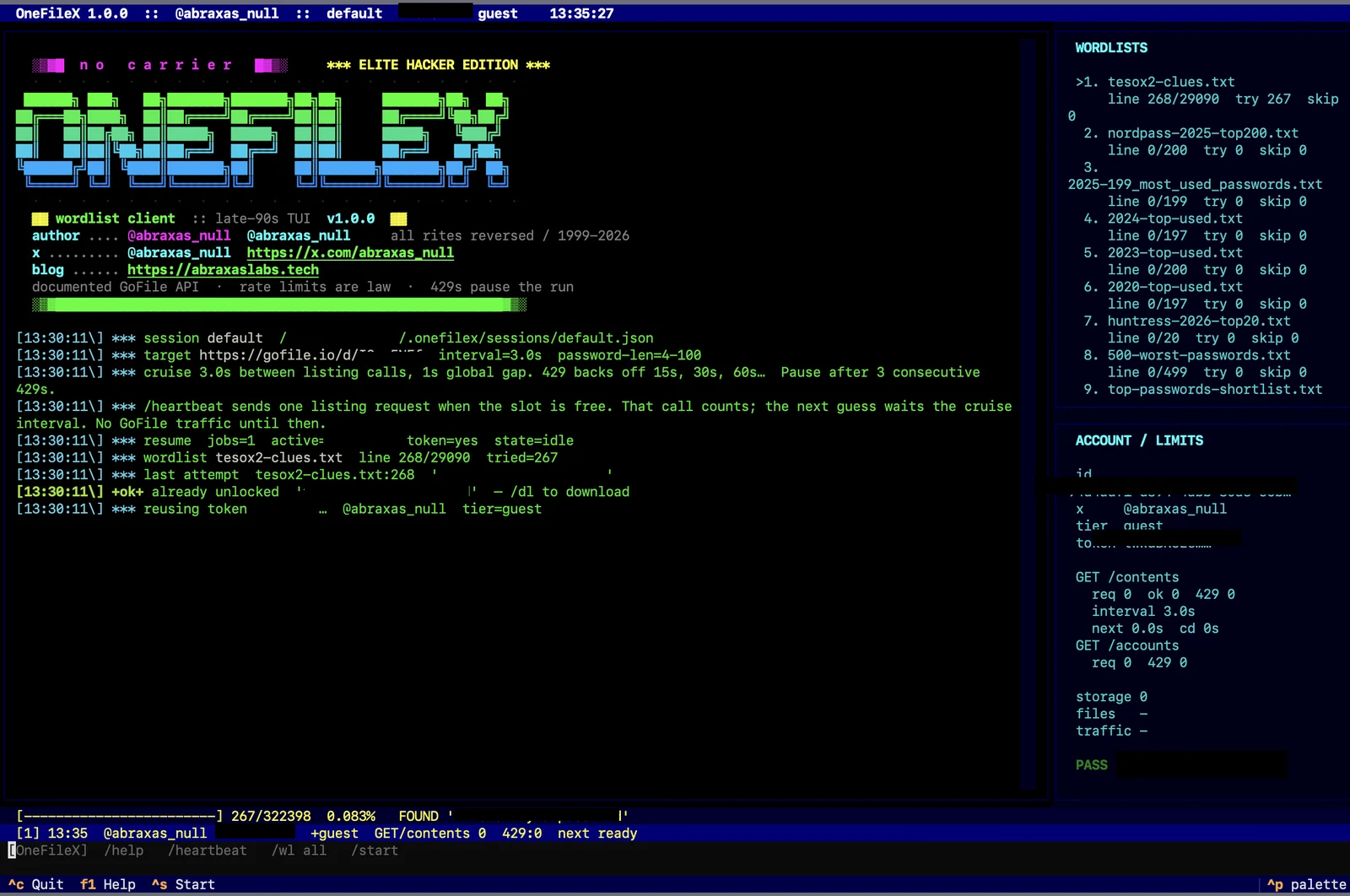
The screenshot is a live session. Share id, API token, account UUID, and found password are redacted. The hunt that produced it is still live; see the notes and the blog series below.
@YogSoth0 advertised a
TESO-homage treasure hunt: GoFile first, encrypted binary second. The
GoFile layer is a password-gated public share. The API exposes that gate
as GET /contents/{id}?password=<sha256-hex>. GoFileX is the client I
wrote so I could walk that gate without bursting the unpublished listing
quota and earning an IP ban.
Write-up (share password withheld):
Companion notes in this repo: docs/this-is-not-your-password.md.
Use this against shares you own or have explicit permission to
test. Treasure-hunt / CTF rules still count as permission. Tight-looping
GET /contents until GoFile forgets your IP does
not.
From gofile.io/api and the official web client
(wt.obf.js,
/myprofile):
| Rule | How GoFileX behaves |
|---|---|
| One account, reuse the token | POST /accounts once per session; stored in ~/.gofilex/sessions/ |
GET /contents/{id} is Premium-badged | Sends the same X-Website-Token the official web client uses so a guest can read a public share. A Premium token from /myprofile is the documented path. |
| Password parameter is SHA-256 hex of the plaintext | Every guess is hashed before it leaves the machine |
error-rateLimit / HTTP 429 → back off | Default 3s between listing calls (floor 1.5s), 1s gap between any API calls. 429 uses exponential cooldown 15s × 2ⁿ (cap 8 min) and doubles cruise speed; pause after 3 consecutive 429s |
| Exact limits are unpublished; repeated 429s may IP-ban | Interval floor is 1.5s. /rate will not go below it. Timeout pauses until /heartbeat |
GET /servers ≤ 1 / 10s | Not called |
Password length is filtered locally to the documented 4–100 character range so short/long lines never spend a listing call.
Further reading on the protocol:
Python 3.10+ (python.org). Clone from github.com/abraxas/GoFileX:
git clone [email protected]:abraxas/GoFileX.git
cd GoFileX
python3 -m venv .venv
.venv/bin/pip install -r requirements.txt
.venv/bin/python -m gofilex
Optional flags:
.venv/bin/python -m gofilex \
  --session ctf1 \
  --target https://gofile.io/d/YOURSHARE \
  --wordlist ~/lists/high-signal.txt \
  --wordlist ~/lists/nordpass.txt
A guest account is minted on /guest if the session has no token. Keep
that token — for guests it is the only way back into the account. If
you already have a GoFile account (especially Premium), paste the token
from gofile.io/myprofile:
/token YOUR_API_TOKEN
There is no default target. Point the client at a share with --target
or /target before /heartbeat or /start.
| Command | What it does |
|---|---|
/help | Command list |
/heartbeat | One GET /contents (counts toward the listing budget; no retries). /probe is an alias |
/wl add FILE [FILE…] | Queue wordlists; they run in order, resume from the saved line |
/wl all | Queue every list found under wordlists/custom/ then wordlists/public/ |
/start /pause /resume /stop | Walk the queue |
/try password | Single attempt |
/rate 5 | Seconds between listing calls (minimum 1.5, default 3) |
/stats | Refresh GET /accounts/{id} (usage / tier) |
/dl [dir] | Download files after a hit |
/session name | Switch reusable sessions |
/target <url|id> | Switch GoFile share; progress is kept per id |
/targets | List every GoFile id stored in this session |
/quit | Save and leave |
F1 = help, Ctrl-S = start, Ctrl-P = pause.
Everything that matters is written to ~/.gofilex/sessions/<name>.json
after every password attempt (atomic replace, mode 0600). A power
loss or /quit leaves the same checkpoint.
Each session stores:
idle / paused / running / found)python -m gofilex reopens the last session (~/.gofilex/active.json).
Use --session other or /session other for a separate hunt. /target
another id creates a new job and copies the current wordlist paths
(progress starts at 0). Switching back restores that id's line.
The loop does not auto-start after a crash (so a dead GoFile IP is
not hammered). /start continues from the saved line.
Previous installs that wrote ~/.onefilex/ are migrated to
~/.gofilex/ on first launch.
GoFileX does not ship wordlists. Bring your own. See wordlists/README.md for public sources:
Put high-signal / OSINT lists first. /wl all queues wordlists/custom/
ahead of wordlists/public/. Full rockyou.txt at 3s per guess is years
of API time; don't.
A Premium token. GET /contents is documented as Premium-only. A
guest token was minted so the client can reuse one account; listing a
foreign share as a guest depends on GoFile accepting the website-token
header the official web app sends. If /heartbeat returns
error-notPremium, paste a Premium token with /token from
gofile.io/myprofile.
